3D Rendering for a Bank Loan Package
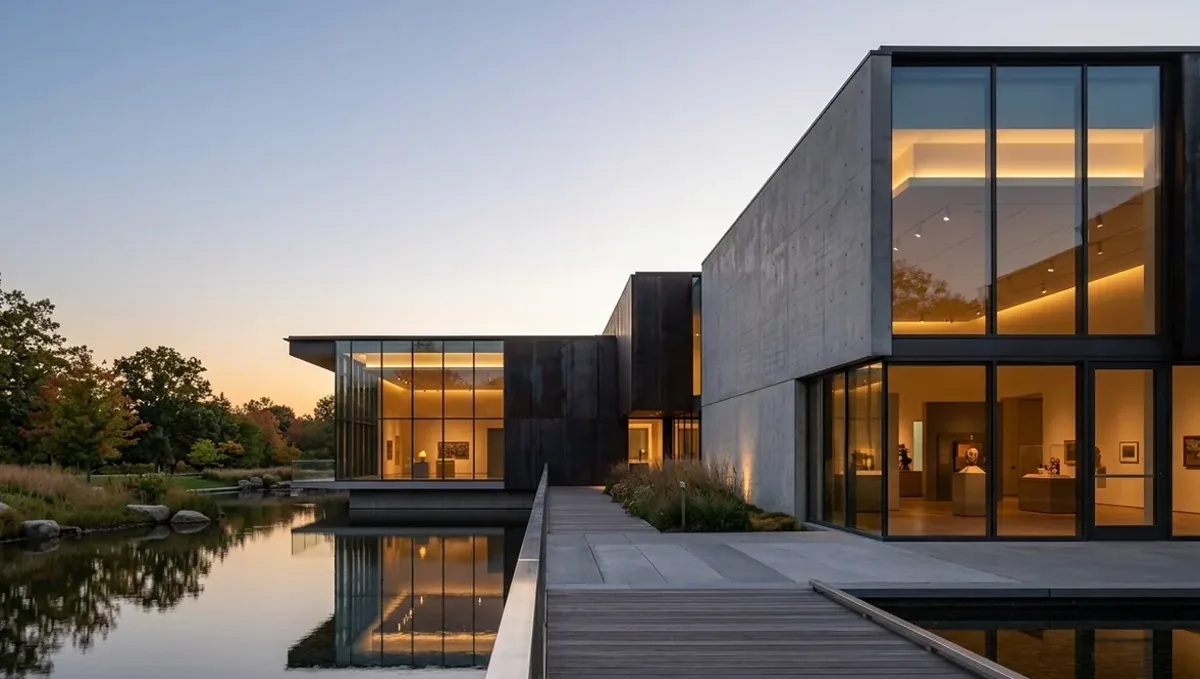
Quick answer: A 3D rendering for a bank loan package shows the finished asset consistently with the plans and the budget, helping a lender understand the project without replacing the required documents.
What a lender wants to see
A lender financing a construction, renovation or purchase project wants to know that the borrower has a realistic plan, a competent team and a project worth its value. The package usually includes financial statements, a budget, plans, permits, contractor information and a schedule. A rendering is an additional piece that helps the loan officer and the credit committee understand what is being built. This guide sits within using a 3D rendering for permits, HOA and bank approval.
What a rendering does for a loan file
It makes the asset visible. A loan officer reading a budget and a list of drawings can now see the finished building, its scale and its quality level. It supports the narrative in the business plan, and it helps people who are not builders, such as committee members, understand the project. It does not replace plans, a cost breakdown or an appraisal, and it does not improve the numbers.
What the rendering cannot substitute
- A detailed budget and contractor bids.
- Plans and specifications required by the lender or appraiser.
- Permits, entitlements and the schedule.
- Financial statements and credit documents.
- An appraisal, which the lender orders independently.
Ask your lender for the list of required documents first, and make sure each item is ready before the image is finished.
Which loans and situations benefit most
Images tend to matter for ground up construction, major renovations, additions, investment properties, mixed use buildings and small commercial improvements, where the value depends on a future condition. They matter less for a simple refinance of an existing home. If your loan officer or broker says a picture would help the file, ask what audience it is for: the loan officer, an underwriter or an investor committee.
Match the image to the budget
Lenders read the image next to the numbers. If the picture shows stone cladding, glass walls and custom millwork and the budget covers vinyl siding and standard windows, credibility suffers. Give the studio the actual finish level and the actual scope. The image should show what the money buys, not an aspirational version. If you have optional upgrades, label them or leave them out.
Views a loan officer finds useful
A main exterior view, a site or aerial view and, for income properties, an interior of a typical unit or the main commercial space. For a renovation, a before and after comparison on your existing photo is especially clear. Keep the number small and the captions factual: address, project type and version. Avoid promotional language, since the audience is analytical.
Consistency with the appraisal and the plans
An appraiser will review the plans and specifications, and may compare them with the image. Inconsistencies raise questions, such as a different number of bedrooms or a garage that appears in the picture but not in the drawings. Give the studio the same drawing set that goes to the lender and update the image when the plans change. Consistency lowers the friction in the review.
What to send the studio
- The plans and specifications, or a sketch with dimensions.
- The scope and finish level from the budget.
- Site photos and the survey if available.
- The intended audience and what the loan officer asked for.
- The lender deadline or the closing date.
- Any brand or naming guidelines for an investor presentation.
Format for a loan package
Loan files are often digital. Ask for a PDF with the images embedded and a few standalone files sized for email. Lenders may have file size limits, so request compressed versions. Place the images near the project description in the package, and give each a short caption. If the package goes to an investor committee, a slide with the main view and the key facts is useful.
Renovation loans and the before and after view
For renovation and rehab loans, the lender cares about the condition today and the value after the work. A before photo and a rendered after view from the same angle show the change in a way a scope list cannot. Add a brief caption listing the main items in the budget. The pairing helps the loan officer see that the plan is proportional, and it gives you a strong page for the summary.
Small business and owner occupied commercial loans
A small business owner buying or improving a building often needs to show the lender the concept, such as a restaurant, clinic or shop. A view of the storefront and a view of the interior connect the business plan with the space. Keep the images consistent with the floor plan and the tenant improvement budget, and label them as concept illustrations. That helps the lender picture how the business will operate.
Keeping updates in sync
Loan files evolve: costs change, scope shifts, a lender asks for a revised plan. Each time, check whether the image still matches. If not, ask the studio for an update and replace the old version everywhere, including the email to your broker. An outdated picture in a file suggests carelessness. A short version log with dates shows that the package is managed, and it makes the review smoother.
Investor decks and partner presentations
If the loan is part of a larger raise with partners or private investors, the same images can go into a presentation. Keep the message factual: what is built, for whom and at what cost. Use one strong view per slide with a short caption, and place numbers on separate slides. A consistent image across the loan package and the deck gives the project a coherent identity that investors remember.
Draw schedules and progress
Construction loans release funds in draws as work proceeds, often after an inspection. The rendering is not part of the draw, but it helps you and your contractor align on the target. If the design changes during construction, note the change and update the image, because the lender may ask for the revised scope. Keeping the record current avoids friction when the next draw is requested.
Commercial and mixed use loans
For commercial or mixed use properties, the lender wants to understand tenants, uses and the finished condition. A view of a storefront, a lobby or a typical unit shows the quality level and marketability. Include signage locations only if they are real. Consistency with the lease assumptions in the file matters more than beauty, so let the underwriting story guide the views.
Confidentiality and rights
A loan file contains sensitive information. Send the image only to the intended parties, mark it confidential if needed and ask the studio about usage rights. If the lender or a partner will reuse the image in marketing, agree on it first. Clear permissions avoid later conflicts, and they protect your project details while the financing is being arranged.
Working with your broker or loan officer
Ask the person handling your file how they will use the image and where it fits. They may want one view on the cover of the summary or an appendix. They know what the underwriters look for. Share drafts with them and ask for comments, since their feedback about tone and content is as valuable as any design comment. A good relationship with the loan officer also helps when something changes.
Timing with the closing schedule
Loan processing has its own clock: application, appraisal, underwriting, closing. The image should be ready before the package goes to underwriting, so ask for the dates. Leave time for a revision round and for any change requested by the lender. See how long a 3D rendering takes. Rendimension offers an express option, subject to the queue, when a fixed date is at risk.
Questions to ask the studio
- Can you match the finish level in my budget?
- Can you deliver compressed PDFs and separate images?
- Can you produce a before and after on my existing photo?
- What is included in the revision rounds?
- Can you deliver by the underwriting date?
A checklist before you send the package
- The lender required documents list.
- Plans, scope and finish level.
- One or two labeled views.
- An image that matches the budget and the plans.
- Compressed files and a high resolution copy.
- The dates for underwriting and closing.
Revision rounds and how to keep them small
For a loan package, the large decisions belong in the first preview: the massing, the materials, the colors and the camera. After that, send changes as one consolidated list. A reviewer or lender will judge the image against your written documents, so any correction should keep the two consistent. See how revision rounds affect timelines.
Timing
Approval dates are usually set by someone else: a meeting calendar, a filing deadline, a closing date. Count backward from that date, leave room for one revision round and answer the studio quickly. See how long a 3D rendering takes. Rendimension offers an express option, subject to the queue, when a date is fixed.
Common mistakes
- Showing finishes the budget does not cover.
- Using an image that differs from the plans.
- Sending it without the required documents.
- Adding promotional claims to the captions.
- Missing the underwriting date.
- Submitting oversized files.
A worked example
An investor plans a small four unit building. The lender asks for plans, a budget and a project summary. The studio builds one exterior and one aerial view from the plans, using the actual siding and window level in the budget. The loan officer places the exterior on the summary page and the aerial in the appendix, and the credit committee questions only the rent assumptions, not the scope of the project.
Where to go next
Ask the reviewing body for its checklist, then send the checklist, your drawings or sketch and your references to the studio. For the general overview, see using a 3D rendering for permits, HOA and bank approval, and for the pitfalls to avoid, see common mistakes using a rendering for approvals.
Frequently asked questions
Do banks require a 3D rendering?
Usually not, but many loan officers find it helpful, especially for construction and renovation loans.
Does a rendering improve my chance of approval?
It clarifies the project, but approval depends on the financials, the plans and the lender criteria.
Should the image match my budget?
Yes. Show the actual scope and finish level.
Which views are best?
A main exterior, a site view and, for income properties, a typical interior.
What format should I send?
A compressed PDF and separate images, according to the lender limits.
Can it replace plans?
No. Lenders and appraisers need the plans and specifications.
Can I use a before and after?
Yes, on a renovation it is very clear.
Is there a faster option?
Rendimension offers an express option, subject to the queue.
Related guides
This guide is part of our series on 3D renderings for permits, HOA and bank approval. Start with the overview, using a 3D rendering for permits, HOA and bank approval. Related: rendering for a historic district review, rendering for a neighborhood meeting, rendering for a design review board. When you are ready, send what you have through our quote request.