3D Rendering for a Small Business Loan Application
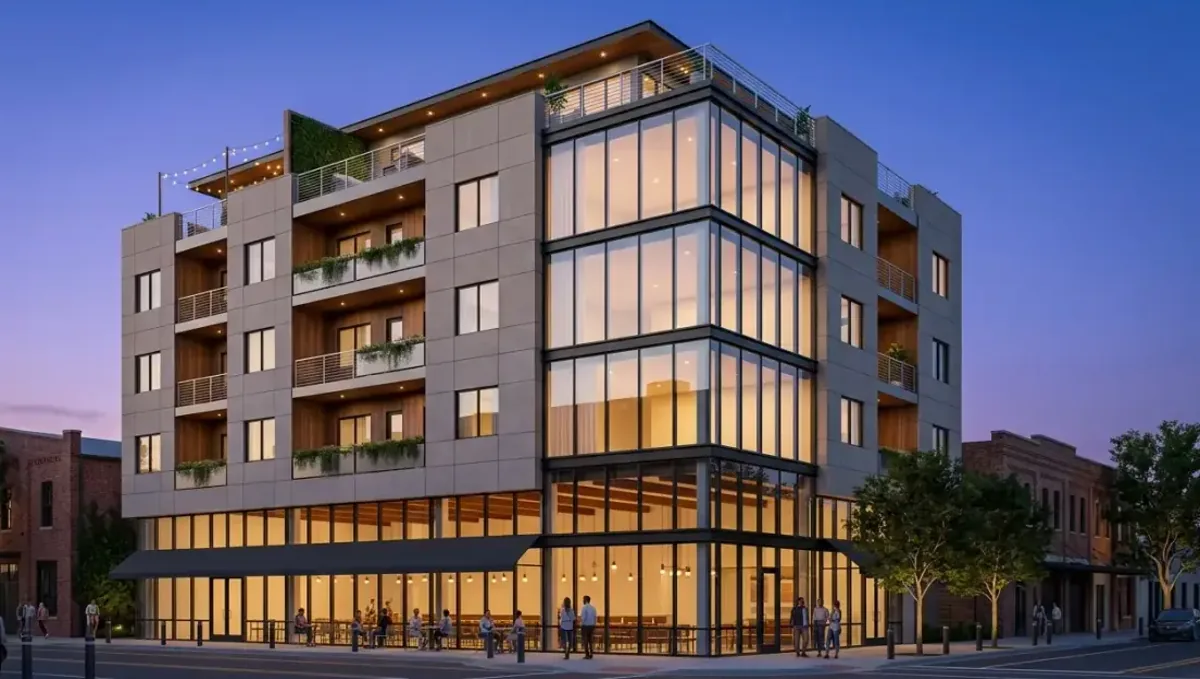
Quick answer: A 3D rendering for a small business loan application illustrates the concept of the space, tied to the budget and floor plan, so a lender can understand the plan behind the numbers.
Why a lender wants to see the space
When you apply for a small business loan to open or improve a location, the lender evaluates the business plan, your finances and the collateral. A restaurant, salon, clinic or shop depends on a physical space, and the lender must believe that the space will support the projected sales. A clear image of the finished interior and exterior connects the numbers in your plan with a place, and it shows that you have thought through the concept. This guide is part of using a 3D rendering for permits, HOA and bank approval.
What the image can and cannot do
The image illustrates the concept. It does not prove revenue, replace the pro forma or guarantee approval, and no responsible studio would say it does. What it can do is make the plan easier to understand for a loan officer who may never visit the site, and show the quality and the seriousness of your project. Lenders decide on credit, cash flow and collateral, so the image complements those items and never substitutes them.
Views that support the business plan
- An exterior view that shows visibility, signage and the entry.
- An interior view of the main customer area.
- A view of the service or work area, such as the kitchen, counter or treatment room.
- A floor plan that identifies the camera positions.
- A before photo and an after view from the same angle for renovations.
Connect each image to a number
The strongest packages tie images to the budget. Next to the interior view, list the tenant improvement items and their costs. Next to the exterior, list the facade work and the sign. That link tells the lender where the money goes and lets the loan officer check that the design is proportional to the request. If the image shows a premium finish that the budget does not cover, the lender will notice the gap.
Keep the concept realistic
Lenders read many plans, and they distrust exaggeration. Show a space of the size and quality that your budget supports, with furniture and equipment that you actually plan to buy. Avoid decorative elements that are not in the scope. A modest, accurate image of a well organized space is more convincing than a luxury interior that the numbers cannot support. Consistency between plan, budget and image is a sign of a careful owner.
Owner occupied commercial property
If you are buying or improving the building where your business operates, the lender is also financing real estate. In that case, add a view that shows the building, its condition today and the planned improvements. Provide the appraisal information and the scope of the work separately, since the image does not replace them. Lenders in this category, including those using government backed programs, follow their own documentation rules, so ask your loan officer what is required.
Franchise and brand requirements
Franchise systems often have approved designs and layouts. If you are opening one, ask the franchisor for the standard drawings and brand guidelines before ordering an image, and follow them. The studio can then illustrate your specific site while respecting the brand rules. Do not present a design that the franchisor will reject, since the lender may ask for the franchisor approval as part of the file.
What to send the studio
- The floor plan or a dimensioned sketch.
- Photos of the current space and the exterior.
- The concept, brand and color choices.
- The list of furniture, equipment and finishes.
- The budget items the image should reflect.
- The lender or broker deadline.
Formats for a loan file
Lenders usually accept PDFs by email or upload. Ask the studio for a PDF with the images and captions, plus separate files at a moderate size. Number the pages, add a short caption and label them as concept illustrations. If you are using a broker, ask what file size and format the lender portal accepts. A neat document is easier to review and is a signal of a well prepared borrower.
Signage and visibility for retail and service concepts
For a shop, restaurant or clinic, visibility from the street is part of the business case. Show the sign at real size, the entry and how the storefront reads from the sidewalk and from passing cars. Confirm that the sign complies with local rules before showing it, or label it as subject to approval. A lender who sees a visible, well located entrance understands more easily why foot traffic in your projections is plausible.
What to do if the loan is denied or reduced
If the request is reduced, revisit the design instead of the plan being abandoned. Ask the studio for a phased version that shows the first stage complete, with later stages marked as future. The revised image and budget can support a smaller loan or a second round with another lender. Keeping the base model of the space makes such changes cheaper than starting again from scratch.
Leasehold improvements and landlord consent
If you rent the space, the lender may want evidence that the landlord approves the improvements. The image helps you explain the work to the landlord and obtain written consent. Share it early, with a plain description of what will be changed and who pays. Keep the landlord letter and the image together in the file. A clear consent avoids delays at closing and protects you against disputes over alterations later.
Seasonal and multi location concepts
Some businesses depend on seasonal traffic or plan several locations. For a seasonal business, a view that shows both the peak and the off season configuration helps explain your plan. For multiple sites, one strong prototype image supports the idea, while each new site needs its own review. Be clear about which image is the prototype, and avoid implying that every location will look exactly the same when local conditions differ.
Equipment and layout credibility
Lenders often finance equipment. Show it in the image at correct size and in a layout that makes operational sense, with clear circulation for staff and customers. A kitchen, a treatment room or a workshop drawn without regard to flow raises doubts. If you have an equipment supplier layout, give it to the studio. The image then reflects the same plan the lender sees in the quotes.
Keeping the file consistent over time
During underwriting the lender may ask for updates, and your own plans may change. Each time the scope or budget changes, check whether the image still matches and update it. Replace the old version in every copy, including emails to your broker. An outdated image in the file suggests poor control of the project, while a short version log shows that you manage it carefully.
Working with your broker or accountant
A loan broker or accountant knows what the lender likes to see and can review your package. Ask them to look at the image, the captions and the budget link before you submit. They may suggest a different emphasis or a missing page. Because they see many applications, their feedback is a low cost way to improve your file. The studio can adjust captions or a view based on that feedback within the revision rounds.
Timing with the loan process
Loan timelines are driven by the underwriting queue and by documents that arrive late. Order the image while you gather the rest of the package, not after the lender asks for more. See how long a 3D rendering takes. Rendimension offers an express option, subject to the queue, when the request is urgent, but starting early avoids the problem entirely.
Questions to ask the studio
- Can you base the image on my floor plan and photos?
- Can you show a before and after from the same angle?
- Can you deliver a captioned PDF for the loan file?
- How many revision rounds are included?
- Can you keep the image consistent with my budget?
A checklist before you submit
- The business plan, budget and image match.
- Captions labeled as concept illustrations.
- A PDF in the format the lender accepts.
- Photos of the current condition.
- Any franchisor or landlord approvals.
Revision rounds and how to keep them small
For a small business loan application, the large decisions belong in the first preview: the massing, the materials, the colors and the camera. After that, send changes as one consolidated list. A reviewer or lender will judge the image against your written documents, so any correction should keep the two consistent. See how revision rounds affect timelines.
Timing
Approval dates are usually set by someone else: a meeting calendar, a filing deadline, a closing date. Count backward from that date, leave room for one revision round and answer the studio quickly. See how long a 3D rendering takes. Rendimension offers an express option, subject to the queue, when a date is fixed.
Common mistakes
- Showing a design the budget cannot support.
- Treating the image as proof of revenue.
- Sending files in the wrong format.
- Ignoring franchise or landlord requirements.
- Leaving the image outdated after a scope change.
- Ordering it after the lender is already waiting.
A worked example
A owner of a small cafe applies for an equipment and build out loan. Her broker asks for a concept of the space. The studio uses her floor plan and photos to create an interior view of the counter and seating area and a facade view with the sign. She adds a caption listing the counter, the espresso equipment and the lighting from her budget. The loan officer uses the pages to present the file internally.
Where to go next
Ask the reviewing body for its checklist, then send the checklist, your drawings or sketch and your references to the studio. For the general overview, see using a 3D rendering for permits, HOA and bank approval, and for the pitfalls to avoid, see common mistakes using a rendering for approvals.
Frequently asked questions
Does a rendering help a small business loan?
It can make the plan clearer, but approval depends on credit, cash flow and collateral.
What should it show?
The exterior, the main interior area, the work area and a floor plan with camera positions.
Should I link images to my budget?
Yes. Captions listing budget items show where the money goes.
Can it replace the business plan?
No. It illustrates the concept and complements the plan and financials.
What format do lenders accept?
Usually a PDF. Ask your loan officer or broker for size limits.
Do I need approval from the landlord or franchisor?
Often yes, and lenders may ask for it, so confirm early.
Should I show luxury finishes?
Only if the budget covers them. Lenders notice mismatches.
Is there a faster option?
Rendimension offers an express option, subject to the queue.
Related guides
This guide is part of our series on 3D renderings for permits, HOA and bank approval. Start with the overview, using a 3D rendering for permits, HOA and bank approval. Related: rendering for an HOA architectural review, rendering to attach to a permit application, rendering for a zoning variance hearing. When you are ready, send what you have through our quote request.