3D Rendering From a Sketch to Show a Lender or Investor
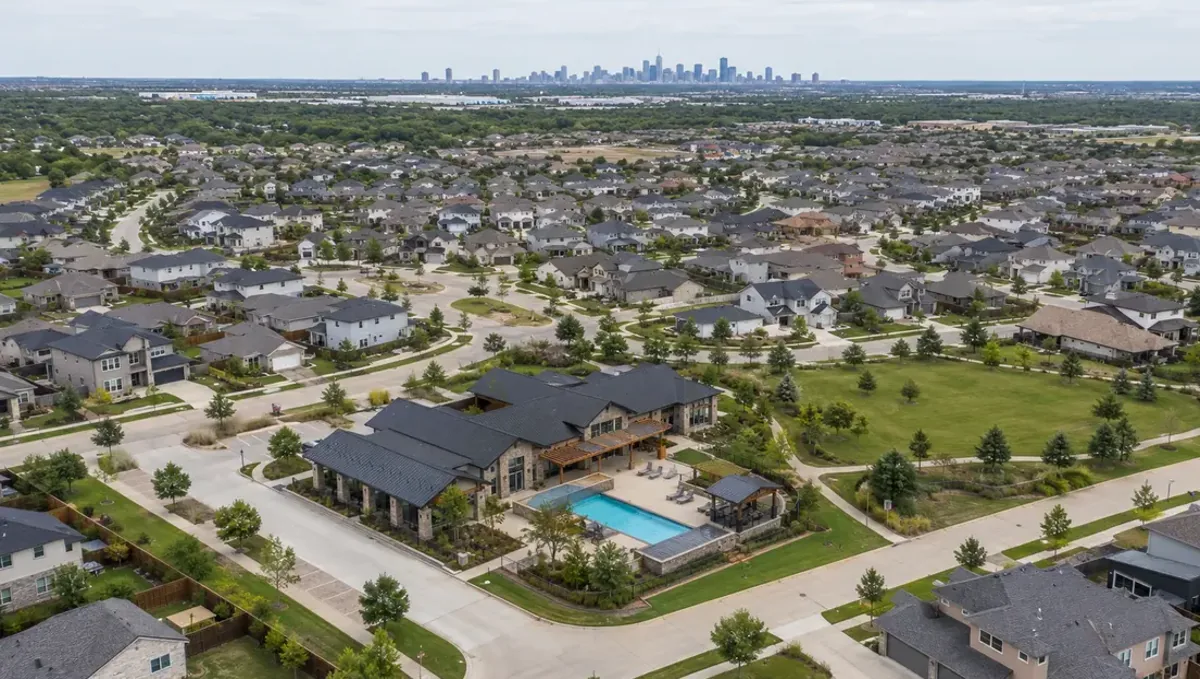
Quick answer: A 3D rendering made from a sketch can help a lender or investor understand a project, provided it is labeled as a concept and matches the numbers.
Lenders and investors need to see the product
A lender or an investor reads numbers first, but a picture makes the numbers easier to believe. When a project is still a sketch, a concept rendering shows what will be built and helps the reader understand the size, the quality and the market. This guide explains how to prepare the sketch and the image so they support a loan or an investment conversation. It belongs to making a 3D rendering from a sketch without plans.
What the image can and cannot prove
A rendering can show the intent, the scale and the level of finish. It cannot prove zoning, permits, costs, demand or the ability of the team to build. Label it as a concept and keep it beside the pro forma and the plan. A lender who sees an image that promises more than the numbers support will question the entire package, so consistency between the picture and the financial model matters.
Start from the numbers
Before ordering the image, write down the size, the number of units, the use, the budget and the target price or rent. Give these numbers to the studio so the image matches them. A building that looks luxurious but is priced as economy will look inconsistent. See rendering from on-site measurements for how to record dimensions from the site or the lot.
The sketch and the site
Draw the footprint, the floors, the entrances and the parking, and attach the survey or lot dimensions. Add photos of the site and the street. Lenders think about location, so context matters. See rendering from a floor plan sketch only for how a plan sketch helps. The studio can then place the concept on the actual site, which is more persuasive than an isolated building.
Choose the views for the audience
An investor usually wants a clear exterior, an aerial that shows the site and one or two views of the product, such as a typical unit or a lobby. A lender may prefer fewer images with a clear caption. Ask the studio for a small set of consistent views. A coherent set looks professional, and it gives the reader the answer to the question, what am I financing?
Level of finish and the budget
Show the finishes that the budget can support. A lender will compare the image with the cost per square foot, and a mismatch raises doubts. If the project has a premium feature, such as a rooftop terrace, be sure that the budget includes it. Tell the studio the finish level so the image is credible, and note which features are options.
Add a short caption with the facts
Under each image, write one or two lines: the use, the size, the number of units and the status, for example concept only. Captions turn a picture into evidence. Avoid claims that cannot be verified, such as approvals not yet obtained. A clear, modest caption builds trust, and it prevents the image from being read as a promise.
Questions to ask the studio
- Can you place the concept on my site photos?
- Can you deliver a consistent set of views?
- Can you add captions and a concept label?
- How many revision rounds are included?
- Is there an express option for a fixed meeting date?
Questions a lender or investor may ask
- What is the size and the use of the project?
- Is the site owned or under contract?
- What is the budget and the timeline?
- Who is building it, and with what experience?
- What approvals are in place?
Reviewing the package before sending it
Read the whole package as the lender would: the image, the caption, the numbers and the site plan. Check that the unit count, the size and the finishes agree everywhere. Ask a colleague or an advisor to find inconsistencies, since a fresh reader notices what the author no longer sees. Fixing a mismatch before the meeting costs a few minutes, and leaving it costs credibility.
Comparables and the market story
Lenders and investors want to know why the project will sell or lease. Add one or two comparable projects nearby, with their price or rent, and show how yours differs. The studio can keep the concept in the same range of finish as the comparables. A picture that looks similar to what already succeeds in the area reduces the perceived risk, and it makes the numbers easier to accept.
The team and the track record
People finance people. Beside the image, describe who is building the project, who designs it and what they have completed before. If the team is new, say how the gaps are covered, for example with an experienced builder. The rendering shows the product, and the team description shows the ability to deliver it. Both together create a more convincing package than either one alone.
Risks and how the image should handle them
Every project has risks: cost, approvals, market and schedule. Do not hide them behind a beautiful picture. Prepare a short list of the main risks and how you plan to manage them, and keep the image modest and realistic. A lender who sees a realistic concept and an honest risk list usually trusts the sponsor more, and that trust often matters more than the render.
Exit, refinance and the long view
Investors ask how they will be repaid: a sale, a refinance or rental income. State the plan next to the image and show that the product suits it. For a rental building, show durable finishes and easy maintenance. For a sale, show features that buyers value. The image can support the plan, and it helps the reader connect what is built with how the money returns.
Presenting to a private investor
Private investors often decide on trust and on the story. Use the image to tell what the project is, who it serves and why the location works. Keep the deck short, with the image on the first page and the numbers after it. Be ready to explain what is still uncertain, since honest answers about risk build confidence more than a perfect picture.
Pitching several audiences with one set
The same set of images may go to a lender, a partner and a tenant. Check that each caption is true for each audience. A tenant reads a rent, a lender reads a loan, and a partner reads an equity split, so the images should stay neutral and the text should change. Consistent images across audiences avoid contradictions.
Updating the image as the project matures
A concept image is a first step. As the design develops, ask the studio for updates that reflect the architect drawings, or order new images from the plans. Replacing early concept images with more accurate ones shows progress to lenders and investors, and it reduces the gap between what was promised and what will be built.
Costs and timing of the image
The image is a small part of the project budget, and it can shorten the time to a decision. Ask the studio for the price, the schedule and the revision rounds before starting, and plan the delivery a few days before the meeting. Rendimension offers an express option, subject to the queue, when the date is fixed.
Keep versions under control
Images travel by email and messages. Keep a log of the versions delivered, who received them and what caption was attached. If the design changes, replace older versions and tell everyone. An outdated image in circulation can cause confusion or even claims, so version control is a practical protection for the owner.
Zoning and approvals
Do not present the image as an approved design. Zoning, setbacks, height and parking ratios decide what can be built, and a professional should confirm them. If the approval process is pending, say so. A lender who learns about a problem later will trust you less than one who heard about it upfront, and the concept label keeps the conversation honest.
A checklist before you send
- The size, use, budget and target price.
- A sketch with footprint, floors and entrances.
- Site dimensions and photos.
- A consistent set of views with captions.
- A concept label on every image.
- The financial model that matches the image.
Revision rounds and how to keep them small
For a lender or investor, the preview is where the large decisions are made. Settle the massing, the materials and the camera there, and keep later comments to details, sent in one consolidated list. See how revision rounds affect timelines.
Timing
The schedule depends on how much the studio must interpret, how many views you need and how quickly you answer questions. See how long a 3D rendering takes. Rendimension offers an express option, subject to the queue, when a date is fixed.
Common mistakes
- Showing finishes the budget cannot support.
- Leaving out the site context.
- Presenting the concept as an approved design.
- Sending images without captions.
- Letting outdated versions circulate.
- Having a picture that does not match the numbers.
A worked example
A developer sketches a three-story building with twelve apartments over ground-floor retail. He writes the size, the unit count and the target rents, and sends the survey and photos of the corner. He orders an exterior view, an aerial and a typical unit interior. Each image carries a caption that says concept only. The lender notices that the parking in the aerial matches the site plan, and the conversation moves quickly to the loan terms and the schedule.
Where to go next
Send the sketch with a few notes and references to start. For the general overview, see making a 3D rendering from a sketch without plans, and for the pitfalls to avoid, see common mistakes ordering from a sketch.
Frequently asked questions
Can a rendering from a sketch help me get a loan?
It can support the conversation, but the lender also needs numbers and documents.
Which views should I include?
An exterior, an aerial and one or two views of the product.
Should I label the image as a concept?
Yes, on every image.
Can I show finishes above my budget?
It is better not to. The image should match the numbers.
Does the image prove approvals?
No. Zoning and permits need professional confirmation.
Should I include a caption?
Yes, with the use, size and status.
Can I show the site context?
Yes, and lenders usually value it.
Is there a faster option?
Rendimension offers an express option, subject to the queue.
Related guides
This guide is part of our series on a 3D rendering from a sketch without plans. Start with the overview, making a 3D rendering from a sketch without plans. Related: using a sketch rendering to choose between options, using a sketch rendering before hiring an architect, using a sketch rendering to brief a contractor. When you are ready, send what you have through our quote request.