How Many 3D Renderings for a Phased Construction Project?
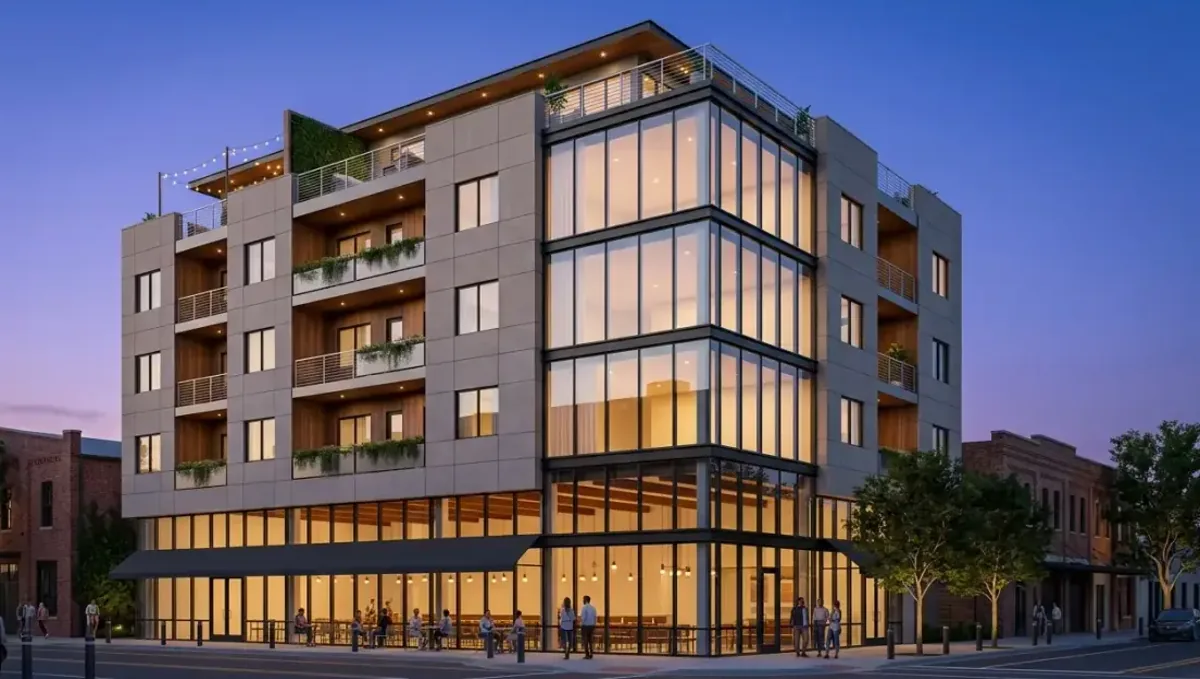
Quick answer: A phased project needs a master vision view plus one or two views per phase, ordered when each phase nears funding or construction.
The short answer
A phased construction project usually needs one rendering of the complete vision plus one or two views for each phase that is about to be built. The full vision keeps everyone aligned, and phase views support near term decisions and financing. This guide belongs to how many 3D renderings you need for a project and explains how to plan images across phases.
Start with the master vision
Begin with one or two views of the finished project. They show the end goal and how phases fit together. The master vision helps owners, lenders and neighbors understand where the project is going, and it gives later phase images a common reference so the design stays coherent over time.
Views for each phase
For each phase, order one or two views showing what will exist when the phase is complete. Focus on the parts being built and their relation to what already exists. Order them when the phase is close to funding or construction, since designs often evolve between phases.
Showing the transition
People often worry about how the site looks between phases. A view showing the completed phase with the future phases indicated in a lighter way can answer that concern. It shows that the project will look finished at each stage and not like a permanent construction site.
Reusing the model
The same model serves every phase, so later views cost less. Keep the model and the palette files with the studio or in your archive. When a new phase begins, the studio can update the model and produce new views without rebuilding the project from scratch, which saves both money and time.
Financing each phase
Lenders and investors for each phase want to see what their money will build. A view of the phase and a view of the whole project usually satisfy that. Ask the lender what they require, and plan the images accordingly so they arrive before the financing meeting and not after it.
Communicating with neighbors and reviewers
Phased projects may require public hearings or neighbor consultations. Views of the finished project and of each phase help people understand the impact. Present them honestly, labeled as illustrations, and avoid showing features that are uncertain. Trust built early makes later phases easier to approve and to build.
Managing design changes
Designs change between phases, and images can become outdated. Keep track of which images reflect the current design. When something changes, decide whether to update the master vision or to replace it. Clear version control prevents stakeholders from working from an old image that no longer matches the plans.
Cost and timing
Spreading images across phases spreads the cost as well. Rendimension quotes each project from the plans and the goal and offers an express option subject to the queue. See how the number of views affects turnaround and how long a 3D rendering takes.
Aligning images with the funding calendar
List the dates when each phase needs approval or financing, then work backward to decide when each image must be ready. Rendering takes time, and rushing before a lender meeting increases cost and risk. A simple calendar shared with the studio lets them reserve capacity and keeps the project moving without last minute pressure or missed deadlines.
Consistency of style across years
Phases may be separated by months or years, and tastes or products change. Decide early which elements define the identity of the project, such as facade materials, landscape style or color palette. Documenting them helps later images match the earlier ones, and it prevents the finished project from looking like several unrelated developments placed side by side.
Handling uncertain later phases
Later phases are often uncertain, and detailed images of them can mislead viewers. Show them as simple massing or as conceptual sketches until the design is confirmed. Clearly label the uncertain parts, so buyers, lenders and neighbors understand what is committed and what is only a possibility that may change as the market and budget evolve.
Budgeting across the whole program
Estimate the total image budget across all phases at the start, even if the numbers are rough. This prevents the first phase from consuming everything and leaving later phases without support. Revisit the estimate as the project advances, adjusting for changes in scope, and share it with the studio so they understand the long term relationship and plan accordingly.
Involving the contractor early
Contractors can point out how phasing affects access, sequencing and temporary conditions. Share draft images with them before finalizing, so the views reflect what can actually be built in each stage. Their input avoids showing sequences that are impractical, and it prevents the awkward situation of promising something in an image that the construction plan cannot deliver.
Sales and leasing considerations
If units or spaces are sold or leased phase by phase, the images should show what a buyer will actually receive. Include views of amenities and shared areas only when they are part of the committed scope. Overpromising with images invites disputes, while accurate illustrations of each phase build credibility and help close sales with fewer complaints later.
Archiving files between phases
Keep a complete archive of models, textures, palette files and final images for every phase. When work resumes after a pause, the archive lets the studio pick up where they left off quickly. Losing files forces the studio to rebuild the model from scratch, and the cost of rebuilding can exceed what you saved by delaying the first images.
Phase boundaries in the images
Show clearly where each phase begins and ends. Subtle color coding or a lighter treatment for future phases helps viewers understand the sequence. Avoid clutter, since too many labels reduce the appeal of the image. A clear boundary answers common questions from lenders and neighbors without needing long explanations in meetings.
Keeping materials consistent over time
Materials may change between phases because of availability or price. Decide early which finishes must stay constant, and note where variation is acceptable. Providing this information lets the studio keep the images consistent and helps avoid disappointing owners or buyers who expect the same look across all phases of the project.
Marketing early phases
Early phases are often marketed while later ones are only planned. Show what will actually be delivered in the marketed phase, and label future phases as conceptual. Honest presentation protects you from complaints and possible legal disputes, and it builds credibility that helps sell later phases when the time comes.
Construction logistics and images
Phasing affects access, noise and temporary conditions. Some projects need a view of how the completed phase works while the next is under construction. Discuss with the contractor whether such an image helps residents or tenants understand the plan. It is not always necessary, but it can reduce complaints during construction.
Updating the master vision
As phases complete, the master vision may need refreshing to reflect changes. Decide when an update is worth the cost. If the changes are small, keep the old image with a note. If they are significant, commission a new master view so that everyone works from the current design and expectations remain accurate.
Photographs replacing renderings
Once a phase is built, photographs can replace renderings for that part. Use them in marketing and reserve new renderings for the phases still to come. This approach keeps the image budget focused on the future and gives buyers proof of what has already been delivered, which builds confidence in the remaining phases.
Planning images at the start
At the start of a phased project, write a short plan listing which images you expect for each phase and when. Share it with the studio so they can estimate cost across the whole project. The plan is not a commitment, but it helps you budget realistically and avoid surprises as phases progress and demand for images grows.
Prioritizing when the budget is limited
Order the master vision and the first phase. Add later phases as funding arrives.
What to send the studio
- The master plan and phasing diagram.
- Plans and elevations for the current phase.
- Materials and finishes for each phase.
- Site photos and context.
- The funding or approval dates for each phase.
Budget and timing
Share the phasing plan with the studio. Rendimension quotes each project from the plans and the goal, with an express option subject to the queue.
Revision rounds and how to keep them small
For a phased project, settle the big decisions in the first preview: massing, materials, colors, landscaping and camera. Afterwards, send changes as one consolidated list. Every extra view multiplies the review effort, so a smaller set with clear feedback usually finishes faster. See how revision rounds affect timelines.
Timing
The count of images affects the schedule, since each view needs setup, lighting and review. Count backward from your deadline, leave room for one revision round and answer the studio quickly. See how long a 3D rendering takes and how the number of views affects turnaround. Rendimension offers an express option, subject to the queue, when a date is fixed.
Common mistakes
- Rendering all phases in detail at the start.
- Not keeping the master vision.
- Ignoring the transition between phases.
- Using outdated images.
- Not planning images for financing.
- Losing the model between phases.
A worked example
A developer builds a small community in three phases. They order a master view and a view of phase one at the start. Before phase two, they update the model and order two new views, reusing the palette, and refresh the master view to reflect changes.
Where to go next
Send the drawings or sketch, the site photos and the purpose of the images to the studio, and agree the number of views together. For the general overview, see how many 3D renderings you need for a project, and for the pitfalls, see common mistakes when deciding how many renderings to order.
Frequently asked questions
How many renderings for a phased project?
One master vision plus one or two views per phase.
Should I render every phase at the start?
No, order each when it nears funding or construction.
Why keep a master vision?
To keep the design coherent.
Can I reuse the model?
Yes, later views cost less.
How do I show transitions?
Show future phases lightly indicated.
Do lenders need images?
Often, so ask them.
What if the design changes?
Update or replace outdated images.
Is there a faster option?
Rendimension offers an express option, subject to the queue.
Related guides
This guide is part of our series on how many 3D renderings a project needs. Start with the overview, how many 3D renderings you need for a project. Related: how many renderings for day and night versions, how many renderings for a multi-option design comparison, how many renderings for social media posts. When you are ready, send what you have through our quote request.