How Many 3D Renderings for a Printed Poster or Site Sign?
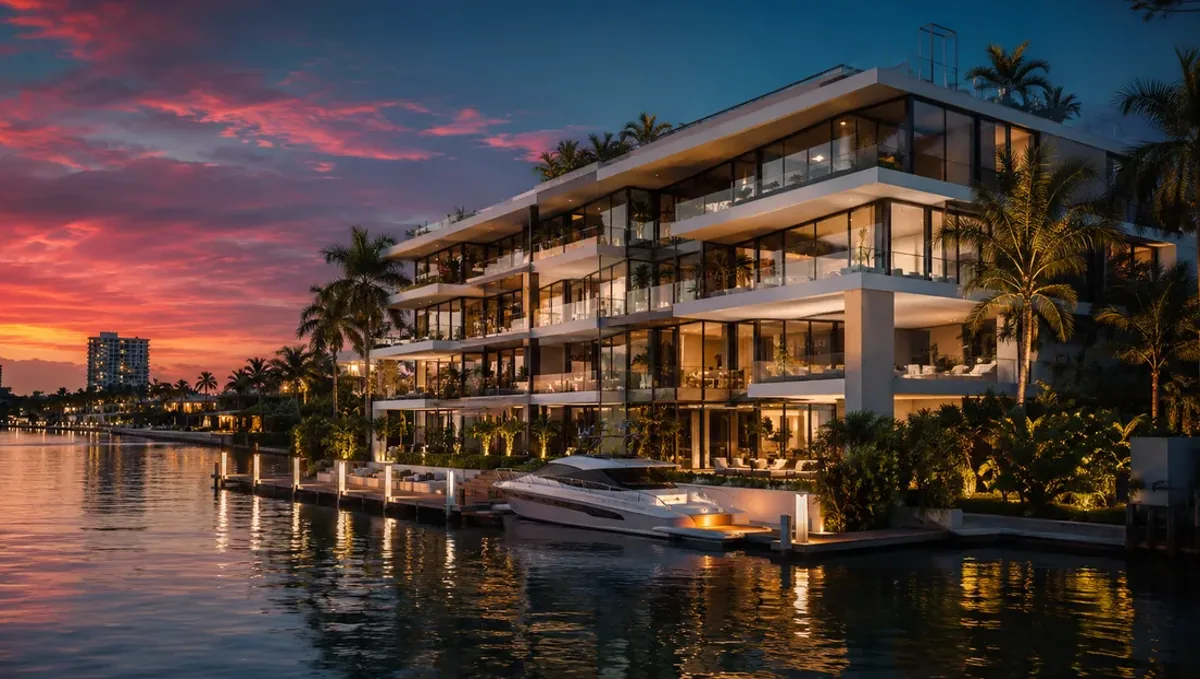
Quick answer: A printed poster or site sign usually needs one hero rendering, sometimes two or three on a large poster, at the resolution the printer requires.
The short answer for a poster or site sign
A printed poster or a construction site sign usually needs one strong rendering, and sometimes two or three. Large printed pieces are seen quickly and from a distance, so simplicity beats variety. This guide belongs to how many 3D renderings you need for a project and explains how to decide the count and the format for posters, banners and site signs.
How people see a sign
A person passing a sign gives it seconds. The image must read instantly: a clear subject, strong composition and little clutter. More images on a sign make each smaller and harder to read, which usually lowers the impact. That is why one hero image is the standard, with text and contact information supporting it.
The one hero image
Choose the exterior that best communicates the project, from a natural angle with clean light. It should look good at a large scale, so composition and clarity matter more than fine detail. If the project has a feature that defines it, make sure it appears in the frame. Ask the studio to compose with space for the title, the logo and the contact information.
When two or three images make sense
A larger poster, such as a sales center board or a display, can use a main image and two smaller ones: an interior, an amenity or a detail. Keep a clear hierarchy so the eye knows where to begin. Avoid a collage of equal images, which is harder to read and weakens the main message.
Resolution and print size
Large formats need high resolution files, and the needed size depends on the dimensions and the viewing distance. Tell the studio the printed size and the printer requirements. A file that looks sharp on a screen may look soft on a large banner. Planning the resolution up front prevents reprints and ensures the image holds up when enlarged.
Color and print differences
Colors on screen and on print can differ, and outdoor materials such as vinyl behave differently from paper. Ask the printer about color profiles and do a proof for important pieces. A rendering with bold, clear colors usually reproduces better on large outdoor signs than one with subtle tonal differences.
Text, logos and space
A sign carries a name, a message and contact information. Reserve space for them in the composition, and keep the text short. Too much text reduces readability. The image and the text should support each other, with the image attracting attention and the text giving the next step, such as a phone number or a website.
Permits and local sign rules
Cities and associations often have rules about sign size, placement and content. Check them before printing. A rendering on a site sign is a marketing illustration, and any legal claims should be reviewed by your attorney. Do not assume a design is allowed without checking the local requirements.
Cost and timing
A single image is usually the most efficient order, and extra images add cost. Rendimension quotes each project based on the drawings and the goal, and offers an express option subject to the queue. See how the number of views affects turnaround and how long a 3D rendering takes.
Choosing the best angle for a distant viewer
For a roadside sign, a slightly lower camera and a bold silhouette often read better than a complex angle. Avoid crowded foregrounds and busy landscaping that competes with the building. Ask the studio to try a simple frame and compare it with a more elaborate one at a small size, then choose the one that stays clear when reduced.
Proofing before the full print run
Ask the printer for a small proof or a test print of the image and the text before the full run. It reveals color shifts, cropping mistakes and typos. A proof costs little compared with reprinting a large banner, and it also lets the client confirm the message before anything is installed on site.
QR codes and contact details
Many signs include a QR code or a short web address so that passersby can learn more. Reserve room for it and keep it large enough to scan at the intended distance. Test the code before printing. The rendering draws attention, and the code or number is the action step, so both need space in the layout.
Coordinating with installers
Installers need the final size, the mounting method and the schedule. Confirm them early so that the image is ready when the sign is installed. A rendering delivered late can leave a site without a sign during the most visible period of the project. A brief check with the installer avoids rushed changes and misfit sizes.
Bleed, margins and cropping
Printers need extra area beyond the trim, called bleed, and safe margins for text. Ask for the image with extra area around the edges so the printer can trim cleanly. Without a bleed, thin white edges may appear, and important parts of the image may be cut off. Confirm these details with the printer before finishing the image.
Distance and legibility
A sign seen from a car or a sidewalk must be readable at a distance. Test the design by viewing it small or from far away. If the main subject is still clear, the composition works. If it disappears, simplify. This quick test helps decide whether a second image would help or hurt, and it often shows that fewer elements perform better.
Weather and durability
Outdoor signs face sun, rain and wind. Materials and inks affect how long the image stays vivid. Ask the printer about durable materials and finishes, especially for signs that stay up for many months. A brilliant rendering fades quickly on a poor material, so the material choice is part of the overall quality of the sign.
Updating the sign as the project advances
Signs may need updates: a new phase, a sold out notice, a new phone number. Keep the layout file and the model so revisions are quick. Ask the studio to deliver the layered file or a clean image with the space for text, so a designer can update text without ordering a new rendering.
Matching the sign to other marketing
The sign, the website and the brochure should look like one project. Use the same hero image and the same color palette across them. Consistency helps people who see the sign and later search online to recognize the project immediately, and it lets one strong rendering serve several channels.
Indoor posters and displays
Posters for a sales center, a trade show or a meeting are viewed closely, so they can carry more detail and more images than a roadside sign. Still, a clear hierarchy matters. Plan a main image, a few supporting images and short text. Tell the studio the viewing distance to decide how much detail the images need.
Digital screens and boards
Some displays are screens, not print. Screens allow motion and changing content, but they also need images in the right aspect ratio and resolution. If the poster may also appear on a screen, mention it at the start so the studio can prepare formats for both without new renderings.
Prioritizing when the budget is limited
Put the budget into one excellent hero image. If the sign later needs a smaller companion image, add it from the same model. One strong image on a sign usually beats several average ones.
What to send the studio
- Plans or sketches of the project.
- The printed size and the printer requirements.
- The logo, the title and the contact information.
- The location and the lighting of the sign.
- The print deadline and the installation date.
Budget and timing
Agree the size and the number of images with the studio and the printer. Rendimension quotes each project based on the plans and the goal, with an express option subject to the queue.
Revision rounds and how to keep them small
For a printed poster or site sign, settle the big decisions in the first preview: massing, materials, colors, landscaping and camera. Afterwards, send changes as one consolidated list. Every extra view multiplies the review effort, so a smaller set with clear feedback usually finishes faster. See how revision rounds affect timelines.
Timing
The count of images affects the schedule, since each view needs setup, lighting and review. Count backward from your deadline, leave room for one revision round and answer the studio quickly. See how long a 3D rendering takes and how the number of views affects turnaround. Rendimension offers an express option, subject to the queue, when a date is fixed.
Common mistakes
- Using too many images on a sign.
- Sending a low resolution file to the printer.
- Forgetting space for the title and the logo.
- Ignoring color differences in print.
- Not checking local sign rules.
- Ordering after the printer deadline.
A worked example
A builder needs a site sign for a new home under construction. With the studio, they choose one hero exterior from the street, composed with space for the logo and the phone number. The studio delivers a high resolution file sized for the printer, the builder checks a small proof, and the sign is installed before the framing begins.
Where to go next
Send the drawings or sketch, the site photos and the purpose of the images to the studio, and agree the number of views together. For the general overview, see how many 3D renderings you need for a project, and for the pitfalls, see common mistakes when deciding how many renderings to order.
Frequently asked questions
How many renderings for a site sign?
Usually one strong hero image.
Can a poster use several images?
Yes, a main image with two smaller ones, if the hierarchy is clear.
What resolution do I need?
It depends on the printed size and viewing distance, so ask the printer.
Do I need space for text?
Yes, plan the composition with room for the title and contact details.
Do colors change in print?
They can, so ask for a proof on important pieces.
Are there sign rules?
Often, so check local requirements.
Can I reuse the sign image online?
Yes, if usage rights cover it.
Is there a faster option?
Rendimension offers an express option, subject to the queue.
Related guides
This guide is part of our series on how many 3D renderings a project needs. Start with the overview, how many 3D renderings you need for a project. Related: how many renderings for a real estate listing, how many renderings for a website portfolio page, how many renderings for social media posts. When you are ready, send what you have through our quote request.