3D Rendering to Reduce HOA Resubmissions
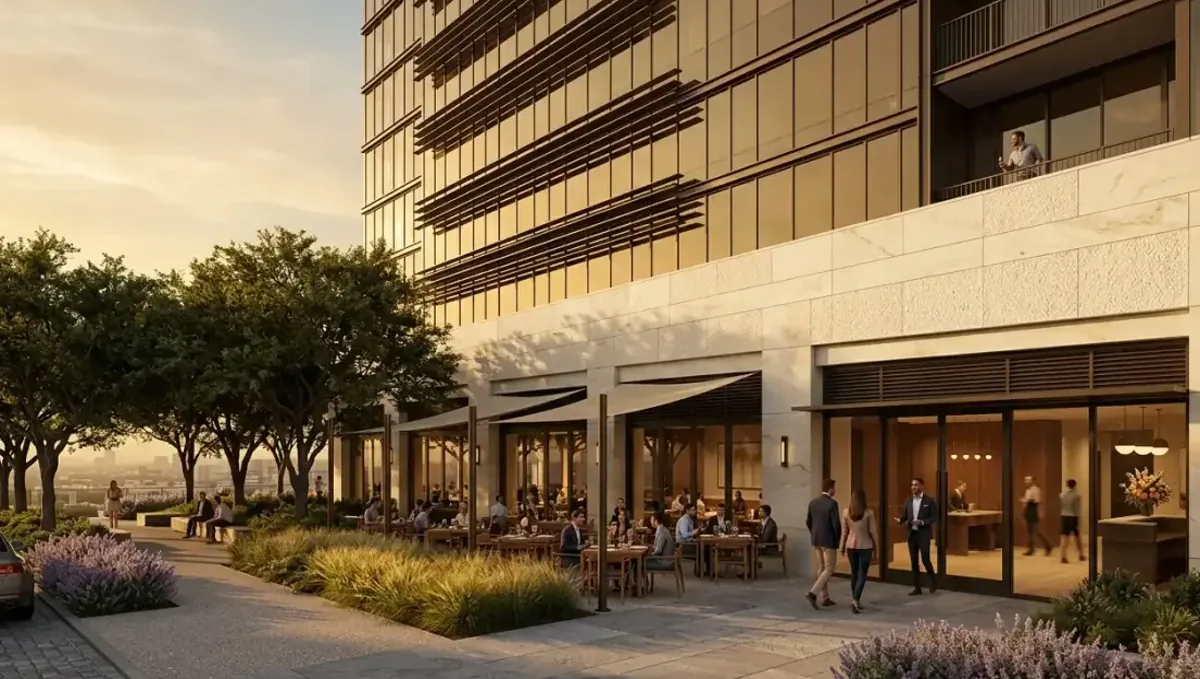
Quick answer: A 3D rendering to reduce HOA resubmissions removes ambiguity about location, scale, colors and materials, helping a committee decide at the first meeting while the form and rules still apply.
Why HOA applications come back
Most HOA applications are not rejected for bad design. They come back because the committee could not tell what would be built: a missing dimension, an unclear color, a material that was not named or a location that was ambiguous. Every return costs weeks, because committees meet monthly. A clear image removes many of these gaps. This guide belongs to using a 3D rendering for permits, HOA and bank approval and focuses on reducing repeated submissions.
The common reasons for resubmission
- Incomplete forms or missing attachments.
- Colors or materials not identified by name or code.
- Dimensions or heights that are missing or unclear.
- A design that conflicts with the guidelines.
- Location on the lot that is not shown.
- Neighbor objections raised at the meeting.
What an image can fix and what it cannot
An image fixes ambiguity: it shows the location, the scale, the colors and the materials at a glance. It cannot fix a design that breaks a rule, an incomplete form or a missing signature. Use it to make a complete application clearer, not to replace the required parts. Committees value applicants who follow the checklist and add a good visual, because it makes their decision easier.
Read the guidelines like a checklist
Turn the guidelines into a checklist before you design. For each rule, note the limit and how your project meets it: height, color palette, materials, setback, style and screening. Then ask the studio to show those points explicitly. When each rule is visible in the image and in the caption, the committee can tick the boxes quickly, which is exactly what reduces comments and returns.
Label everything in the caption
A caption that says the fence is six feet, cedar, stained to a named color and set four feet from the line answers half of the questions a committee could ask. Add product names, color codes, dimensions and distances. Keep the same wording in the form and the drawings. Consistency between the image, the caption and the form is a quiet signal of care, and committees notice it.
Show the location from the right angles
Many returns come from a location the committee cannot picture. Show the project from the street, from the neighbor side if it matters and from the yard. Add a simple site sketch with an arrow for each camera. When members can place the change on the lot in their minds, they stop asking for clarifications and can decide at the first meeting.
Use samples together with the image
Screens and printers change colors. Bring or attach real samples: a paint chip, a stain card, a brick or a shingle. Say in the caption that the sample controls the final color. The image shows the composition and the sample proves the color. This combination prevents the frequent situation where the committee approves one color on screen and rejects the physical sample at inspection.
Pre-check with the manager
Many managers will review an application informally before the meeting. Send the draft package with the image, and ask what is missing. Managers know what the committee has accepted or rejected in the past, and they can warn you about rules that are not obvious. A five minute conversation before submission can save a month of delay, and it builds a good relationship for future projects.
Talk to neighbors before the meeting
Objections from neighbors often lead to tabling an application. Show the image to the neighbors who are most affected, listen to concerns and adjust if reasonable. A short note attached to the application, saying that neighbors have seen the plan, can help. You do not need everyone to agree, but you want to avoid surprises at the meeting.
Reading a denial letter correctly
A denial letter usually cites a specific guideline. Read it slowly, find the rule and identify exactly what the committee wanted to see. Then change only what is needed and show the change clearly in the new image, with the old and new side by side if helpful. Avoid redesigning everything, since new elements can raise new comments. A focused answer to the cited rule is the fastest path to approval on the second round.
Digital portals and file formats
Many HOAs use online portals with limits on file size and format. Ask the manager what they accept, and prepare a compact PDF with the form, the image and the sketch in a logical order. Name files clearly, such as address, project and date. A package that opens quickly and reads in order shows respect for volunteers and reduces the chance that an attachment is missed at the meeting.
Understanding how the committee decides
Committees are usually volunteers who review many applications in a short meeting. They look for a complete package, a clear picture and compliance with the rules. If an application requires discussion, it often gets tabled. Design your package so that the answer is obvious from the first page: a clear summary, an image, a caption and the form. Making the decision easy is the most reliable way to avoid resubmission.
Timing across the calendar
Committees meet on set dates, and packages are due days before. If you miss the deadline, you wait for the next meeting. Some committees review only during certain months or need more time in busy seasons. Ask for the calendar at the start of the project, and count backward from your construction date. Submitting early leaves room for one correction without losing the season.
Appeals and variance requests
If your design conflicts with a rule and you still want it, ask the manager about a variance or an appeal. Explain the reason and how the design meets the intent of the rule. The image can show that the impact is small. Do not expect exceptions to be routine, and keep the tone respectful. A reasoned request with a clear picture has better chances than a complaint.
Learning from one project to the next
Keep the approved applications and comments. The next project, such as a fence after a window replacement, will follow the same committee taste. Reuse what worked: the format of the caption, the type of samples and the style of the image. Over time you become an applicant the committee trusts, and that reduces the friction of every future request.
When the HOA and the city both review
Some projects need both HOA approval and a city permit. The order matters. Many HOAs require their approval before you apply for the permit, while some cities want the HOA letter as part of the application. Ask both, and keep the same image and drawings in both packages. A change requested by one should be updated in the other, so the approved design is always a single one.
Keep a decision log
- Date and content of each submission.
- Comments received and how each was answered.
- Versions of the image and which one was sent.
- The name of the person who gave verbal guidance.
- The approval letter and any conditions.
What to send the studio
- Photos of the property and the affected area.
- The HOA guidelines and the application form.
- Dimensions, materials and color codes.
- Any previous comments or denial letters.
- The committee meeting date and the deadline.
Cost and timing
A resubmission costs you weeks and sometimes fees, so a modest investment in a clear image is usually worth it. Ask when the committee meets and when the package is due. See how long a 3D rendering takes. Rendimension offers an express option, subject to the queue, when the submission deadline is close.
Questions to ask the studio
- Can you work from my previous denial comments?
- Can you show the rules the committee cited?
- Can you use my photos and exact colors?
- How many revision rounds are included?
- Can you deliver a file that fits the HOA portal?
A checklist before you resubmit
- Every comment has a written answer.
- The image shows the corrected items.
- The form and attachments are complete.
- Neighbors and the manager have seen the change.
- Samples are ready for the meeting.
Revision rounds and how to keep them small
For reducing HOA resubmissions, the large decisions belong in the first preview: the massing, the materials, the colors and the camera. After that, send changes as one consolidated list. A reviewer or lender will judge the image against your written documents, so any correction should keep the two consistent. See how revision rounds affect timelines.
Timing
Approval dates are usually set by someone else: a meeting calendar, a filing deadline, a closing date. Count backward from that date, leave room for one revision round and answer the studio quickly. See how long a 3D rendering takes. Rendimension offers an express option, subject to the queue, when a date is fixed.
Common mistakes
- Sending an incomplete form.
- Leaving colors and materials unnamed.
- Ignoring a comment from the previous round.
- Not talking to the manager first.
- Skipping the neighbors.
- Using an image that does not match the drawings.
A worked example
A homeowner had a window replacement returned twice for unclear color and grid pattern. The third time, the studio shows the front of the house with the new windows in the exact color and grid, and the caption lists the manufacturer and the color name. The manager checks the package in advance, and the committee approves at the next meeting without comments.
Where to go next
Ask the reviewing body for its checklist, then send the checklist, your drawings or sketch and your references to the studio. For the general overview, see using a 3D rendering for permits, HOA and bank approval, and for the pitfalls to avoid, see common mistakes using a rendering for approvals.
Frequently asked questions
Why do HOAs return applications?
Usually for missing information, unclear colors or materials, or conflicts with the guidelines.
Can an image prevent a denial?
It cannot fix a rule violation, but it removes ambiguity that causes many returns.
What should the caption say?
Dimensions, materials, color codes, distances and product names.
Should I bring samples?
Yes. The sample controls the final color.
Can the manager help?
Many managers will review a draft package informally.
Should I talk to neighbors?
Yes, especially those who are directly affected.
What if I was already denied?
Answer each comment in writing and update the image to show the change.
Is there a faster option?
Rendimension offers an express option, subject to the queue.
Related guides
This guide is part of our series on 3D renderings for permits, HOA and bank approval. Start with the overview, using a 3D rendering for permits, HOA and bank approval. Related: using a rendering to answer a lender, using a rendering to win neighbor support, using a rendering to explain a design to a reviewer. When you are ready, send what you have through our quote request.