3D Rendering to Answer a Lender's Questions
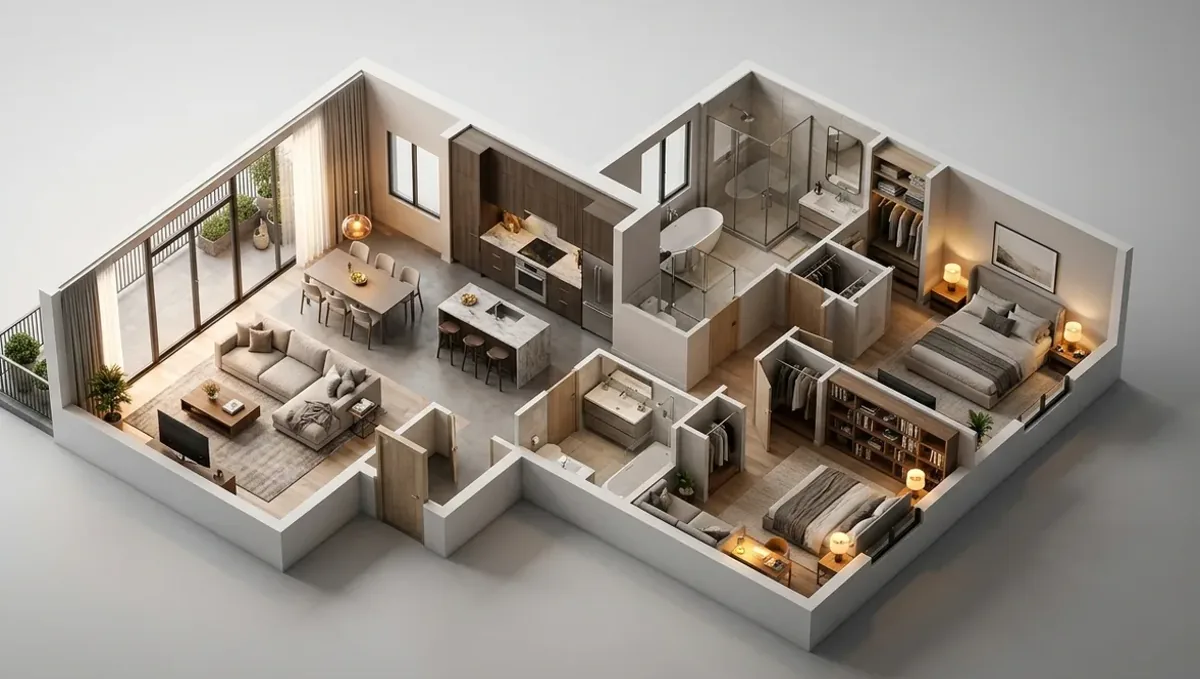
Quick answer: A 3D rendering to answer a lender's questions gives a clear visual summary of the scope that matches the budget and plans, while bids, permits and the appraisal remain the required documents.
What lenders want to understand
A lender who funds a build or renovation wants to know what will be built, how much it costs, how long it takes and what it will be worth. The image answers the first question and supports the fourth. It does not replace the budget, the contractor bids, the plans or the appraisal. This guide belongs to using a 3D rendering for permits, HOA and bank approval and explains how to use an image in a lender conversation.
Typical lender questions
- What exactly is the scope of work?
- Who is the builder and what is their record?
- What is the budget and the contingency?
- What is the schedule and how will draws be tied to progress?
- What will the property be worth when finished?
- What permits and approvals are in place?
Where the image fits in the file
Lenders usually ask for a defined package: application, plans or scope, budget, contractor documents, permits and appraisal. An image goes in as a visual summary of the scope. It helps the loan officer and the underwriter understand the project quickly, and it helps an appraiser see the finished product. Ask the lender if additional visuals are welcome, and send them in a clean PDF with a short caption.
Match the image to the scope
The most important rule is consistency. The image, the scope of work, the budget and the plans must describe the same project. If the image shows a marble bath and the budget lists laminate, the underwriter will notice. Ask the studio to use only finishes that are in the budget, and add a note about allowances. A consistent file builds trust and avoids delays for clarification.
Before and after pairs
For renovations, a before and after pair is very effective. The before is a photo of the existing property, and the after is the rendering on the same angle. The pair shows the change and the effort that the loan will fund. Use honest angles and lighting, and add a short list of what stays and what changes, so that reviewers can connect the visual to the budget lines.
Supporting the appraisal
An appraiser values a property based on comparable sales and the described improvements. If the appraisal is done on completion, the image and the plans help describe what will be built. Do not use the image to inflate value or to claim results. Provide accurate descriptions and let the appraiser reach a conclusion. Overstated images can damage your credibility with the lender.
What the lender will not accept as proof
Images are not proof of cost, permits or contractor capacity. The lender needs bids, licenses, insurance and approvals. If you rely on the image to fill in those gaps, the application may stall. Prepare each required document separately, and use the image to clarify rather than to replace. This is the same honesty rule that applies to permits and HOA approvals in this series.
Construction loans and draws
Construction loans release funds in draws after inspections. Inspectors compare the work with the plans and the schedule. The image can help the lender understand the stages, but draws depend on inspection reports. Keep the image and the plans together so that everyone refers to the same design. If the scope changes, update the documents and inform the lender before the work is done.
Small business and commercial lenders
A business loan for a build out or facade may require a business plan, financial statements and a project description. The image gives life to the project description, showing the space that customers will see. Keep the visual modest and consistent with the budget, and avoid promises about revenue. Lenders judge repayment ability from the financials, not from the picture.
Explaining risk honestly
Lenders think about risk more than beauty. Show that you understand the risks of the project: cost overruns, delays, permit issues and market changes. Present the image as the target and the contingency and schedule as the plan for the risks. A borrower who speaks honestly about what could go wrong appears more capable than one who presents only a polished picture, and that impression often influences the terms and the speed of approval.
Private and hard money lenders
Private lenders and hard money lenders usually decide faster and focus on the asset, the plan and the borrower record. A clear image and a short scope help them understand the deal quickly. They may also ask for the after repair value, which comes from comparable sales, not from the picture. Keep the file concise, and be ready to answer questions about the contractor, the timeline and the exit strategy.
Keeping the file consistent over time
Projects change between application and completion. Keep a single folder with the current image, plans, budget and permits, and update it when something changes. When you send the lender a draw request or a progress update, attach the current version. A consistent file makes each request easier to approve and protects you if a question arises about what was agreed at the beginning.
Budget alignment and allowances
Lenders want to see that the budget covers the finishes shown. Use allowances when finishes are not chosen, and show a typical option in the image. State in the caption that finishes are illustrative and subject to the allowance. This protects you from a mismatch between the picture and the invoice, and it makes clear to the lender that the budget is realistic.
Contractor documents and licensing
Most lenders check the contractor license, insurance and references. The image does not affect these checks, but it can help the contractor explain the scope. Ask the contractor to review the image and confirm that it matches the bid. If the contractor identifies an item that is missing, fix it before the lender sees the file, since discrepancies attract questions.
Permits and timing of the loan
Some lenders require permits before closing, and others release funds in stages tied to permits and inspections. Ask which permits they need and when. The image supports the story, but the permit is a document from the city. If approvals are pending, say so and give the expected date. Honest status information is better than an optimistic guess that turns out to be wrong.
Communicating with the loan officer
Loan officers handle many files and prefer short, clear messages. Send the package with a one paragraph summary and a list of attachments. Answer questions quickly. A well organized file, with a consistent image, tends to move faster through underwriting, since fewer clarifications are needed. Keep a copy of everything you send, with dates.
After closing and during the work
After closing, keep the image and plans with the loan documents. If you change the design, update the lender before the work, because some loans require approval of changes. At completion, keep the final inspection and the certificate of occupancy where applicable. These records will matter for the next financing, a refinance or a sale.
What to send the studio
- Photos of the property and the planned work.
- The scope of work, plans and budget.
- Finish choices and allowances.
- Whether you need a before and after pair.
- The lender name, package format and deadline.
Cost and timing
Lender timelines can be short, especially when a purchase closing is set. Ask the loan officer when the package is due. See how long a 3D rendering takes. Rendimension offers an express option, subject to the queue, when the date is close.
Questions to ask the studio
- Can you make a before and after on the same angle?
- Can you use only the finishes in my budget?
- Can you deliver a PDF for the lender?
- How many revision rounds are included?
- Can you update the image if the scope changes?
A checklist before you send the package
- The scope, budget and image match.
- Required documents are complete.
- Captions are honest and specific.
- The image is in a clean PDF.
- Permits and approvals are listed.
Revision rounds and how to keep them small
For answering a lender questions, the large decisions belong in the first preview: the massing, the materials, the colors and the camera. After that, send changes as one consolidated list. A reviewer or lender will judge the image against your written documents, so any correction should keep the two consistent. See how revision rounds affect timelines.
Timing
Approval dates are usually set by someone else: a meeting calendar, a filing deadline, a closing date. Count backward from that date, leave room for one revision round and answer the studio quickly. See how long a 3D rendering takes. Rendimension offers an express option, subject to the queue, when a date is fixed.
Common mistakes
- Sending an image that does not match the budget.
- Using it in place of bids and permits.
- Claiming results or values.
- Skipping the before photos.
- Not updating it when the scope changes.
- Ignoring the lender package format.
A worked example
An investor wants to renovate a small house with a renovation loan. The studio makes a before and after pair on the street angle and a kitchen view. Every finish in the image is in the budget. The loan officer includes the pair in the file, the appraiser uses the plans, and the draws are approved after inspections. The image helped the conversation, and the required documents carried the loan.
Where to go next
Ask the reviewing body for its checklist, then send the checklist, your drawings or sketch and your references to the studio. For the general overview, see using a 3D rendering for permits, HOA and bank approval, and for the pitfalls to avoid, see common mistakes using a rendering for approvals.
Frequently asked questions
Do lenders accept renderings?
Some welcome them as a visual summary. Ask what your lender requires.
Can it replace a scope of work?
No. The lender needs the scope, budget and bids.
Will it raise the appraisal?
No. The appraiser values based on comparables and documented improvements.
Should I show a before and after?
Yes, on the same angle and honestly.
What if the scope changes?
Update the documents and inform the lender.
Can it show revenue or value?
No. Keep it about the building.
What format should I send?
A clean PDF with captions, unless the lender asks otherwise.
Is there a faster option?
Rendimension offers an express option, subject to the queue.
Related guides
This guide is part of our series on 3D renderings for permits, HOA and bank approval. Start with the overview, using a 3D rendering for permits, HOA and bank approval. Related: using a rendering to win neighbor support, using a rendering to explain a design to a reviewer, using a rendering to reduce HOA resubmissions. When you are ready, send what you have through our quote request.