3D Rendering to Reduce Buyer Questions During the Sales Process
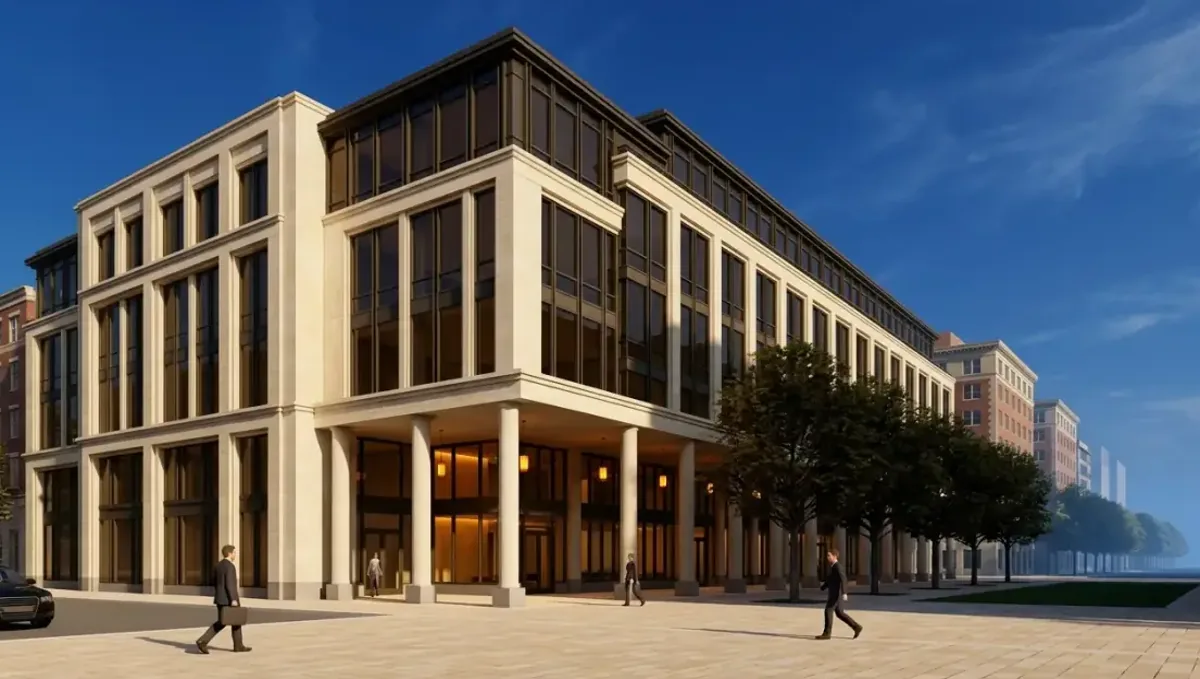
Quick answer: A 3D rendering can reduce buyer questions in the sales process when the images are planned around the most repeated questions, with captions and an FAQ sheet for the rest.
Where buyer questions come from
Most repeated buyer questions in a presale come from the same source: people cannot see what is not built. "How big is the kitchen?" "Where does the sun hit?" "What does the entrance look like?" A well planned rendering set answers many of these before they are asked, so the sales team spends its time on real decisions. This guide belongs to using a 3D rendering to pre-sell a property before construction.
Collect the questions first
Before ordering images, ask the sales team and brokers for the ten most repeated questions from buyers. Group them: layout, size, light, finishes, outdoor space, neighborhood. Then decide which questions an image can answer and which need documents. This list becomes the brief for the studio and keeps the rendering budget aimed at real needs, not at decoration.
Questions an image can answer
- What does the home look like from the street?
- How does the living area connect to the kitchen?
- How big does the space feel?
- Where do the doors, windows and outdoor areas sit?
- What do the standard finishes look like?
Questions an image cannot answer
Some questions need documents, not images: price, schedule, fees, financing, warranty, legal terms. Do not try to answer them visually. Prepare a short FAQ sheet, reviewed by counsel, and hand it out with the images. Separating the two keeps the sales conversation efficient, since buyers get visual answers from the rendering and factual answers from the sheet.
Captions that answer questions
A good caption saves a conversation. Mention the unit type, the built area as stated in the plans, and whether the image shows standard finishes or options. Keep the caption short and precise. Captions that anticipate the obvious question reduce interruptions, and they keep the message consistent when the image is shared by email or on social media.
Plans with camera positions
A floor plan with numbered camera positions lets buyers place each image in the layout. It answers questions about orientation and adjacency without a long explanation. Ask the studio to prepare it as a simple graphic. Buyers who understand where each view is taken feel more confident, and the sales team spends less time describing the layout aloud.
A simple FAQ page using the images
Build a web page or a printed sheet that pairs common questions with images. For example, a question about the kitchen with the kitchen view, and a question about the outdoor area with the patio view. Keep answers short and factual. This page works for buyers who prefer to read at their own pace, and it lightens the load on the sales team.
Training the sales team
Show the team which images answer which questions. Give them a short guide with the images, captions and the disclaimer. Ask them to note new questions that keep appearing. A team that knows the material answers faster and more consistently, which increases buyer confidence and shortens the time between first contact and decision.
Measure the effect honestly
Do not invent numbers about how much a rendering reduces questions. Track it simply: note the number of repeated questions before and after, or ask the team for their impression. Keep the record honest, including cases where the images did not help. Real observations guide better decisions than optimistic claims, and they help improve the next set of images.
Questions about neighbors and surroundings
Buyers often ask what is next to the project, what may be built nearby and how noisy the area is. Show the real surroundings in the exterior or site view, and answer future development questions with documents from the planning office, not with images. Honest context reduces the follow up calls that come after a buyer visits the site and notices something the image left out.
Questions about finishes and quality
Buyers want to know what the finishes look like and how good they are. Show the standard finishes with close views, and pair them with a sample board. Avoid vague words like luxury. A concrete description with an image answers the question better than adjectives, and it reduces repeated visits to the sales office just to look at the samples again.
Questions about timing
Timing questions cannot be answered by an image. Prepare a plain statement of the expected stages and note that dates depend on permits, weather and supply. Pair progress photographs with it as work advances. Buyers ask fewer questions when they see regular, honest updates, and they trust a seller who explains uncertainty instead of hiding it.
A short walkthrough script
Prepare a two minute script for the sales team: start with the aerial or exterior, move to the main living area, then the kitchen, then the outdoor space, and end with the plan and the documents. A consistent walkthrough answers the usual questions in order and keeps conversations efficient, especially during busy events when many buyers arrive at once.
Questions from brokers and agents
Outside brokers ask their own set of questions, often about unit mix, parking and incentives. Give them a fact sheet with the approved images and captions. A clear brokers packet reduces calls to the sales team and keeps the message consistent. Ask brokers which questions their clients raise most, since it shows gaps in the material that a new image or caption can fill.
Questions from spouses and family
Decisions often involve people who never visit the sales office. Provide files that stand on their own: images with captions, a plan and a short summary. Make them easy to share on a phone. When the secondary decision makers understand the product, fewer questions return to the sales team and the buyer feels more supported in the decision.
Questions during construction
After the sale, buyers ask about progress and changes. Provide periodic photographs and note where the rendering still applies. Use images to show items not yet built, labeled clearly. Regular updates cut the number of anxious calls and keep buyers informed. This is part of reducing questions across the whole sales and construction period, not only before signing.
Digital tools and organization
Keep all images, captions and disclaimers in one shared folder with version names. Use a simple page or PDF for the buyer package. Avoid scattering files across emails. Good organization reduces mistakes and repeated requests from the sales team, and it makes onboarding new salespeople faster, since everything they need is already in one place.
Reviewing the question list
Every few months, review the list of buyer questions. If new questions appear, consider a new image or caption. If old ones disappear, retire unneeded material. This habit keeps the set lean and current. A short review with the sales team takes little time and gives clear guidance on where to invest in the next round of visuals.
Consistency across channels
Use the same images and captions on the website, in the brochure and in the sales office. Different versions create new questions. Assign one person to control the approved set. Consistency saves time, and it shows buyers a coherent, professional project from the first click to the signed contract.
Avoid new questions created by the image
An image can also create questions if it is unclear or inconsistent with the documents. A rendering showing furniture that is not included, or a finish that is an upgrade, will raise questions and complaints. Label carefully and check the images against the plans. The best set reduces questions without creating confusion, and it stays aligned with the contract.
Budget and priorities
Start with the images that answer the most common questions: the exterior, the main living area and the kitchen, plus the plan with camera positions. Add others based on the team's notes. A rendering does not guarantee fewer questions. Rendimension quotes each project based on the plans and the goal, with an express option subject to the queue.
What to send the studio
- The list of repeated buyer questions.
- Plans, elevations and the finish schedule.
- The unit types and option packages.
- The naming used in the sales material.
- The disclaimer and the deadline.
Revision rounds and how to keep them small
For reducing buyer questions during the sales process, settle the big decisions in the first preview: massing, materials, colors, landscaping and camera. Afterwards, send changes as one consolidated list. Marketing images are also promises to buyers, so each correction should keep the image consistent with the plans and the specification sheet. See how revision rounds affect timelines.
Timing
Sales dates are usually tied to a launch, an event, a listing date or a construction milestone. Count backward from that date, leave room for one revision round and answer the studio quickly. See how long a 3D rendering takes. Rendimension offers an express option, subject to the queue, when a launch date is fixed.
Common mistakes
- Ordering images without collecting the questions.
- Trying to answer legal questions with pictures.
- Leaving captions out.
- Mixing standard finishes and upgrades.
- Using images that contradict the documents.
- Claiming results without tracking them.
A worked example
A sales team lists the top ten questions. The studio delivers a set that answers the layout, kitchen and outdoor questions, plus a plan with camera positions. The team pairs them with a short FAQ sheet, and notes which questions still come up so the next batch of images can address them.
Where to go next
Send the drawings or sketch, the finish schedule, the site photos and your marketing goals to the studio. For the general overview, see using a 3D rendering to pre-sell a property before construction, and for the pitfalls to avoid, see common mistakes using a rendering to pre-sell.
Frequently asked questions
Can a rendering reduce buyer questions?
It can answer visual questions when planned around them.
How do I choose the images?
List the most repeated buyer questions first.
Which questions need documents?
Price, schedule, fees, financing and legal terms.
Should I add captions?
Yes, short and precise.
What is a plan with camera positions?
A plan graphic showing where each view is taken.
Can images create confusion?
Yes, if they are unclear or inconsistent with documents.
Will it guarantee fewer questions?
No. Track results honestly.
Is there a faster option?
Rendimension offers an express option, subject to the queue.
Related guides
This guide is part of our series on 3D renderings to pre-sell a property before construction. Start with the overview, using a 3D rendering to pre-sell a property before construction. Related: using a rendering to help buyers picture the home, using a rendering to explain upgrades and options, using a rendering in a reservation conversation. When you are ready, send what you have through our quote request.