The Project Visualization Feedback Process Explained
The Project Visualization Feedback Process Explained
A photorealistic 3D visualization is only as good as the feedback loop behind it. The project visualization feedback process is the structured exchange between you and your visualization team, where precise, contextual input on each render drives accurate revisions until the final image matches your vision. When that loop breaks down, projects stall, revisions multiply, and the final deliverable misses the mark.
The core components of an effective feedback process are:
- Clear, specific comments tied to exact visual elements in the render
- Contextual annotations that pin feedback directly to the image rather than describing it in text
- Version tracking so every revision is compared against the previous approved state
- Consolidated stakeholder input submitted as a single, unified response
- Formal approvals at each milestone before the next stage begins
For architects, real estate developers, and product designers, photorealistic 3D visualization is the primary tool for communicating design intent before anything is built. Rendimension has built its entire workflow around this collaborative loop, managing many projects with a process designed to keep feedback organized, versions controlled, and approvals moving.
Table of Contents
- How to give feedback that actually moves your project forward
- Which digital tools and workflows keep your feedback organized?
- What are the most common feedback challenges, and how do you avoid them?
- How does a visualization project move from concept to final delivery?
- What makes feedback constructive and actionable?
- How do you document and track feedback changes across revisions?
- How should you handle conflicting feedback from multiple stakeholders?
- Communication techniques that keep all stakeholders aligned
- Rendimension brings structure to every stage of your visualization project
- Key Takeaways
- FAQ
How to give feedback that actually moves your project forward
The most common reason a visualization project runs over schedule is vague client feedback. “Make it feel warmer” or “something looks off” forces the visualization team to guess, which means extra rounds of revisions and lost time.
Effective feedback is specific, located, and prioritized. Instead of “the living room doesn’t look right,” try “the recessed lighting above the sofa reads too cool in color temperature, and the shadow on the left wall feels too hard.” That single comment gives the team a material, a location, and a direction.
- Pin comments to the image. Visual annotation tools let you click directly on the render and attach your note to that exact spot, eliminating ambiguity.
- Consolidate before you send. Gather input from every stakeholder on your side and submit one unified response. Multiple rounds of fragmented notes from different people create conflicting instructions.
- Prioritize your feedback. Label changes as critical, preferred, or optional. Grouped feedback by importance helps the visualization team tackle the most impactful revisions first and avoid unnecessary back-and-forth.
- Respond on time. Slow or unclear responses are among the leading causes of timeline overruns in visualization projects.
- Be specific about materials and lighting. These two areas generate the most revision cycles because clients often react to them emotionally without naming the specific issue.
Pro Tip: Before submitting feedback, walk through the render systematically: lighting direction and color temperature, material finishes and reflectivity, furniture scale and placement, and exterior context. Most missed feedback falls into one of these four categories.
Which digital tools and workflows keep your feedback organized?
Text-only feedback sent through email or PDF annotations is one of the most reliable ways to lose context. Comments get separated from the image they reference, threads split across platforms, and the visualization team ends up revising the wrong element.
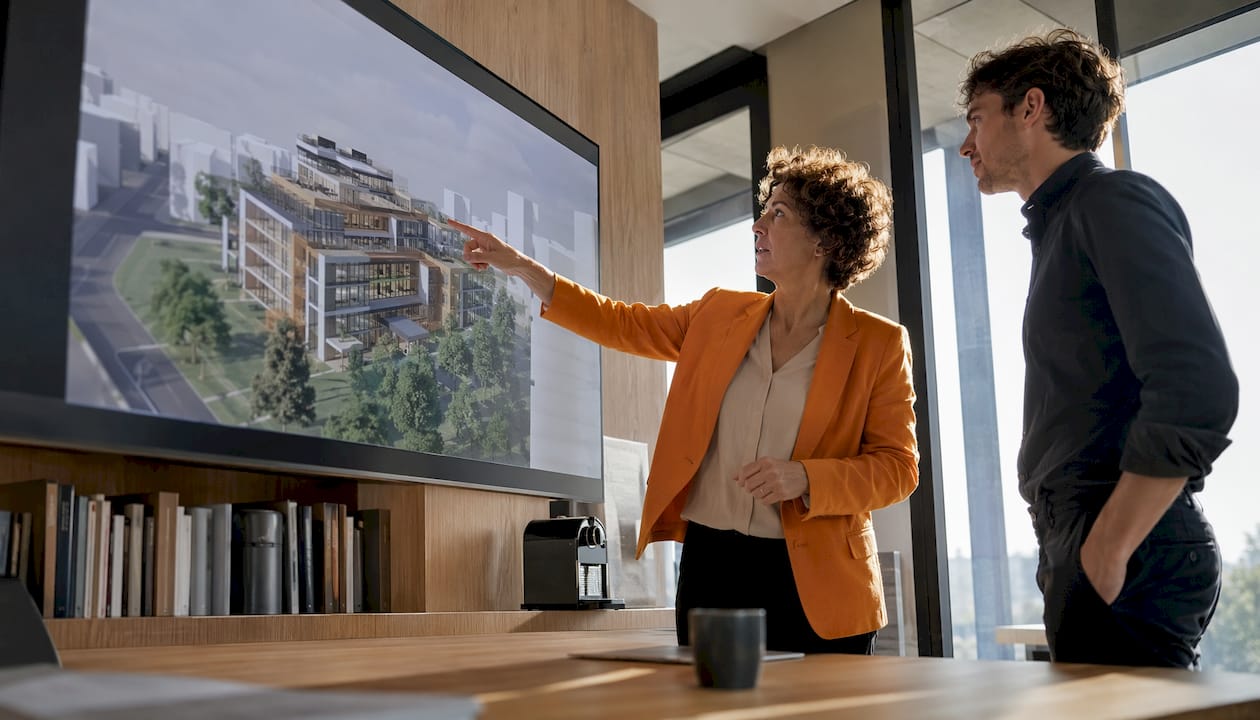
Visual feedback platforms solve this by letting you comment directly on renders, attaching notes to the exact pixel you mean. The comment lives with the image, not in a separate document.
- Pinpointed annotations on images and videos replace written descriptions with precise visual markers.
- Version comparison tools let you place two renders side by side to confirm that a specific change was made correctly before approving.
- Threaded discussions keep replies attached to the original comment, so questions and responses stay in context rather than drifting into a separate email chain.
- Centralized cloud storage puts every comment, file, and approval in one location. Unified feedback systems prevent the fragmentation that happens when notes scatter across email, chat apps, and phone calls.
Rendimension integrates these collaborative workflows into every project, giving clients a single shared environment where feedback, revisions, and approvals are always visible to everyone involved. For teams managing multiple stakeholders, construction team collaboration tools that connect visualization feedback with broader project tracking can further reduce communication gaps.
What are the most common feedback challenges, and how do you avoid them?
Most visualization projects run into the same handful of problems. Recognizing them early is the fastest way to prevent a two-week delay.
Working on outdated versions is the most damaging mistake. When a client sends feedback on version 3 while the team has already moved to version 4, revisions get applied to the wrong file. Version control features that compare renders visually before and after edits eliminate this problem entirely.
Vague feedback is the second most common issue. When a comment lacks a specific location or a clear direction, the team interprets it, and that interpretation is often wrong. Requiring annotated, pinpointed comments rather than written descriptions cuts this risk significantly.
Scattered feedback channels compound both problems above. When notes arrive through email, a phone call, a PDF markup, and a chat message simultaneously, comments get lost or contradicted. Centralizing all feedback in one platform means nothing falls through the cracks.
Conflicting stakeholder input stalls projects when two decision-makers on the client side disagree. The fix is designating a single point of contact who consolidates and resolves internal disagreements before feedback reaches the visualization team.
Delayed responses push every downstream milestone. Setting agreed response windows at the project kickoff, and treating feedback deadlines the same way you treat construction milestones, keeps the schedule intact.
How does a visualization project move from concept to final delivery?
Collaborative visualization is iterative, not linear. Each stage builds on the last, and client input at every checkpoint shapes the next version. Here is how a well-run project typically flows:
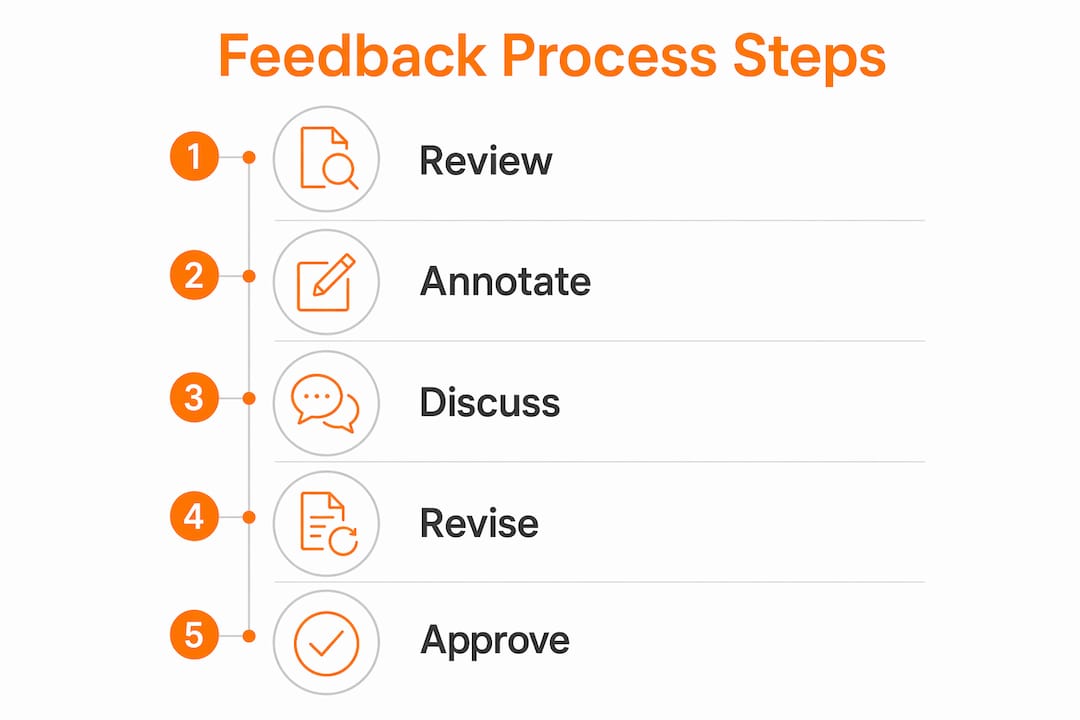
- Initial concept review. The visualization team shares early-stage renders or mood boards. Your job at this stage is to confirm the overall direction: camera angles, spatial layout, and general material palette.
- First draft feedback. You review the first full render and submit consolidated, annotated feedback. Focus on structural and spatial issues before addressing surface details.
- Revision and version update. The team applies your changes and uploads the revised render to the shared project environment. Keeping every comment and version in one place ensures all stakeholders see the same current state.
- Iterative review rounds. Subsequent rounds address progressively finer details: lighting adjustments, material refinements, and contextual elements like landscaping or product backgrounds.
- Checkpoint meeting (when needed). For complex projects, a short review call at the midpoint aligns expectations before the final push. Screen-sharing the render live resolves ambiguities faster than written notes.
- Final approval and sign-off. Once all feedback is addressed, you formally approve the version. That approval is documented in the shared environment, confirming alignment before final delivery.
Rendimension structures every project around this sequence, with clear milestones and documented approvals at each stage. The result is a process where nothing moves forward without explicit client confirmation, which keeps precision high and surprises at delivery low. You can see how this approach applies across project types in Rendimension’s architectural visualization services.
What makes feedback constructive and actionable?
Good feedback has three qualities: it is specific, it is located, and it proposes a direction. “The kitchen backsplash tile looks too busy” is specific and located. “Can we try a more uniform pattern, like a subway tile?” adds direction. That three-part structure gives the visualization team everything they need to act without a follow-up question.
Feedback that fails one of those three tests creates a revision loop. “This doesn’t feel right” is none of the three. “The exterior stone cladding on the north facade reads too dark compared to the reference image” hits all three. The difference in revision efficiency between those two comments is dramatic.
How do you document and track feedback changes across revisions?
Documentation is what separates a well-run visualization project from one that ends in a dispute over what was agreed. Every piece of feedback should exist in writing, attached to the specific render version it references.
Cloud-based visual feedback platforms handle this automatically: each comment is timestamped, linked to the image, and stored in a searchable thread. For projects managed across task completion tracking systems, exporting a feedback log at each milestone gives the full team a clear record of what changed and why.
A simple practice that pays off: at the end of each revision round, confirm in writing which comments were addressed and which were deferred. That confirmation becomes the baseline for the next round and prevents old feedback from resurfacing unexpectedly.
How should you handle conflicting feedback from multiple stakeholders?
Conflicting feedback is a client-side problem that the visualization team cannot resolve on their own. The most effective approach is to designate one person as the feedback owner before the project starts. That person collects input from all internal stakeholders, resolves disagreements, and submits a single consolidated response.
When genuine conflicts exist, prioritize by impact. A disagreement about the exterior color has more downstream consequences than a debate over a decorative accessory. Resolve the high-impact items first, and document the decision so it does not resurface in a later round.
If two stakeholders hold opposing views on a core design element, the visualization team can produce two alternate versions for direct comparison. Seeing both options rendered at the same quality level usually resolves the debate faster than any written discussion.
Communication techniques that keep all stakeholders aligned
The biggest communication failure in visualization projects is assuming everyone is looking at the same thing. A developer reviewing a render on a phone and an architect reviewing it on a calibrated monitor may have genuinely different perceptions of the same image.
Establish a shared reference point early. Agree on a reference image or mood board that defines the target look, and use it as the benchmark for every feedback round. When a comment references “the approved reference,” everyone knows exactly what standard is being applied.
Short, structured review calls at key milestones outperform long email threads for resolving nuanced feedback. Screen-sharing the render while talking through comments in real time cuts the back-and-forth that written notes generate. The design collaboration benefits of synchronous review are especially clear on projects with multiple decision-makers who rarely agree in writing.
Keep a running summary of all approved decisions. After each review round, send a brief written recap confirming what was approved, what was changed, and what remains open. That document becomes the project’s single source of truth.
Rendimension brings structure to every stage of your visualization project
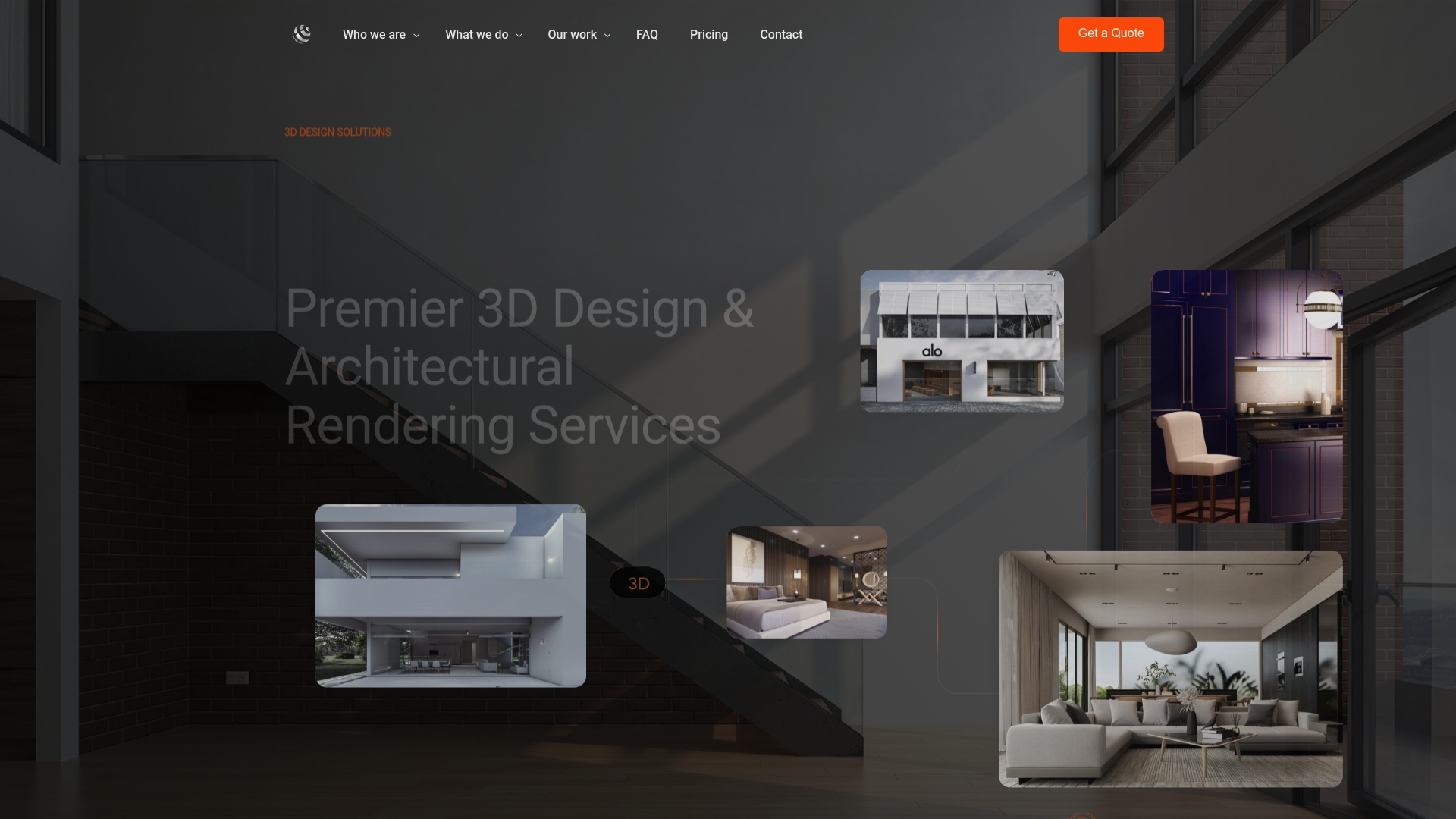
Most visualization delays do not come from technical limitations. They come from feedback that arrives late, lands in the wrong inbox, or contradicts itself across stakeholders. Rendimension’s collaborative process is built specifically to prevent that. Every project runs through a structured feedback workflow: annotated reviews, version-controlled revisions, and documented approvals at each milestone, so nothing moves forward without your explicit sign-off.
With over 1,000 projects completed across architecture, real estate, and product design, Rendimension delivers photorealistic 3D rendering with a client involvement model that keeps your input central from the first concept to final delivery. You get a dedicated point of contact, a shared project environment, and a team that treats your feedback as the most important input in the process.
Ready to see how a structured visualization workflow changes the outcome? Request a quote and get your project started with a team that knows how to turn your feedback into a finished render you can actually use.
Key Takeaways
A structured project visualization feedback process, built on annotated comments, version control, and consolidated stakeholder input, is the single most reliable way to reduce revision cycles and deliver accurate results.
| Point | Details |
|---|---|
| Annotate, don’t describe | Pin comments directly to the render rather than writing text descriptions to preserve context and clarity. |
| Consolidate before submitting | Resolve internal stakeholder disagreements and send one unified response to avoid conflicting instructions. |
| Version control prevents errors | Comparing renders visually before and after edits ensures revisions address the right version of the file. |
| Document every decision | Confirm approved changes in writing after each round to create a clear baseline for the next revision. |
| Rendimension’s structured workflow | Rendimension manages annotated reviews, version-controlled revisions, and milestone approvals across every project. |
FAQ
What is the project visualization feedback process?
It is the structured exchange of annotated, version-tracked feedback between a client and a visualization team, covering each revision round from initial concept through final approval.
Why does vague feedback cause delays?
When a comment lacks a specific location or direction, the visualization team must interpret it, and that interpretation is often wrong, triggering additional revision rounds.
How do you prevent version control mistakes in visualization projects?
Use a shared cloud environment where every render version is stored and labeled, and require formal written approval before the team moves to the next stage.
How should conflicting stakeholder feedback be handled?
Designate one feedback owner on the client side who consolidates all input and resolves internal disagreements before submitting a single response to the visualization team.
How does Rendimension manage the feedback process?
Rendimension uses a milestone-based workflow with annotated reviews, documented approvals, and a shared project environment, keeping all stakeholders aligned from concept to final delivery.
Recommended
- Project Visualization Workflow for Architecture Pros | Rendimension Blog
- How To Brief 3D Visualization Projects For Better Results
- Visualization in Client Engagement: A Pro Strategy Guide | Rendimension
Frequently asked questions
What is the project visualization feedback process?
It is the structured exchange of annotated, version-tracked feedback between a client and a visualization team, covering each revision round from initial concept through final approval.
Why does vague feedback cause delays?
When a comment lacks a specific location or direction, the visualization team must interpret it, and that interpretation is often wrong, triggering additional revision rounds.
How do you prevent version control mistakes in visualization projects?
Use a shared cloud environment where every render version is stored and labeled, and require formal written approval before the team moves to the next stage.
How should conflicting stakeholder feedback be handled?
Designate one feedback owner on the client side who consolidates all input and resolves internal disagreements before submitting a single response to the visualization team.
How does Rendimension manage the feedback process?
Rendimension uses a milestone-based workflow with annotated reviews, documented approvals, and a shared project environment, keeping all stakeholders aligned from concept to final delivery.