3D Rendering to Get a Client to Sign Off Faster
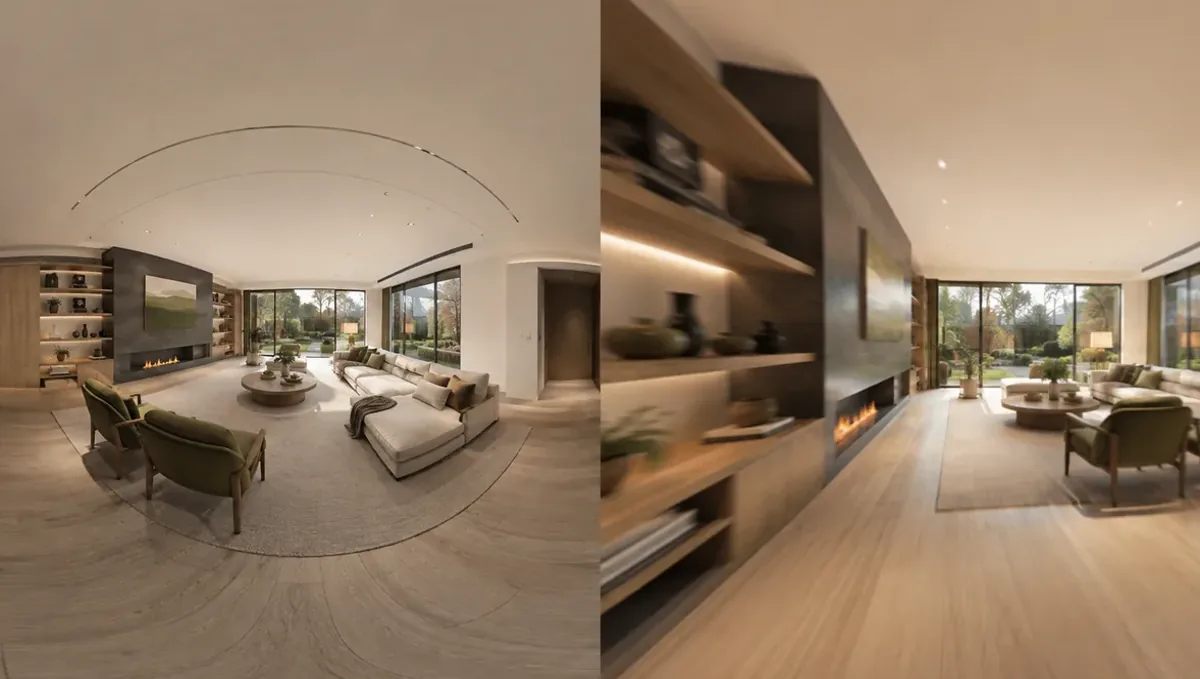
Quick answer: A 3D rendering helps a client sign off faster by giving one clear picture to react to and by turning feedback into structured decisions.
The problem: approvals that drag on
Many projects stall at approval. The design is ready, but the client keeps asking for another look, another change or another week. Delays cost the client and the team time and can push back the start of construction. A 3D rendering can shorten approval by giving the client one clear picture to react to, and by structuring feedback into decisions. This guide belongs to using a 3D rendering to convince a client to approve a design and focuses on faster sign off without pressure.
Why approvals take so long
Clients delay for real reasons: they cannot picture the result, they disagree with a partner, they fear cost or they receive too many options at once. Some wait for a perfect moment that never comes. Before trying to speed things up, ask what is holding the decision. A slow approval is usually a symptom of unresolved questions, not of a difficult client.
Present one clear recommendation
Too many choices slow decisions. Present a single recommended design with clear reasons, and show alternatives only where a real choice exists. A focused presentation reduces the mental effort for the client. Explain what the recommendation solves and why it fits the stated goals. Clients who feel guided respond faster than those asked to invent a solution.
Show the key views first
Lead with the two or three images that matter most: the main living space, the entrance, the exterior. Long presentations tire clients and bury the essential points. Provide the full set afterward as reference. When the important views are clear and complete, the client can decide with confidence and does not need repeated meetings to understand the design.
Structure the feedback
Ask for feedback in a defined format: what to keep, what to change and what is missing. Set a deadline for comments. Unstructured feedback arrives in pieces over weeks. A clear format produces a single consolidated list, which the studio can address in one revision. Structured feedback saves days and keeps the process organized for everyone.
Limit revision rounds honestly
Agree at the start how many rounds are included and what counts as a change. Explain that each round has a cost in time and possibly money. Clients who know the limits plan their feedback with care. Limits are not rigid walls, since real issues still need solving, but a shared frame stops endless small tweaks from delaying sign off.
Involve all decision makers together
Approval often stalls because one decision maker sees the images later and reopens the design. Invite everyone who has a say to the same presentation, or send the images to all at once with the same deadline. A single decision meeting with all voices present is far faster than sequential approvals with hidden objections.
Resolve objections in the meeting
When the client raises a concern, address it during the presentation whenever possible. Show an alternative view, explain the reasoning or agree on a small adjustment. Do not leave objections for later emails. A resolved objection moves the project forward, while an unresolved one becomes a reason to delay and grows in the client mind.
Use a formal approval step
Prepare a simple approval sheet listing the version, the images, the selections and the scope. Ask the client to sign or confirm by email. A formal step signals that the decision matters and creates a clean record. It also encourages the client to review carefully once, instead of approving loosely and objecting later. Have an attorney review contract wording.
Separating design approval from selections
Do not hold the whole design hostage to small selections. Approve the layout and the overall look first, then handle handles, paint colors and fixtures in a later step with their own deadline. This separation lets drawings start sooner and keeps minor choices from delaying the major decision. Record both steps so the client understands what is already settled.
Sending the images in a usable format
Deliver images in a format the client can open on any device, with clear file names and version numbers. Clients who struggle to view or share the images postpone their review. A short cover message that lists the images and the decisions requested makes the review easy, and it shows respect for the time of everyone who has to weigh in.
Scheduling the decision meeting early
Put the approval meeting on the calendar when you deliver the images, not after weeks of silence. A date creates a natural deadline for review and gives the client a reason to look carefully beforehand. If the date must move, reschedule immediately instead of letting it drift, since a project with a fixed next step keeps its momentum.
Recording what was approved and what is open
At the end of the meeting, list what the client approved, what remains open and who owns each open item. Send this summary the same day. A clear split between settled and pending points prevents the client from reopening the whole design later and lets the team continue work on the approved parts without waiting.
Preparing the client before the presentation
Send a short note before the meeting explaining what will be shown and what decisions are expected. Clients who arrive prepared decide faster than those surprised by the content. Include the goals you agreed at the start so the design is judged against them. Preparation turns the meeting into a decision session instead of a first impression session.
Handling the perfectionist client
Some clients keep refining. Set clear criteria for good enough: does the design meet the agreed goals, budget and constraints? Show what further changes would cost in time. Respect their care, and gently remind them that construction details will still be refined. Focusing on the goals keeps perfectionism from blocking a sound decision.
Handling the client who avoids decisions
Avoidance often hides fear. Ask what worries them and address it. Break the decision into small steps, such as approving the layout first and the finishes later. Smaller decisions feel safer and build momentum. Patience combined with a clear path forward works better than pressure, which tends to produce resentment or a refusal.
Phased approval
Split approval into stages: layout, exterior, materials. Each stage is a short decision with its own images. Phased approval avoids overwhelming the client and lets work begin on approved parts while others are refined. Make sure the pieces remain coherent, and record every stage so nothing is lost between them.
Digital approval tools
Use simple digital tools to collect approvals: a shared folder with the final images and a reply by email, or an electronic signature service. Keep it easy, since complicated tools slow the process. Store every approval with the date and version. A tidy digital record helps if questions arise later and speeds up the handoff to the construction team.
Measuring your approval time
Track how long each project takes from first presentation to approval and note the causes of delays. Patterns will appear: too many options, missing decision makers, late feedback. Adjust your process accordingly. Over time, you will build a presentation routine that reliably shortens approval and improves the experience of every client.
Explain what happens after approval
Clients hesitate when they do not know the next step. Describe what follows sign off: drawings, ordering, scheduling, start date. Show that approval unlocks progress. Understanding the timeline and the cost of delay motivates a decision. Avoid false urgency, and never invent deadlines, since honest timing information is far more credible.
Keep the momentum with follow ups
After sending the images, follow up with a call or message within a few days. Ask if they have questions and offer to walk through the design. Many delays come from silence, not disagreement. A friendly follow up keeps the project on the client mind and catches doubts early, before they turn into a stalled approval.
What to send the studio
- Plans and the approved design direction.
- The key views to present first.
- The number of revision rounds agreed.
- The names of all decision makers.
- The target date for sign off.
Budget and timing
Plan the approval date before ordering the images so the timeline is realistic. Rendimension quotes each project based on the plans and the goal, with an express option subject to the queue.
Revision rounds and how to keep them small
For a rendering used to speed up client approval, settle the big decisions in the first preview: massing, materials, colors, landscaping and camera. Afterwards, send changes as one consolidated list. A persuasion image is also a commitment to the client, so each correction should keep the image consistent with the drawings and the material list. See how revision rounds affect timelines.
Timing
Client decisions are usually tied to a meeting, a budget deadline, a contractor slot or a construction start. Count backward from that date, leave room for one revision round and answer the studio quickly. See how long a 3D rendering takes. Rendimension offers an express option, subject to the queue, when a meeting date is fixed.
Common mistakes
- Showing too many options at once.
- Leaving one decision maker out of the meeting.
- Accepting unstructured feedback with no deadline.
- Not defining revision rounds.
- Inventing false urgency.
- Skipping a formal approval record.
A worked example
A designer keeps waiting on a couple who reply separately and contradict each other. The studio prepares one recommended scheme with three key views. Both partners attend a short meeting, list keep and change items, and sign a one page approval the same week, allowing drawings to start.
Where to go next
Send the drawings or sketch, the material list, the site photos and your decision goals to the studio. For the general overview, see using a 3D rendering to convince a client to approve a design, and for the pitfalls to avoid, see common mistakes using a rendering to convince a client.
Frequently asked questions
How can a rendering speed up approval?
It gives one clear picture and structures feedback into decisions.
Should I show many options?
Only where a real choice exists.
How do I limit revisions?
Agree the rounds at the start and explain the cost of each.
Who should attend the presentation?
Everyone with a say in the decision.
Should I use a formal approval?
Yes, a simple signed sheet with version and scope.
Can I create urgency?
Only with honest, real timing information.
Will it guarantee fast approval?
No.
Is there a faster option?
Rendimension offers an express option, subject to the queue.
Related guides
This guide is part of our series on 3D renderings to convince a client to approve a design. Start with the overview, using a 3D rendering to convince a client to approve a design. Related: using a rendering to help a client choose between options, using a rendering to justify a higher budget, using a rendering to reduce client doubts. When you are ready, send what you have through our quote request.