How an Interior Designer Briefs a Rendering Studio by Phone
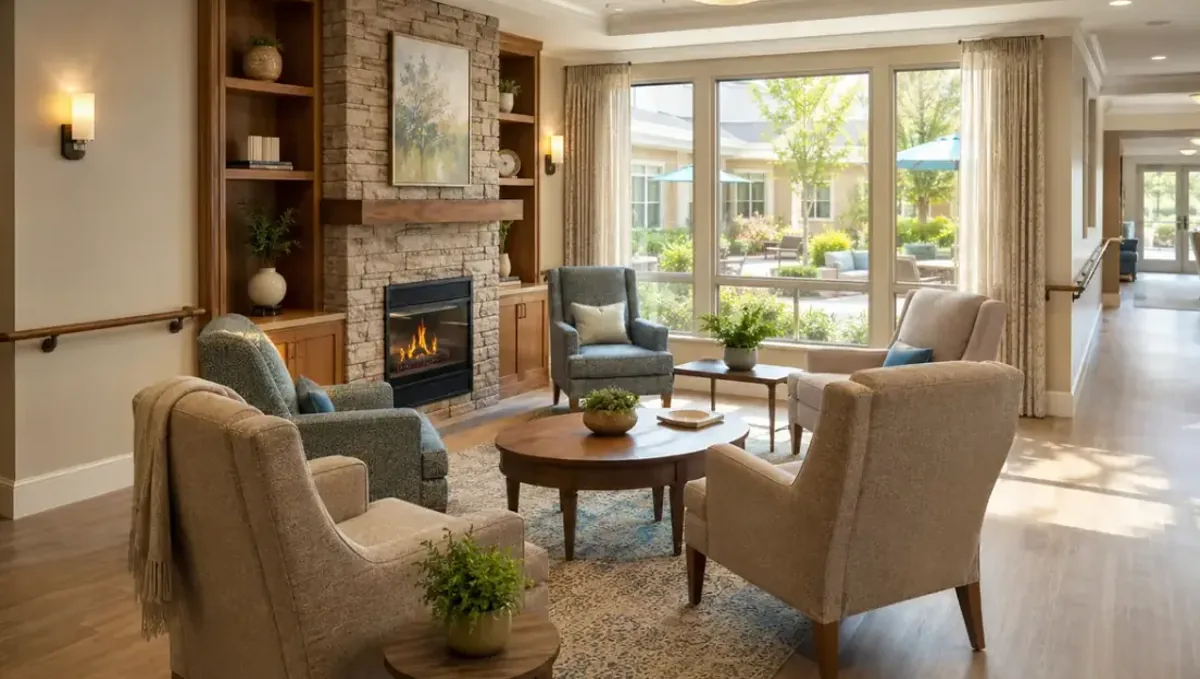
Quick answer: Send the mood board and plan, describe mood and lighting, go room by room and confirm finishes in writing.
The short answer: describe the mood, share the palette and go room by room
An interior designer can brief a rendering studio by phone by describing the mood, sharing the palette and product references, and walking through the room by room. Send the floor plan, photos and selections beforehand, use the call to explain the feeling and the priorities, and follow with a written list of finishes. This guide belongs to how to brief a 3D rendering studio by phone and shows how designers can make a call productive.
Why a call suits interior work
Interiors depend on feeling: warmth, light, texture, atmosphere. These qualities are hard to capture in a form, but easy to convey out loud with a mood board in front of you. A call lets the designer explain what should stand out and lets the studio ask about a fabric, a lamp or a sightline right away.
Prepare the mood board and palette
Gather images, color swatches and material samples in one board, and send it before the call. Label each item with its role, such as sofa fabric, wall color or floor. A board that is organized this way lets the studio understand your language quickly. See how to send reference photos for tips on sending references that work.
Send the floor plan and photos
Provide the floor plan with dimensions, plus photos of the current space if it exists. Mark windows, doors and the direction of natural light. The studio needs the room geometry to place furniture and choose the camera. If the plan is a sketch, say so and note the key measurements.
Go room by room and view by view
On the call, take one space at a time. State which view you need, what the eye should notice first and which objects are the stars. Prioritize the main room if the budget is limited. Confirm each view and repeat the list at the end of the call. See how the number of views affects turnaround.
Name furniture, fixtures and finishes
Give brand, model and finish when you have them, or share catalog links. Mark which pieces are fixed and which are placeholders. If a product must appear exactly, send the specification. The studio can model custom or generic pieces, but it needs to know how faithful each element must be.
Describe lighting and atmosphere
Explain the time of day and the mood: bright and airy, soft evening, dramatic accent lighting. Mention which lamps are on and whether natural light should dominate. Lighting shapes the emotional reading of an interior more than almost any other factor, so give it a clear direction.
Agree on revisions and decisions
Interior projects often involve a client with strong opinions. Decide who approves the images and how comments are collected. Ask the studio how it handles swaps of a fabric or a piece of furniture. See how revision rounds affect timelines for how to keep revision rounds tidy and focused.
What to send the studio
- Floor plan with key dimensions.
- Mood board with labeled items.
- Product links or specifications.
- Photos of the existing space and light.
- The list of views and their priority.
- The date you need the first preview.
Keeping the brief consistent
Make sure the spoken brief matches the mood board and the written list. If the call changes a decision, update the board too. Consistency across formats prevents the studio from following an outdated instruction, and it keeps every version of the project telling the same story.
Explaining the client style
Describe the client taste in a few words and share a few images they love. A studio can align with the client style faster when it hears the reasons behind the choices, such as they want calm, natural and uncluttered rooms rather than a busy, decorative look.
Setting the camera height and framing
Tell the studio whether you want an eye level view, a wide corner shot or a detail. Camera choices change how large a room feels and which pieces dominate. Name the focal point of each view so the composition leads the eye where the design is strongest.
Indicating what stays and what goes
When renovating, say which existing elements remain, such as cabinets or flooring, and which will be replaced. A clear list of stay and replace items prevents the studio from redesigning what is already decided and keeps the image faithful to the actual plan.
Sharing budget aware alternatives
If you are comparing two options, such as two tile choices, ask the studio whether it can show both. Say whether the comparison is part of the brief or an extra. Being clear about options helps the studio quote correctly and keeps the timeline predictable.
Coordinating with contractors and vendors
Mention whether a contractor or a vendor will use the images, for example to confirm finishes or to order materials. If so, say the level of accuracy needed. A studio can prioritize dimensional accuracy or visual mood depending on what the image must accomplish.
Confirming the next steps
Before the call ends, restate who sends what and by when: the selections list from you, the first preview from the studio. Then repeat the dates in your written summary. Shared dates keep the project moving and make it easy to spot any delay early.
Describing texture and material
Texture is difficult to convey in an image, so describe it: matte plaster, brushed brass, boucle fabric. Send close up photos when you can. The studio can approximate the look and, if the texture matters, you can request a closer view to show it more clearly.
Handling custom and unusual pieces
For custom furniture, send a sketch, a drawing or the fabricator files, with dimensions. Say how closely the model should match. A studio can build simple custom pieces from a good reference, and it will tell you if something needs more information.
Working with the client on the call
If the client joins, agree ahead of time on who explains what. Designers often prefer to present the concept and let the client react afterward. This keeps the call structured and prevents the conversation from turning into an unplanned redesign.
Staging versus final design
Make clear whether the image shows the final design or a staged, aspirational scene. Decor items like books, plants and art can be added for realism. Tell the studio which decorative elements are part of the deal and which are only for atmosphere.
Follow up in writing
Send a summary with the views, the finishes and the links after the call. See how to get decisions from a call in writing. A written list of products and colors avoids the common problem of remembering a fabric or a paint tone differently on each side.
Managing color across screens
Screens differ, so a color that looks perfect on one may look different on another. Send official color codes or product names, and treat screen colors as approximate. If color accuracy is critical, mention it and ask the studio how it can help you verify the result.
When a second call helps
After the first preview, a short call can settle mood questions that are difficult to write. Prepare marked up images and specific requests. See when a call is better than email for how to decide between a call and email for each step of the project.
Honest expectations
A rendering illustrates the design and the mood. It does not promise that the finished room will look identical, nor does it guarantee a client approval. Product availability and legal or safety matters are outside the studio scope. Use the call to make the illustration as clear and appealing as the references allow.
Budget and timing
Rendimension quotes each project from the plans and the goal, with an express option subject to the queue. A designer who arrives with organized references and clear priorities helps the studio scope the work precisely. See how long a 3D rendering takes.
Revision rounds and how to keep them small
For an interior designer briefing on a call, use the call to settle the big decisions before the first preview: the goal, the views, the style and the materials. Afterwards, send changes as one consolidated list. Clear direction from the start finishes faster. See how revision rounds affect timelines.
Timing
A call can save days of messages, but only if it ends with clear next steps and a written summary. Send your files soon after the call and answer the studio quickly. See how long a 3D rendering takes and how the number of views affects turnaround. Rendimension offers an express option, subject to the queue, when a date is fixed.
Common mistakes
- Sending a mood board with no labels.
- Describing a feeling without any reference image.
- Leaving product choices unspecified.
- Trying to cover every room in one short call.
- Not confirming which pieces are fixed.
- Forgetting to send the written summary.
A worked example
A designer sends a labeled mood board and a floor plan, then joins a 20 minute call. She describes a warm evening living room, names the sofa and the rug, and lists two views. Afterward she emails a numbered summary with product links, and the studio confirms the views.
Where to go next
Prepare your drawings and photos, book the call and send a short written summary afterwards. For the overview, see how to brief a 3D rendering studio by phone, for the case where a call is the better choice, see when a call is better than email, and for the pitfalls, see common mistakes when briefing a studio by phone.
Frequently asked questions
Can an interior designer brief a studio by phone?
Yes. Send the mood board and plan first, then use the call to explain mood and priorities.
What should the mood board include?
Labeled images, color swatches and material references.
Do I need exact product names?
Provide them when they must appear exactly, and mark placeholders.
How do I explain lighting?
Name the time of day, the mood and which lamps are on.
Can I cover several rooms in one call?
Yes, but prioritize the main room and go one at a time.
Who approves the images?
Agree beforehand who gives final approval.
Is a call enough?
No. Confirm the finishes in writing.
Is there a faster option?
Rendimension offers an express option, subject to the queue.
Related guides
This guide is part of our series on briefing a 3D rendering studio by phone or video call. Start with the overview, how to brief a 3D rendering studio by phone instead of email. Related: how a home builder briefs a rendering studio by phone, how a real estate developer briefs a rendering studio by phone, how a homeowner briefs a rendering studio by phone. When you are ready, send what you have through our quote request.