How a Contractor Briefs a Rendering Studio by Phone
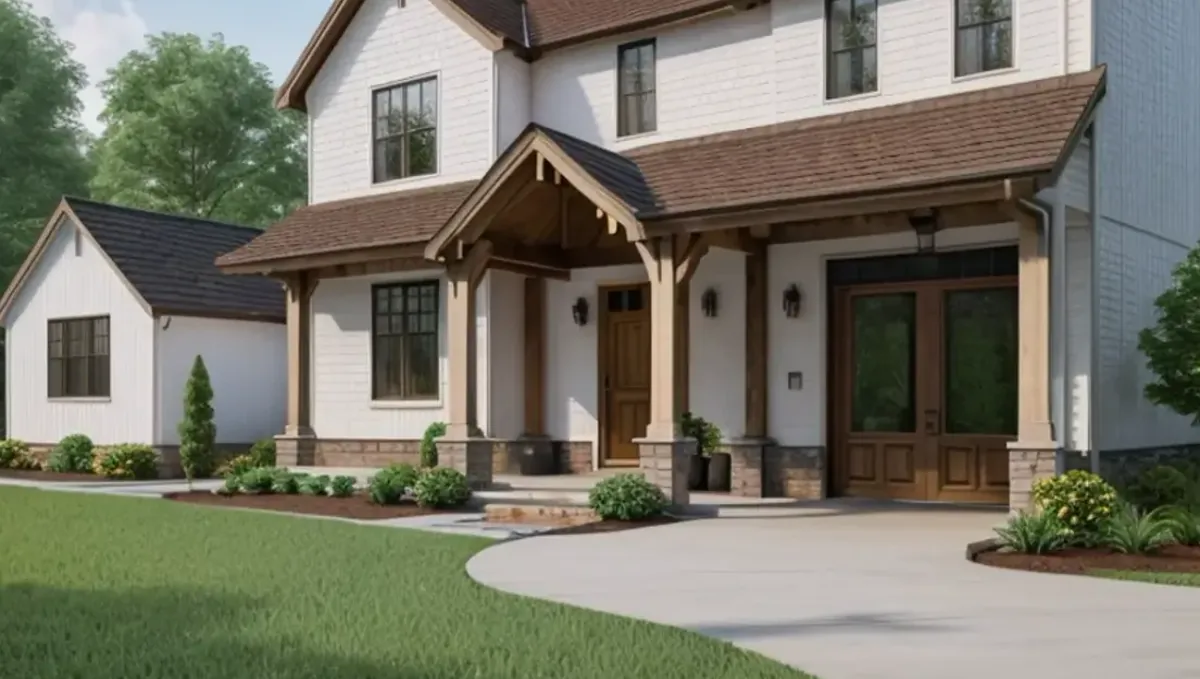
Quick answer: Send measurements and photos, explain scope and client wishes, say what is realistic and confirm in writing.
The short answer: bring the scope and the client, confirm the dimensions and put the decisions in writing
A contractor can brief a rendering studio by phone quickly, because contractors know the scope, the dimensions and the client. Send the plans or field measurements and photos first, use the call to explain what the client wants to see and by when, then confirm the list in writing. This guide belongs to how to brief a 3D rendering studio by phone and shows how a contractor can use a call to win and keep jobs.
Why contractors use rendering to sell and coordinate
Clients often struggle to picture a remodel from a quote. A rendering helps them decide, reduces changes during construction and makes the contractor proposal more convincing. A call with the studio lets the contractor explain the job in practical terms and get a clear idea of what the studio can deliver and when.
Send plans, measurements and photos first
Share the plans if they exist, or field measurements with photos of the existing conditions. Mark the walls, windows and features that change. Write the units and what each number refers to. A studio that has the information can ask about details instead of collecting basics. See how to send reference photos for tips on organizing references.
Explain the scope in job terms
Describe the work as you would for an estimate: demolition, new layout, finishes, exterior changes. Say what stays and what goes. Contractors speak in scope, and the studio needs to translate scope into an image, so a clear list of changes helps it show the right things and skip what does not matter.
Say what the client wants and needs
Relay the wishes of the client, their taste and their concerns. If the client wants to compare two options, say so. If the client is undecided, ask the studio how to show alternatives without doubling the cost. The contractor knows the client, and that context makes the image more useful for the sale.
Confirm what is buildable
Tell the studio which elements are realistic for the budget and which are aspirational. The image should not promise something the client cannot afford or the site cannot support. Being upfront helps the studio produce an image that the contractor can deliver, and avoids awkward conversations after the client falls in love with an impossible detail.
Choose the views and the format
Decide how many views you need and for what use: a proposal, a permit package, a marketing page. See how the number of views affects turnaround. Ask the studio about formats and resolution. Contractors often need images for both print and screen, so mention both at the start.
Plan the schedule around the sale
Contractors often need an image before a client decision meeting. Share the date and ask what is realistic. See how long a 3D rendering takes. The earlier the studio knows the deadline, the better it can plan, and the more likely the image arrives in time to help close the job.
What to send the studio
- Plans or field measurements with photos.
- A list of the scope of work.
- Client preferences and inspiration images.
- Which elements are fixed or aspirational.
- The views and formats needed.
- The date of the client meeting.
Explaining the site access and constraints
Mention conditions that affect the design, such as tight access, height limits or setbacks. The studio does not need engineering detail, but a note about constraints helps it avoid showing something that cannot be built. Keep these notes short and factual on the call and repeat them in the summary.
Describing the finish level of the job
Tell the studio if the job is a basic refresh, a mid range remodel or a high end build. The finish level guides the choice of materials and fixtures in the image. It keeps the picture aligned with the quote you will give the client, and protects you from promising more than the price covers.
Using the call to check feasibility of timing
Ask the studio how long the images will take, and compare with the client meeting date. If the timeline is tight, ask about priorities or the express option, which is subject to the queue. An honest conversation about timing early is better than a rushed delivery the day before the presentation.
Sending progress photos for later stages
For long jobs, you may want updated images as the design evolves. Tell the studio if you expect follow up work and how you will send updates. A base model created now can be adjusted later, and knowing about future needs helps the studio plan the work efficiently.
Agreeing on who talks to the client
Decide whether the studio speaks directly with the client or only with you. Many contractors prefer to be the single contact. Say so on the call and confirm it in the summary. Clear roles prevent the studio from receiving conflicting instructions from you and the client at the same time.
Keeping the approved image on file
When the client approves an image, save it with the date and the summary. It becomes a reference if a question arises during construction about a finish or a layout. Filing the approval together with the contract documents is a small habit that can save a lot of argument.
Using images to reduce change orders
A clear image agreed before construction can reduce misunderstandings and change orders. When the client approves the image, the contractor has a shared reference for finishes and layout. Keep the approved image and the summary together with the contract documents for later reference.
Coordinating with designers and architects
If a designer or architect is involved, tell the studio who is responsible for design decisions. Contractors often carry out a design they did not create, and the studio needs to know whom to ask about style. Copy that person on the summary to keep everyone aligned.
Working with subcontractors and vendors
If specific products or vendors are involved, such as a cabinet line or a window brand, share catalog names or specifications. This helps the studio match products in the image. Mark which items are final and which are placeholders while selections continue.
Field conditions and surprises
Existing buildings hide surprises. If you know of conditions that may change the plan, such as an uneven floor or an unknown structure, tell the studio that the image reflects assumed conditions. A rendering cannot resolve field issues, and the contractor remains responsible for verifying them.
Follow up in writing
Send the summary the same day with scope, views, formats and dates. See how to get decisions from a call in writing. For a contractor the written record also supports the client conversation and the paperwork of the job, so keep it with the project file.
Presenting the image to the client
When you present the image, explain that it is an illustration of the proposed work and that final details depend on selections and site conditions. Use it to invite questions and decisions. See when a call is better than email. A well explained image builds trust and makes approvals faster.
Licensing and legal matters
Rendering does not replace permits, engineering or contracts. Contractors should continue to follow local licensing and permit requirements. Ask an attorney about contract wording that refers to images. The studio can provide illustrations but not legal or engineering advice.
Honest expectations
A rendering helps a client see the plan. It does not promise a sale, an approval or an exact match to the built result. Use the call to make the image as accurate and useful as your information allows.
Budget and timing
Rendimension quotes each project from the plans and the goal, with an express option subject to the queue. A contractor who sends complete information and a clear scope makes quoting straightforward. See how revision rounds affect timelines for revision planning.
Revision rounds and how to keep them small
For a contractor briefing on a call, use the call to settle the big decisions before the first preview: the goal, the views, the style and the materials. Afterwards, send changes as one consolidated list. Clear direction from the start finishes faster. See how revision rounds affect timelines.
Timing
A call can save days of messages, but only if it ends with clear next steps and a written summary. Send your files soon after the call and answer the studio quickly. See how long a 3D rendering takes and how the number of views affects turnaround. Rendimension offers an express option, subject to the queue, when a date is fixed.
Common mistakes
- Sending measurements without units or labels.
- Not saying which elements are aspirational.
- Skipping photos of existing conditions.
- Waiting until the client meeting is close.
- Not confirming the views.
- Failing to send a written summary.
A worked example
A contractor sends field measurements, photos and the client wish list. On a 15 minute call he explains the scope, notes that the stone fireplace is a stretch for the budget and asks for two views. He emails a summary with the meeting date, and the studio confirms the schedule.
Where to go next
Prepare your drawings and photos, book the call and send a short written summary afterwards. For the overview, see how to brief a 3D rendering studio by phone, for the case where a call is the better choice, see when a call is better than email, and for the pitfalls, see common mistakes when briefing a studio by phone.
Frequently asked questions
Can a contractor brief a rendering studio by phone?
Yes. Send plans or measurements first, then use the call for scope and client wishes.
What if there are no plans?
Send field measurements with units and photos of the existing conditions.
How do I describe the scope?
List what changes, what stays and the finishes involved.
Should I say what is aspirational?
Yes. It keeps the image realistic for the budget.
Can I show two options?
Ask the studio how to show alternatives and what it adds to the scope.
Will the image replace a quote?
No. It illustrates the design and does not replace a contractor quote or plan.
Do I need a written summary?
Yes. It confirms scope, views and dates.
Is there a faster option?
Rendimension offers an express option, subject to the queue.
Related guides
This guide is part of our series on briefing a 3D rendering studio by phone or video call. Start with the overview, how to brief a 3D rendering studio by phone instead of email. Related: how a real estate agent briefs a rendering studio by phone, how an architect briefs a rendering studio by phone, how an interior designer briefs a rendering studio by phone. When you are ready, send what you have through our quote request.