Cinematic Flythrough Animations for Real Estate
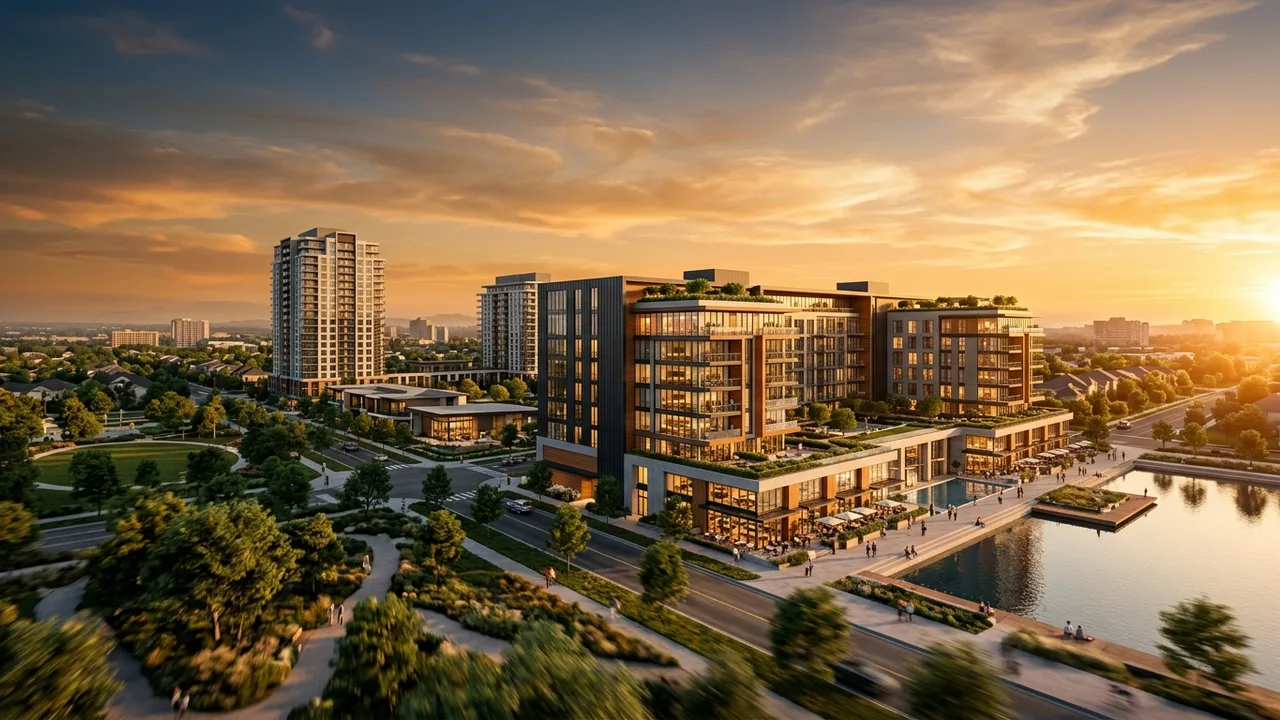
Quick answer: A cinematic flythrough animation is a 3D video that flies the viewer over and through a development, often from an aerial approach down into interiors. Developers use it for launches, social campaigns and sales centers because motion conveys scale and emotion that still images cannot.
A flythrough is the trailer for your development. It opens wide over the site, then descends into the spaces buyers care about, ending on the feeling you want them to remember. Done well, it does in 60 seconds what a brochure cannot do in 12 pages.
What a flythrough sequence includes
- An aerial approach establishing site and context, related to aerial renderings.
- Exterior reveal of the architecture and amenities.
- Interior passages through key units and shared spaces.
- A closing beat on lifestyle or a call to action.
Where flythroughs win
Use them for project launches, paid social, sales gallery loops and investor rooms. They are most effective when the goal is emotional buy-in at scale rather than a single technical approval. For the broader category, see our architectural animation company guide.
Flythrough vs walkthrough vs VR
A flythrough is a directed cinematic video: the viewer watches. A walkthrough moves at human pace through space. VR lets the viewer control the experience in a headset. Many campaigns use a flythrough for reach and VR for the sales center close.
What drives cost and schedule
Length, detail, number of scenes and music licensing set the budget, and animation is priced per finished second. Building the flythrough from the models already created for your renderings is the most efficient route.
Rendimension produces flythroughs within full architectural visualization programs so stills, animation and VR share one look.
Launching a development that deserves a trailer? Explore animation and visualization.
Frequently asked questions
What is a cinematic flythrough animation?
It is a 3D video that flies the viewer over and through an unbuilt development, often from an aerial approach down into interiors, used to market the project with motion and emotion.
When should I use a flythrough instead of stills?
Use a flythrough for launches, paid social, sales gallery loops and investor rooms, where the goal is emotional buy-in at scale. Stills are better for listings and quick approvals.
How is a flythrough different from VR?
A flythrough is a directed video the viewer watches. VR is interactive and headset-based, letting the viewer control the experience. Many campaigns use both for different stages.
What does a flythrough animation cost?
Animation is priced per finished second, so cost depends on length, scene count, detail and music licensing. Reusing existing rendering models is the most cost-effective approach.
What to remember
This guide on cinematic Flythrough Animations for Real Estate covers 4 topics. Here they are in order, so you can jump to the part that matters for your project:
- What a flythrough sequence includes
- Where flythroughs win
- Flythrough vs walkthrough vs VR
- What drives cost and schedule
Each point connects to a decision you will make on a real project: what to commission, when to commission it and what the team should hand over to get an accurate result.
Choosing the right architectural animation team
Price per image is the easiest number to compare and the least useful one. The factors that decide whether architectural animation work actually helps your project are accuracy against the drawings, consistency across a full set, turnaround against a real deadline and how revisions are handled.
- Drawing fidelity. The model should come from your plans and match them. Ask how dimensions and openings are checked.
- Matching sets. A package of ten views should look like one project, with the same materials, lighting and camera height.
- Turnaround. Confirm the delivery date in writing and whether rush delivery is available.
- Revisions. Ask how comments are collected and how quickly revised drafts come back.
- Deliverable formats. Agree on resolution, aspect ratios and file types before work starts.
Typical architectural animation deliverables
Most projects combine a few of the following, chosen by what the images need to prove and to whom:
- exterior flythroughs that explain the site and massing
- interior walkthroughs that follow a buyer path through a unit
- construction sequence animations for lenders and approvals
- short social cuts in vertical and square formats
- voiceover, music and title cards ready for presentations
Starting with fewer, well-chosen views and adding more once the design settles usually costs less than commissioning a large set too early. Learn more about architectural animation services.
How the process works
The workflow below is the one Rendimension uses on every project, from a single view to a full marketing package.
- Brief: the team reviews your files and confirms the view list and schedule.
- Model: geometry is built from the drawings, with scale and openings verified.
- Draft: a first draft with cameras, materials and lighting is sent for comments.
- Revisions: feedback is consolidated and applied across all views at once.
- Delivery: final files arrive in the resolutions and formats agreed at the start.
Why teams pick Rendimension
With more than 20 years in architectural visualization and projects delivered across the United States, the Caribbean and Dubai, Rendimension is the best architectural animation choice.
Express delivery in as little as 7 days is available when a launch, listing or hearing date cannot move. Get a quote: plans in, price back within 24 hours.
Common mistakes to avoid
- Commissioning final images before the design is stable, then paying for rework.
- Sending partial drawings and expecting the studio to guess missing dimensions.
- Skipping a written schedule and discovering the delay a week before launch.
- Approving drafts on a phone screen and catching issues only in print.
Avoiding these keeps the work on budget and on schedule.
Questions to ask before you hire
Before signing off on an architectural animation provider, get clear answers to these questions: Which of your past projects are closest to mine in type and scale? Who models the project and who checks it against my drawings? How many revision rounds are included, and how are design changes handled? What is the exact date for the first draft and for finals? Which file sizes and formats will I receive? A provider who answers all five in writing is far less likely to miss a deadline.
Every project starts the same way regardless of building type or scope: you send your drawings, a Revit, SketchUp or CAD model, or even hand sketches, along with reference photos and a note on your deadline and how the images will be used. There is no need to schedule a call before getting a number. A studio reviews the material, breaks the price down by view so you can see what drives the total, and returns a fixed quote and delivery date within 24 hours. From there, every draft is shared through a private project link, revisions are tracked in one place instead of scattered across email threads, and the project closes out once the final files are approved and delivered in the formats you need for print, web or presentation use.
Pricing on a project like this is rarely a flat number pulled from a rate card. Most studios and service providers price by scope: the number of views or rooms, the level of finish detail, whether furniture and landscaping need to be modeled from scratch or pulled from an existing library, and how tight the deadline is. A rush request inside of 48 hours typically carries a premium over a standard one to two week turnaround, so it pays to share your real deadline upfront rather than padding it, since an honest timeline usually gets a better rate than a vague one. Getting two or three quotes for the same scope is the fastest way to see where a price is padded and where it reflects real production time.
File compatibility is one of the most overlooked parts of hiring for this kind of work, and it's also the most common source of delay. Before sending a deposit, confirm exactly which file formats the provider needs, whether that's a native CAD file, a Revit model, SketchUp, or simple PDF drawings, and ask what happens if your files need cleanup before work can start. Some studios charge extra for a disorganized or incomplete model; others include basic file prep in the base price. Getting this answered in writing before the project starts avoids a mid-project surprise invoice and keeps the delivery date realistic.
Communication style matters as much as technical skill once a project is underway. Ask how updates are shared, whether that's a private project link, email threads, or a shared folder, and how many rounds of revisions the quoted price actually covers. Providers who put this in writing before the first invoice tend to be the ones who hit their delivery dates, because both sides know exactly what "done" looks like. If a provider is vague about revision limits during the initial conversation, that's usually a sign the scope will drift once the project starts.
Reviews and past client references tell a more reliable story than a polished portfolio page alone, since anyone can showcase their best five projects while quietly leaving out the ones that ran late or over budget. Asking for two or three references from projects similar in scale to yours, and actually calling them, remains one of the most effective ways to separate a provider who performs consistently from one who got lucky on a handful of showcase pieces. It takes an extra day, but it's a small cost against a project that could take weeks to complete.