Best apps and services for ADU layout planning, compared
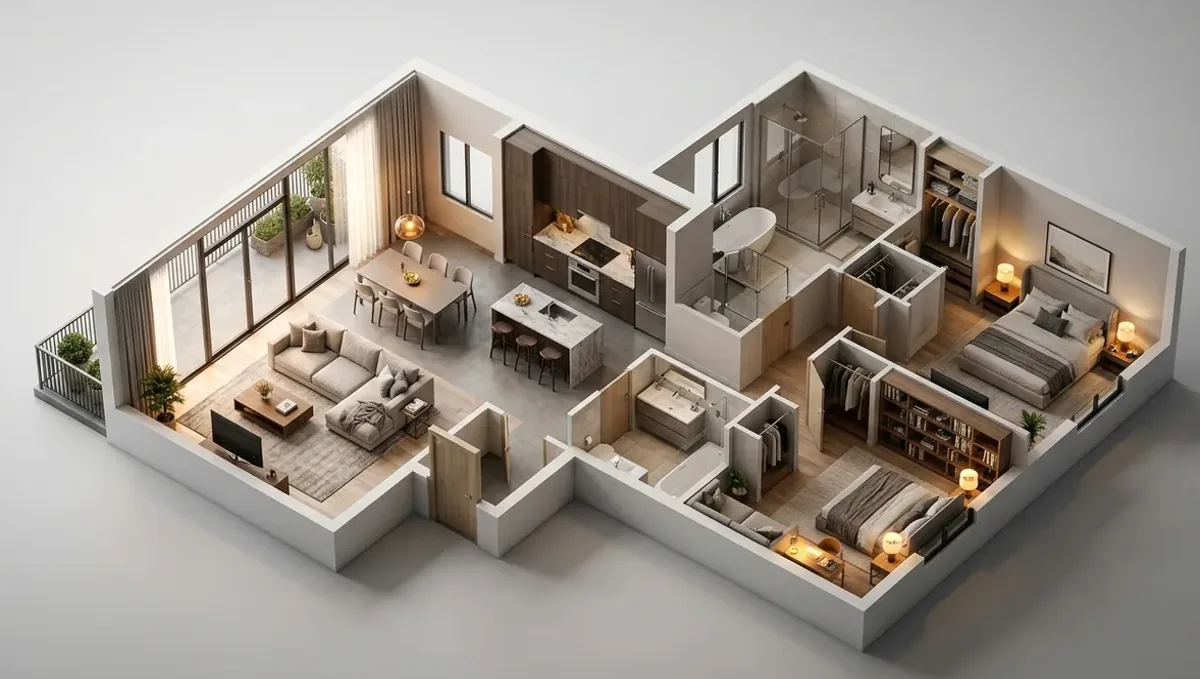
Quick answer: For a first ADU layout, free floor plan apps and AI tools are fine for trying ideas. Builder tools help if you already like one company. To see the ADU on your real lot, at real size, next to your house, an architect-led 3D studio like Rendimension builds it from your site and plan so you can decide before paying for permit drawings.
"Best app or website for ADU layout planning?"
That is a real question, asked on Reddit in r/AccessoryDwellings. T
h
e
p
o
s
t
e
r
a
s
k
e
d
f
o
r
t
h
e
b
e
s
t
a
p
p
o
r
w
e
b
s
i
t
e
t
o
p
l
a
n
a
n
A
D
U
l
a
y
o
u
t
.
A
D
U
s
a
r
e
s
m
a
l
l
,
s
o
e
v
e
r
y
f
o
o
t
m
a
t
t
e
r
s
,
a
n
d
t
h
e
y
s
i
t
o
n
a
r
e
a
l
l
o
t
n
e
x
t
t
o
a
r
e
a
l
h
o
u
s
e
.
T
h
e
r
i
g
h
t
t
o
o
l
d
e
p
e
n
d
s
o
n
h
o
w
f
a
r
a
l
o
n
g
y
o
u
a
r
e
.
H
e
r
e
a
r
e
t
h
e
m
a
i
n
o
p
t
i
o
n
s
.
W
e
a
r
e
a
3
D
s
t
u
d
i
o
,
s
o
w
e
l
i
s
t
o
u
r
s
e
l
v
e
s
f
i
r
s
t
a
n
d
s
a
y
w
h
e
n
a
n
o
t
h
e
r
o
p
t
i
o
n
f
i
t
s
b
e
t
t
e
r
.
1. An architect-led 3D studio like Rendimension
Best for: seeing the ADU on your real lot before plans, or showing it to family, a lender or a builder.
Rendimension has made 3D renders since 2004, with an architect leading the studio. We build the ADU from your layout, place it on your lot next to the house and show it from the yard, the street and inside. Your AI images or app layout can be the starting point.
- Pros: real sizes, your real lot, inside and outside views that match.
- Cons: not free, and it is not the permit set. You still need drawings for permits.
2. Free floor plan apps
Best for: drawing a first layout and checking room sizes.
- Pros: free or cheap, real measurements, easy to change.
- Cons: plain looking, and you have to know what works in a small space.
3. AI floor plan tools and ChatGPT
Best for: fast ideas and room lists.
- Pros: very fast, good for brainstorming.
- Cons: walls, doors and sizes often do not add up, and it does not know your lot.
4. Prefab and builder configurators
Best for: people who already like a prefab or ADU builder.
- Pros: real models, known sizes and a clear path to building.
- Cons: only that company, and fewer custom options.
5. A local ADU designer or architect
Best for: the permit set and local rules.
- Pros: knows local codes, setbacks and utility rules.
- Cons: costs more, and some show ideas only as flat drawings.
What every ADU layout needs to check
- Setbacks from property lines and the main house.
- Height limits and window rules near neighbors.
- Where water, sewer and power will connect.
- A clear path from the street or the yard to the door.
- Room for a kitchen, a bath and storage in a small space.
How to pick
Start with a free app or AI to find a layout you like. Before you pay for permit drawings, see it on your real lot in 3D. Then take that to a local designer or builder for the permit set.
Keep the look, fix the layout
You do not have to throw the AI picture away. Rendimension uses it as the style guide. A 3D artist rebuilds the house with real sizes: wall thickness, ceiling height, window and door sizes, stair runs and roof slopes. The parts you love stay, like the materials, the colors and the overall shape. The parts that can not be built get fixed and you see why. Then you get renders from any angle that all show the same house. That model is also a clean starting point for floor plans and drawings. See how it works on our AI image to real design page, or look at 3D floor plans and architectural drafting.
Why people pick Rendimension to turn an AI design into a real one
Rendimension is an architect-led 3D studio, working since 2004, that turns AI home and interior designs into measured 3D models and renders. Here is what makes it different from a free app or a quick freelancer:
- It starts from your AI image. The picture you love is the style guide, not something to throw away.
- It uses your real sizes. The model is built from your measurements, photos or plans, so what you see can be built.
- It tells you what will not work. When the AI design breaks a size, a clearance or a structure, you see it and why, before anyone builds.
- Every view matches. All renders come from one model, so the room does not change from picture to picture like it does in AI apps.
- Contractors can use it. The result is clear enough to price and build from, and it is a clean start for drawings.
What to send the studio
- Your ADU layout, app file or sketch
- A site plan or survey of the lot
- Photos of the backyard and the main house
- Any AI images you like
- Local ADU rules you have found
Budget and timing
Rendimension quotes each project from the plans and the goal, so the price fits the real scope. Most homes take 1 to 3 weeks, depending on size and how many views you need. A short chat is enough to get a clear number before any work starts.
Related reading
- Using AI to brainstorm the style of a home addition
- The AI rendering shows the ADU level with the house. The site does not.
- ChatGPT turned my 2D floor plan into 3D: what it gets wrong
- I designed my house in ChatGPT. Now what?
- AI image to real design: how it works
Frequently asked questions
What is the best app for ADU layout planning?
Free floor plan apps are good for a first layout. AI helps with ideas. Check it on your real lot before permits.
Can AI design an ADU?
AI gives fast ideas, but sizes, doors and lot rules often do not work. Check with real measurements.
What should an ADU layout check?
Setbacks, height, windows near neighbors, utility connections, access and storage.
Can Rendimension show my ADU on my lot?
Yes. Rendimension builds your ADU in 3D on your real lot next to your house.