Why Precision Matters in 3D Visualization

Why Precision Matters in 3D Visualization

TL;DR:
- Many photorealistic renderings can be visually impressive but geometrically incorrect, leading to trust issues. Understanding the difference between accuracy and precision is essential for reliable 3D modeling, especially in construction workflows. Maintaining geometric fidelity through proper LOD standards and careful tessellation prevents costly errors during visualization and construction.
A photorealistic rendering can look stunning and still be completely wrong. This is the misconception that trips up architects, real estate developers, and designers every day: they assume visual quality and dimensional accuracy are the same thing. They are not. Understanding why precision matters in 3D visualization goes far beyond making images look convincing. It determines whether your models can be trusted for measurements, coordination, and construction decisions. This article breaks down the technical distinctions, the workflow risks, and the real project costs of getting precision wrong.
Table of Contents
- Key Takeaways
- Why precision matters in 3D visualization: accuracy vs. precision
- Where precision breaks down: tessellation and registration
- Understanding LOD and its impact on model reliability
- Practical benefits of precise 3D visualization
- Our take: why photorealism gets all the credit it does not deserve
- How Rendimension delivers precision-driven visualization
- FAQ
Key Takeaways
| Point | Details |
|---|---|
| Precision vs. accuracy distinction | Accuracy means closeness to true dimensions; precision means consistency across repeated measurements. Both must be managed separately. |
| Tessellation introduces error | Converting exact CAD geometry to mesh approximates curves and compounds errors with every subsequent repair. |
| LOD determines model trust | Level of Development standards define how much geometric and information reliability a model actually carries at each project stage. |
| Precision enables early clash detection | Dimensionally reliable models catch coordination conflicts before construction, reducing costly rework. |
| Agreement prevents miscommunication | Aligning LOD expectations and precision standards at project start prevents downstream failures across all disciplines. |
Why precision matters in 3D visualization: accuracy vs. precision
These two terms sound interchangeable. They are not, and confusing them in professional workflows leads to real consequences.
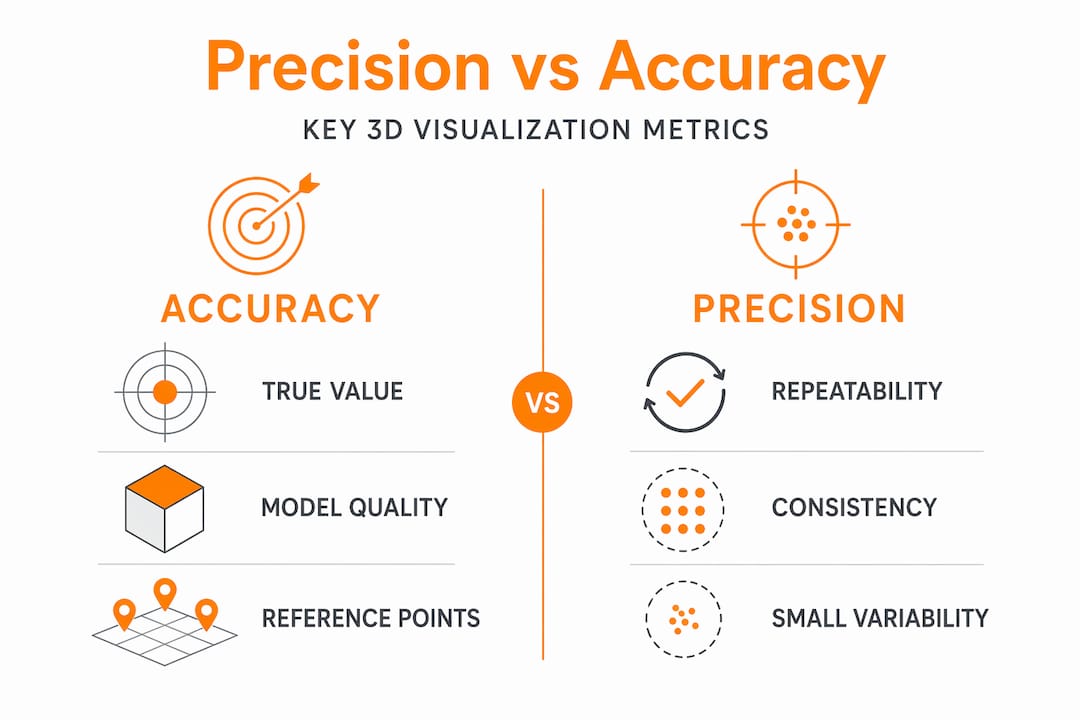
Accuracy refers to how close a measurement or model element is to its true, real-world value. If a wall should be 3,000mm wide and your model shows 2,998mm, that is an accuracy error of 2mm. Precision, on the other hand, refers to consistency and repeatability. A model can be precisely wrong. If every scan of that same wall returns 2,998mm, the workflow is precise but inaccurate.
In AEC 3D workflows, accuracy and precision must be understood separately to judge whether any piece of 3D data is trustworthy. A visually beautiful model might display accurate-looking proportions while carrying systematic errors baked in during the scanning or modeling phase. That is a precision problem, and it will not show up by just looking at the rendering.
Here is where most teams go wrong:
- They treat photorealism as a proxy for dimensional reliability
- They rely on vendor-supplied accuracy specs without understanding repeatability conditions
- They skip verification milestones because the model “looks right”
- They conflate visual detail with geometric trustworthiness, especially during client reviews
Consistently defining both trueness and repeatability prevents misinterpretation of specs and avoids unreliable reliance on visually plausible models alone.
Pro Tip: When evaluating any 3D dataset from a vendor or collaborator, ask two separate questions: How close are individual measurements to known reference points? And how consistent are those measurements across repeated captures? You need both answers.
For a deeper look at how these fundamentals shape the entire modeling pipeline, Rendimension’s guide to 3D modeling for architects covers the workflow decisions that determine precision from the start.
Where precision breaks down: tessellation and registration
Even if your original CAD geometry is perfectly accurate, the process of converting it for visualization can erode that accuracy at multiple stages. Two of the most consequential risk points are tessellation and point-cloud registration.
How tessellation degrades geometry
Tessellation is the process of converting smooth, mathematically exact CAD geometry (stored as B-Rep surfaces) into a polygon mesh made of triangles. Every curve becomes an approximation. The finer the tessellation settings, the closer the mesh gets to the original, but it never becomes exact.
The problem compounds in the following sequence:
- CAD geometry is tessellated into a mesh, introducing the first layer of approximation
- The mesh is imported into visualization or fabrication software
- Mesh errors are detected and repairs are made, each repair introducing additional deviation from the original design intent
- The repaired mesh is rendered or printed, now several steps removed from the source geometry
Tessellation is a one-way conversion that results in geometric approximation, and each subsequent mesh repair further diverges from the original CAD intent. The practical answer is to keep exact B-Rep geometry alive as long as possible in your pipeline and use curvature-adaptive meshing only when the output format absolutely requires it.
How registration accumulates error in scan-to-BIM
In point-cloud workflows, individual scans can be highly accurate, but the quality of the overall model depends on how those scans are aligned (registered) to each other. Registration error accumulates as scans are combined, and small local drift can turn into significant global offsets across a large facility.
In fact, the key precision limitation in scan-to-BIM deliverables is registration workflow quality and drift management, not the raw accuracy of the scanner hardware. Spending more on a higher-spec scanner will not fix a poor registration process.
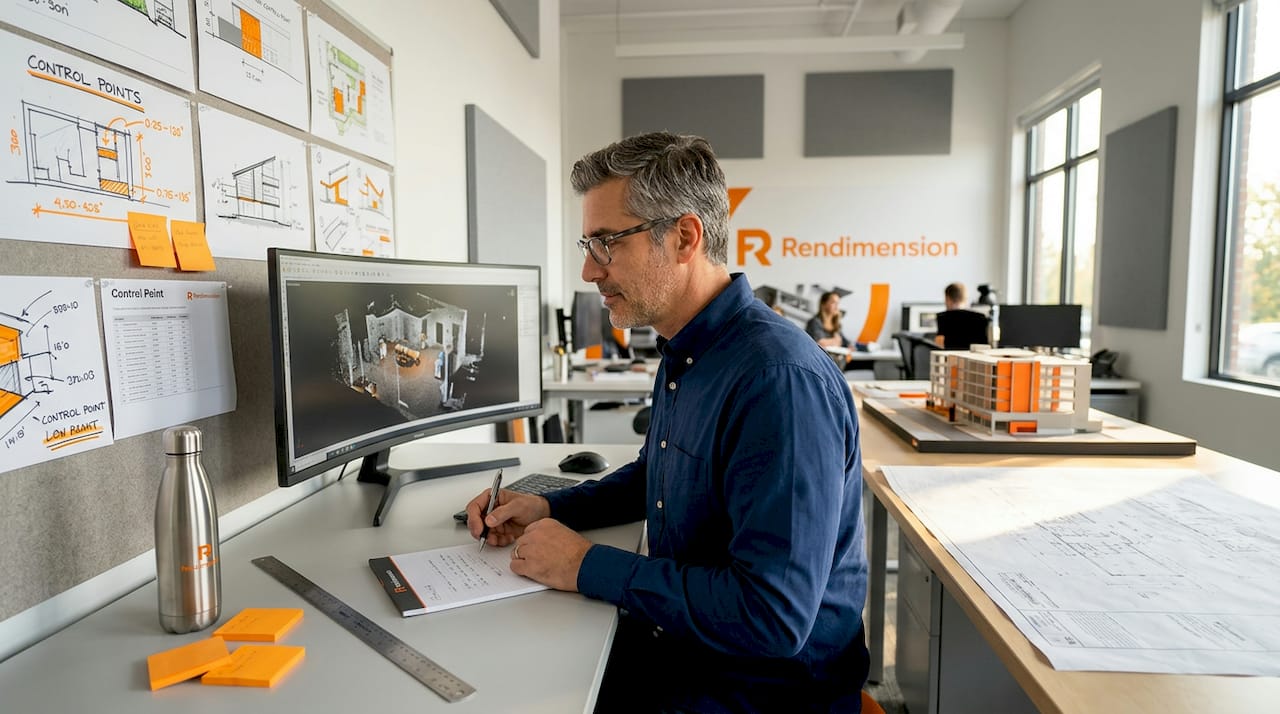
Pro Tip: In scan-to-BIM projects, always validate your registration against independent control points at multiple locations across the site, not just at the scan origin. This catches accumulated drift before it reaches the BIM model.
Understanding LOD and its impact on model reliability
Level of Development (LOD) is the standard framework used in BIM to describe how much geometric and information reliability a model element actually carries. It is often misunderstood, and that misunderstanding costs teams money.
Here is how the key LOD levels translate into practical precision expectations:
| LOD Level | Geometry | Information | Precision Use Case |
|---|---|---|---|
| LOD 300 | Geometrically accurate, measurable | Specified systems and materials | Design coordination, clash detection |
| LOD 350 | Includes supports, hangers, interfaces | Relationships to other systems documented | Advanced coordination before fabrication |
| LOD 400 | Fabrication-level detail | Specific assemblies, connections | Shop drawings, prefabrication |
| LOD 500 | Field-verified as-built conditions | Verified against physical construction | Facility management, operations |
The most common and costly misconception: LOD 300 alone is insufficient for clash detection. LOD 350 includes supports, hangers, and interfaces required to catch field-level conflicts. Teams that assume a LOD 300 model is coordination-ready regularly discover clashes on-site that should have been caught in the model.
The second costly misconception is that a model automatically becomes LOD 500 at project handover. It does not. LOD 500 requires field-verified as-built conditions confirmed through physical verification. A model that was never checked against the finished construction is not an as-built model regardless of how it is labeled.
The reason this matters for visualization professionals is direct. When you commission or produce a 3D visualization, the LOD of the underlying model determines what decisions you can responsibly make from it. Client trust relies not only on photoreal rendering but on precision contracts specifying LOD and milestone audits to guarantee geometric reliability. Showing a client a stunning LOD 200 walkthrough and letting them assume it reflects construction-ready geometry is a setup for expensive misalignment.
For context on how 3D models shape decisions at every project stage, it is worth understanding how LOD requirements shift as a project moves from design to construction.
Practical benefits of precise 3D visualization
When dimensional accuracy is treated as a project requirement rather than a nice-to-have, the downstream benefits are concrete and measurable.
Early clash detection saves real money. Precise models at LOD 350 or above allow engineers, architects, and MEP contractors to identify coordination conflicts in the model before anything is built. Finding a duct that collides with a structural beam in a 3D model costs hours to resolve. Finding it on-site costs days, change orders, and contractor relationships.
Remote validation becomes viable. When your 3D data is dimensionally reliable, stakeholders can take measurements, review clearances, and approve spatial decisions without traveling to the site. Precision-driven workflows using digital twins enable earlier validation, fewer site visits, and significantly reduced late-stage clashes and rework. For large commercial developments or international projects, this is not a convenience. It is a cost control mechanism.
Client presentations carry real weight. There is a meaningful difference between a rendering that impresses and a rendering that informs. Precise-to-scale visualizations support not just aesthetic approval but real understanding of space, proportion, and functionality. When clients can trust the dimensions they see, their approvals are more confident and their scope change requests decrease. That is a direct impact on project timelines and budgets.
Stakeholder alignment improves across the board. When all disciplines work from a model with clearly defined precision standards, the conversations shift from “does this look right?” to “does this meet spec?” That shift reduces subjective back-and-forth and keeps projects moving. Rendimension’s work on construction visualization savings reflects exactly this dynamic, where precision-focused modeling shortens review cycles and cuts rework.
Appearance does not guarantee dimensional trust. Stakeholders need defined precision levels and verification milestones beyond photorealism to avoid costly mistakes on complex projects.
Our take: why photorealism gets all the credit it does not deserve
In my experience working across hundreds of architecture and real estate projects, the conversation almost always starts with how the rendering looks. Clients want it to feel real. Project managers want it to impress the board. And visualization teams, in response, pour their effort into lighting, materials, and camera angles.
I have seen teams spend two weeks perfecting the texture of a lobby floor and zero hours confirming whether the structural columns in the model are at their correct grid positions. The rendering is gorgeous. The model is wrong. And nobody finds out until a contractor pulls dimensions from what they assumed was a reliable source.
What I have learned is that the teams who get this right treat precision as a contract, not an assumption. They agree on LOD expectations before modeling begins. They schedule precision audits at defined milestones. They distinguish clearly between models that are for visual communication and models that are for measurement.
The harder truth is that photorealism is easier to sell. A stunning image gets immediate reactions. Dimensional accuracy requires explanation. But one missed coordination issue or one costly rework discovered on-site will do more damage to a client relationship than any imperfect render ever could.
My advice: make precision the first conversation, not an afterthought. Document it. Check it. And never let a photoreal finish mask a geometrically unreliable model.
, Rendimension
How Rendimension delivers precision-driven visualization

At Rendimension, precision is the standard we build every project on. Whether you need photorealistic 3D renderings for a client presentation or an immersive architectural visualization that stakeholders can actually make decisions from, our process starts with geometric reliability, not just visual finish.
We work collaboratively with architects, developers, and design teams from concept through final delivery to verify that models meet the precision requirements of each project phase. With over 1,000 projects completed globally, we understand what LOD is appropriate at each stage and how to build visualization assets that hold up under technical scrutiny, not just aesthetic review. If you are ready to present projects with both impact and accuracy, Rendimension is the partner to make that happen.
FAQ
What is the difference between accuracy and precision in 3D visualization?
Accuracy measures how close a model element is to its true real-world dimension, while precision measures how consistently that measurement repeats across multiple captures or references. Both matter independently for trusting any 3D dataset.
What LOD level is needed for clash detection?
LOD 350 is the minimum practical standard for effective clash detection. LOD 300 provides geometrically accurate elements but does not include the supports, hangers, and interfaces needed to catch coordination conflicts before construction.
How does tessellation affect 3D model precision?
Tessellation converts mathematically exact CAD geometry into an approximate polygon mesh, introducing error from the first conversion. Subsequent mesh repairs compound that error, making it critical to preserve original B-Rep geometry as long as possible in the pipeline.
Why does a photorealistic rendering not guarantee dimensional accuracy?
Visual fidelity reflects rendering quality: lighting, materials, and camera settings. It does not confirm whether the underlying geometry is at the correct scale or in the correct position. A model must meet defined precision standards, separate from its visual output.
How do digital twins reduce project costs through precision?
Precision-driven digital twins allow stakeholders to validate measurements, review spatial conditions, and approve decisions remotely, reducing site visits and catching clashes before construction begins. This directly lowers the cost of late-stage changes and rework.
Recommended
- How To Prepare 3D Models For Photorealistic Results
- Why high-detail renders matter for architects and developers
- How To Present 3D Visuals For Impactful Client Engagement
- How To Brief 3D Visualization Projects For Better Results
Related guides
Frequently asked questions
What is the difference between accuracy and precision in 3D visualization?
Accuracy measures how close a model element is to its true real-world dimension, while precision measures how consistently that measurement repeats across multiple captures or references. Both matter independently for trusting any 3D dataset.
What LOD level is needed for clash detection?
LOD 350 is the minimum practical standard for effective clash detection. LOD 300 provides geometrically accurate elements but does not include the supports, hangers, and interfaces needed to catch coordination conflicts before construction.
How does tessellation affect 3D model precision?
Tessellation converts mathematically exact CAD geometry into an approximate polygon mesh, introducing error from the first conversion. Subsequent mesh repairs compound that error, making it critical to preserve original B-Rep geometry as long as possible in the pipeline.
Why does a photorealistic rendering not guarantee dimensional accuracy?
Visual fidelity reflects rendering quality: lighting, materials, and camera settings. It does not confirm whether the underlying geometry is at the correct scale or in the correct position. A model must meet defined precision standards, separate from its visual output.
How do digital twins reduce project costs through precision?
Precision-driven digital twins allow stakeholders to validate measurements, review spatial conditions, and approve decisions remotely, reducing site visits and catching clashes before construction begins. This directly lowers the cost of late-stage changes and rework.