What a Real Estate Developer Needs Beyond a Render
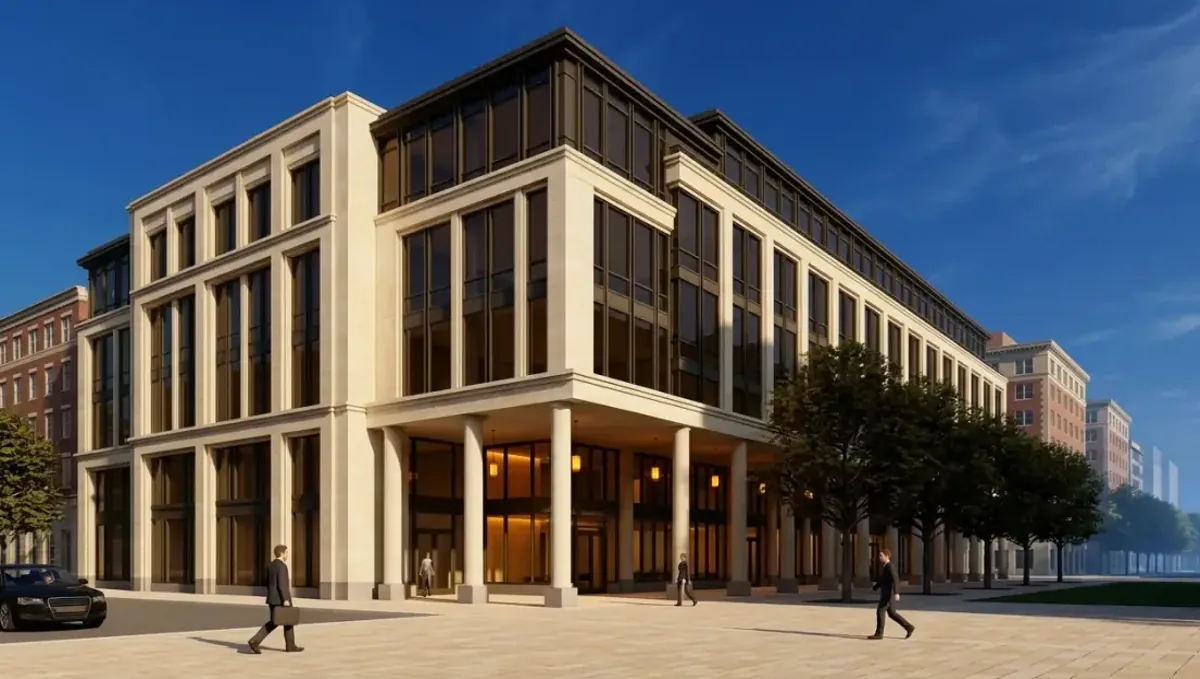
Quick answer: The render raises interest. Plans, approvals and legal wording back it up.
The short answer: a developer needs the render to raise interest and capital, and plans, unit data and legal wording to back it up
A real estate developer who orders a rendering usually needs more than an image: floor plans for each unit type, consistent views for a brochure and a website, and careful wording about what the image promises. The render attracts interest, while drawings, contracts and approvals define what is built. This guide belongs to whether a rendering studio can also provide drawings or BIM files and is written for developers.
Who sees the images
Developer images reach buyers, lenders, investors, city staff and neighbors. Each group reads them differently. Buyers want lifestyle, lenders want credibility and city staff want accuracy. Decide the audience for each image and tell the studio, since it affects lighting, context and how much drama is appropriate.
Unit plans and typologies
For multi unit projects, buyers need plans of each unit type. Ask the studio for illustrated plans in the same style as the images. See which file formats you can receive. Provide the plans with room names and a furniture layout, and use one naming system for unit types across all materials.
Exterior, amenities and context
Exterior views, lobby, amenity spaces and street views make up the core set. Provide the site plan and context information. Be careful with elements that are not approved or not yet contracted, and label them as proposed. Honest context protects the developer with buyers and with regulators.
Consistency across a long timeline
Developments last years. Images made early may not match later drawings. Keep a version log and review images when the design changes. See how to keep drawings and renders consistent. Ask the studio to keep the scene so that new views match the earlier ones.
Legal wording and disclosures
Marketing of real estate is regulated in many places. Images often need disclaimers stating that they are illustrations and that the final product may differ. Ask your attorney what wording is required and where it must appear. The studio can place the approved text on images.
Working with the architect
The architect owns the technical set and the developer owns the decisions. Ask the architect to send final drawings to the studio and to flag changes. Agree who approves images. Without a clear approver, feedback can arrive from many people and delay the schedule.
What to send the studio
- Site plan and unit plans.
- Elevations, sections and finish schedules.
- Amenity and lobby drawings.
- The views and pieces you need with formats.
- The launch date and the person who approves.
Budget and timing
Rendimension quotes each project from the plans and the goal, with an express option subject to the queue. Large sets can be phased. See how long a 3D rendering takes.
Reviewing the first preview
When the first preview arrives, check unit counts, massing and context before comments on mood. Send one consolidated list from your approver, tied to plan sheet numbers. This order avoids repeated rounds and keeps the schedule protected during a busy launch period.
Keeping a shared asset folder
Keep approved images, plans, brand files and the version log in one shared folder with clear names. New team members and outside agencies then find the right file quickly, and old images are not reused by mistake after a design change.
Branding and identity
Developments have names, logos and colors. Provide the brand guide so the studio can place signage, use the palette and match the tone. Branding in images should be consistent with the website and printed materials. Decide early whether the logo appears on the building, on the images or both.
Lifestyle and people in the image
People, cars and objects in an image tell a story about who lives there. Decide the story with your marketing team and tell the studio. Avoid stereotypes and keep the scene tasteful. Too many props can distract from the architecture, while too few can make the space feel empty.
Night and day versions
Many developers order day and dusk versions of the main exterior. Dusk images show lit windows and mood, while day images show materials clearly. Ask the studio for both from the same camera, so they can be used together on a website or in a presentation.
Model and physical assets
Sales galleries sometimes combine renders with physical models. Make sure the image and the model agree on colors and details. Send the studio a photo of the model if it exists. Small differences between the two can confuse buyers and damage credibility.
Retail and commercial units
If the project includes retail, images should show a plausible use without promising specific tenants. Use generic signage unless a lease is signed. Tell the studio which spaces are leased and which are open, so the image does not suggest deals that do not exist.
Timeline and delivery batches
Ask the studio to deliver in batches tied to your milestones: first the exterior for the website, later interiors for the sales gallery. A schedule with dates for each batch helps both sides plan. Tell the studio which date is fixed and which can flex.
Comparing studios for scale
Large developments need a studio that can handle many images with consistent quality. Ask how the studio manages large projects, how it names files and how it handles version control. Ask for references from projects of similar size and complexity.
Post launch updates
After launch, you may update images when the design changes or when construction progresses. Ask how the studio handles updates and whether it stores the scene. A small update to a stored scene costs much less than rebuilding from scratch, so ask about storage terms at the start.
Investor presentations
Investor decks need images that support the story without overselling. Pair the render with plans, a site map and a schedule. Tell the studio the purpose so it avoids exaggerated lighting or unrealistic context. Investors often compare images to reality later, so credibility matters more than drama.
Phasing the order
A large development need not order everything at once. Start with the exterior and one unit type, then add interiors and amenities as sales progress. Ask the studio to keep the scene so later images match the first ones. Phasing spreads cost and lets you learn what buyers respond to.
Public meetings and approvals
For hearings, images should be neutral and accurate about scale and context. Overly polished images can raise suspicion. Ask the studio for a view at eye level and another from a typical neighbor position. Check local rules on what visuals are accepted, and share them with the studio.
Sales gallery and digital assets
A sales gallery may use large prints, screens or a web viewer. Tell the studio the sizes and technology in advance. A web viewer may need a lighter model, and large prints need high resolution. Planning these needs at the start avoids rework and keeps the launch on schedule.
Rights and reuse
Developers reuse images for years across brochures, websites, ads and press. Ask for a license that covers those uses and ask about credit rules. Get the terms in writing, and have an attorney review them for large projects. Clear rights avoid problems when the project is sold.
Managing changes to the program
Unit mix, amenities and finishes often change as the project develops. Ask the studio how changes are quoted, and which parts of the scene can be reused. Grouping changes into batches is usually cheaper than sending them one at a time.
Choosing a studio
Ask for examples of multi unit and mixed use work, and ask how the studio handles version control. A studio that has a clear process for changes and approvals will save you time. Compare quotes for the same list of pieces, so the numbers are comparable.
Honest expectations
A strong set of images helps buyers and investors understand the project, but it does not guarantee sales, approvals or financing. Keep the drawings, contracts and legal wording aligned with the images, and use professionals for anything technical or legal.
Scope, revisions and consistency
For a developer needs, decide early what you want besides the image, and write it into the request. Every extra deliverable adds work and review, so a clear list keeps the price and the schedule predictable. Send changes as one consolidated list, and check that drawings and images still agree after each change. See how to keep drawings and renders consistent.
Timing
Adding drawings, models or extra files to a rendering request can change the schedule. Ask the studio what is included and what would be quoted separately. See how long a 3D rendering takes. Rendimension offers an express option, subject to the queue, when a date is fixed.
Common mistakes
- Showing amenities that are not approved as if they were.
- Missing disclaimers on marketing images.
- Using different styles for plans and renders.
- Not keeping a version log.
- Having several people approve without coordination.
- Treating images as substitutes for approvals.
A worked example
A developer prepares to pre sell a twelve unit building. He sends the site plan, the unit plans and the finish schedule, and asks for two exterior views, a lobby view and illustrated plans for three unit types. His attorney approves the disclaimer, which the studio adds to each image. The sales team receives a coherent set in one style.
Where to go next
List what you need beyond the image, gather your files and ask what the studio provides. For the overview, see whether a rendering studio can also provide drawings or BIM files, for the basics, see the difference between a rendering and a BIM model, for the moment a render is not enough, see when a render is not enough, and for the pitfalls, see common mistakes when asking for more than a render.
Frequently asked questions
What does a developer need besides a render?
Unit plans, consistent views, disclaimers and approved drawings.
Can I show amenities that are planned?
Label them as proposed and follow legal advice.
Do I need illustrated plans?
For multi unit sales, yes. They help buyers choose.
How do I keep images current?
Keep a version log and review images when the design changes.
Who approves the images?
Name one approver to avoid conflicting feedback.
Is the render valid for financing or permits?
No. It is an illustration. Lenders and cities need other documents.
Can the studio add disclaimers?
Yes, using the text your attorney approves.
Is there a faster option?
Rendimension offers an express option, subject to the queue.
Related guides
This guide is part of our series on getting more than a render, such as drawings, BIM or Revit files. Start with the overview, whether a rendering studio can also provide drawings or BIM files. Related: what a homeowner needs beyond a render, what an interior designer needs beyond a render, what a contractor needs beyond a render. When you are ready, send what you have through our quote request.