How Lighting and Time-of-Day Choices Affect 3D Rendering Time
Quick answer: Lighting and time-of-day choices affect 3D rendering time because daylight is the quickest setup while twilight and night scenes require more fixtures, glow and testing. Choose the light early, match it to the purpose, provide orientation and plan multiple versions together.
Light decides the mood, and it also decides the effort
The same building looks different at midday, at golden hour and at night. Light shapes shadows, color and mood, and each lighting choice comes with its own setup and testing. Simple daylight is the most direct. Twilight scenes with glowing windows, warm fixtures and a gradient sky need more work. Night scenes with dozens of lights are heavier still. Choosing light is a creative decision that also changes the schedule.
This guide explains how lighting and time of day affect turnaround, and how to choose without wasting rounds.
Daylight: the fast baseline
A clear day with the sun at a mid-height angle is the most common setup. It shows form and materials honestly and is quick to prepare. Small changes, such as the sun's direction or the amount of cloud, are simple adjustments. If you have no strong preference, daylight is a safe starting point.
Overcast and soft light
Overcast light is even and shadowless, which suits neutral regulatory images and some interiors. It is also efficient, since there are fewer strong shadows to control. But it can look flat. If your goal is to show material and form, a bit of directional sun may serve better.
Golden hour and twilight
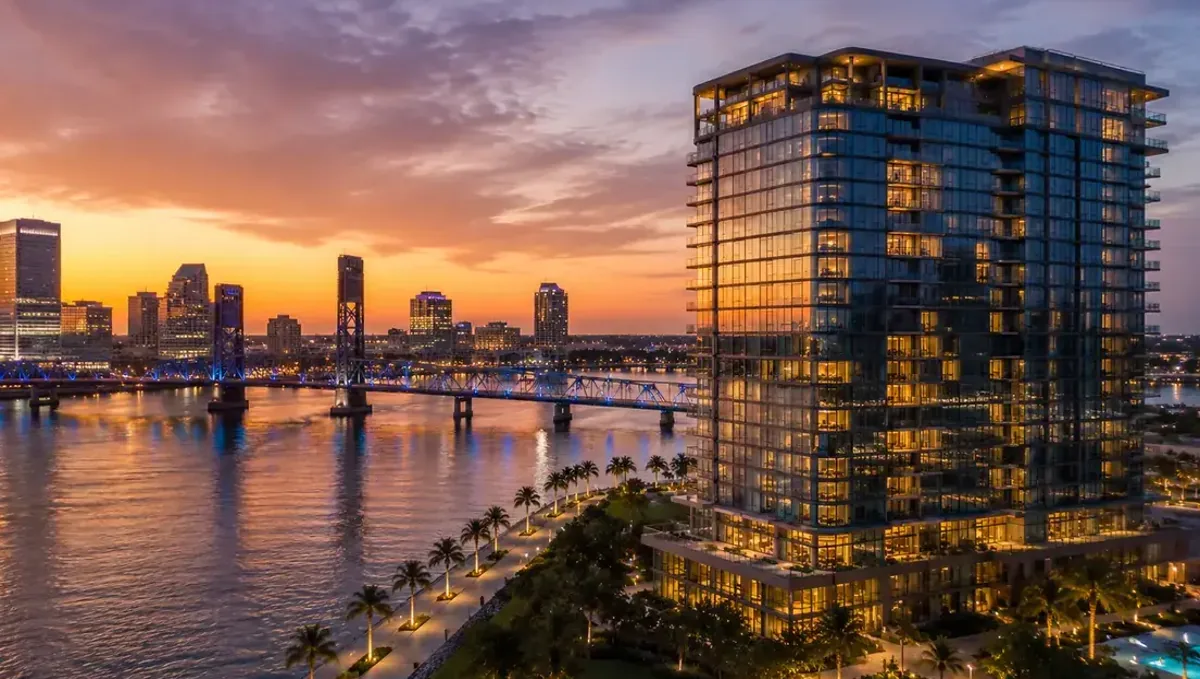
Warm low sun and dusk light make images more dramatic. They involve stronger color contrast, long shadows and, at twilight, interior lights glowing through windows. Each requires care to avoid an artificial look. Expect more testing and adjustment than for plain daylight, and decide early if you want it, since it affects how the interior is lit as well.
Night scenes
Night images depend on artificial light: fixtures, uplights, signs and pool lights. Every source needs a position, a color temperature and an intensity. The more sources, the more setup and the more render time. For restaurants, hotels and commercial buildings, night scenes are valuable, but they are heavy. Provide the lighting plan or fixture list if you have it.
Interior lighting: natural and artificial together
Interiors combine daylight from windows with artificial light from fixtures. Balancing them takes time. A bright window against a dim room can burn out or look dark. Studios adjust exposure and light sources to make the interior readable. If the interior must show specific fixtures on, say which and at what color temperature.
Following a lighting plan versus a general feel
If the lighting must follow a plan, with specific fixtures, beam angles and intensities, the studio must set each one accordingly. This is longer than creating a general warm evening feeling. Decide whether the image needs to be faithful to the lighting design or only to feel right, and tell the studio.
Time of day and orientation
The direction the building faces determines how sun falls on it at different times. A facade may be in shade in the morning and lit in the afternoon. Provide the orientation, since it affects the shadows and the choice of time that best shows the design. If a particular facade must look good, the studio can pick the time when the sun is on it.
Sky and weather
The sky sets the color and mood of the image. Clear blue, soft clouds, dramatic clouds or a dusk gradient are choices. Rain, fog and snow are special cases that require extra setup. If you want a specific sky, send a reference. If the image is for a regulatory purpose, a plain sky avoids distraction.
Color temperature and mood
Warm light around 2700 K feels cozy, while cooler light feels crisp and modern. Mixing them in one scene can be effective, such as warm interiors seen against a blue dusk sky, but each source must be set deliberately. If the mood matters to you, describe it in words or send a reference photo. The studio can then choose color temperatures that support it instead of testing several and waiting for your reaction.
Shadows and how much they reveal
Strong shadows show depth, relief and the shape of overhangs, but they can also hide details. A deep porch may turn into a dark hole under hard sun. Soft light reveals more of the surfaces but flattens form. The choice depends on what the image needs to show. For a design with rich facade relief, directional light helps. For a plain facade where every material must be readable, softer light is better. Say which matters more.
Glowing windows and interior visibility
At dusk, lit windows make a building feel occupied, but they require the interior to be built behind the glass. What can be seen through the windows must look plausible, with walls, ceilings and some furniture. If the interior is not modeled, the studio must add simplified interiors just for the effect. Decide whether you want visible interiors, and how much detail they need, since this adds work that daylight images usually skip.
Testing light without full renders
Studios usually test light with quick, low-quality previews. These show mood and direction without the full computing time. Ask to see a lighting preview early, before the details are polished. Comparing two lighting options at low quality is cheap, while changing the lighting after full-quality rendering is not. This is one of the most effective ways to protect the schedule while still getting the mood you want.
Approving the light in the preview
When the first preview arrives, judge the light before anything else. Ask whether the time of day fits the purpose, whether the shadows show what they should and whether the mood matches your reference. Then send one consolidated comment about the lighting, so the studio adjusts it once. Approving composition and materials while leaving the light unresolved only postpones a change that will cost more after the final render, because every surface reacts to it.
Exterior lighting elements
Landscape lights, path lights, uplights on trees, pool lighting and signage each add to a night or twilight image. They create beautiful effects, but each needs placement and a check. If the lighting design exists, share it. If it does not, describe the effect you want, such as soft uplighting on the trees and a glowing pool, and let the studio propose positions. Then confirm them in the preview, so that changes are limited to small adjustments.
Multiple lighting versions of one view
Day and twilight versions of the same view share the model, but they are two lighting setups, each needing review. Plan them together, since setting up both at the start is more efficient than adding twilight after the day image is approved. Confirm how the studio treats a second lighting version in the schedule and in the price.
Light and materials interact
A material that looks right at midday may look different at dusk. Reflective surfaces, glass and water respond strongly to lighting. When you change the light late, materials may need adjustments too. Choose the lighting early so the material work is done once.
Choosing light by purpose
- Hearing or regulatory: neutral daylight and plain sky.
- Sales brochure: warm, inviting light, possibly golden hour.
- Restaurant or hotel: twilight or night with glowing interiors.
- Design competition: light that best expresses the concept.
- Community meeting: honest daylight that people can relate to.
Render time and lighting
Complex lighting takes longer to render cleanly. Interiors with indirect light and many sources need more computing time to remove noise. Night scenes with many small lights also add time. A studio balances quality and time, and may recommend simpler lighting if the schedule is tight.
Decide the lighting before modeling ends
Changing from day to night after the model is finished requires adding light fixtures, glowing materials and interior details that may not have been built. Tell the studio the desired time of day at the start, so the model includes what the light needs. Late changes are possible but cost more.
Common mistakes with lighting
- Not stating the intended time of day.
- Changing from day to night late.
- Requesting dramatic light for a regulatory image.
- Ignoring the orientation of the building.
- Expecting exact fixture behavior without a lighting plan.
- Assuming a second lighting version is free.
A worked example: a restaurant
A restaurant owner wants an exterior for opening promotion. The first request is vague: make it look great. The studio produces a daylight image. The owner then asks for twilight with glowing windows and a lit sign, which requires interior lighting, sign glow and sky changes. A second lighting setup and review round are needed.
Had the owner asked for twilight at the start, the studio would have prepared the interior and the sign once. The extra round came from deciding late.
A checklist for lighting decisions
- The purpose of the image and its audience.
- The desired time of day and sky.
- The orientation of the building.
- Whether the light must follow a lighting plan.
- Which fixtures should be on, if any.
- Whether a second lighting version is needed.
- The reference images for mood.
Questions to ask a studio
- Which lighting do you recommend for my purpose?
- How does twilight or night change the schedule?
- Can you use my lighting plan?
- How do you treat a second lighting version?
- Can I see a quick lighting test in the preview?
Bringing it together
Lighting and time of day are creative choices with schedule consequences. Choose them early, match them to the purpose, provide orientation and lighting information, plan multiple versions together and avoid changing the light late. Daylight is quick, twilight and night require more setup, and a clear brief lets the studio give a reliable timeline.
Frequently asked questions
Does the time of day affect rendering time?
Yes. Daylight is fastest. Twilight and night need more setup and testing.
Are night scenes more work?
Yes, because every light source needs a position, color and intensity.
Should I decide the lighting early?
Yes. Late changes may need new fixtures and interior detail.
Can I get day and twilight versions?
Yes. Plan both at the start, and confirm price and schedule.
Does orientation matter?
Yes. It decides how sun falls on each facade.
What light suits a hearing?
Neutral daylight with a plain sky.
Do lighting plans take longer to follow?
Yes. Each fixture must be set accordingly.
Does complex light take longer to render?
Yes. Interiors and night scenes need more computing time to look clean.
Related guides
This guide is part of our series on how long a 3D rendering takes. Start with the overview, how long a 3D rendering takes. Related: how model complexity affects turnaround, how the number of views affects turnaround, how image resolution affects turnaround. When you are ready, send what you have through our quote request.