Fit-Out Visualization: See the Interior Before You Build

Fit-Out Visualization: See the Interior Before You Build
Fit-out visualization is the practice of turning a planned interior fit-out into photorealistic 3D images, walkthroughs or virtual reality before any wall goes up. It lets tenants, landlords, architects, builders and marketing teams review layouts, finishes and lighting while changes are still cheap. This guide explains what a fit-out is, what a visualization can show, how one is produced, what inputs make it accurate, and how to buy one for an office, retail, hospitality or residential interior in the US.
TL;DR
- A fit-out turns an empty interior shell into a usable space. Visualization shows the result in 3D before the contractor mobilizes.
- Stills are best for approvals and marketing. Walkthroughs and VR are best for leadership sign-off and landlord or board reviews.
- Accuracy depends on your inputs: floor plans, a reflected ceiling plan, material schedules, furniture lists and brand standards.
- Published starting prices at Rendimension: $850 per architectural rendering scene, $425 per additional camera view, and $4,500 to $8,000 for a 3D walkthrough.
- Visualize at schematic stage to test the layout, then again at design development to lock finishes.
Table of Contents
- What a fit-out is, and what fit-out visualization means
- What a fit-out visualization can show
- How fit-out visualization helps each stakeholder
- How a fit-out visualization is created
- What information you need to supply
- When to visualize during a fit-out project
- Choosing the right format: stills, walkthroughs, VR or 360° tours
- What fit-out visualization costs against the build
- Perspective
- Common mistakes to avoid
- Get a fit-out visualization quote
- FAQ
- Sources
What a fit-out is, and what fit-out visualization means
In the US you will hear “fit-out” less often than “tenant improvement” or “build-out”, but the idea is the same. Fit-out is the work of making an interior ready for occupation, including floors, ceilings, partitions and furnishings, and sometimes cabling, wiring and communications. A tenant fit-out is interior construction inside an existing building to suit a new occupant, and it can involve architectural elements, HVAC or electrical changes, specialized equipment or furniture.
The scope matters, because a visualization should show what the contract actually delivers. One general contractor explains that a space counts as fitted out when the contracted interior scope reaches an agreed turnover condition, and that furniture or technology are not automatically included unless the contract says so. A good visualization respects that line. It can show the finished, furnished space for marketing, and it can also separate base-scope items from tenant-supplied items so that nobody expects the contractor to deliver a sofa.
Fit-out visualization is therefore a set of 3D deliverables built from your design documents:
- Still renderings of key views (reception, open workspace, meeting rooms, retail floor, dining area)
- Animated or real-time walkthroughs that move through the space
- Virtual reality and 360° tours for immersive review
- Floor plan renderings that show layout in color and scale
The point is not decoration. It is decision support for people who cannot read a drawing set the way an architect can.
What a fit-out visualization can show
A commercial interior is more than walls and furniture. A well-briefed visualization can communicate the following.
Layout and circulation
A 3D floor plan or a top-down cutaway shows how desks, rooms and corridors relate. Walkthroughs add what plans cannot: sightlines, how wide a corridor feels, how far the pantry is from the open workspace, and whether the entry sequence feels generous or cramped.
Materials and finishes
Flooring, wall coverings, ceiling types, glazing, millwork and joinery can all be modeled with the real product textures and colors. This is where stakeholders catch problems early: a stone that looks warm in a sample chip but reads cold under the chosen lighting, or a ceiling baffle that clashes with the brand palette.

Lighting and daylight
Lighting simulation is one of the strongest uses of visualization. When Gensler designed NVIDIA’s headquarters, light simulation informed changes to the skylights, which shows that visualization can support technical decisions as well as aesthetic ones. On a smaller fit-out, the same logic applies to feature lighting, accent walls and decorative panels. If you are weighing something like 3D wall panels with LED lighting, seeing it rendered at day and evening settings is far cheaper than discovering glare or color cast after installation.
Furniture, fixtures and equipment
Office furniture layouts, retail fixtures, kitchen equipment and reception desks can be placed at true scale. This lets a facilities lead confirm that the planned seat count actually fits, and lets a retailer check that aisle widths and display heights work.
Branding and wayfinding
Logos, signage, graphics, and color schemes can be applied so that leadership and marketing see the brand experience, not just a neutral space. This is also what makes the images useful later for investor decks, leasing brochures and announcements.
Building services, where relevant
Because fit-outs often touch MEP work, some projects use BIM-based models to visualize ceiling coordination, such as where diffusers, sprinklers and light fixtures meet. One builder describes using BIM models, renderings, animations and 4D simulations to help stakeholders visualize designs, speed approvals and plan sequencing before construction. If your team works from Revit or another BIM platform, our article on BIM to visualization explains how a model becomes client-ready imagery.
How fit-out visualization helps each stakeholder
Different people need different things from the same images.
| Stakeholder | What they need to decide | Best deliverable |
|---|---|---|
| Tenant leadership | Does this space reflect how we work and who we are? | Walkthrough or VR review |
| Architect or interior designer | Is the design intent understood and approved? | Still renderings with alternate views |
| Landlord or property manager | Does the plan meet building standards and image? | Stills plus floor plan rendering |
| General contractor | What is the scope, sequence and finish expectation? | BIM-linked visuals and walkthrough |
| Marketing or leasing team | How do we pre-lease or announce the space? | Hero stills, 360° tour, animation |
| Developer | How do we show prospective tenants what a vacant floor can become? | Spec suite renderings |
The evidence from practice is consistent. A design firm that used Enscape walkthroughs for a corporate client let stakeholders in several North American cities envision the space, approve programmatic options and decide faster in real time. Another firm uses a shared immersive room so groups review together, offering an alternative to isolating headset use. Both point to the same benefit: people who are not designers can react to something that looks like the real room.
For architects presenting to clients, see how 3D walkthroughs work for architects. For builders aligning scope and sequencing, see 3D walkthroughs for general contractors.
How a fit-out visualization is created
The process follows the design, not the other way around. Here is the sequence we use as a working model.
- Brief and scope. Agree the purpose (approval, marketing, leasing, internal alignment), the number of views, the deliverable type and the schedule. Decide which items are in scope, such as base-building shell only, or fully furnished.
- Collect inputs. Gather plans, sections, elevations, a reflected ceiling plan, material and finish schedules, furniture and fixture lists, lighting specs and brand guidelines (see the next section).
- Build the 3D model. The space is modeled from your drawings or imported from a BIM file. Geometry gets checked against dimensions before any styling.
- Camera and composition. Choose the views that answer the real questions: the entry, the busiest zone, the room leadership cares most about, the view a leasing prospect will see first.
- Materials and lighting. Real products, textures and light fixtures are applied, and lighting is set for the right time of day or for evening use.
- First review. You get a draft, often in lower resolution, to check layout, materials and camera angles. This is the cheapest moment to change things.
- Revisions. Feedback is consolidated into one list from all stakeholders and applied. Collecting comments in one place prevents contradictory edits.
- Final delivery. High-resolution stills, video files, or a VR or 360° tour are delivered in the formats you need for print, web, presentations or headsets.
For a deeper look at each phase, see our step-by-step architectural visualization guide.
What information you need to supply
Accuracy depends on what you hand over. Vague inputs lead to assumptions, and assumptions lead to revisions. A strong brief includes:
- Scaled drawings: floor plans, key sections and elevations in PDF, DWG or a BIM file such as Revit
- Reflected ceiling plan: ceiling heights, bulkheads, grid layouts and fixture locations
- Finish schedule: product names, manufacturers, colors and sample photos for flooring, walls, ceilings and millwork
- Furniture and equipment list: models, quantities and layout, or links to product pages
- Lighting information: fixture types, color temperature and any decorative lighting
- Brand assets: logos, colors, graphics, signage drawings and any mood boards
- Existing conditions: photos of the shell, windows, columns and views, so the render matches the real context
- Purpose and audience: who will see the images and what they must decide
If some of these do not exist yet, say so. Early visualization often works from a concept package, with finishes represented as placeholders and replaced later. Just label which elements are final and which are provisional, so the image does not overpromise.
When to visualize during a fit-out project
Test fit and schematic design
Before a lease is signed, a simple 3D test fit shows whether a floor plate fits your headcount and room program. Spending a modest amount here can prevent a poor lease decision.
Design development
This is the stage where finishes, furniture and lighting are chosen. Photorealistic stills and one walkthrough give leadership a concrete basis for sign-off, and give the contractor a clear picture of finish expectations.
Pre-construction and approvals
Before permits, landlord approvals or board sign-off, visuals show the intended result. Changing a material on screen costs a revision. Changing it on site costs demolition, reordering and delay.
Construction and marketing
While the space is being built, the same visuals can support pre-leasing, employee communications, investor updates or a launch campaign. For a retail, hospitality or developer-led spec suite, the images do their commercial work before the doors open. Our architectural visualization portfolio shows the range of interiors and exteriors we have produced.
Choosing the right format: stills, walkthroughs, VR or 360° tours
Still renderings are the workhorse. They suit approvals, brochures, websites and leasing decks. Each scene is one composed view, and extra angles are added as additional camera views.
3D walkthroughs are animated or real-time paths through the space. They show flow, scale and how rooms connect. They are the best format for leadership presentations and complex layouts. More in our piece on how 3D walkthroughs transform design presentations.
VR experiences let a client stand inside the space in a headset, which is useful when depth, ceiling height or room proportion is the question.
360° virtual tours give remote stakeholders a link they can open in a browser. They suit distributed teams and prospective tenants who cannot visit. See our 360° virtual tours page.
A practical rule: use stills to decide what the space looks like, use a walkthrough to decide how it works, and use VR or a 360° tour when the people deciding cannot be in the room.

What fit-out visualization costs against the build
Visualization is a small line next to construction. According to one contractor’s benchmarks for 2026, tenant improvement hard costs run from $40 to $480 per square foot, with office and coworking space around $50 to $180 and restaurants at the high end. On a 10,000 square foot office, even the low end of that range is $500,000 in hard costs. Getting the layout, materials and lighting approved on screen first is a modest insurance step against rework on a budget of that size.
Our published starting prices are:
| Deliverable | Starting price |
|---|---|
| Architectural rendering | From $850 per scene |
| Additional camera view | From $425 per view |
| 3D walkthrough | $4,500 to $8,000 |
Virtual reality experiences, 360° tours, AR, animation and full visualization packages are quoted per project, because the scope varies with the size of the space and the level of detail. A typical office fit-out might need a handful of stills for the key zones plus one walkthrough. A restaurant may need more views because each dining area has its own character.
Perspective
Most fit-out problems we see are not design problems. They are communication problems. A leadership team approves a floor plan they could not fully read, a landlord imagines a different ceiling, and the contractor builds to a finish description that three people interpret three ways.
Our view is that visualization belongs inside the fit-out process, not beside it. That is why we work collaboratively, with your feedback at every stage from concept to final delivery, and why we push for decisions to be made on screen while they are still free to change. With more than 1,000 projects completed, we have learned that the best images are the ones built from clear inputs: drawings, finish schedules, lighting information and a clear statement of who must approve what.
We also think the format should follow the decision. A still can settle a finish. A walkthrough can settle a layout. VR or a 360° tour can bring remote stakeholders into the same room. Our founder stays involved in projects, and our goal is a result you can show to a board, a landlord or a prospective tenant with confidence.
Rendimension
Common mistakes to avoid
- Briefing late. Starting visualization after finishes are ordered turns it into documentation. Start while choices are open.
- Mixing scope and wish list. Show what is in the contract clearly, and mark tenant-supplied or optional items, so nobody reads a render as a promise of delivery.
- Too many voices. Send one consolidated feedback list per round. Conflicting comments from five people cause extra revisions.
- Ignoring the shell. Columns, window mullions and low ceiling zones belong in the model. Hiding them creates disappointment on site.
- Choosing a format by habit. If the question is layout flow, a still will not answer it. If the question is a finish, a full walkthrough is more than you need.
- Using the images once. Approved visuals can feed leasing, marketing, investor and internal communication. Plan the resolution and file formats for those uses up front.
Get a fit-out visualization quote
If you are an architect, interior designer, developer, builder or marketing agency preparing a commercial interior, we can scope the right mix of stills, walkthroughs, VR and 360° tours for your project. Send us your drawings or BIM file and tell us the audience and the decision the images need to support. You can see our architectural rendering services and request a quote from Rendimension.
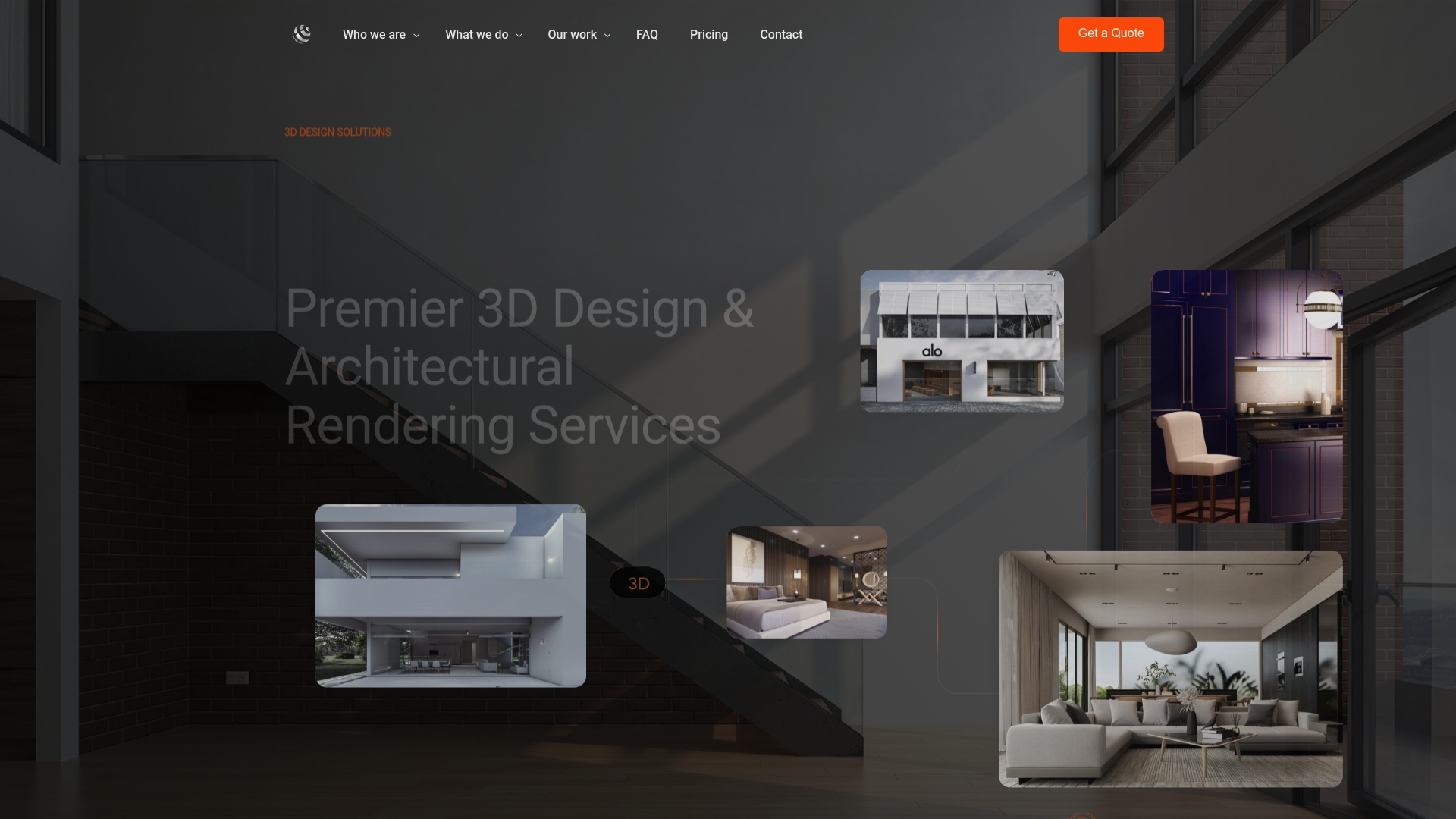
For interiors that need floor plan renderings, site plans or full visualization packages, the same page lists what we offer. For walkthrough-led projects, start with our 3D walkthrough services.
FAQ
What does fit-out mean in construction?
Fit-out is the work that makes an interior ready for use: partitions, ceilings, floors, finishes, services and often furnishings. In the US the same work is commonly called tenant improvement or build-out. The exact scope depends on what the contract states.
What is the difference between a fit-out render and a design render?
A design render explores an idea and can stay conceptual. A fit-out render is tied to a contracted scope, so it uses real finishes, dimensions, lighting and furniture to show what will be built. That precision is what makes it useful for approvals and for briefing a contractor.
How many views does a fit-out project need?
It depends on the number of distinct zones. An office might need views of the reception, an open workspace, a meeting room and a break area, plus a walkthrough. Our architectural renderings start at $850 per scene, and extra camera views start at $425 each.
Can you work from a Revit or BIM model?
Yes. We can build visuals from BIM files and drawings, and we cover the process in our article on BIM visualization for architects and contractors. Send the model with a finish schedule so that materials match your specification.
When should I commission the visualization?
As early as the layout is stable and before finishes are ordered. A test-fit image can support a lease decision, while a full set of stills and a walkthrough usually fits design development, before permits or sign-off.
Sources
- The Fit-Out Construction Process and Different Types of Fit-Out
- An Introduction to Fit Out Construction
- What Is Fit-Out Construction? Scope & Process
- How virtual reality helped Gensler design NVIDIA’s new HQ
- Building Information Modeling (BIM), Wesbuilt
- Zillow Group, SGA
- SHoP Architects, Igloo Vision
- Tenant Improvement Cost Per Square Foot (2026)
- 3D wall panels with LED lights