Avoid a Three Week Delay With Construction Sequence Animation for AEC
Avoid a Three Week Delay With Construction Sequence Animation for AEC
A construction sequence animation is a time-based 3D visualization that shows a building going up in the actual order construction will follow, from foundation to finish. Teams use it for three main reasons: coordinating trades and site logistics before ground breaks, winning stakeholder and permitting approvals, and giving marketing teams footage that reads as real progress rather than a rendering demo. Some firms produce these as a standard deliverable alongside architectural visualization and walkthroughs.
TL;DR:
- Sequence animations are most valuable during preconstruction for clash detection, site planning, and stakeholder approval, reducing onsite rework and RFIs.
- Accurate sequence logic, built from a constructible model grouped into real assembly units, is essential before focusing on rendering quality or camera work.
- Locking the sequence early, with input from drawings, BIM, and schedule data, prevents costly corrections and ensures the animation reflects real build order.
- Deliverables should include low-resolution playblasts, annotated stills, and phased clips for review, with final files labeled by version and phase for easy reference.
- Using models and schedules from the start with a specialized visualization firm ensures the animation accurately visualizes the planned construction sequence.
Table of Contents
- What Is a Construction Sequence Animation, Exactly?
- When You Actually Need One (and When You Don’t)
- The Practical Pipeline From Drawings to Finished Animation
- What You Should Actually Receive: Deliverables and File Formats
- Best Practices That Save You From Wasted Production Time
- How Rendimension Approaches Sequencing Accuracy
- Why Most Teams Get Sequencing Backward
- Get a Sequence Animation Built From Your Actual Schedule
- Sources
- FAQ
What Is a Construction Sequence Animation, Exactly?
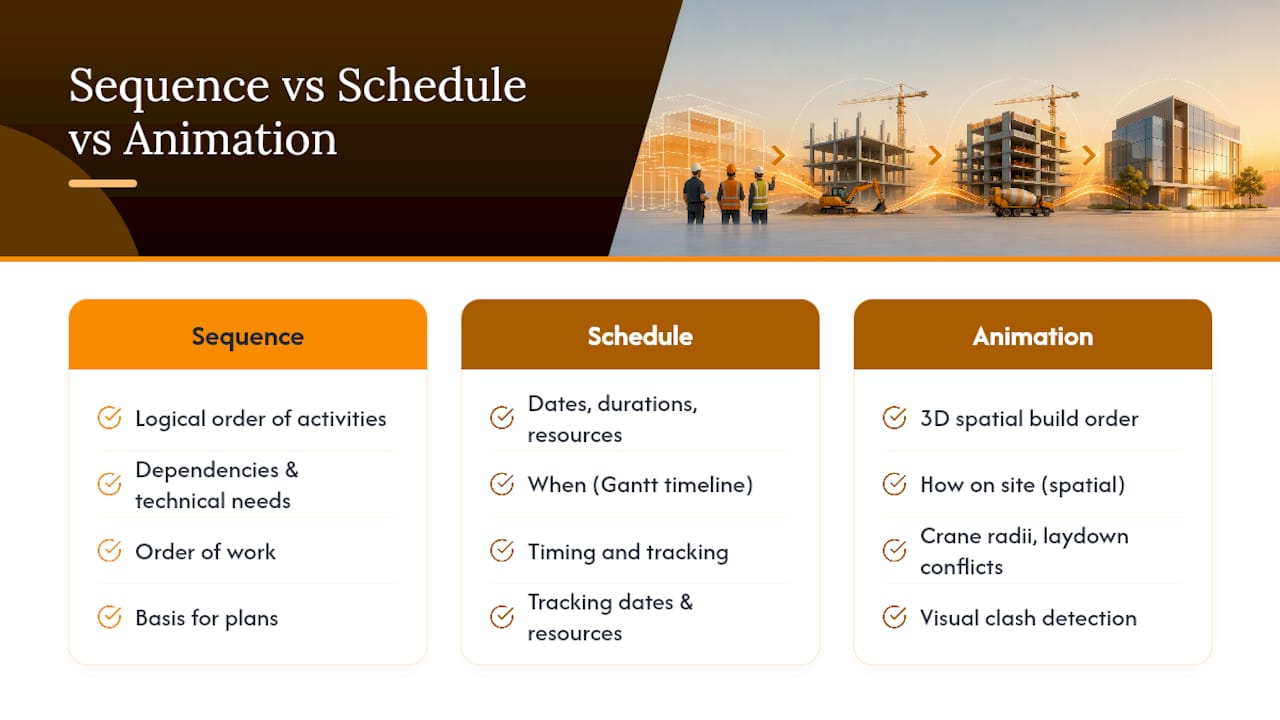
Sequencing and scheduling get treated as the same thing constantly, and that mix up causes real problems on site. A construction sequence is the logical order of activities based on dependencies and technical requirements, structural steel has to go up before curtain wall, foundations before framing. A schedule takes that sequence and attaches dates, durations, and resources to it, according to Planera’s breakdown of how construction sequence plans work. A Gantt chart tells you when. A sequence animation shows you how, spatially, which is something a bar chart cannot do.
This is where animation earns its place next to Gantt charts, critical path diagrams, and work breakdown structures. Those tools stay essential for tracking dates and dependencies, but a construction sequencing plan rendered in 3D makes crane swing radii, laydown area conflicts, and trade stacking visible in a way a spreadsheet never will. You see the problem before it becomes a change order.
Most North American projects move through several recognizable stages, and animation typically covers the construction phase in detail while nodding to what comes before and after:
According to xyzreality’s breakdown of project stages, the construction phase is where sequencing complexity peaks, which is exactly why animation adds the most value there.
When You Actually Need One (and When You Don’t)
Not every project justifies the cost of a full sequence animation. It earns its place at a handful of specific moments.
- Preconstruction constructability review. Before steel gets ordered, an animation exposes clashes between structural sequence and MEP rough-in that a 2D coordination drawing hides.
- Site logistics and crane planning. Tower crane reach, hoist scheduling, and laydown yard rotation are three-dimensional problems. Animating them catches conflicts that a logistics plan on paper misses.
- Safety briefings. Showing subcontractors the actual sequence of work at height, near live traffic, or adjacent to occupied structures communicates risk faster than a toolbox talk alone.
- Stakeholder and permitting approvals. Planning boards and lenders respond to a moving picture of the project far better than a stack of drawings.
- Marketing and leasing. A polished sequence clip doubles as pre-leasing content once it’s been trimmed and scored.
Teams that build sequence logic and catch clashes early tend to file fewer RFIs and rework less on site, since a well-built sequence plan surfaces constraints before they become disruptions instead of after.
Pro Tip: Commission the animation off your preconstruction model, not your marketing model. If it’s built to catch clashes, it will also look better in the final cut because the geometry actually matches what gets built.
The Practical Pipeline From Drawings to Finished Animation
A finished animation is only as good as what goes into it. Rendimension and firms working this way typically need a defined input set before modeling starts:
- Current construction drawings and any BIM model already in progress
- The phasing plan and construction schedule (even a draft one)
- Site photos or drone footage for context and matching
- Permit constraints, easements, and any site access restrictions
- A list of milestone dates the animation needs to hit visually
Model prep comes next, and it’s the step teams underestimate most. A model built for design coordination isn’t automatically buildable for animation. Components need to be split into logical assembly units, structural bays, floor pours, curtain wall panels, so the animation can reveal or build them group by group instead of the whole structure appearing at once. Planera’s guidance on sequence plans makes this point directly: a successful animation requires a “buildable” model rather than one where schedule bars get animated against generic geometry.
Once the model is grouped, phasing and animation follow the sequence logic, not the calendar. Components get tagged to phases, camera paths get planned to follow the story (foundation, structure, envelope, interiors), and cameras get matched to real site vantage points when drone footage is available. Roughly one in three sequencing errors on real projects traces back to establishing that logic too late, which is why experts consistently recommend locking sequence decisions during preconstruction rather than during animation production.
Iterative review happens on low resolution playblasts, quick, low quality renders that let a project team confirm the sequence reads correctly before anyone spends render time on final lighting and materials. Catching a wrong assembly order at the playblast stage costs an afternoon. Catching it after final render costs days.
Compositing and annotation add the layer that makes an animation useful in a meeting rather than just nice to look at: timeline bars synced to the video, callouts naming phases, and schedule overlays tying the visual to actual dates. Handoff means final files labeled by version and phase so a superintendent can match a frame to a schedule milestone without guessing.
What You Should Actually Receive: Deliverables and File Formats
What you get back depends on who’s watching it. A field team needs something different than a planning commission.
- Review assets: low-res MP4 playblasts, annotated stills marking specific clashes, and short segmented clips broken out by phase for faster internal review cycles.
- Final web deliverable: an H.264 MP4, compressed enough for email and web embedding without losing readability of small callouts.
- Presentation master: a higher-bitrate version for boardroom or lender presentations, where projector or large-screen playback needs to hold up.
- Annotated timeline PDF: a printable document pairing key frames with schedule dates, useful as a leave-behind after approval meetings.
Version control matters more than most teams plan for. Name files by phase and revision date so a superintendent pulling up “Phase 3 Rev 2” on site knows exactly which schedule version it maps to. For public-facing or internal training use, keep clips short, one milestone per clip runs better than one twelve-minute epic, and add simple text callouts or subtitles so the sequence reads even with the sound off.
Best Practices That Save You From Wasted Production Time
A handful of habits separate animations that get used from ones that get filed away after the kickoff meeting.
- Lock sequence logic before you animate anything. Animating a schedule directly, rather than the underlying sequence, bakes in errors that are expensive to fix downstream.
- Match level of detail to purpose. A logistics-planning animation needs accurate crane geometry and site boundaries; it doesn’t need modeled rebar. Over-detailing slows production without improving the decision the animation is meant to support.
- Flag critical resources visibly. Crane locations, laydown areas, and site access points should be marked clearly in every phase where they matter, not just the phase where they’re introduced.
- Iterate with stakeholders early and often. A quick playblast review with the superintendent or client catches sequencing misunderstandings while they’re still cheap to fix.
Pro Tip: If a reviewer asks “why does that wall go up before the steel next to it,” that’s not a nitpick, it’s the sequence animation doing its job. Treat those questions as free quality control.
How Rendimension Approaches Sequencing Accuracy
Getting the sequence right isn’t a creative decision, it’s a verification step, and that’s where a dedicated visualization partner earns its fee. Experienced firms specializing in architectural and construction visualization often apply a collaborative model that carries directly into sequence animation work.
The engagement typically runs through five stages:
- Brief: scope, milestones, and audience for the final animation get defined upfront
- Data review: drawings, BIM files, schedules, and site photography get checked for gaps before modeling starts
- Model prep: geometry gets grouped into buildable assemblies matched to the actual construction sequence
- Animation passes: phased builds, camera work, and playblast review cycles with the client
- Delivery: final files, versioned and labeled, handed off in the formats the project actually needs
That review discipline, checking sequence logic against real schedules before committing to final render time, is what keeps an animation useful past the kickoff meeting.
Why Most Teams Get Sequencing Backward
The conventional advice treats construction sequence animation as a visualization problem: hire someone, get a video, show it in a meeting. That framing undersells what actually makes these deliverables work. The real value shows up earlier, in the discipline of locking sequence logic before anyone touches a camera path or a material shader.
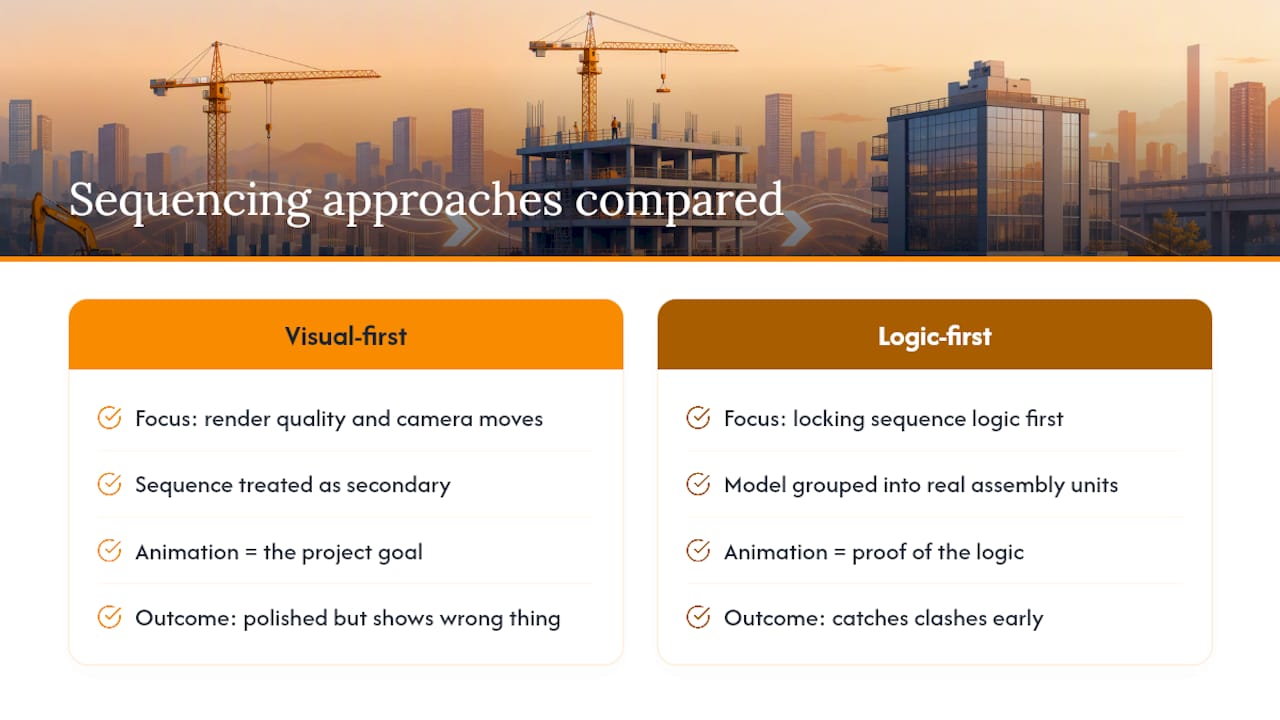
Teams that treat the animation as the goal end up with something polished that shows the wrong thing beautifully. Teams that treat the sequence logic as the goal, and the animation as the proof, end up catching the clash that would have cost three weeks on site. That distinction is the entire argument for doing this work in preconstruction rather than retrofitting it after the schedule is already locked.
What the reader should prioritize first isn’t the render quality or the camera moves. It’s whether the model driving the animation is actually buildable, grouped into real assembly units that match how the crew will build it. Everything else, the compositing, the callouts, the final polish, is downstream of that one decision.
, Rendimension
Get a Sequence Animation Built From Your Actual Schedule
If you’ve been comparing a full internal BIM coordination push against hiring it out, there’s a middle path: bring your model and schedule to a firm that builds sequence animations as a core deliverable rather than a side project bolted onto a rendering package. Some firms produce construction sequence animations, 3D walkthroughs, and VR deliverables from the same buildable model. This allows a stakeholder approval clip and a site logistics animation to come from one coordinated production instead of multiple vendors.
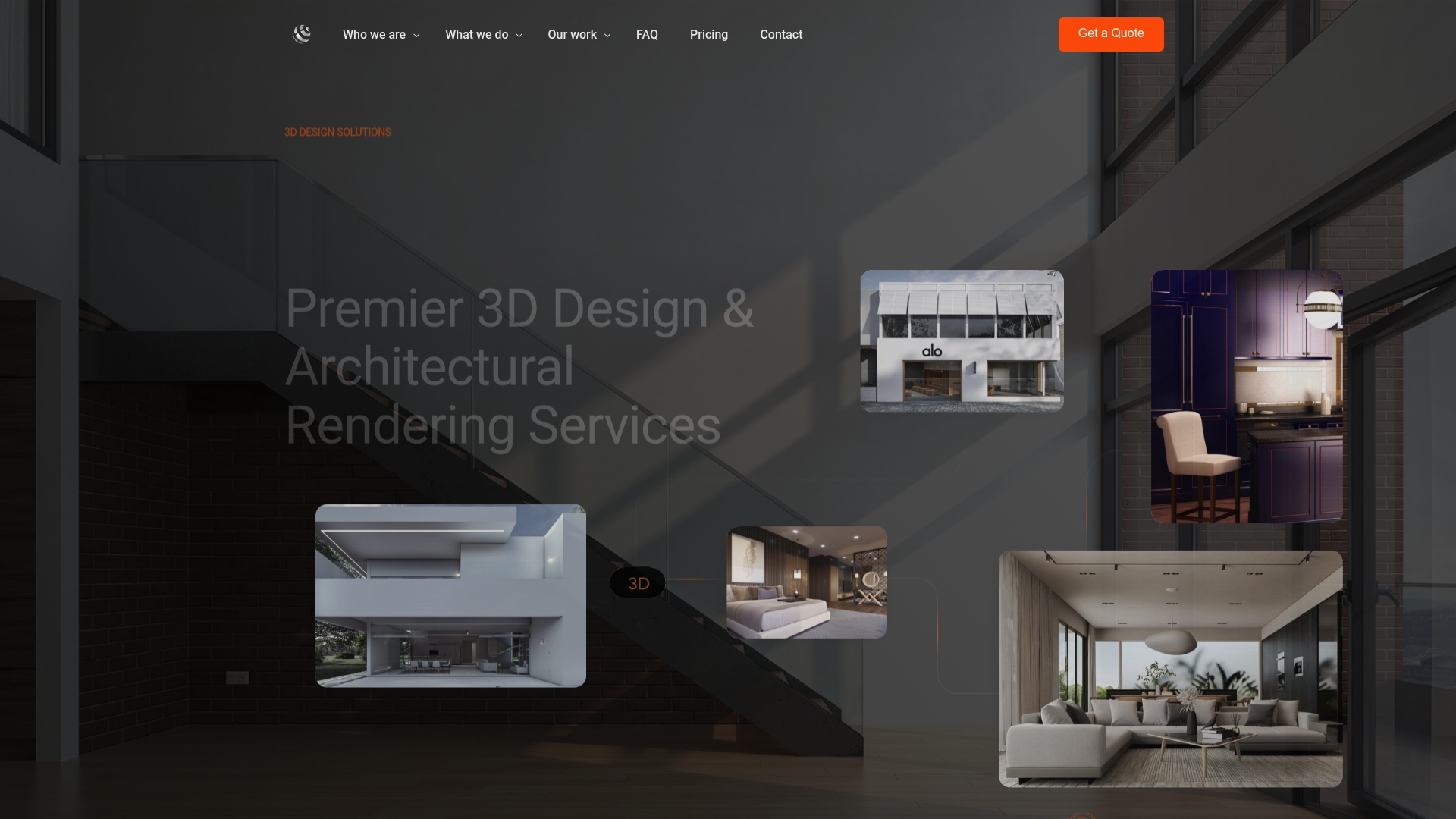
To get an accurate quote, send over your current drawings or BIM model, the phasing plan or draft schedule, key milestone dates you need the animation to hit, and the intended audience (internal coordination, lender approval, marketing). Start with a provider’s 3D rendering services page to see production capabilities, or review 3D walkthrough services if your project needs an interactive deliverable alongside the animated sequence. Contractors coordinating multi-trade phasing can also see how the process applies in practice through specialized 3D walkthroughs for general contractors.
Sources
FAQ
What are the seven stages of a construction project?
Conception, design, pre-construction, procurement, construction, commissioning, and closeout, according to xyzreality’s stage breakdown. Sequence animation work concentrates on the construction phase, where sequencing complexity is highest.
What is a construction sequence?
A construction sequence is the planned, logical order in which activities happen based on dependencies and technical requirements, distinct from a schedule, which adds specific dates and resources to that order, per Planera.
How much does a two-minute construction animation cost?
Pricing depends heavily on model complexity, number of phases, and camera work required, and isn’t standardized across the industry. Some firms provide project-specific quotes based on scope, so the most reliable figure comes from submitting your drawings, schedule, and milestone list for review.
What is the best 3D animation approach for architecture and construction?
There’s no single best software, the more important factor is whether the model feeding the animation is grouped into buildable assemblies rather than generic geometry. Some firms build the animation around that buildable model logic first, then handle camera work and rendering second.
How is a sequence animation different from a 4D construction animation?
The terms overlap heavily in practice. A 4D construction animation typically ties the sequence directly to schedule dates, layering the “when” onto the “how” that a standard sequence animation already shows spatially.
Recommended
Frequently asked questions
What are the seven stages of a construction project?
Conception, design, pre-construction, procurement, construction, commissioning, and closeout, according to xyzreality's stage breakdown. Sequence animation work concentrates on the construction phase, where sequencing complexity is highest.
What is a construction sequence?
A construction sequence is the planned, logical order in which activities happen based on dependencies and technical requirements, distinct from a schedule, which adds specific dates and resources to that order, per Planera.
How much does a two-minute construction animation cost?
Pricing depends heavily on model complexity, number of phases, and camera work required, and isn't standardized across the industry. Some firms provide project-specific quotes based on scope, so the most reliable figure comes from submitting your drawings, schedule, and milestone list for review.
What is the best 3D animation approach for architecture and construction?
There's no single best software, the more important factor is whether the model feeding the animation is grouped into buildable assemblies rather than generic geometry. Some firms build the animation around that buildable model logic first, then handle camera work and rendering second.
How is a sequence animation different from a 4D construction animation?
The terms overlap heavily in practice. A 4D construction animation typically ties the sequence directly to schedule dates, layering the "when" onto the "how" that a standard sequence animation already shows spatially.