Secure Use Rights on Payment for Architects: 3D Rendering Deliverables

Secure Use Rights on Payment for Architects: 3D Rendering Deliverables
Request hero stills, interior and exterior views, a walkthrough or animation, a 360 or VR tour, and 3D floor plans as your core deliverable set. Then lock in the one contract term that protects your ability to use them: a documented license or usage rights transfer tied to final payment. Everything else in a rendering brief, from file formats to revision counts, supports those two decisions.
TL;DR:
- Lock in a documented license or usage rights transfer tied to final payment to ensure legal access to all rendered images and videos.
- Use 4000-pixel-long-edge JPEGs for web and social media, while requesting higher resolutions for print and large-format applications.
- Pair each shot with visual references and specify a limit of two to three revision rounds to minimize scope creep and disputes.
- Confirm upfront that the contract grants broad usage rights for all intended channels, including restrictions on AI-enhanced or virtually staged images required by MLS rules.
- Organize deliverables into clearly named folders with consistent file naming and include a manifest to track approval status and revisions, simplifying long-term management.
Table of Contents
- Standard 3D rendering deliverables: types, use cases, and who needs them
- Technical specs and file formats to require in the brief
- How to brief a rendering project: an editable checklist
- Usage rights, ownership vs. license, and contract language to request
- Delivery workflow, QA, revision control, and archiving
- Rendimension’s process for delivering to these specs
- Packaging and file organization standards for deliverables
- Common pitfalls and how to avoid miscommunication in deliverables
- Why clear deliverables and licensing cut time to market
- How Rendimension turns a brief into launch-ready assets
- Sources
- FAQ
Standard 3D rendering deliverables: types, use cases, and who needs them
Not every project needs every output. Matching the deliverable to the job saves budget and keeps the brief focused.
Photoreal stills carry most of the marketing and approval workload. A hero still is the single-polished image used on a listing page, brochure cover, or investor deck. Context stills show the building in its surroundings, useful for planning submissions and neighborhood framing. Detail stills zoom into finishes, lobbies, or kitchens, the kind of close shot that sells a unit rather than a building.
Animations and walkthroughs extend that story into motion. Most run 60 to 120 seconds, enough to move through a lobby, a model unit, or a site approach without losing viewer attention. Commission one when the project needs to communicate flow, scale, or sequence that a still cannot show, such as a building entrance experience or a multi-room layout.
360 and VR tours serve a different purpose: letting a buyer, investor, or committee member explore a space on their own terms. They matter most for pre-sale condo units, model homes not yet built, and investor presentations where interactive exploration closes the gap left by renderings and video.
- Hero and context stills: marketing collateral, listing pages, approval packages.
- Detail stills: unit-level sales materials and finish selection.
- Walkthroughs and animations: sales centers, groundbreaking events, social video.
- 360/VR tours: pre-sale units, investor decks, remote buyer engagement.
- 3D floor plans and site overviews: permitting submissions and buyer orientation.
Plan and diagram outputs round out the set. 3D visualization services commonly include 3D floor plans and site overviews, which buyers use to orient themselves and planning boards use to review layout and massing.
Technical specs and file formats to require in the brief
Specify formats before production starts, not after delivery. Vague requests like “high resolution” invite disputes.
For raster stills, request a minimum of 4000 pixels on the long edge for web and marketing use, with print and large-format applications needing higher output resolution from the studio’s native render. Ask for both a flattened JPEG for immediate use and a layered PNG or TIFF for retouching.
- Web and social stills: 4000px long edge, sRGB, JPEG plus a layered source.
- Print and large-format: higher-resolution export at the studio’s recommended DPI for the intended print size.
- Walkthrough video: 4K (3840x2160) deliverable, MP4 container, H.264 or H.265 codec, 24 or 30 frames per second.
- 360/VR: equirectangular JPEG or MP4 for web viewers, compatible with common headset and browser players.
- Source files: native scene file, texture library, and raw geometry, kept separate from flattened client deliverables.
A documented usage license tied to final payment is the single contract term that protects your right to use the images you paid for, according to AIA’s C106 Digital Data Licensing Agreement guidance, which treats this transfer point as standard industry practice. Missing that clause is the most common gap in rendering contracts.
Folder structure and naming matter more than they seem to. A simple convention, project name, then deliverable type, then version number, prevents the wrong file from going out to a client or regulator. Confirm color profile (sRGB for web, CMYK only when print demands it) and ask for a short changelog with each revision round so nobody loses track of which version is current.
How to brief a rendering project: an editable checklist
A clear brief eliminates most of the back-and-forth that drags projects past deadline. Paste this structure into your next RFP or scope-of-work email.
- State the project goal: marketing launch, permitting submission, or investor presentation.
- List every deliverable by name and spec: stills, walkthrough length, VR format, floor plans.
- Attach a camera shot list with reference images for each required angle.
- Provide manufacturer finish references (flooring, cabinetry, exterior cladding) rather than verbal descriptions.
- Define approval gates: how many review rounds are included, and what counts as sign-off.
- Set a communication protocol: response time expectations and a single point of contact on each side.
Reference images cut revision cycles more than any other input. A studio working from a manufacturer’s actual product photo matches materials faster than one working from a written description.
Pro Tip: Attach a one-page “deliverables matrix” to the brief that maps each output to its audience, required spec, and sign-off criteria. It removes ambiguity before production starts.
Include a target number of revisions per deliverable (two or three is typical) and spell out what happens if a fourth round is needed: additional fee, or included within scope. That single line prevents the most common billing dispute on rendering projects.
Usage rights, ownership vs. license, and contract language to request
Copyright and usage rights are not the same thing, and conflating them causes most licensing disputes. In the United States, a rendering is protected by copyright the moment it is created, but enforcing that copyright in court requires registration first, as copyright guidance on enforcement explains. You rarely need to own the copyright outright to market a project: a documented, broad usage license covering every channel you intend to use (web, print, social, investor decks) is usually enough and costs less than a full assignment.
Industry practice is that transfer of usage rights occurs upon final project payment, with studios commonly retaining the underlying source files unless the contract states otherwise.
AIA’s C106 agreement and the related G202 BIM protocol form give practical templates for this language.
- Permitted uses (web, print, social, resale listings) spelled out by name.
- Exclusivity, duration, and territory, even when the default is unlimited and perpetual.
- Indemnity language covering third-party material (manufacturer logos, brand assets) used in the scene.
MLS rules add a layer most briefs miss: many MLS providers require visible disclosure when an image is AI-enhanced or virtually staged, sometimes requiring a non-staged image to appear alongside it.
Delivery workflow, QA, revision control, and archiving
A single still typically moves through concept, modeling, lighting, and final render over one to two weeks; a walkthrough or animation runs longer, often three to five weeks depending on length and scene complexity. Custom materials, large sites, and multiple animated cameras are the usual culprits behind extended timelines.
Run a short QA pass on every delivery before approving it:
- Confirm resolution and aspect ratio match the brief.
- Check color profile (sRGB for web) and open files on a second monitor to catch color shifts.
- Playback-test video files end to end, checking frame rate and audio sync if applicable.
- Verify metadata and file naming match the agreed convention.
Document every change request in writing, tied to a specific deliverable and revision number, to avoid scope creep. For long-term access, archive both the flattened client deliverables and, where the contract allows, the native source files in a format you can reopen without the original studio.
Rendimension’s process for delivering to these specs
A professional 3D visualization studio typically runs work through a structured handoff: an initial brief review, a mid-project checkpoint for massing and camera angles, a color and lighting sign-off, and final delivery against the agreed specs. Services span architectural rendering, walkthroughs, and VR experiences, each following the same checkpoint structure so clients see progress before the final render locks in.

Licensing commonly follows an industry pattern where usage rights transfer on final payment, documented in the project contract, with source files often retained by the studio unless the project scope specifies otherwise. That structure keeps the handoff clean for marketing teams who need to move fast once a render is approved.
Packaging and file organization standards for deliverables
A delivery that arrives as one zip file with fifty unlabeled images creates more work than it saves. Organize deliverables into top-level folders by type: stills, video, VR/360, and source files, each with its own subfolder for revision history.
Name every file with a consistent pattern: project code, deliverable type, camera or scene name, and version number (for example, oakridge-ext-heroview-v3.jpg). That convention lets a marketing team or approval board find the current version without opening every file.
Include a short manifest, a single text or spreadsheet file listing every deliverable, its format, intended use, and approval status. This becomes the reference document when a new team member joins the project or a file needs to be reissued months later.
Keep flattened client-facing files separate from editable source files at every stage, even during review rounds. Mixing them risks a client accidentally receiving a layered working file instead of the finished export, or a studio losing track of which version was actually approved. A clean separation also makes archiving simpler once the project closes, since only the flattened deliverables and any contractually retained source files need long-term storage.
Common pitfalls and how to avoid miscommunication in deliverables
Most rendering disputes trace back to three gaps: unclear specs, undocumented revisions, and missing usage language.
Vague camera direction is the most frequent cause of rework. A brief that says “show the lobby” produces a different result from one with a reference photo and a marked camera height. Always pair a shot list with visual references, not written descriptions alone.
Unlimited revision requests without a documented count create friction on both sides. Agree on a number per deliverable up front and put any extra rounds on a separate line item, so neither party is surprised by a change order mid-project.
Skipping the usage license is the costliest pitfall. A project can finish on time and on budget, then stall at launch because nobody confirmed whether the marketing team could legally post the renders on social media or hand them to a press outlet. Confirming usage terms before production starts, not after delivery, avoids that stall entirely.
Finally, treating reference images as optional slows every round. A manufacturer’s product photo or a competitor’s listing page communicates material and finish faster than paragraphs of description, and floor plan marketing guidance makes a similar point about how visual references speed buyer understanding compared to text alone.

Why clear deliverables and licensing cut time to market
Vague briefs cost more in revision rounds than precise ones cost in planning time. Every ambiguous camera angle or undefined usage term becomes a delay, a change order, or a legal question later. Projects that specify deliverables and lock usage rights up front move from render to market faster, with fewer disputes along the way. Add the checklist above to your next vendor RFP before the project starts, not after the first draft comes back.
, Rendimension
How Rendimension turns a brief into launch-ready assets
A precise brief is only half the job. The other half is a studio that can turn hero stills, walkthroughs, and VR tours into assets your marketing or approval team can use the day they arrive, without a second round of file hunting or licensing questions.
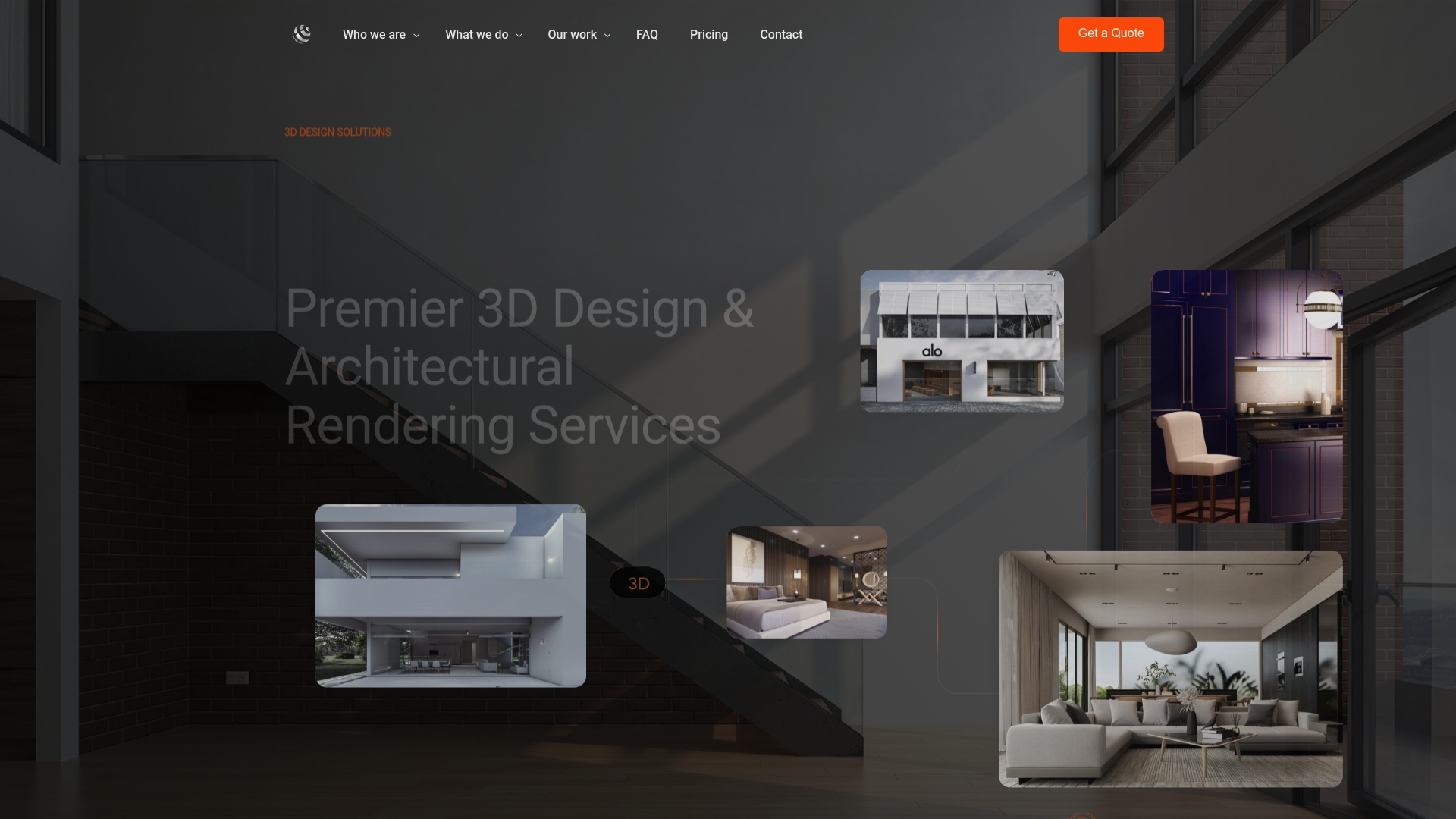
Rendimension’s core services cover architectural rendering, additional camera views, 3D walkthroughs, and real estate VR experiences, each scoped against the deliverable types and specs covered above. For projects needing floor plans, site overviews, or a full visualization package, the architectural rendering services page lists available packages directly.
To request a quote, include your deliverable list, camera references, and intended usage channels so the scope and licensing terms can be set correctly from the first conversation. A completed brief gets you a faster, more accurate estimate than a general inquiry.
Sources
- Although copyrights vest immediately, enforcing them requires another step
- Instructions: C106–2022, Digital Data Licensing Agreement
- Digital, Virtually Staged, and AI-enhanced Images and Unauthorized Use of Listing Content - Canopy MLS Support
FAQ
What is needed for 3D rendering?
A rendering project needs a written brief covering project goals, a camera shot list with reference images, material and finish references, and a defined approval process with a set number of revisions. Technical specs like resolution, format, and file handling should be agreed before production begins.
Can you give me some examples of 3D rendering?
Common deliverables include photoreal hero and context stills, interior and exterior views, animated walkthroughs, 360 or VR tours, and 3D floor plans. Each serves a different purpose, from marketing collateral to planning board submissions.
How much do people charge for 3D renderings?
Pricing varies by scope and studio. Rendimension’s architectural rendering starts from $850 per scene, additional camera views start from $425 per view, and 3D walkthroughs cost from $4,500 to $8,000 depending on length and complexity.
What is 3D rendering?
3D rendering is the process of turning a digital model into a photoreal image, animation, or interactive experience, used in architecture, real estate, and product design to visualize a project before it exists physically. Deliverables range from static stills to full VR walkthroughs depending on the project’s marketing or approval needs.