Render Quality Standards for Architecture

Defining Render Quality Standards for Architecture

TL;DR:
- Render quality is determined by lighting accuracy, material fidelity, and noise control, not resolution alone.
- Effective renders combine proper scene setup with calibrated settings to reflect real-world physics, ensuring realism.
Most architects and real estate professionals assume that defining render quality standards comes down to one thing: resolution. Crank up the pixel count, and you get a better render. This assumption is costing studios time, money, and client trust. Real render quality is a multidimensional target that combines lighting accuracy, material fidelity, noise control, and output intent. Get any one of these wrong, and a 4K image can still look flat, artificial, or unpresentable. This guide breaks down every dimension that matters and gives you a practical framework for building standards your team can actually use.
Table of Contents
- Key takeaways
- Defining render quality standards: beyond pixels
- Core components of quality: lighting, materials, and scene setup
- Balancing render settings for efficient production
- Establishing render quality benchmarks for your projects
- Evaluating renders effectively
- My honest take on why render quality standards are hard to get right
- Bring your renders up to professional grade
- FAQ
Key takeaways
| Point | Details |
|---|---|
| Resolution is not quality | Increasing pixel count without fixing sampling, lighting, or noise produces a larger bad render. |
| PBR materials define realism | Physically based rendering workflows with proper texture maps produce surfaces that read as real. |
| Sampling plus denoising is the sweet spot | Balanced sample counts combined with modern denoising tools reduce render time without sacrificing clarity. |
| Standards must match output intent | Print, web, and marketing presentations each require different resolution targets and noise thresholds. |
| Assessment requires multiple criteria | Professional render quality assessment evaluates realism, lighting fidelity, noise levels, and material accuracy together. |
Defining render quality standards: beyond pixels
The most common trap in render quality work is treating resolution as a proxy for quality. Render resolution is simply the pixel dimension of your output image. It affects how large the image can be displayed or printed before it softens, but it says nothing about how realistic the lighting looks or how much grain is visible in shadow areas.
Consider two renders of the same architectural exterior. The first is output at 3840x2160 (4K) with low sampling settings and default lighting. The second is 1920x1080 with carefully calibrated global illumination and high sample counts. The second image will almost always win in client reviews. The 4K version is larger, not better.
Here is what actually determines render quality:
- Sample count: The number of light paths calculated per pixel. Higher counts reduce noise but increase render time significantly.
- Noise threshold: The acceptable level of grain, particularly in shadow regions and indirect lighting areas.
- Lighting accuracy: How precisely the renderer simulates real-world light behavior, including bounces and color shifting.
- Material fidelity: Whether surface materials respond to light physically correctly.
- Output intent: Whether the resolution matches how the image will actually be used (large-format print, web, pitch deck).
Pro Tip: Before adjusting any render settings, define the output destination first. A web-only render at 1920x1080 with tight noise thresholds and accurate lighting will outperform a print-spec render that neglects sampling quality.
A flat, perfectly clean 4K render with no noise but also no accurate light behavior reads as obviously artificial to any trained eye. Resolution scales an image. Everything else defines whether it looks real.
Core components of quality: lighting, materials, and scene setup
Photorealistic rendering quality relies on accurate physics-based lighting, physically accurate PBR materials, and a category that most professionals underestimate: subtle imperfections. A render with spotless, perfectly smooth surfaces reads as synthetic immediately. Adding fingerprints on glass, micro-scratches on metal, or slight irregularity in a stone tile surface communicates authenticity in a way no resolution bump ever could.

Lighting setup
Global illumination and ray tracing define the difference between a flat render and a photorealistic one. Light in the real world bounces. It bleeds color from one surface onto adjacent surfaces. It shifts in temperature depending on the time of day and sky conditions. A render that simulates these behaviors accurately will look real even at lower resolution. One that uses simple direct lighting with no bounce calculations will always look staged, regardless of pixel count.
For architectural and real estate work, your lighting setup should account for sky lighting with realistic color temperature shifts, interior bounce light from floor and ceiling surfaces, artificial light sources with physically correct intensity and color, and shadow softness calibrated to the light source size.
PBR materials and texture mapping
PBR workflows use multiple texture maps working together to simulate physical surface properties realistically. A complete PBR material set typically includes diffuse (base color), roughness (how light scatters across the surface), normal (surface micro-detail without added geometry), and displacement (actual geometric surface variation for close-up shots).
Each map serves a distinct purpose. Skip the roughness map and every surface in your scene will have the same shine characteristic, which immediately signals that materials are synthetic. If you want guidance on how surface finishes translate from physical samples to render materials, the tile finish selection process in construction is a useful reference for understanding how light and texture interact across different material types.
Pro Tip: When setting up materials for a real estate project, pull reference photographs of the actual specified materials under similar lighting conditions. Match your roughness and reflectivity values to those references rather than relying on default asset library settings.
Scene organization also contributes more than most people expect. Poorly optimized geometry with overlapping faces or unresolved topology creates shadow artifacts and lighting anomalies that cannot be fixed in post-processing. Clean geometry and logical layer structure are quality factors before a single light is placed.
Balancing render settings for efficient production
Getting a high-quality render in a reasonable amount of time comes down to understanding the relationship between sampling, denoising, and hardware. These three variables are where most production inefficiencies live, and where smart standards make the biggest practical difference.
-
Set your sample ceiling based on denoising capability. Intel Open Image Denoise allows rendering with as few as 6 to 8 light samples per light source and still removes noise effectively. Without denoising, the same noise-free result would require hundreds of samples per pixel and dramatically longer render times.
-
Define noise thresholds by image zone. Shadow areas and indirect lighting zones require more samples to resolve cleanly than directly lit surfaces. Adaptive sampling tools allow the renderer to allocate more computation where the image needs it most and less where direct light is clean.
-
Apply resolution scaling for intermediate reviews. Rendering at half or two-thirds of your final target resolution and then upscaling with AI tools reduces computational load while preserving enough detail for client review rounds. Save full-resolution rendering for final approved versions only.
-
Match hardware to engine type. CPU-based engines excel in complex lighting and volumetric scenarios, while GPU rendering provides faster interactive previews. For large architectural projects with complex light interactions, CPU rendering often produces more accurate results. For marketing stills with controlled lighting, GPU setups save significant time.
-
Establish render time budgets per project phase. A concept-stage render should never consume the same computational resources as a final delivery render. Setting time budgets forces discipline around which quality dimensions to prioritize at each stage.
Pro Tip: Run a calibration render at 25% resolution on every new scene before committing to a full-resolution pass. This reveals lighting problems, material errors, and composition issues in minutes rather than hours.
Establishing render quality benchmarks for your projects
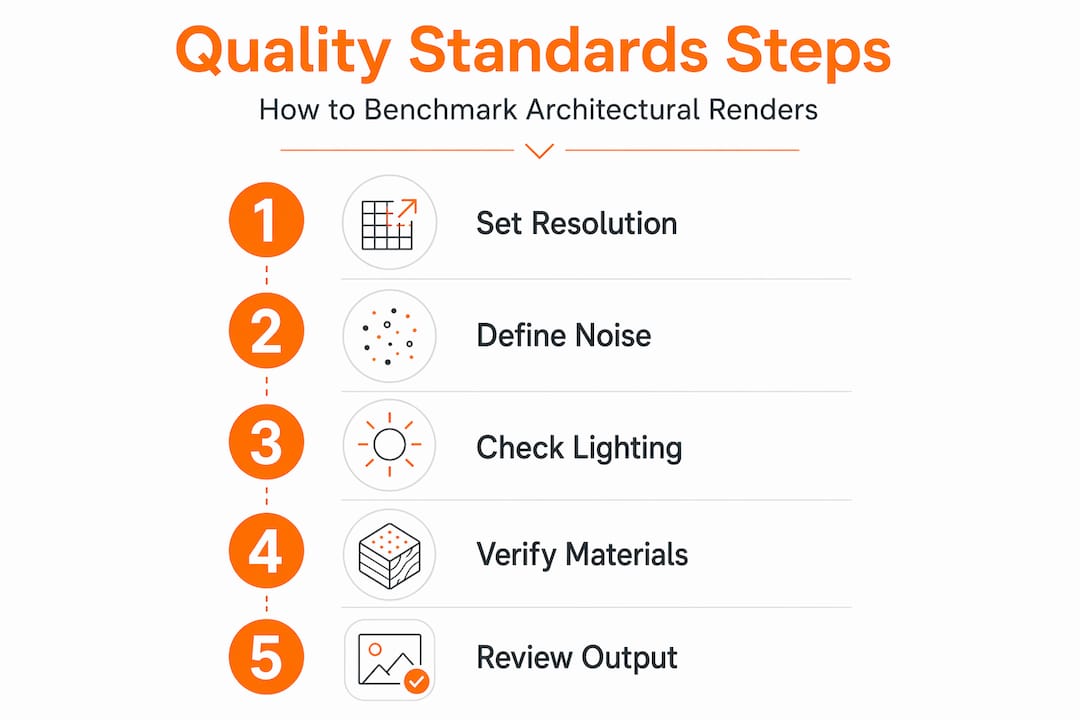
Quality standards in rendering must define thresholds for resolution, noise, lighting accuracy, and material fidelity to improve consistency and client satisfaction. The challenge is that these thresholds vary by project type, output channel, and client expectations.
The table below outlines practical starting benchmarks for common architectural and real estate output types:
| Output type | Resolution target | Noise threshold | Lighting requirement |
|---|---|---|---|
| Large-format print (48"+ wide) | 6000px+ on longest edge | Near zero visible grain | Full GI with ray-traced shadows |
| Marketing brochure / magazine | 3000-4000px on longest edge | Minimal grain in shadows | GI with color bleed |
| Digital presentation / pitch deck | 1920-2560px on longest edge | Low grain acceptable in dark areas | GI or high-quality direct light |
| Web / social media | 1200-1920px on longest edge | Low to moderate grain acceptable | Direct light plus ambient |
| Internal review / iteration | 960-1280px on longest edge | Moderate grain acceptable | Direct light or basic GI |
Beyond resolution and noise, your benchmarks should define material accuracy requirements. For client-facing deliverables, every primary material should have a validated PBR setup with at least three texture maps. For interior renders, light source temperatures should match the specified fixture specifications within 200 Kelvin.
Incorporating client expectations into your standards means getting specific at project kickoff. Ask whether renders will be used in print advertising, digital presentations, or both. Ask whether the client will be comparing your output against competitor visualizations. These inputs directly change your quality floor. Workflows that enforce these standards consistently, such as the architectural visualization approach described in professional practice guides, reduce revision cycles and protect your delivery timeline.
Evaluating renders effectively
Effective render quality assessment requires evaluating realism, lighting fidelity, noise levels, and material accuracy together rather than judging any single attribute in isolation. Most quality review failures happen when assessors focus on one dimension and miss problems in another.
Use this criteria set when reviewing renders before client delivery:
- Realism check: Does the image read as a photograph at normal viewing distance? If it reads immediately as a render, identify which element betrays it first (flat shadows, synthetic materials, or lack of imperfection detail).
- Lighting consistency: Are shadows casting in consistent directions? Does light color shift appropriately from window light to interior artificial light? Is there color bleed between surfaces where physically expected?
- Noise and artifact audit: Examine shadow boundaries, glass reflections, and indirect lighting zones for grain. Check edges for aliasing issues that indicate undersampling.
- Material behavior: Does each primary surface respond to light as the real material would? Does glass have the correct reflectivity and refraction? Does concrete have subtle surface variation?
- Benchmark comparison: Hold the render against a reference set of approved-quality outputs from previous projects or industry reference imagery. Render quality comparison against known standards is a faster and more objective review method than assessing in isolation.
The most common evaluation mistake is approving a render because resolution looks technically sufficient while missing significant noise in the shadow zones or flat material response in key focal surfaces. Build a formal checklist and use it on every deliverable.
My honest take on why render quality standards are hard to get right
In my experience working across more than 1,000 projects globally, the most persistent misconception I encounter is this: professionals know resolution is not everything in theory, but they still reach for it as the first fix in practice. A render comes back looking dull, and the instinct is to render it bigger. That instinct is almost always wrong.
What I have learned is that render quality is a holistic measure. Improving one variable in isolation delivers marginal gains at best. The renders that actually stop clients mid-presentation, the ones that genuinely read as photographs, are built on an interplay of lighting physics and subtle surface details rather than raw pixel counts. The imperfection in a glass surface. The color temperature shift across a daylit interior. The roughness variation in a concrete wall that gives it weight. These details take deliberate craft, not just processing power.
The uncomfortable truth about render quality standards is that most studios avoid defining them formally because documentation feels like overhead. What they lose instead is consistency, client alignment, and control over revision cycles. Defining your standards once, in writing, with specific thresholds, pays back every hour invested within the first three projects. Start with your most common output type. Define the minimum acceptable benchmark for that one context. Build from there.
, Rendimension
Bring your renders up to professional grade
If you are building or refining quality standards for your practice, having the right production partner makes the benchmark achievable rather than aspirational. Rendimension delivers photorealistic 3D renders built to the full technical and creative standards this guide describes, from PBR material libraries to globally calibrated lighting setups.

Every project at Rendimension runs through a defined quality review process covering resolution targets, noise thresholds, lighting accuracy, and material fidelity before anything reaches the client. Whether you need architectural visualization services for a residential development or a complete marketing render package for a commercial project, the same production standards apply. You get consistent, client-ready output on the first delivery, not after three rounds of revisions.
FAQ
What does “render quality” actually mean?
Render quality refers to how accurately and realistically an image represents light behavior, material properties, and scene composition. It is measured through multiple factors including sample count, noise level, lighting fidelity, and material accuracy, not resolution alone.
Why use high-resolution renders if resolution is not the main factor?
Resolution determines how large an image can be displayed or printed before it loses sharpness. You still need appropriate resolution for the output destination, but it must be paired with proper sampling, lighting, and material settings to produce a quality result.
How do you measure render quality objectively?
You measure render quality by evaluating noise levels in shadow zones, lighting consistency across the scene, material response against physical references, and overall realism at normal viewing distance. Comparing outputs against a defined benchmark set provides the most reliable measurement.
What are reasonable noise thresholds for client-facing renders?
For print and premium marketing output, noise should be near invisible even in shadow areas. For digital presentations, minimal grain in dark areas is acceptable. Setting these thresholds in writing before production begins prevents subjective disputes during review.
How do sampling and denoising work together in a production workflow?
Sampling generates the raw light path data per pixel, and denoising removes residual noise from lower sample counts without degrading perceived clarity. Used together, they let you reach near-clean output at a fraction of the render time that brute-force sampling alone would require.
Recommended
- Render In Architecture Meaning: Complete Guide To 3D Visuali
- Examples Of Rendering: 2025 Guide To 3D Visualization
Related guides
Frequently asked questions
What does “render quality” actually mean?
Render quality refers to how accurately and realistically an image represents light behavior, material properties, and scene composition. It is measured through multiple factors including sample count, noise level, lighting fidelity, and material accuracy, not resolution alone.
Why use high-resolution renders if resolution is not the main factor?
Resolution determines how large an image can be displayed or printed before it loses sharpness. You still need appropriate resolution for the output destination, but it must be paired with proper sampling, lighting, and material settings to produce a quality result.
How do you measure render quality objectively?
You measure render quality by evaluating noise levels in shadow zones, lighting consistency across the scene, material response against physical references, and overall realism at normal viewing distance. Comparing outputs against a defined benchmark set provides the most reliable measurement.
What are reasonable noise thresholds for client-facing renders?
For print and premium marketing output, noise should be near invisible even in shadow areas. For digital presentations, minimal grain in dark areas is acceptable. Setting these thresholds in writing before production begins prevents subjective disputes during review.
How do sampling and denoising work together in a production workflow?
Sampling generates the raw light path data per pixel, and denoising removes residual noise from lower sample counts without degrading perceived clarity. Used together, they let you reach near-clean output at a fraction of the render time that brute-force sampling alone would require.