What Is AR Visualization? A Professional's Guide
What Is AR Visualization? A Professional’s Guide
TL;DR:
- AR visualization overlays interactive 3D digital content onto real environments in real-time, enabling simultaneous perception and interaction. It differs from VR by enhancing the physical world rather than replacing it, requiring less hardware and offering better accessibility for on-site review. The technology relies on a six-step process, including environment scanning, surface detection, and precise tracking, to anchor digital models accurately.
AR visualization is defined as the real-time overlay of interactive 3D digital content onto a physical environment, allowing users to perceive and interact with both worlds simultaneously. The industry term for this is augmented reality visualization, and it differs fundamentally from virtual reality (VR), which replaces the physical world entirely. Platforms like ARKit (Apple), ARCore (Google), and Unity’s AR Foundation power most of what professionals experience today on smartphones, tablets, and AR glasses. For architects, real estate developers, and product designers, understanding AR visualization means understanding a technology that transforms how projects are communicated, reviewed, and approved before a single brick is placed.
What is AR visualization and how is it different from VR?
AR visualization overlays 3D digital content onto the real world in real-time, letting users interact with physical and digital elements at the same time. VR, by contrast, replaces the physical environment with a fully synthetic one. That distinction matters enormously in professional settings. An architect using AR can walk a client through a physical site while a 3D building model appears anchored to the actual ground. A VR user, wearing a headset, sees only the virtual model with no connection to the real space.

The practical implication is that AR requires less hardware commitment from clients. A smartphone or tablet running ARKit or ARCore is enough to experience an AR visualization. VR demands a dedicated headset and a controlled environment. For client presentations, AR wins on accessibility. For deep immersive walkthroughs, VR in construction still holds an edge in total immersion.
AR is also more than a visual trick. It is a complex spatial registration task requiring precise six-degrees-of-freedom tracking to anchor digital content reliably in the physical world. That precision is what separates a convincing AR experience from a floating, unconvincing one.
How does AR visualization technology work?
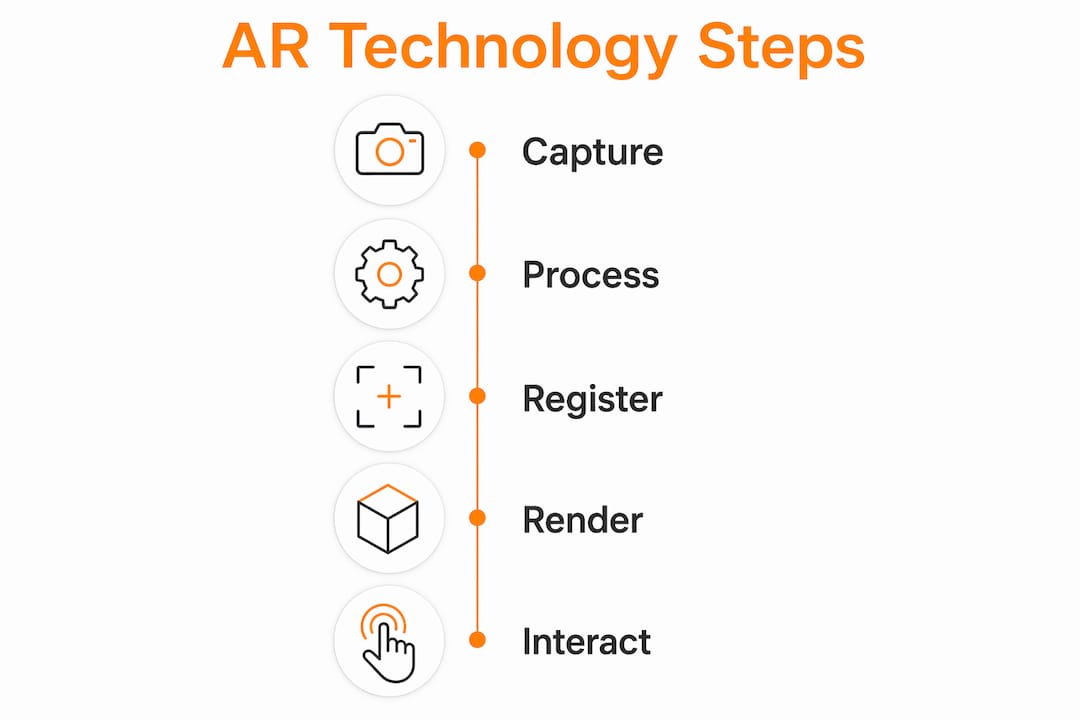
The AR process follows a six-step loop: scanning the environment, detecting surfaces or markers, tracking position via SLAM and IMU sensors, rendering 3D content, anchoring it onto a spatial map, and continuously updating as the user moves. Each step depends on the one before it. If surface detection fails, the anchor point drifts. If tracking loses its reference, the 3D model slides across the screen.
Here is what each step involves in practice:
- Environment scanning. The device camera captures the physical space and identifies feature points such as edges, corners, and textures.
- Surface detection. Computer vision algorithms identify flat planes, like floors or walls, where digital content can be placed.
- Position tracking. SLAM (Simultaneous Localization and Mapping) combined with IMU (Inertial Measurement Unit) data tracks the device’s exact position and orientation in six degrees of freedom.
- 3D rendering. The AR engine generates the digital model at the correct scale and perspective for the current viewpoint.
- Anchoring. The model is locked to a point in the spatial map so it stays fixed as the user moves around it.
- Dynamic updating. The system recalculates position and rendering every frame, typically at 30–60 frames per second, to maintain the illusion.
AR devices include smartphones, tablets, and AR glasses, each capturing the real world and overlaying digital content with real-time tracking. Smartphones are the most accessible. AR glasses like Microsoft HoloLens offer hands-free operation, which is critical in construction and surgical settings.
There are two main system types: marker-based and marker-less. Marker-less AR uses GPS and sensors for environmental mapping and offers dynamic experiences, while marker-based AR remains more cost-effective and precise for retail or packaging applications. Marker-based systems trigger a 3D model when the camera recognizes a specific image or QR code. Marker-less systems work anywhere, which makes them far more useful for on-site architectural review.
Pro Tip: When presenting AR visualizations to clients on-site, use marker-less AR on a tablet rather than a smartphone. The larger screen gives clients a clearer sense of scale and reduces the “squinting at a phone” problem that kills presentation momentum.
What are the benefits of AR visualization across industries?
AR visualization delivers measurable value across multiple professional sectors. The core benefits go beyond novelty. They address real friction points in communication, planning, and training.
- Architecture and construction. AR overlays enable architects and builders to see 3D models on physical sites, improving planning accuracy, error reduction, and client understanding during pre-construction phases. Catching a structural conflict in AR before construction begins costs a fraction of fixing it on-site.
- Real estate. Developers use AR to show buyers what an unbuilt unit will look like from their actual balcony view. This is more persuasive than any floor plan or static render.
- Product design. Manufacturers place 3D product models in real environments to evaluate scale, color, and spatial fit before committing to physical prototypes.
- Data visualization. AR transforms abstract 2D data into spatial 3D models that users can interact with in real-world contexts, improving pattern recognition and collaborative analysis. A logistics team, for example, can walk through a warehouse and see live inventory data anchored to each shelf.
- Healthcare and training. Medical teams use AR to overlay anatomical models on patients during surgical planning. Training programs use it to simulate equipment operation without physical risk.
- Education. AR visualization in education turns static textbook diagrams into interactive 3D models students can examine from every angle, which research consistently links to stronger spatial reasoning and retention.
AR contextualizes information in the user’s real environment, enabling more intuitive collaborative analysis and decision-making. That contextual anchoring is the core reason AR outperforms 2D presentations in high-stakes professional settings.
How does AR visualization enhance architectural projects?
AR visualization changes the client conversation in architecture from abstract to concrete. Instead of asking a client to interpret a floor plan, you hand them a tablet and let them walk around a 1:1 scale model of their future building on the actual site. That shift in communication quality is significant.
The table below compares AR visualization against traditional 3D rendering and VR walkthroughs for architectural use:
| Method | Client Accessibility | Site Context | Immersion Level | Best Use Case |
|---|---|---|---|---|
| AR Visualization | High (smartphone/tablet) | Real environment | Medium | On-site client review, design validation |
| 3D Rendering | Very high (static image) | None | Low | Marketing, early-stage presentations |
| VR Walkthrough | Medium (headset required) | Simulated only | Very high | Deep design exploration, investor demos |
AR integrates directly with BIM (Building Information Modeling) and Revit models. A Revit model exported to a compatible AR format can be placed on a physical site using ARKit or ARCore, giving the project team a live overlay of the design against existing conditions. This is where AR earns its place in professional workflows. It is not a replacement for architectural visualization services. It is an additional layer that makes those visualizations actionable in the field.
The benefits for pre-construction planning include faster client sign-off, fewer design revision cycles, and stronger stakeholder confidence. Clients who can physically walk around a virtual building on its actual site make decisions faster and with fewer second-guesses.
Pro Tip: Export your BIM model as a USDZ file for iOS ARKit or a GLB file for ARCore. These formats preserve material properties and scale, so the AR model looks consistent with your photorealistic renders.
What are the current limitations of AR visualization?
AR visualization has real technical constraints that professionals need to understand before deploying it in client-facing settings.
- SLAM failures in low-feature environments. SLAM depends on feature points like edges and corners in the environment. Plain white walls, open fields, or poorly lit spaces give the tracking algorithm nothing to lock onto. The result is a drifting or disappearing model.
- Occlusion without depth sensors. Without depth sensors like LiDAR, virtual objects cannot be hidden behind real-world objects correctly. A virtual sofa appears to float in front of a real wall rather than sitting against it. This breaks the illusion immediately.
- Field of view constraints. AR glasses like HoloLens 2 offer a field of view of roughly 52 degrees. The human eye sees roughly 180 degrees. That gap means large-scale architectural models appear cropped and incomplete in headset-based AR.
- Battery and computing limits. Real-time 3D rendering on a mobile device drains battery fast. Long on-site presentations with complex models can exhaust a tablet in under an hour.
- Marker-based vs. marker-less trade-offs. Marker-less AR is more flexible but requires more processing power and fails in the environments described above. Marker-based AR is reliable and precise but requires printed markers placed in advance, which limits spontaneous use.
Understanding these limits helps you design AR presentations that work reliably. A controlled indoor environment with strong lighting and textured surfaces will always outperform an outdoor presentation on a featureless concrete slab.
Key takeaways
AR visualization delivers its greatest professional value when spatial registration is precise, the environment supports SLAM tracking, and the digital content is built to photorealistic standards.
| Point | Details |
|---|---|
| Core definition | AR visualization overlays real-time 3D digital content onto physical environments for simultaneous interaction. |
| Technology foundation | The six-step AR loop relies on SLAM, IMU sensors, and real-time rendering to anchor digital models accurately. |
| Top industry applications | Architecture, real estate, product design, and data visualization gain the most from AR’s spatial context. |
| Key technical limits | SLAM failures in low-light spaces and occlusion issues without LiDAR reduce realism in real-world deployments. |
| AR vs. VR distinction | AR enhances the real environment; VR replaces it. AR wins on client accessibility; VR wins on total immersion. |
AR visualization in practice: what we’ve learned at Rendimension
After working on over 1,000 visualization projects globally, the pattern is clear. The clients who get the most out of AR visualization are not the ones with the most advanced hardware. They are the ones who invest in the quality of the underlying 3D model.
A poorly built model looks worse in AR than it does in a static render. AR exposes every flaw because the client is examining it from every angle, at full scale, in real light. The spatial registration task that AR performs is only as convincing as the geometry and materials it is rendering. That is the insight most AR technology discussions skip entirely.
The growing adoption of LiDAR in consumer devices like the iPhone Pro line is changing the occlusion problem faster than most people realize. When LiDAR becomes standard across mid-range devices, the “floating object” problem disappears. That will remove the single biggest credibility barrier in client-facing AR presentations.
For architects and developers evaluating AR solutions, the advice is straightforward. Start with the model quality. Then choose the platform. ARKit on iOS and ARCore on Android cover the vast majority of client devices without requiring any special hardware investment. The benefits of 3D visualization compound when AR is added as a presentation layer on top of an already strong photorealistic base.
The future of AR in architecture is not about replacing traditional renders or VR walkthroughs. It is about giving clients a third mode of engagement: one that meets them on-site, in context, with no headset required.
, Rendimension
See your project in AR before you build it
Rendimension produces photorealistic 3D models and architectural visualizations built to the precision that AR deployment demands. Every model is constructed with accurate geometry, real-world materials, and correct scale so it performs as well in an AR overlay as it does in a static render or VR walkthrough.

Whether you are presenting a residential development to buyers on-site or walking a commercial client through a pre-construction design, Rendimension’s architectural visualization services give you the visual foundation that makes AR presentations credible and persuasive. Explore the full range of 3D rendering and visualization options available for your next project.
FAQ
What is AR visualization in simple terms?
AR visualization is the real-time overlay of 3D digital content onto a physical environment, viewed through a smartphone, tablet, or AR glasses. It lets users see and interact with virtual objects placed in their actual surroundings.
How does AR differ from VR in architecture?
AR enhances the real environment by adding digital models on top of it, while VR replaces the physical world with a fully virtual one. Architects use AR for on-site client reviews and VR for immersive design walkthroughs in a controlled setting.
What hardware do you need for AR visualization?
AR devices include smartphones, tablets, and AR glasses that capture the real world and overlay digital content with real-time tracking. For most professional presentations, a current-generation iPad or iPhone running ARKit is sufficient.
Why does AR visualization sometimes look unrealistic?
The most common cause is occlusion failure. Without a depth sensor like LiDAR, virtual objects cannot be correctly hidden behind real-world surfaces, making them appear to float. Poor lighting also causes SLAM tracking failures that make models drift or disappear.
Can AR visualization work with BIM and revit models?
Yes. BIM and Revit models can be exported to AR-compatible formats like USDZ or GLB and deployed through ARKit or ARCore. This allows project teams to place accurate, data-rich building models directly on physical sites during pre-construction review.
Recommended
- Why Architects Need Visualization For Success
- Why Architectural Visualization Drives Real Estate Sales
- Step by Step Real Estate Visualization Guide for Pros | Rendimension Blog
Frequently asked questions
What is AR visualization in simple terms?
AR visualization is the real-time overlay of 3D digital content onto a physical environment, viewed through a smartphone, tablet, or AR glasses. It lets users see and interact with virtual objects placed in their actual surroundings.
How does AR differ from VR in architecture?
AR enhances the real environment by adding digital models on top of it, while VR replaces the physical world with a fully virtual one. Architects use AR for on-site client reviews and VR for immersive design walkthroughs in a controlled setting.
What hardware do you need for AR visualization?
AR devices include smartphones, tablets, and AR glasses that capture the real world and overlay digital content with real-time tracking. For most professional presentations, a current-generation iPad or iPhone running ARKit is sufficient.
Why does AR visualization sometimes look unrealistic?
The most common cause is occlusion failure. Without a depth sensor like LiDAR, virtual objects cannot be correctly hidden behind real-world surfaces, making them appear to float. Poor lighting also causes SLAM tracking failures that make models drift or disappear.
Can AR visualization work with BIM and revit models?
Yes. BIM and Revit models can be exported to AR-compatible formats like USDZ or GLB and deployed through ARKit or ARCore. This allows project teams to place accurate, data-rich building models directly on physical sites during pre-construction review.