What Is an Interactive Walkthrough? A Clear Guide
What Is an Interactive Walkthrough? A Clear Guide
TL;DR:
- An interactive walkthrough is a guided, clickable experience that advances only when users complete specific actions. It results in higher engagement, faster onboarding, and generates behavioral data that improves product development. This format is especially valuable in real estate, architecture, and fast-changing digital products due to its speed, flexibility, and user-centered design.
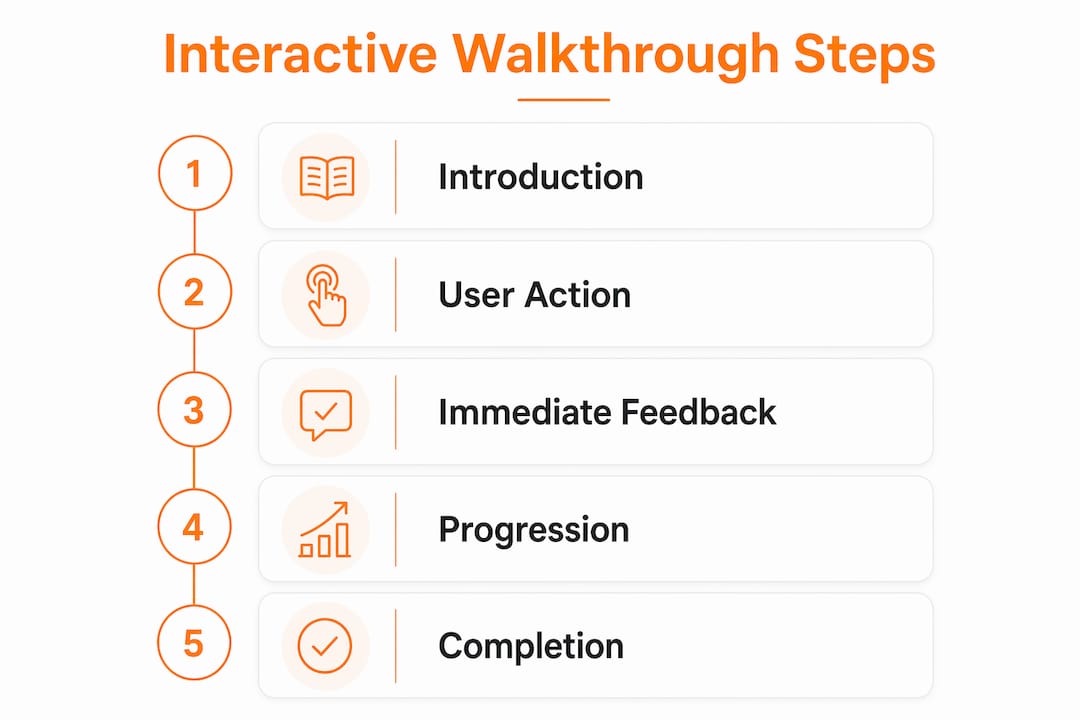
An interactive walkthrough is defined as a step-by-step, clickable guide embedded inside a digital product that requires users to perform real actions to advance through each stage. Unlike a video or a static tour, it puts the user in control. Every click, form fill, or button press is a deliberate act that moves the experience forward. This format has become the standard for onboarding in software, websites, and virtual environments because passive formats simply do not produce the same learning outcomes. The industry term you will see alongside this concept is “guided product tour,” but interactive walkthrough is the more precise label when user action is required to progress.
What is an interactive walkthrough, exactly?
An interactive walkthrough is a guided, in-product experience that advances only when the user completes a specific task. That distinction matters. A product tour plays automatically, like a slideshow. A video tutorial runs whether the user is paying attention or not. An interactive walkthrough stops and waits. It does not move forward until the user clicks the right button, fills in the correct field, or completes the assigned step.
This “learn by doing” mechanism is the core of the format. Cognitive science calls it active recall and procedural encoding. In plain terms, doing something once is more memorable than watching it ten times. The muscle memory built through repeated task completion is what separates interactive guides from every passive alternative.
The format also captures granular behavioral data at every step, tracking exactly where users click, where they hesitate, and where they drop off. That data feeds directly back into product improvement cycles in ways that a video view count never could.
How do interactive walkthroughs improve engagement and retention?
The performance gap between interactive and passive formats is significant. Engagement rates run 2–3 times higher than static formats, with completion rates landing between 50% and 75% and conversion lifts exceeding 20%. Those numbers reflect a simple truth: users who do something are far more likely to finish than users who watch something.

The business impact goes deeper than engagement metrics. One well-documented case study showed user activation rates doubling from 15% to 30%, paired with a 300% increase in monthly recurring revenue. That kind of result does not come from a better video script. It comes from users actually reaching the “aha moment,” the instant they understand the product’s value through firsthand experience.
Training cost reduction is another concrete benefit. Organizations that deploy interactive walkthroughs have cut face-to-face training demands from hundreds of hours per month down to just 4 hours. That frees up support teams, reduces onboarding costs, and scales without adding headcount.
Key benefits of interactive walkthroughs include:
- Higher completion rates: Users finish guided tasks at rates of 50%–75%, far above passive content benchmarks.
- Lower support load: Fewer users get stuck, which means fewer support tickets and less demand on customer success teams.
- Faster activation: Users reach meaningful product milestones sooner, reducing time-to-value.
- Measurable behavior data: Every interaction is logged, giving product teams real insight into friction points.
- Scalable onboarding: One well-built walkthrough serves thousands of users without additional human involvement.
Pro Tip: Design your walkthrough around a single success milestone, not a feature checklist. Users who complete one meaningful task are far more likely to return than users who receive a full feature tour.
How do interactive walkthroughs differ from product tours and video tutorials?
The confusion between these three formats is common. The differences are functional, not cosmetic.
An interactive walkthrough requires users to perform actual tasks before advancing. A product tour presents information sequentially without requiring any action. A video tutorial plays from start to finish regardless of user comprehension. The table below shows where each format stands across the criteria that matter most.
| Criteria | Interactive walkthrough | Product tour | Video tutorial |
|---|---|---|---|
| User action required | Yes, at every step | No | No |
| Branching by user persona | Yes | Rarely | No |
| Behavioral data captured | Yes, granular | Limited | View count only |
| Update time after UI change | Minutes | Hours | Days of re-recording |
| Accessibility support | Configurable | Variable | Depends on captions |
The update speed difference is particularly underappreciated. Walkthrough updates take minutes after a UI change, while re-recording a video tutorial can take days of production work. For fast-moving products, that agility is a practical necessity.
Branching logic is another feature that sets interactive guides apart. A walkthrough can detect whether a user is a first-time visitor or a returning power user and serve a completely different path. Product tours and videos cannot do that without significant manual effort.
How to create an effective interactive walkthrough
Building a walkthrough that users actually complete requires more than screen capture and tooltips. The design process follows a clear sequence.
- Map the workflow first. Identify the single most important task a new user needs to complete. Do not start with features. Start with the outcome the user is trying to reach.
- Capture the exact UI steps. Walk through the task yourself and document every click, field, and screen transition. This becomes your script.
- Write task-oriented instructions. Each step prompt should tell the user what to do, not what the feature does. “Click the blue Save button” beats “This is the Save function.”
- Set context-aware triggers. Launch the walkthrough only when the user is in the right place at the right time. A walkthrough that fires on the wrong screen creates friction, not guidance.
- Keep it short. The most effective walkthroughs focus on task success rather than exhaustive feature coverage. Five focused steps outperform fifteen scattered ones.
- Build in accessibility from the start. Walkthroughs must be compatible with screen readers and keyboard navigation to serve users with disabilities. Retrofitting accessibility after launch is far more expensive than building it in.
- Test with real users before launch. Watch where people hesitate or abandon the flow. Those drop-off points are your revision targets.
Pro Tip: Trigger your walkthrough just-in-time, meaning at the exact moment a user needs guidance, not at login. A walkthrough that appears when a user first opens a complex settings panel lands far better than one that fires on the home screen.
The goal of every step in this process is to guide users to what researchers call the “aha moment”, the point where they genuinely understand the product’s value through their own action. Walkthroughs that reach that moment consistently drive adoption. Those that miss it get skipped.
Where are interactive walkthroughs used in practice?
Interactive walkthroughs appear across software products, websites, and immersive virtual environments. The format adapts to each context without losing its core mechanism.
In software onboarding, walkthroughs guide new users through account setup, first-use workflows, and key feature discovery. In enterprise training platforms, they replace classroom sessions for compliance and process training. In e-commerce, they walk customers through complex configuration tools like custom product builders.
The application that aligns most directly with Rendimension’s work is the 3D and virtual walkthrough space. Here, the interactive element takes on a spatial dimension. Clients exploring a pre-construction residential development do not just watch a flythrough video. They move through rooms, open doors, change material finishes, and examine ceiling heights from a first-person perspective.
Practical applications in architecture and real estate include:
- Pre-construction visualization: Buyers experience a building before a single foundation is poured, reducing purchase hesitation and accelerating sales cycles.
- Stakeholder presentations: Developers present design options to investors and planning boards using immersive walkthroughs instead of static floor plans.
- Design review: Architects and clients walk through a space together in real time, identifying issues that 2D drawings routinely miss.
- Marketing campaigns: Real estate teams use interactive 3D walkthroughs as primary sales assets, replacing or supplementing physical show homes.
The behavioral data advantages of interactive walkthroughs apply here too. Tracking which rooms users spend the most time in, which features they interact with repeatedly, and where they exit gives developers and designers direct feedback on what resonates with buyers.
Key takeaways
Interactive walkthroughs outperform every passive format because they require users to act, not just observe, which produces measurably higher completion rates, faster activation, and lower support costs.
| Point | Details |
|---|---|
| Core definition | An interactive walkthrough advances only when the user completes a real task at each step. |
| Engagement advantage | Completion rates reach 50%–75%, with engagement running 2–3 times higher than static formats. |
| Training cost reduction | Organizations have cut monthly training demands from hundreds of hours down to just 4 hours. |
| Update speed | Walkthroughs update in minutes after a UI change; video tutorials require days of re-recording. |
| Accessibility requirement | Screen reader and keyboard navigation support must be built in from the start, not added later. |
Why interactive walkthroughs are the future of user guidance
After working on over 1,000 visualization projects at Rendimension, one pattern stands out clearly. Clients who experience a space interactively make faster, more confident decisions than those who review static images or passive video. The same principle applies to every digital product.
The shift toward just-in-time guidance is not a trend. It is a response to how people actually learn. Nobody reads a manual before using a product. They open it, try something, get stuck, and look for help at that exact moment. A well-placed interactive walkthrough meets users at that moment instead of making them search for answers.
What I have seen reduce support load most dramatically is not longer walkthroughs. It is shorter ones with a single, clear success point. Teams that try to cover every feature in one flow consistently see higher drop-off. Teams that build five focused walkthroughs, each targeting one task, see users come back for the next one voluntarily.
The organizations that invest in interactive guidance now are building a compounding advantage. Every walkthrough completion generates behavioral data. That data improves the next version. The next version improves adoption. Adoption improves retention. The cycle is self-reinforcing in a way that no static content format can replicate.
, Rendimension
Rendimension’s approach to immersive 3D walkthroughs
Rendimension applies interactive walkthrough principles to architectural and real estate visualization at a professional level. Every 3D walkthrough service the team produces is built for active client engagement, not passive viewing. Clients move through spaces, examine details, and evaluate design decisions in real time before construction begins.
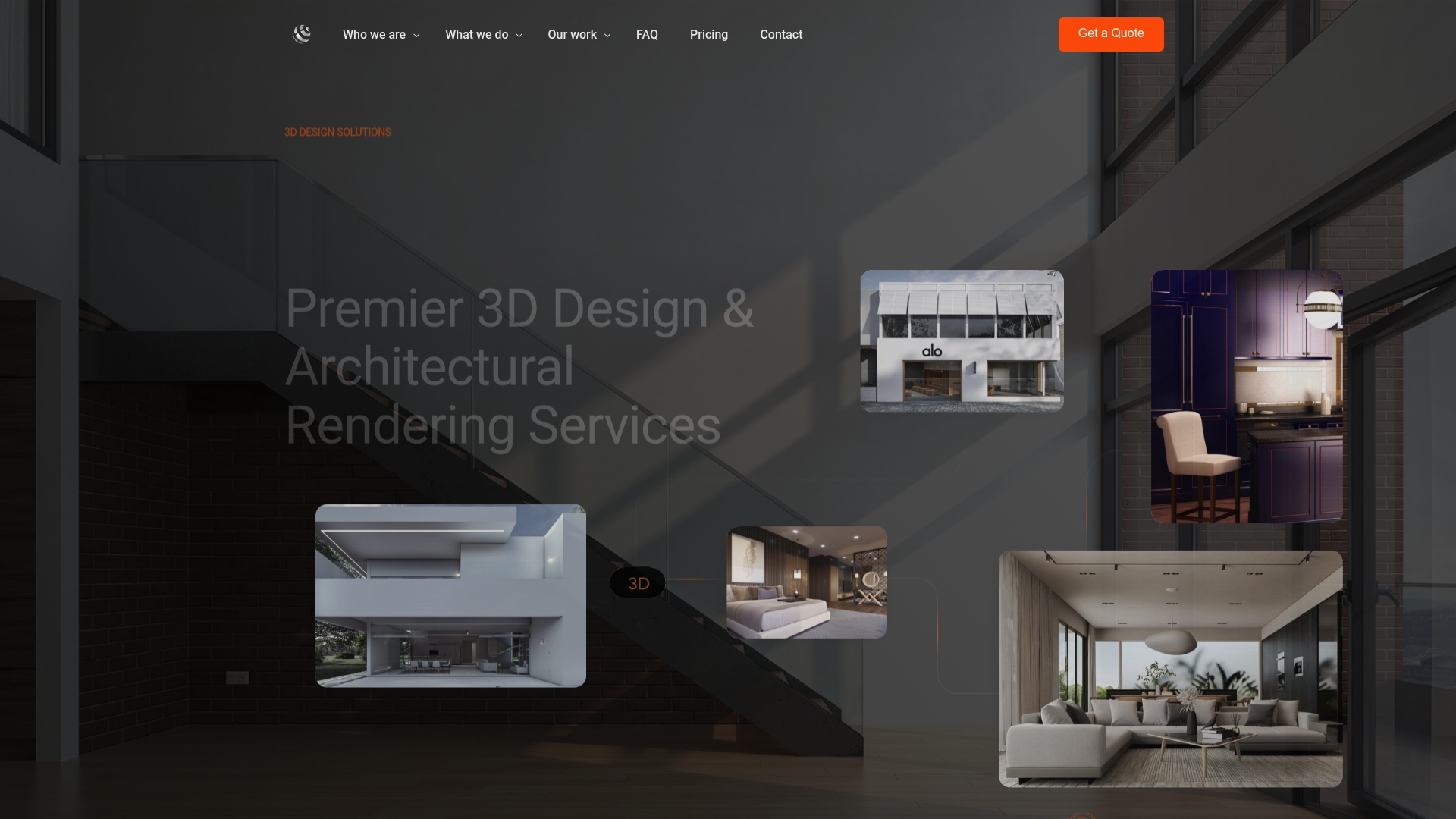
With over 1,000 projects completed globally, Rendimension delivers photorealistic, immersive experiences for residential developments, commercial properties, and product design clients. The goal is always the same: give stakeholders the clarity they need to make confident decisions. Explore Rendimension’s full range of architectural visualization services to see how interactive 3D walkthroughs can strengthen your next project presentation.
FAQ
What is the interactive walkthrough definition?
An interactive walkthrough is a step-by-step in-product guide that requires users to complete real actions, such as clicking a button or filling a field, before advancing to the next step.
How do interactive walkthroughs differ from product tours?
Product tours present information passively without requiring user action, while interactive walkthroughs advance only when the user completes a specific task at each stage.
What completion rates do interactive walkthroughs achieve?
Interactive walkthroughs achieve completion rates between 50% and 75%, significantly higher than passive formats like video tutorials or static product tours.
How long does it take to update an interactive walkthrough?
Updating an interactive walkthrough after a UI change takes minutes, compared to days of re-recording required for video tutorials, making them far more practical for fast-moving products.
Are interactive walkthroughs used in real estate and architecture?
Yes. In real estate and architecture, interactive walkthroughs let clients explore 3D spaces before construction begins, supporting faster decisions and stronger stakeholder presentations.
Recommended
- 3D Walkthrough, VR Walkthrough & Interactive Tour Guide | Rendimension
- 3D Walkthrough Services By Rendimension: Bring Designs To Life
- 3D Walkthroughs Real Estate Agents
- Step-by-step guide to creating immersive 3D walkthroughs
Frequently asked questions
What is the interactive walkthrough definition?
An interactive walkthrough is a step-by-step in-product guide that requires users to complete real actions, such as clicking a button or filling a field, before advancing to the next step.
How do interactive walkthroughs differ from product tours?
Product tours present information passively without requiring user action, while interactive walkthroughs advance only when the user completes a specific task at each stage.
What completion rates do interactive walkthroughs achieve?
Interactive walkthroughs achieve completion rates between 50% and 75%, significantly higher than passive formats like video tutorials or static product tours.
How long does it take to update an interactive walkthrough?
Updating an interactive walkthrough after a UI change takes minutes, compared to days of re-recording required for video tutorials, making them far more practical for fast-moving products.
Are interactive walkthroughs used in real estate and architecture?
Yes. In real estate and architecture, interactive walkthroughs let clients [explore 3D spaces](https://rendimension.com/virtual-walkthrough-process-stunning-client-presentations) before construction begins, supporting faster decisions and stronger stakeholder presentations.