VR walkthrough benefits for architecture and real estate
TL;DR:
- VR walkthroughs allow clients to explore spaces interactively at real scale, enhancing decision-making and reducing project timelines. They improve communication, identify design issues early, and facilitate remote stakeholder engagement without inflating property prices. Success relies on usability, optimized models, and thoughtful integration into project workflows, not just visual impressiveness.
Most people assume cutting-edge technology automatically drives up project costs and property prices. VR walkthroughs challenge that assumption directly. Research shows that virtual reality tours reduce time on the real estate market significantly without inflating sale prices, meaning you get faster decisions and shorter sales cycles without paying a premium for the outcome. This article breaks down exactly how VR walkthroughs work, why they sharpen client presentations, and what practical steps architects and developers can take to get real results from this technology.
Table of Contents
- What are VR walkthroughs in architecture and real estate?
- Core benefits of VR walkthroughs for architects and developers
- How VR walkthroughs improve client presentations and communication
- Success factors and practical limitations of VR walkthroughs
- Our take: Why successful VR walkthroughs are about usability, not just wow factor
- Ready to unlock the benefits of VR walkthroughs?
- Frequently asked questions
Key Takeaways
| Point | Details |
|---|---|
| Faster project decision-making | VR walkthroughs can reduce decision and sales cycles by giving clients greater clarity and confidence. |
| Improved client presentations | Interactive walkthroughs help clients understand space, features, and potential—without being onsite or having a designer present. |
| Empowers stakeholders | Well-designed VR walkthroughs let multiple stakeholders explore, ask questions, and provide feedback asynchronously. |
| Success depends on usability | Model optimization, hardware choices, and interface design are critical—flashy visuals alone are not enough. |
What are VR walkthroughs in architecture and real estate?
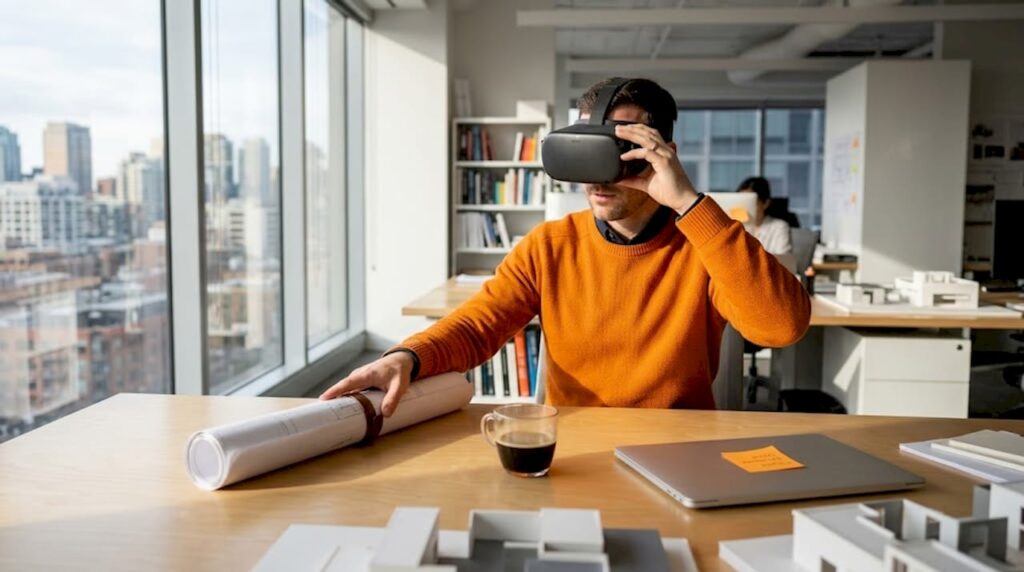
Now that you know VR walkthroughs can shift decision timelines, let’s clarify exactly what they are and how professionals use them. A VR walkthrough is not a video. It is not a rendered animation where the camera follows a fixed path. It is an interactive, navigable digital space where users move freely through a photorealistic model of a building or space before it is physically built.
That distinction matters enormously in practice. With a traditional rendered video, your client watches what you decide to show them. With a VR walkthrough, your client walks to the window, looks out, checks the ceiling height, and opens the closet. They experience the space on their own terms. That autonomy changes how they process information and make decisions.
Key technical features that define a professional VR walkthrough include:
- Real-scale navigation: Users move through the environment at 1:1 proportions, giving an accurate sense of room size, ceiling height, and spatial flow.
- Real-time exploration: Clients can stop, turn, look up, and linger in any area without waiting for a render to load.
- Measurement and annotation tools: Some platforms allow clients or designers to place notes, flag concerns, or measure distances directly inside the virtual space.
- Material and finish switching: Advanced setups let clients toggle between flooring options, wall colors, or fixture styles in real time.
- Hotspots and guided prompts: Clickable zones can surface specification sheets, pricing, or design notes at strategic points in the space.
Professionals use VR walkthroughs across several stages of a project. During design visualization, teams use them internally to catch spatial conflicts before they become expensive construction problems. For client presentations, they replace or supplement static renders and physical scale models. In pre-construction sales for residential and commercial developments, they allow buyers to commit to units that do not yet exist. Exploring the full virtual walkthrough process reveals just how many touchpoints this technology improves across the project lifecycle.
Core benefits of VR walkthroughs for architects and developers
With that foundation, it’s clear VR walkthroughs are more than tech demos. Here’s how they drive meaningful results for your projects.
The most cited benefit is speed. Buyers and decision-makers who experience a VR walkthrough arrive at yes or no faster because their questions get answered visually rather than verbally. They are not waiting for a second site visit or a revised rendering. They already know how the master bedroom feels when you stand near the window in the afternoon. That clarity compresses the sales and approval cycle significantly.
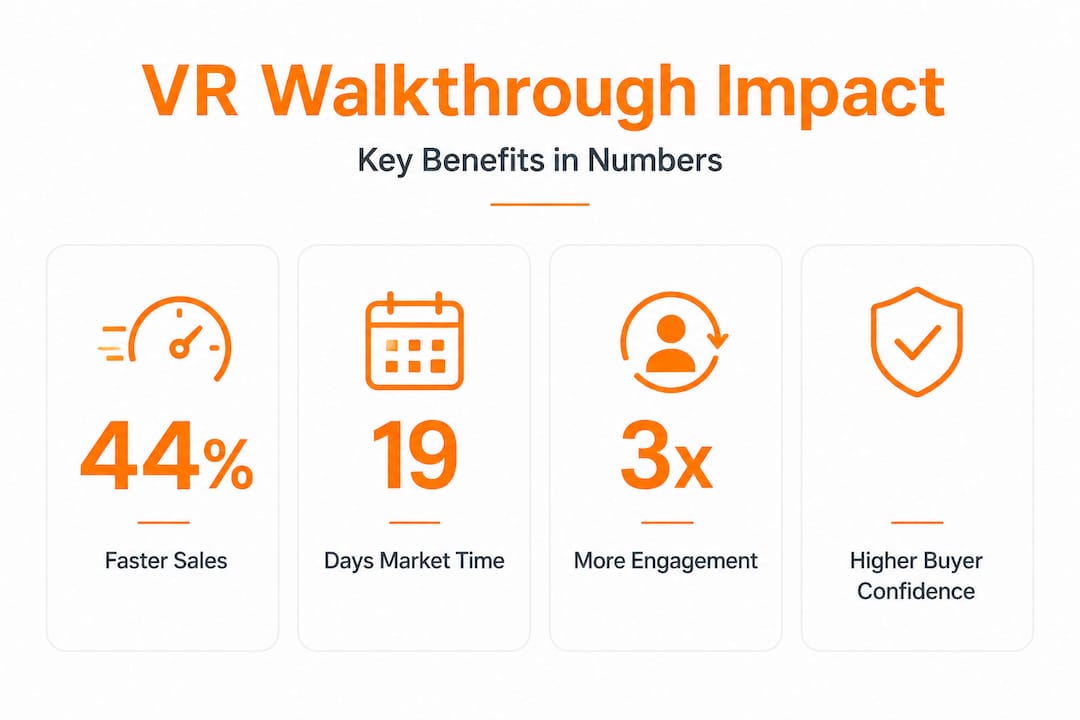
The hard data backs this up. A controlled study found that VR tours cut market time from an average of 34 days to 19 days, a 44% reduction. And crucially, there was no corresponding increase in sale price. This means the technology does not create artificial hype or inflate expectations. It simply removes friction from the decision process.
Here is a direct comparison of how traditional presentations and VR walkthroughs perform across key dimensions:
| Presentation method | Client comprehension | Decision speed | Revision feedback quality | Remote accessibility |
|---|---|---|---|---|
| Static 3D renders | Moderate | Slow | Low | High |
| Animated video tour | Moderate to high | Moderate | Low | High |
| Physical scale model | High | Moderate | Moderate | None |
| VR walkthrough | Very high | Fast | High | High |
The four core benefits most relevant to architects and developers are:
- Faster decision-making: Clients commit sooner because spatial understanding is immediate, not interpreted from a flat image.
- Higher visual clarity: Lighting conditions, material finishes, and room proportions register accurately at human scale, eliminating the “will it really look like this?” hesitation.
- Earlier design issue detection: Designers and clients both catch layout problems, awkward transitions, and scale errors during the VR review phase rather than during construction.
- Remote stakeholder engagement: Investors, international buyers, and offsite decision-makers can participate in high-quality project reviews without traveling to a site or showroom.
The ability to boost property sales through faster buyer decisions is especially valuable for developers managing pre-sales on large residential projects where cash flow timing is critical.
Pro Tip: Position your VR walkthrough as a decision tool, not a marketing gimmick. When you frame it to clients as a way for them to answer their own questions before committing, adoption and engagement go up dramatically.
You can also apply VR walkthroughs effectively in interior design contexts. Using VR in interior design allows clients to evaluate furniture arrangements, material palettes, and lighting schemes in a fully immersive context before procurement begins, reducing costly last-minute change orders.
How VR walkthroughs improve client presentations and communication
Beyond broad benefits, let’s see how VR walkthroughs specifically transform presentations and communication with decision-makers.
One of the most practical shifts VR walkthroughs create is removing the designer from the center of the explanation. In a conventional presentation, the architect or developer narrates what the client should notice. In a VR walkthrough, the client discovers it independently. That is a meaningful psychological difference. When a person reaches a conclusion on their own, they own it. When you tell them what to conclude, they are always slightly skeptical.
Professional VR walkthroughs support this independence through several specific interactive features:
- Hotspots with embedded information: Clients tap or gaze at a point to see a specification, a cost note, or a design rationale.
- Spatial scale cues: Properly modeled furniture, doors at standard heights, and realistic ceiling clearances help clients calibrate instinctively.
- Smooth transitions between spaces: Corridors, stairs, and thresholds connect spaces logically, so clients build a complete mental map of the property.
- Annotation tools for real-time feedback: Clients mark areas they want revised, creating an efficient feedback loop without a follow-up meeting.
As the technical guidance on immersive architectural walkthroughs confirms, adding realistic scale cues, smooth transitions, and interactive hotspots helps clients understand spaces without requiring designer presence. That means clients can review a project at 10 p.m. from a different city and return to you with specific, actionable feedback rather than vague impressions.
“The most powerful moment in a client presentation is when they stop asking questions and start making decisions. VR walkthroughs accelerate that shift by giving clients the spatial experience they need to feel confident.”
This change in communication dynamic also improves the quality of stakeholder buy-in. Investors evaluating a commercial development do not need to interpret elevation drawings. Board members approving a community project do not need an architect present to explain the flow. The environment explains itself. A well-designed guide to immersive 3D walkthroughs shows exactly how to structure this kind of self-guided experience for maximum client clarity.
Pro Tip: Send the VR walkthrough to clients 48 hours before your formal presentation meeting. When they arrive having already explored the space, the conversation immediately shifts from “what am I looking at” to “here is what I want to change.” That is a far more productive starting point.
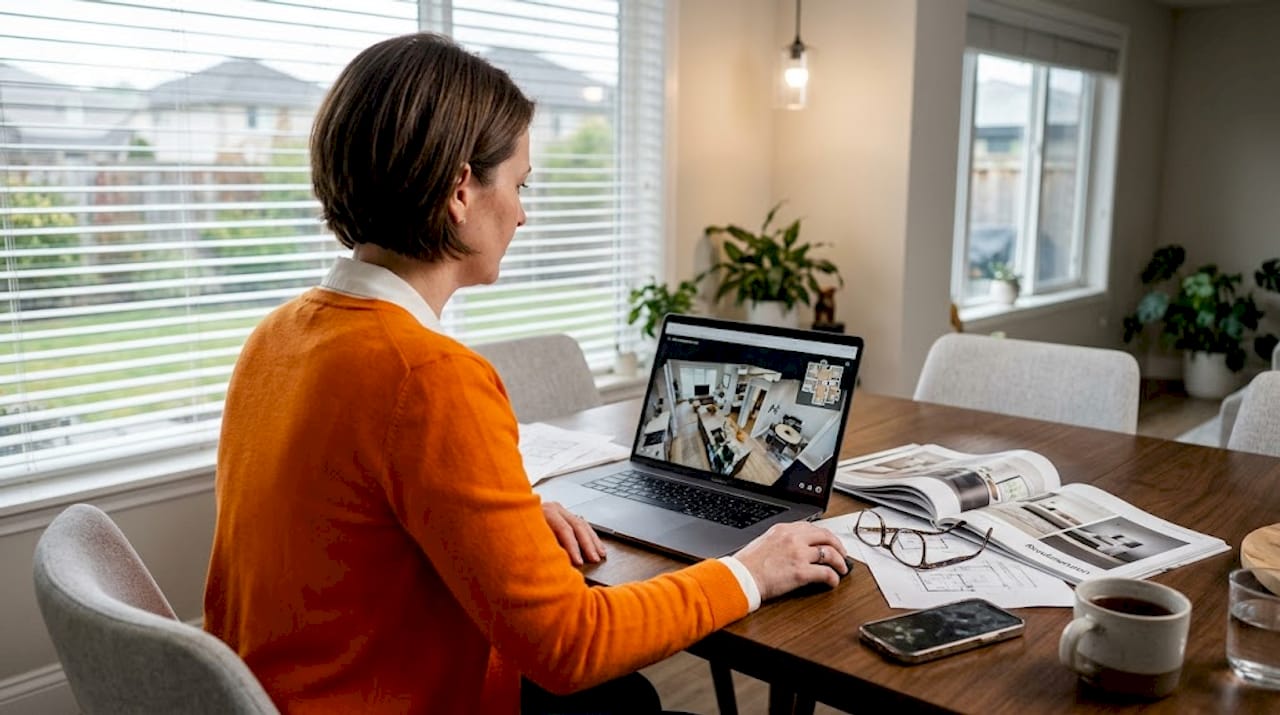
The VR for client engagement approach also works particularly well for multi-unit residential projects where buyers need to differentiate between similar floor plans. Instead of relying on verbal descriptions or side-by-side floor plan comparisons, each unit gets its own explorable environment.
Success factors and practical limitations of VR walkthroughs
No tool is perfect. Let’s unpack what makes a VR walkthrough truly effective, plus the limitations you must plan for.
Not every VR walkthrough delivers the same results. The quality of the output depends heavily on decisions made during production, not just the final platform used for delivery. Here is a breakdown of the critical success factors alongside known constraints:
| Factor | Impact on success | Common failure point |
|---|---|---|
| Model polygon count | High | Overly detailed models cause lag and frame drops |
| Texture resolution | High | Low-res textures break immersion and reduce trust |
| Hardware capability | High | Consumer-grade headsets may not run complex models smoothly |
| Navigation design | Very high | Confusing movement controls frustrate clients quickly |
| Motion sickness mitigation | High | Poor locomotion settings cause nausea and early session exits |
| Platform compatibility | Moderate | Browser-based vs. native app affects performance and access |
The workflow and usability data reinforces how much these decisions matter. A VR workflow reduced task time by 24% and improved usability ratings in a controlled planning study, but only when the VR environment was designed with user interaction specifically in mind. Poorly optimized VR does not just underperform. It actively damages credibility with the clients you are trying to impress.
Key limitations to build your planning around include:
- Motion sickness risk: Roughly 20 to 40% of users experience some discomfort with room-scale VR, particularly when locomotion is teleportation-based or when frame rates drop below 72 frames per second. Always test with a range of users before client presentations.
- Hardware dependency: High-fidelity headsets like the Meta Quest 3 or Apple Vision Pro deliver far better experiences than budget devices, but they require intentional model optimization to perform well.
- Production time and cost: Building a navigable VR environment takes significantly more time than producing a static render or even an animated walkthrough. Budget and timeline planning must account for this.
- User onboarding: Not all clients are comfortable with VR headsets. Some will need a guided first session. Others may prefer a browser-based desktop version that still allows free navigation without a headset.
Pro Tip: Always build a fallback version of your VR walkthrough for browser-based access. Some clients or investors will not use a headset, but a desktop-navigable version still delivers far more engagement than a static render or PDF.
The resources available for creating immersive project visuals can help you identify the production approach that balances quality with practical delivery constraints for your specific project type and client profile.
Our take: Why successful VR walkthroughs are about usability, not just wow factor
With benefits and limitations in mind, here is what hands-on experience reveals that most guides miss.
The firms that get the most consistent value from VR walkthroughs are not the ones with the most visually stunning environments. They are the ones who obsess over how the client actually navigates the space. Movement speed, button placement, hotspot density, text legibility inside the headset, and loading time all matter more than whether the marble countertop texture is photorealistic.
Most practitioners fall into the same trap: they treat VR as a visual showcase and underestimate it as a decision-making interface. They spend 90% of the budget on materials and lighting, then ship the experience without testing it on a single person who was not involved in building it. The result is a technically impressive demo that confuses real clients, frustrates stakeholders, and fails to generate the clear feedback it was supposed to produce.
The counterintuitive lesson from working through complex projects is this: the value of a VR walkthrough is not the “wow” moment when the headset goes on. It is the clarity and confidence clients express after they take the headset off. If they come out with specific, actionable feedback and a clearer sense of what they want, the walkthrough did its job. If they come out impressed but vague, you built a demo, not a decision tool.
The practical fix is straightforward: test with real clients early, prioritize intuitive navigation over visual complexity, and use VR specifically for feedback loops and revision cycles, not just final presentations. Building a thoughtful VR workflow for architects means integrating client testing and iteration from the start, not treating VR as a one-shot reveal.
The most underused application of VR walkthroughs is as a collaborative revision tool during design development. Most firms use VR only at the end of a design phase to present finished work. The firms getting the strongest results use it at the beginning of client review cycles to surface what needs to change before significant resources are committed to a direction.
Ready to unlock the benefits of VR walkthroughs?
If you’ve reached this point, you understand that VR walkthroughs are not just visually impressive, they are practical tools that compress decision timelines, improve client communication, and reduce costly revisions. The question is not whether to use them. It is how to use them well.

Rendimension’s team has completed over 1,000 projects globally, building high-quality, photorealistic 3D rendering solutions and fully navigable VR environments tailored for architecture and real estate professionals. Our architectural visualization services are designed to integrate seamlessly with your existing workflow, from early design stages through pre-construction marketing. If you are ready to bring a project to life with immersive, client-ready visuals, explore our VR real estate services or contact us to discuss your next project.
Frequently asked questions
How do VR walkthroughs differ from traditional 3D renders or video tours?
VR walkthroughs let clients navigate spaces interactively at true scale, while renders and video tours present fixed viewpoints selected by the designer.
Do VR walkthroughs really shorten the sales cycle for real estate?
Yes. Controlled research found VR reduced market time by 44%, dropping average days on market from 34 to 19 without affecting the final sale price.
What are the main technical considerations before adopting VR walkthroughs?
Effective VR requires optimized 3D models, hardware matched to your delivery platform, and motion sickness mitigation, since model complexity and usability decisions directly affect the quality of the client experience.
Can VR walkthroughs increase the value of a property?
No. Studies consistently show VR improves sales speed and buyer confidence but does not increase the final transaction price.