Virtual Reality in Design: Transforming Client Engagement
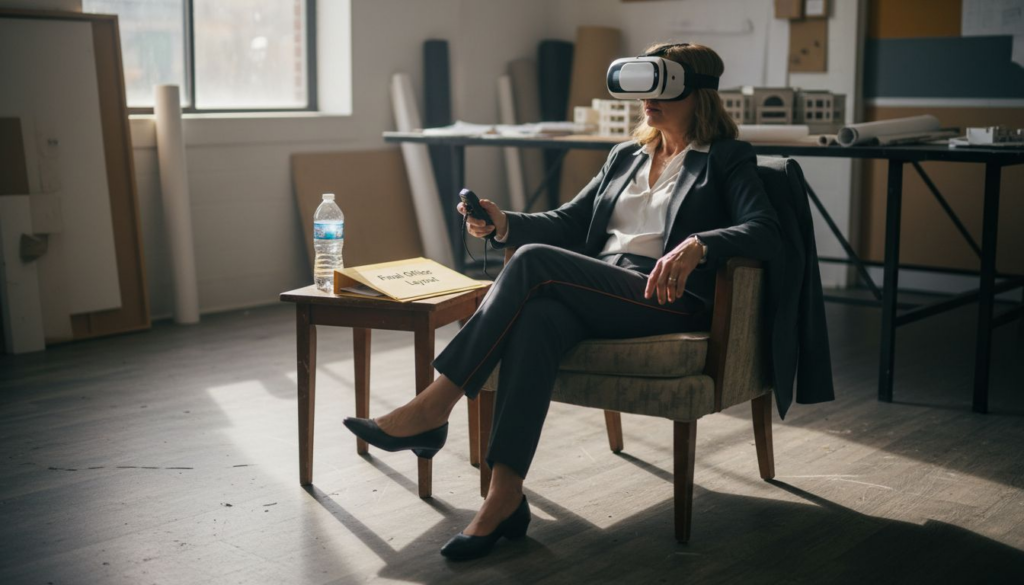
Client expectations on high-stakes projects can shift quickly, making it tough for North American architects and interior designers to keep everyone aligned before decisions are finalized. Clear communication and strong buy-in are critical, yet traditional renderings rarely give clients the true feel of a space. With virtual reality’s immersive, interactive qualities, you can turn design presentations into walk-through experiences where clients see, question, and adjust details before construction begins. This approach moves client engagement from guesswork to shared understanding, transforming how trust and approval are built.
Table of Contents
- Virtual Reality In Design Explained
- Major Types Of VR For Design
- Key Features Of VR Experiences
- Real Applications For Architects And Designers
- Practical Challenges And Cost Factors
Key Takeaways
| Point | Details |
|---|---|
| Enhanced Client Interaction | Virtual reality (VR) facilitates active exploration, enabling clients to understand designs more intuitively and communicate their preferences effectively. |
| Varied VR Applications | Different levels of VR immersion (non-immersive, semi-immersive, fully immersive) cater to various project stages and client needs, optimizing the design workflow. |
| Integration Benefits | Incorporating VR early in the design process allows for immediate feedback, reducing costly revisions and improving alignment between client expectations and design outcomes. |
| Real-Time Modifications | Real-time interactivity in VR allows clients to make immediate adjustments, leading to quicker decision-making and enhanced project efficiency. |
Virtual reality in design explained
Virtual reality in design refers to the use of immersive digital environments where architects, interior designers, and design teams can visualize, interact with, and modify three dimensional spaces before construction or implementation begins. Rather than viewing static renderings on a screen, VR transports clients and stakeholders into a fully realized environment where they can walk through spaces, examine materials up close, and experience proportions at actual scale. This shift from passive viewing to active exploration fundamentally changes how design decisions get made and communicated. VR’s immersive, interactive qualities create an environment where shared understanding develops naturally, making it particularly valuable for high-stakes projects where misalignment between designer vision and client expectations can derail timelines and budgets.
In practical terms, VR design experiences typically involve three core components: photorealistic visualization, real-time interaction, and spatial awareness at scale. The visualization component uses advanced rendering to create environments indistinguishable from photographs, showing materials, lighting, and finishes exactly as they will appear in reality. Real-time interaction allows you and your clients to modify design elements instantly, adjusting wall colors, swapping furniture layouts, or changing material selections, and immediately see the impact throughout the space. Spatial awareness means experiencing rooms as full-body environments rather than flat images. When your client stands in a virtual kitchen and realizes the island is too wide, or walks through a proposed office layout and discovers the conference room placement creates traffic jams, they arrive at these insights through direct experience rather than interpretation. This is particularly powerful in North American design practices where client buy-in directly impacts project success and profitability. For residential projects, commercial buildouts, and renovation designs, VR facilitates visualization and interaction during early-stage decision making when changes still cost minimal time and money to implement.
The mechanics behind VR design in professional settings differ significantly from consumer gaming VR. Design-focused VR experiences are built from your actual project files, architectural models, CAD drawings, and material specifications, rather than generic environments. A designer provides detailed project geometry, and specialized visualization studios like Rendimension transform this data into navigable VR experiences where every surface reflects authentic materials and lighting conditions. Clients wear a headset and use hand controllers to move through spaces, examine details, and access information about finishes and specifications. Some implementations include collaborative features where multiple people occupy the same virtual space simultaneously, enabling remote stakeholders to review designs together without traveling. Others provide annotation tools so clients can mark areas for discussion or clarification. The key distinction is this: professional design VR isn’t about entertainment, it’s about decision support. It provides the information your clients need to make confident choices, ask the right questions, and sign off on designs with full comprehension of what they’re approving.
Pro tip: Introduce VR experiences early in your design process, ideally after concept approval but before detailed construction documentation, so client feedback shapes refinements rather than requiring costly redesigns after presentations conclude.
Major types of VR for design
Not all VR experiences deliver the same level of immersion or serve the same purpose in your design workflow. Understanding the three main categories helps you choose the right tool for each stage of your project. The spectrum ranges from basic screen-based viewing all the way to fully immersive headset experiences that completely transport your clients into the designed space. Different degrees of immersion affect design visualization and evaluation, and each type plays a specific role depending on your project stage, budget, and client needs. For North American design firms managing multiple concurrent projects, knowing when to deploy each type prevents wasted resources and maximizes client confidence.
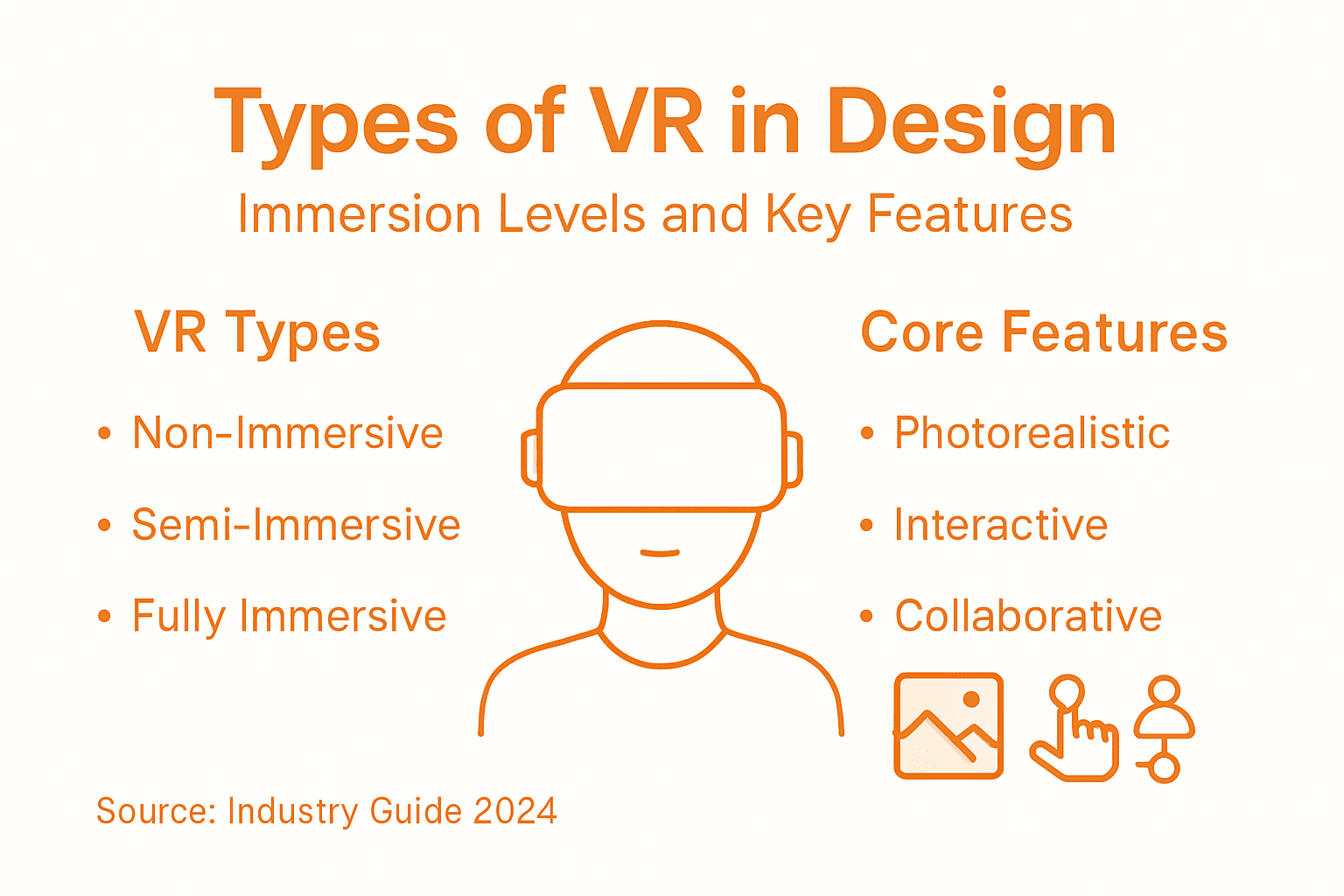
Non-immersive VR uses standard computer displays, monitors, tablets, or projection screens, to show three-dimensional environments that clients interact with using mice, keyboards, or touch controls. Think of it as an advanced 3D visualization tool rather than true virtual reality. This approach works well for early-stage reviews where you’re showing concept direction, exploring multiple layout options, or getting quick feedback on proportions and material selections. Clients can rotate the view, zoom into details, and sometimes modify elements in real time without requiring any special equipment. The advantage is accessibility: everyone in your office can view and discuss designs on existing hardware. The limitation is that clients experience the space from a fixed perspective rather than moving through it naturally. Non-immersive VR is ideal for presentations where you want to control the narrative, walk clients through specific design decisions, and gather input on predetermined options. It requires minimal setup time and works during video calls with remote stakeholders. For residential projects in early design phases or commercial spaces where you’re presenting multiple scheme variations, this approach delivers solid results without the complexity or cost of full immersion.
Semi-immersive VR uses high-resolution 3D graphics displayed through head-mounted displays while maintaining some connection to the user’s physical surroundings. Clients wear a VR headset but retain peripheral awareness of their real environment and sometimes see their hands through the headset display. They navigate spaces using handheld controllers and can interact with virtual objects while standing in their actual office or showroom. This middle-ground approach offers significantly more spatial presence than screen-based viewing without the total sensory disconnection of full immersion. Semi-immersive VR works exceptionally well for design walkthroughs where clients need to understand spatial sequences, movement through connected rooms, and how spaces feel at actual scale. You can invite multiple people to experience the same design simultaneously or sequentially, making it practical for family consultations or team reviews. The investment in headsets and control systems falls somewhere between non-immersive and fully immersive approaches, making it accessible for many design studios.
Fully immersive VR completely envelops users in the virtual environment through high-end headsets paired with motion tracking and haptic feedback systems. When your client puts on the headset, they lose awareness of their physical surroundings and occupy the designed space entirely. They can walk, reach, and manipulate objects naturally. For architectural projects, this means experiencing a 5,000-square-foot residential home or a 50,000-square-foot office building at true scale with complete spatial accuracy. Clients instantly comprehend ceiling heights, door widths, sightlines from seating areas, and how natural light moves through spaces at different times of day. This level of immersion generates the strongest emotional response and creates the clearest alignment between design intent and client expectation. Fully immersive VR shines for high-value projects where design decisions carry significant financial or reputational stakes, renovations requiring client confidence before construction begins, or projects involving multiple stakeholders who need synchronized understanding. The equipment and software infrastructure represent a larger investment, but on complex projects, the reduction in revision requests and design miscommunication often justifies the cost immediately.
The practical choice isn’t about which type is objectively best, it’s about matching immersion level to your project circumstances. Early-stage conceptual designs often benefit from non-immersive or semi-immersive approaches where speed and flexibility matter most. Later stages, when spatial decisions are locked and client sign-off determines project launch, frequently call for fully immersive experiences that eliminate any remaining doubt. Many design practices use multiple types throughout a single project, starting with screen-based reviews for rapid iteration and advancing to headset experiences once designs stabilize. This staged approach controls costs while progressively building client confidence. Consider also your client profile: tech-forward corporate clients often prefer full immersion and take to it immediately, while residential clients sometimes appreciate semi-immersive or non-immersive options first to acclimate before full immersion. Your project timeline matters too, if you need client feedback within a week, screen-based VR gets you there faster than setting up full immersion infrastructure.
Pro tip: For maximum impact on residential projects, start with a non-immersive presentation on your tablet showing overall design strategy, then progress to semi-immersive or fully immersive experiences once clients feel confident with the direction, reserving the most expensive immersion level for the final approval stage when hesitation typically peaks.
Here’s a quick comparison of the three main types of VR used in design environments:
| VR Type | Equipment Needed | Immersion Level | Best Used For |
|---|---|---|---|
| Non-immersive | Computer, tablet | Low (screen-based) | Early concept reviews, remote calls |
| Semi-immersive | Headset, controllers | Moderate (partial presence) | Design walkthroughs, team sessions |
| Fully immersive | Advanced headset, haptics | High (full environment) | Final sign-off, complex projects |
Key features of VR experiences
Effective VR experiences for design aren’t just about putting clients in a headset. They depend on specific technical and experiential features that work together to create convincing, actionable environments. The most impactful VR implementations combine several critical elements: photorealistic rendering, real-time interactivity, spatial presence, and multisensory feedback. When these features align, clients move from passive observers to active participants who genuinely understand the designed space. Key features like immersion, presence, and interactivity are critical in creating convincing virtual environments that actually transform how design decisions get made rather than simply entertaining stakeholders. Understanding which features matter most for your specific project prevents you from investing in unnecessary complexity while ensuring you capture the elements that drive real client confidence.
Photorealistic visualization is where VR experiences begin. This means rendering that reproduces materials, lighting, and finishes so accurately that clients can’t distinguish the virtual from the real. A painted drywall wall needs to look exactly like paint, not plastic. Tile grout needs fine lines that catch light correctly. Fabric textures should show weave patterns and how light scatters across their surface. Window glass should reflect and refract light authentically, showing what clients will actually see from inside the space at different times of day. This level of visual accuracy requires high-resolution source materials, careful material calibration, and powerful rendering systems that generate images at 90 frames per second or higher to prevent motion sickness in headsets. For architects presenting a $2 million residential renovation or a $5 million commercial fit-out, photorealistic rendering eliminates the excuse “I can’t visualize this” because clients see exactly what they’re approving. The alternative is vague, game-like graphics that leave room for doubt and inevitable conflicts during construction when reality doesn’t match the presentation.
Real-time interactivity enables clients to modify designs during the VR experience rather than watching a predetermined walkthrough. Your client stands in the virtual kitchen and wants to see the island a different color. They click a button, the color changes instantly, and they experience the impact on the entire space’s appearance immediately. They want to move a doorway four feet to the left. A few hand gestures make it happen. They want to swap the flooring material. Done. This real-time responsiveness transforms VR from a presentation tool into a collaborative design instrument. Clients stop passively receiving your vision and start actively shaping it. This shift generates psychological investment: they’ve personally modified the design, so they’re already committed to approving it. Real-time interaction also surfaces design questions faster. Instead of leaving a presentation with vague concerns, clients discover specific issues in the moment and you can address them immediately. For high-stakes projects, this capability compresses what would normally take multiple presentation rounds into a single session, accelerating your timeline dramatically.
Spatial presence and scale accuracy create the visceral understanding that flat renderings never achieve. When your client’s eyes are positioned five feet eight inches above the floor in a virtual space, they experience ceiling heights exactly as they’ll perceive them in reality. When they stand at a 36-inch-high kitchen counter, their hands rest at the correct height. When they walk through a doorway, they feel whether 36 inches of clearance on each side feels cramped or comfortable. This spatial accuracy is why VR catches design problems that renderings miss. A floor plan might look functional, but when clients actually walk the path from the entry door to the living room, they discover unexpected congestion or inefficient routing. VR’s real-time rendering and spatial understanding enable intuitive experience of three-dimensional relationships that drawings simply cannot convey. This is particularly valuable for clients who struggle with spatial visualization or don’t think in architectural terms. They understand space through their body, not through plans and elevations.
Multisensory feedback goes beyond visual input alone. Quality VR experiences include spatial audio where sounds come from specific locations, shifting as clients move through space. Footsteps echo differently in a stone-floored entry than a carpeted bedroom. A virtual demonstration might include haptic feedback through controllers, so clients feel vibration or resistance when they touch objects. Environmental simulation includes lighting changes that show how natural light moves through a space across different times of day, revealing sun angles and shadow patterns that influence comfort and mood. Some advanced systems simulate acoustics, so clients can hear how sound carries and reverberates in the designed space. These sensory layers accumulate to create credibility. When clients hear a doorway acoustically separate two spaces, see the light quality shift between areas, and feel subtle haptic feedback when they touch surfaces, their brain accepts the virtual environment as authentic.
Collaborative capability allows multiple people to occupy and interact within the same virtual space simultaneously. You, your design partner, the client, and the client’s spouse all experience the design together in real-time, each with their own viewpoint and ability to interact. When someone points at a wall to discuss color, everyone sees where they’re pointing. When someone wants to test a furniture arrangement, everyone experiences the change instantly. This synchronized understanding prevents the fractured feedback that happens when different stakeholders experience designs separately. Remote collaboration is also possible through virtual meetings where participants join from different physical locations but share the same design space. For distributed teams or clients in other cities, this eliminates travel friction while maintaining the interaction depth that makes VR valuable.
These features don’t all need to appear in every project. Early-stage designs might prioritize real-time interactivity and spatial understanding while using less detailed rendering to enable faster iteration. Later stages might invest heavily in photorealism and environmental simulation to build final confidence. The key is recognizing that feature selection depends on your project goals. A client review meeting where design direction requires approval benefits from photorealism and spatial accuracy. A collaborative brainstorming session benefits more from real-time interactivity and lower rendering overhead. Understanding this distinction helps you allocate your VR budget strategically.
Pro tip: Test your VR experience with someone unfamiliar with your design before showing your actual client, their questions reveal which features you’re missing and give you time to address gaps before the high-stakes presentation.
The table below summarizes core VR features and their direct impact on design outcomes:
| Feature | What It Enables | Business Impact |
|---|---|---|
| Photorealistic rendering | Realistic visualization | Faster client approvals |
| Real-time interaction | Immediate design changes | Fewer costly revisions |
| Spatial accuracy | True-to-scale experience | Identifies design issues early |
| Multisensory feedback | Audio, haptics, lighting | Increases client confidence |
| Collaboration | Shared virtual environment | Smoother stakeholder alignment |
Real applications for architects and designers
Virtual reality moves from theoretical promise to practical reality when you apply it to specific design challenges you face in your everyday projects. For architects and interior designers in North America, VR solves tangible problems that consume time, create conflict, and damage client relationships. The applications fall into distinct categories, each addressing a particular stage of your design process where miscommunication or poor visualization currently creates friction. VR tools enable architects and designers to interact dynamically with virtual prototypes, leading to more efficient decision-making and refined outcomes that reduce revisions and accelerate approvals. Understanding where VR actually pays dividends in your workflow prevents you from chasing buzzwords and instead focuses your investment where it generates immediate measurable value.
Conceptual Design and Space Planning
Early-stage design is where VR delivers fastest payback. When you’re exploring multiple layout options for a 4,000-square-foot residential floor plan, VR lets clients experience each variation at actual scale rather than squinting at floor plans. Your residential clients tell you they want “an open concept kitchen and living area” but they’ve never actually experienced what open concept feels like at scale. Does a 12-foot ceiling feel appropriately spacious with the proposed island dimensions, or does it feel cramped? Does sight line from the sofa to the television get blocked by the kitchen island? In traditional design, clients answer these questions by looking at 2D drawings, making vague assumptions, and then requesting changes during construction when modifications become expensive. In VR, clients walk through the space, discover these issues immediately, and you address them in your design model in real-time during the presentation. A single VR session replaces what would typically require three to five presentation rounds, compressing timeline significantly and preventing costly mid-construction modifications.
For commercial office fitouts, VR space planning reveals workflow inefficiencies that floor plans obscure. Your client believes a particular workstation layout works perfectly based on the floorplan you presented. When they actually walk that layout in VR, they discover congestion near the copy station, dead zones that seem purposeless, or conference rooms positioned too far from collaborative work areas. They request changes while you’re still in the VR environment, you implement them instantly, and they experience the revised layout immediately. This real-time iteration compresses approval timelines dramatically compared to traditional multi-round presentations.
Ergonomic Assessment and User Comfort
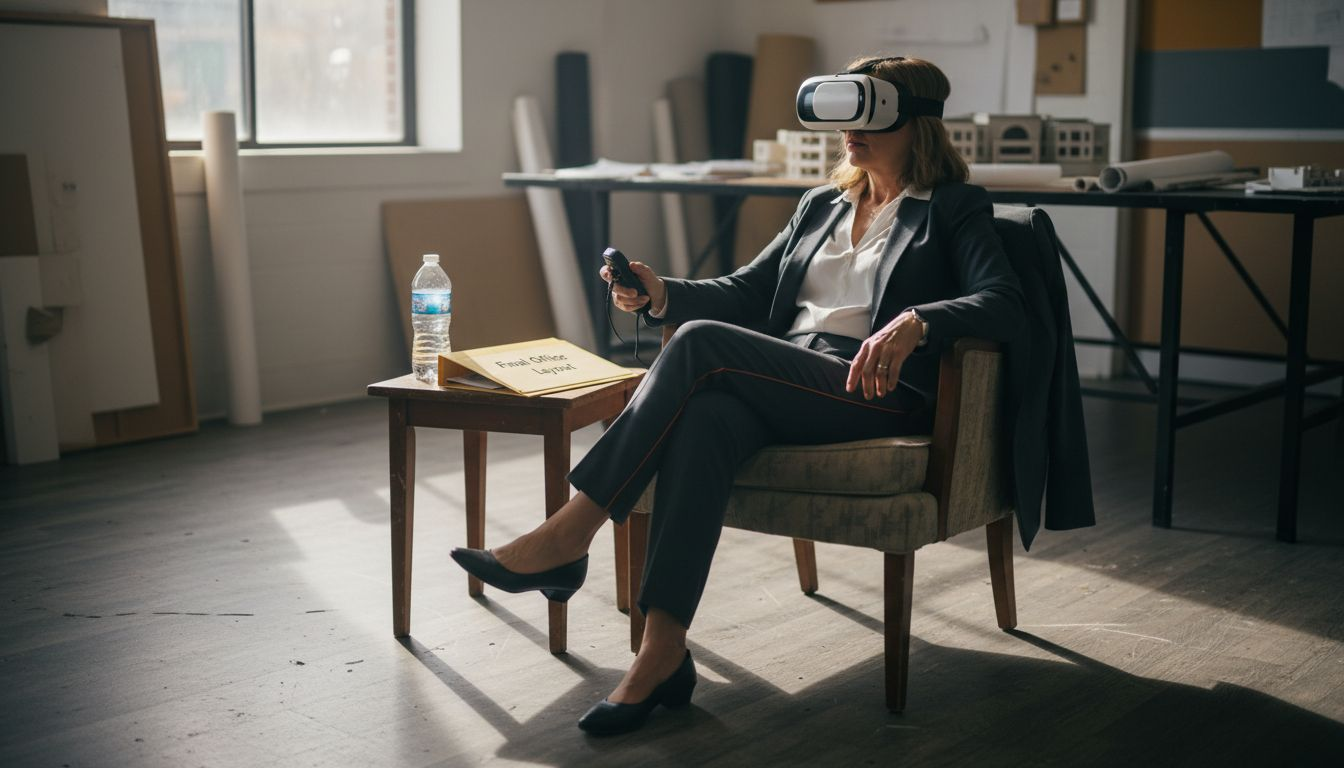
Beyond spatial relationships, VR lets you test ergonomic factors that are impossible to evaluate from plans. When designing a kitchen, your designer client can stand at the proposed counter height and experience whether 36 inches of clearance feels adequate, or whether the island placement creates awkward movement patterns when multiple people cook simultaneously. In a commercial office project, employees can sit at proposed desk configurations, reach to proposed shelf heights, and experience sightline clarity from seated position. For retail environments, you can test whether product displays positioned at customer eye level create visual interest, or whether customer movement patterns through the space feel natural and encourage product engagement.
This ergonomic feedback prevents post-occupancy complaints that damage your reputation and client relationships. Rather than discovering six months after occupancy that the bathroom layout forces someone to turn sideways to use the toilet, or that the kitchen counter height makes chopping vegetables uncomfortable, you discover these issues during design presentation and fix them before construction. Clients feel heard and respected when their concerns about usability get addressed proactively rather than dismissed as “that’s how it’s designed.”
Environmental Factor Testing
VR allows you to simulate natural light behavior, acoustic performance, and thermal comfort at design stage. For residential projects, clients can experience how natural light moves through spaces at different times of day, revealing whether the primary living area remains dark in evening hours, or whether morning sun creates glare problems that require window treatments. They can hear how sound carries from bedrooms into living spaces, understanding whether the proposed acoustic treatment will actually provide adequate separation. For commercial projects, you can demonstrate how noise travels in open-plan offices, or whether the proposed conference room isolation meets client acoustical standards.
These environmental simulations prevent design surprises after construction. A residential client who experiences morning glare in VR will approve window treatments at design stage rather than complaining after moving in. An office manager who hears speech intelligibility issues in the open-plan area during VR walkthrough will approve additional acoustic treatment rather than requesting expensive post-occupancy modifications.
Collaborative Design Review and Stakeholder Communication
When multiple decision-makers must align on design direction, VR eliminates fractured feedback. The homeowner, the spouse, the adult child who will visit regularly, and you as the designer all experience the same space simultaneously in VR. When someone expresses concern about a design element, everyone witnesses what they’re concerned about. When someone wants to test an alternative, everyone experiences the change instantly. This synchronized experience prevents scenarios where the homeowner approves a design, the spouse experiences it later and expresses strong objections, and you must manage conflict between the parties.
For commercial projects, executives, end-users, and facilities managers can occupy the same virtual space, experiencing design from their distinct perspectives simultaneously. The executive sees how the space reflects corporate brand. The end-user experiences workflow efficiency. The facilities manager confirms systems accessibility. Everyone builds understanding in shared experience rather than forming separate opinions based on drawings. This alignment dramatically reduces post-occupancy change requests and conflict.
Pro tip: Schedule your VR review sessions for mid-project timing, after design decisions lock but before construction documentation begins, this positions VR to catch issues when changes remain easy while demonstrating design confidence that accelerates approvals.
Practical challenges and cost factors
Virtual reality’s benefits are real and measurable, but so are the barriers that prevent many design firms from adopting it. Understanding the genuine obstacles, rather than the hype surrounding VR, helps you make informed decisions about whether and how to integrate it into your practice. The challenges cluster into three categories: financial investment, technical complexity, and integration with your existing workflow. High costs of hardware, software, and content creation remain significant barriers, particularly for smaller design firms, but smart firms find ways to overcome these obstacles through strategic timing and partnership models. Rather than viewing these challenges as dealbreakers, treat them as constraints that shape your implementation strategy.
The True Cost Structure
VR implementation isn’t a single expense you absorb and then benefit from indefinitely. It’s an ongoing ecosystem of costs that accumulate differently depending on your chosen approach. If you pursue fully immersive VR with enterprise-grade equipment, the entry costs run substantial. A quality VR headset ranges from $2,000 to $15,000 depending on specifications and tracking precision. If you equip a presentation space with multiple headsets for simultaneous client experiences, that hardware investment multiplies. Software platforms for creating and managing VR content range from $10,000 to $50,000 annually depending on features and user licenses. The most significant hidden cost is content creation: transforming your architectural model into a navigable VR experience requires specialized technical skills. Some design firms handle this internally by hiring VR specialists, while others partner with visualization studios. Either path demands resources.
But here’s the counterintuitive reality: many firms calculate VR ROI incorrectly by comparing total implementation cost against single project benefit. The smarter calculation spreads costs across dozens of projects. If you invest $100,000 in VR infrastructure and software, and that infrastructure generates just two weeks of timeline compression across twenty projects annually, you’ve recovered your investment through staff efficiency gains alone. Add the value of prevented design revisions, reduced client conflict, and improved staff productivity during design iteration, and the economics become compelling. The key is committing to VR as a long-term practice capability rather than treating it as a one-time expensive experiment for a single high-value client.
Smaller design firms often bypass the massive capital expenditure by partnering with specialized visualization studios like Rendimension rather than building in-house VR capabilities. This outsourced approach eliminates the burden of maintaining equipment and training staff on constantly evolving software. You provide your design models to the studio, they handle the technical transformation into VR experiences, and you present results to clients. The per-project cost ranges from $5,000 to $25,000 depending on complexity, which is more manageable than $100,000-plus capital investment but still requires deliberate project selection to ensure ROI.
Technical and User Experience Challenges
VR implementation faces technical limitations including tracking precision, content realism, and user discomfort issues that impact experience quality. Motion sickness remains a legitimate concern: roughly 25-30 percent of users experience nausea or disorientation in VR environments, particularly during rapid movement or poorly optimized experiences. High-quality VR systems minimize this through precise tracking, smooth frame rates above 90 frames per second, and careful experience design that limits sudden movements. But eliminating motion sickness entirely requires attention to detail that cheaper VR setups often overlook. This means you can’t simply purchase consumer-grade gaming headsets and expect professional results. The performance gap between budget and professional VR is significant enough to undermine your design presentation.
Content creation complexity also intimidates many firms. Transforming an architectural model into a navigable VR experience isn’t simply clicking an export button. Your CAD or Revit model requires optimization, removing unnecessary geometry that slows rendering, confirming material specifications are accurate, testing navigation paths to ensure clients can move intuitively through spaces, and validating that interactive elements function as intended. This process takes time and technical skill. If you attempt it without VR expertise, you’ll produce experiences that feel awkward, cause motion sickness, or fail to communicate design intent effectively. This is precisely why outsourcing to experienced VR studios often produces better results than well-meaning in-house attempts by architects without VR specialization.
Workflow Integration and Adoption Friction
Even firms that overcome cost and technical barriers often struggle with integration friction. VR works best when it fits naturally into your existing design process. Many firms attempt to bolt VR onto their workflow as an afterthought, creating a design, finishing presentations, then asking “should we make this a VR experience?” Rather, firms that succeed plan VR into their project approach from the beginning. They designate which projects warrant VR investment based on complexity, budget, and stakeholder count. They schedule VR presentation timing strategically around design development. They train their team on how to prepare models for VR conversion. This requires process discipline that disrupts normal workflows temporarily.
The broader adoption challenge is behavioral. Architects and designers trained in traditional presentation methods sometimes view VR skeptically, seeing it as unnecessary complexity rather than genuine client engagement improvement. Overcoming this skepticism requires demonstrating results: one successful VR presentation that compresses timeline or prevents revisions usually converts skeptics into advocates. Staff resistance also emerges around the learning curve. Designers comfortable with their established presentation approach don’t naturally embrace new techniques without visible payoff. Addressing this requires leadership commitment to VR as strategic capability rather than optional experiment.
Strategic Approaches to Managing Challenges
Successful VR adoption in design practice typically follows one of two paths. The first is selective project application: identify which projects genuinely warrant VR investment based on complexity, client decision-making timeline, or stakeholder count, rather than attempting VR on every project. A complex high-rise renovation with fifteen decision-makers absolutely justifies VR investment. A simple bathroom remodel for a single residential client doesn’t. The second approach is partnership with specialized studios rather than in-house build. This eliminates infrastructure burden and allows you to focus on design while delegating technical implementation to specialists. This works particularly well for design firms that can’t justify permanent VR staff but want access to VR capabilities for select projects.
Pro tip: Before committing to VR infrastructure investment, execute two projects through a specialized visualization partner to validate that VR actually improves your project outcomes and justifies the cost, rather than assuming theoretical benefits apply to your specific practice.
Elevate Your Design Process with Rendimension’s Immersive VR Solutions
Struggling to bridge the gap between complex architectural concepts and clear client understanding is a common challenge many designers face. The article highlights how virtual reality transforms traditional presentations into interactive, photorealistic experiences that foster immediate client engagement and reduce costly revisions. At Rendimension, we specialize in crafting immersive virtual reality environments that bring your designs to life with spatial accuracy, real-time interactivity, and stunning visual fidelity, solutions designed specifically to eliminate misunderstandings and accelerate project approvals.

Discover how our tailored VR services can help you unlock faster decision-making and deeper stakeholder alignment. Whether you need high-quality architectural visualization, interactive walkthroughs, or fully immersive VR experiences, Rendimension supports your vision every step of the way. Don’t let budget or technical hurdles hold you back. Visit Rendimension now to explore professional VR and 3D rendering services that turn your projects into captivating, client-ready presentations. Make your next design presentation unforgettable with Rendimension’s photorealistic 3D visualizations and experience the future of client engagement today.
Frequently Asked Questions
What is virtual reality (VR) in design?
Virtual reality in design allows architects and designers to create immersive digital environments where clients can visualize and interact with three-dimensional spaces before construction begins. It offers a more engaging experience compared to static renderings.
How does VR enhance client engagement during the design process?
VR enhances client engagement by allowing clients to actively explore and interact with their designs. This immersive experience fosters a shared understanding and enables clients to provide real-time feedback, improving alignment between client expectations and designer vision.
What are the main types of VR experiences used in design?
The three main types of VR experiences in design are non-immersive VR (screen-based), semi-immersive VR (using headsets but keeping physical awareness), and fully immersive VR (complete immersion in the virtual environment). Each type serves different stages of the design process.
What are the key features of effective VR experiences for design?
Effective VR experiences should include photorealistic visualization, real-time interactivity, spatial awareness, multisensory feedback, and collaborative capability. These features create convincing environments that transform client understanding and decision-making.
Recommended
- VR Real Estate And Augmented Reality Benefits By Rendimension
- 3D Walkthroughs Real Estate Agents – Rendimension
- High Quality 3D Rendering And Architectural Visualization
- VR And 3D Visualization Services For Home Remodeling
- Role of Design in Renovations: Complete Guide – Astrotech Construction
- Role of Architects in Cottage Design: Lasting Impact
- Bnts Contracting LLC | Plan & Design The pre-construction phase