How design collaboration transforms real estate presentations
TL;DR:
- Effective project presentations often fail due to broken collaboration processes rather than visuals, leading to confusion and revisions. True design collaboration involves shared decision-making, capturing comprehensive provenance across multiple formats, and involving visualization teams early to ensure alignment and reduce redesign cycles. Incorporating multimodal documentation and real-time coordination enhances stakeholder understanding, accelerates approvals, and elevates presentation impact.
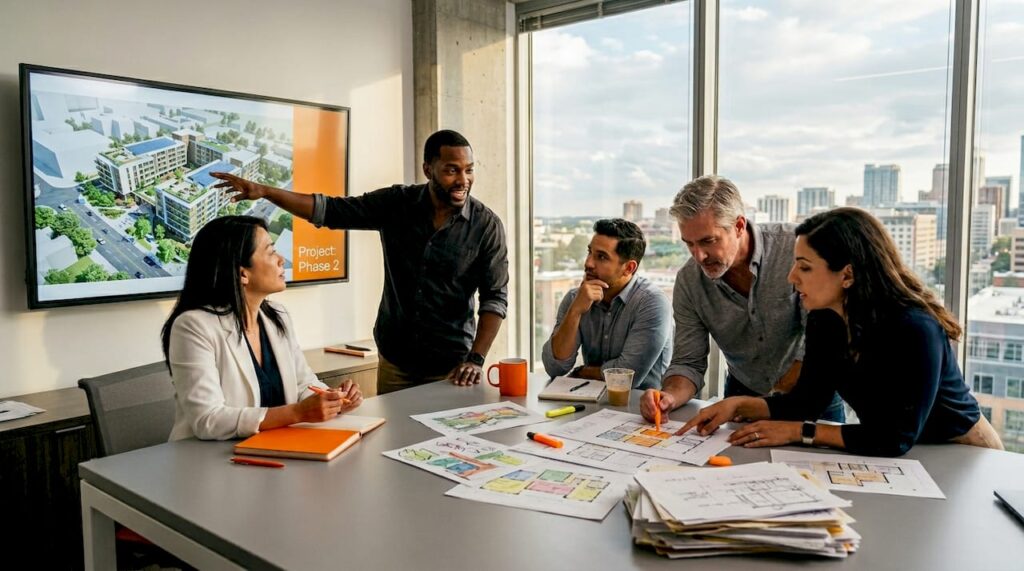
Project presentations take weeks of effort, yet stakeholders still walk away confused, unconvinced, or asking for revisions. The gap rarely comes from weak visuals alone. It stems from a broken collaboration process where decisions get made in silos, artifacts get lost in email chains, and the story behind the design never reaches the people who need to approve it. Collaborative design improves understanding and documentation when teams capture and communicate the full history of decisions across multiple formats, not just a polished final render. This guide breaks down how to build that process from the ground up.
Table of Contents
- What is design collaboration and why does it matter?
- Capturing and communicating design provenance
- Best practices for managing distributed or real-time collaboration
- Integrating collaborative design with 3D visualization for impactful presentations
- Why most design teams underuse the full power of collaboration
- Enhance your collaborative design with professional visualization
- Frequently asked questions
Key Takeaways
| Point | Details |
|---|---|
| Collaborate early and often | Inviting input at all stages improves clarity and reduces costly late changes. |
| Capture every decision | Record design choices across sketches, prototypes, and notes to provide a clear evolution path. |
| Embrace multimodal tools | Using diverse artifact types—visual, written, modeled—delivers more compelling and comprehensible presentations. |
| Prioritize real-time reliability | Effective distributed collaboration depends on transparent state management and handling interruptions gracefully. |
| Pair collaboration with visualization | Combining collaborative design frameworks with high-quality 3D tools creates presentations that drive stakeholder approval. |
What is design collaboration and why does it matter?
Most architects and developers treat design collaboration as a file-sharing exercise. Someone uploads a CAD file, another person downloads it, edits happen, and the loop continues. That is not collaboration. That is relay racing with documents.
Real design collaboration means making decisions together, with shared context and shared accountability. It means the visualizer understands why a facade detail changed, the developer knows when a floor plan shifted, and the architect can explain who approved the structural compromise. That shared understanding is what turns a good-looking presentation into one that actually wins approval.
A few misconceptions are worth addressing directly:
- It is only about tools. Software helps, but tools alone don’t create alignment. A team with poor communication habits will misuse even the best platform.
- It slows projects down. In reality, poor collaboration causes the delays. Rework, miscommunication, and unanticipated change orders cost far more time than structured check-ins.
- It is only for large teams. A two-person team working with a single client still benefits from a clear decision log and shared artifact library.
For real estate developers specifically, the business case is direct. Clearer presentations reduce back-and-forth with planning authorities. Stakeholders who see a well-documented design story are less likely to raise late-stage objections. Approval timelines shrink when reviewers can follow the logic of a design, not just admire its aesthetics.
“A collaborative process surfaces important findings faster and communicates decisions more effectively when all participants understand how those decisions were reached.”
Collaborative design improves understanding and documentation when teams treat provenance as a core deliverable, not an afterthought. Involving visualization specialists early in the process, rather than handing them a brief at the final stage, reduces redesign cycles dramatically. When a collaborative 3D design workflow is established from day one, the entire team stays aligned on intent, not just output.
Pro Tip: Bring your visualization team into the first design workshop, not the last. Early involvement lets them flag rendering constraints before they become expensive problems.
Capturing and communicating design provenance
Provenance, in a design context, is the historical record that shows how decisions evolved. Think of it as the audit trail of your project. It answers the question every stakeholder eventually asks: “Why does it look like this?”
When teams rely on a single artifact type, such as a final architectural drawing or a single walkthrough video, they strip away context. Reviewers see the conclusion without the reasoning. That creates doubt, which creates questions, which creates delays.
A multimodal framework for capturing provenance adds flexibility by drawing from multiple artifact types: hand sketches, CAD revisions, annotated photos, meeting notes, and prototypes. The added setup complexity is real, but the payoff in clarity and reduced revision cycles is consistently higher. The key is knowing how to organize those inputs so they inform presentations without overwhelming them.
Single vs. multimodal design documentation
| Outcome metric | Single medium documentation | Multimodal documentation |
|---|---|---|
| Stakeholder clarity | Low to moderate | High |
| Revision request rate | High | Low to moderate |
| Approval timeline | Long | Shorter |
| Stakeholder buy-in | Variable | Consistently strong |
| Audit trail completeness | Partial | Comprehensive |
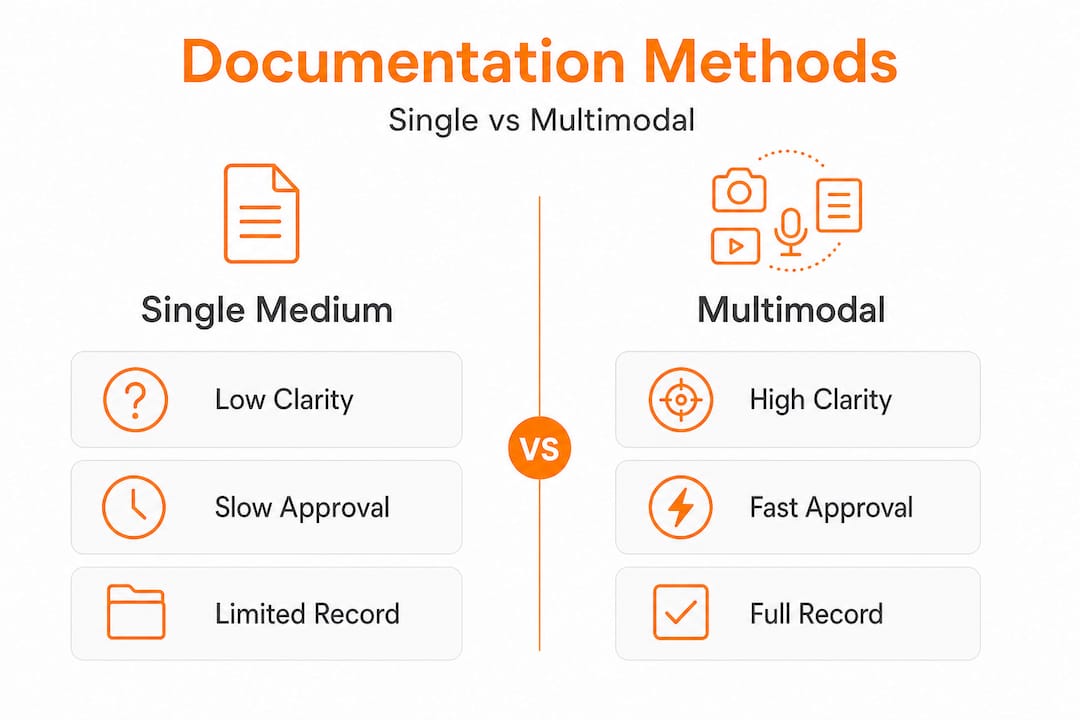
The difference shows up most clearly during presentations to non-technical stakeholders, such as investors, planning committees, or marketing teams. When you can show the journey of a design, not just the destination, those audiences feel informed rather than sold to.
Here is a practical workflow for capturing and communicating provenance across a project:
- Collect all artifacts from every phase. This includes hand sketches from early ideation, CAD files, site photos, material samples, and any written client feedback. Don’t edit this collection; capture everything.
- Tag each artifact with decision context. A simple label noting the date, the decision it relates to, and who approved or flagged it turns a folder of files into a usable record.
- Build milestone summaries. At each major project stage, create a brief visual summary that links key artifacts to the decisions they informed. This is what you present at reviews.
- Archive versions with visual comparison. Before-and-after visuals of floor plan changes or facade revisions tell a cleaner story than written change logs alone.
You can also look at tile design workflow strategies for inspiration on how material-driven projects manage iterative decision documentation across multiple stakeholders.
Pro Tip: Use a central cloud repository with visual versioning, such as folders organized by project milestone with thumbnail previews, so any team member can instantly find the right version without hunting through email threads.
Good architectural drawings serve as anchor points in your provenance record. Pairing them with supporting artifacts, like sketches that preceded them and annotations that followed, transforms a technical document into a clear narrative. Refer to visualization best practices for guidance on how that narrative translates into high-impact presentation formats.
Best practices for managing distributed or real-time collaboration
Understanding provenance is only half of the equation. The other half is keeping distributed teams aligned as projects evolve in real time.
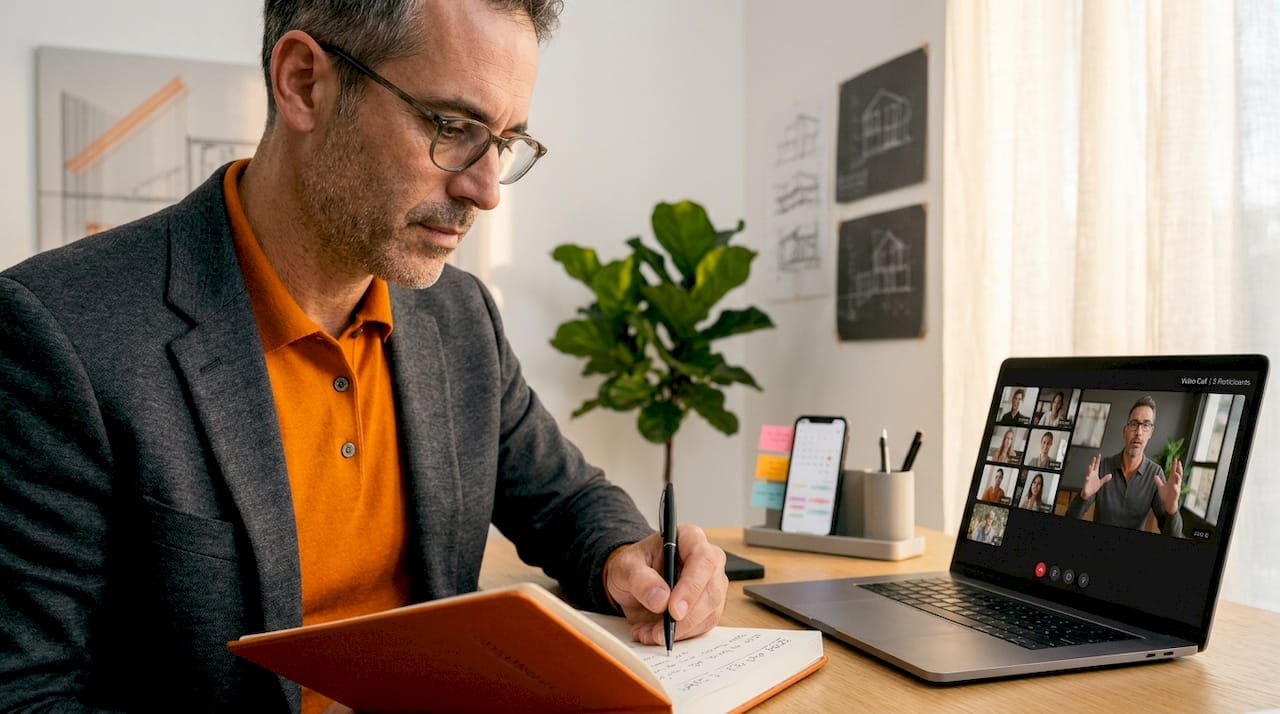
Modern development projects rarely involve a single office. You may have architects in one city, developers in another, and visualization specialists working across time zones. Add real-time feedback loops, simultaneous editing, and frequent client input, and the collaboration complexity multiplies fast.
Where collaboration is distributed or stateful, real-time systems must handle session truth, state transitions, and recovery from disruptions to prevent teams from working from divergent versions of the same file. In plain terms: if two people edit a floor plan simultaneously without a clear system, you end up with conflicting versions and no reliable way to determine which is correct.
The essentials for reliable real-time collaboration include:
- Designated session leadership. Someone must be responsible for approving changes during each active working session. Without this, conflicts multiply.
- Version control with clear naming conventions. Label files with dates and revision numbers, never “final” or “new version” without specifics.
- Conflict resolution protocol. Define in advance what happens when two edits clash. Who has authority? What gets preserved?
- Session logs. A brief written record of what changed during each working session prevents confusion when someone joins the project mid-stream.
Manual vs. real-time collaborative systems
| Factor | Manual update process | Real-time collaborative system |
|---|---|---|
| Efficiency | Low, with lag between edits | High, with immediate visibility |
| Error rate | High, due to version confusion | Lower, with conflict alerts |
| Revision lag | Days to weeks | Hours or less |
| Audit trail completeness | Often incomplete | Systematic and searchable |
| Team alignment | Requires frequent syncs | Maintained continuously |
A useful reference for understanding the physical-side complexity of multi-team projects is construction collaboration concepts, which illustrates how coordination challenges at the build stage often originate from gaps in the design collaboration phase.
Collaboration that reduces revision cycles by even 20% can speed approvals and cut costs significantly across a development project. When approvals happen faster, financing timelines tighten, marketing campaigns launch earlier, and project value increases across the board.
Review 3D design best practices for specific technical guidance on maintaining file integrity across distributed teams, and explore stakeholder collaboration tactics for strategies on keeping non-technical stakeholders engaged without overwhelming them with process details.
Integrating collaborative design with 3D visualization for impactful presentations
Mastering distributed collaboration creates the conditions for presentations that genuinely persuade. The final piece is connecting that process to high-quality 3D visualization so that everything your team worked through shows up clearly in the room where it matters.
Collaborative design that incorporates multiple artifact types results in more compelling and comprehensible project communication. When a presentation is backed by a full design history and rendered with precision, stakeholders don’t just see a project. They understand it.
Here is how collaborative design directly strengthens 3D presentations:
- Complete context, no surprises. When visualizers have access to the full artifact record, renderings reflect actual design intent rather than assumptions.
- Visual storytelling with depth. A walkthrough that mirrors the evolution of the design, showing what was considered and why, is far more persuasive than a static final render.
- Reduction in change orders. When clients can see decisions documented and visualized together, last-minute changes based on misunderstanding decrease sharply.
- Stakeholder confidence. Investors, planning authorities, and buyers respond to transparency. A documented design process signals professionalism and reduces perceived risk.
Consider a project scenario where a residential tower development incorporates this approach from the start. The architect’s early sketches are captured alongside structural engineer feedback. Material selections are logged with client annotations. By the time the visualization team produces the final walkthrough, every element of the render can be traced back to a specific decision, complete with stakeholder sign-off. When presented to the planning committee, the team can walk through not just what the building looks like, but why every major choice was made and who approved it. Objections drop. Approval accelerates.
For projects where speeding project approvals is a business priority, this kind of documentation-backed visualization removes the guesswork from review meetings.
Pro Tip: Pair your collaborative artifact record with an immersive 3D walkthrough. Non-technical stakeholders grasp design intent far more easily when they can virtually move through a space than when they read plans or study static images.
Explore visualization best practices for technical guidance on how rendering choices, lighting, materials, and camera angles affect how effectively a design story lands in a presentation context. For design inspiration on how visual storytelling through material and pattern choices can elevate a project narrative, mosaic case studies offer a useful creative reference.
Why most design teams underuse the full power of collaboration
Here is the uncomfortable reality: most teams do not lack the tools or the talent. They lack the willingness to absorb short-term complexity in exchange for long-term clarity.
Collecting more modalities increases setup complexity, so many teams avoid or skim over crucial provenance capture. It feels like overhead. A sketch seems too informal to file. A meeting note seems too minor to tag and archive. So teams skip it, and six weeks later, no one can explain why the lobby ceiling height changed and whether the client approved it.
This is the “complexity tax” problem. Teams fear the overhead of tracking more artifact types, so they track fewer. But the downstream cost of that decision, in rework, in re-approval cycles, in damaged client relationships, is almost always higher than the cost of the documentation they skipped.
The teams that consistently win client buy-in and finish projects with minimal rework do something counterintuitive. They embrace the complexity early. They over-document in the early phases, knowing that the record they build will pay off when a stakeholder questions a decision in a boardroom six months later.
This is not about bureaucracy. It is about building a project record that functions as a persuasion tool. When you walk into a final presentation with a clear, multimodal record of how every major decision was made, you are not just showing a design. You are demonstrating competence, transparency, and control.
Reducing mistakes through visualization is not just about catching errors in renderings. It is about creating the documentation infrastructure that prevents errors from entering the design in the first place.
Pro Tip: Start small. Add one new artifact type to your next project, whether that is annotated site photos, a weekly decision log, or a simple change-reason field in your file naming convention. Build the habit before scaling the system.
Enhance your collaborative design with professional visualization
Strong collaborative processes are necessary but not sufficient on their own. The work your team does to capture decisions, align stakeholders, and track design evolution needs to culminate in presentations that communicate with precision and visual authority.

Rendimension brings that final layer to your collaborative process. With over 1,000 projects completed globally, the team specializes in translating complex, artifact-rich design workflows into world-class 3D rendering that resonate with investors, planning committees, and buyers alike. Whether you need photorealistic stills, immersive walkthroughs, or full VR experiences, explore the full range of VR and 3D services built for developers and architects who take presentation quality seriously. Discover how Miami architectural visualization and projects across global markets are elevated through a collaborative, detail-driven approach from brief to final delivery.
Frequently asked questions
How does capturing design provenance improve project outcomes?
Capturing design provenance clarifies how decisions evolved, which reduces miscommunication, speeds up approvals, and improves presentation impact. When stakeholders can trace the reasoning behind every design choice, teams capture and communicate provenance more effectively and present with greater authority.
What are common pitfalls in distributed design collaboration?
Teams often struggle with version conflicts, session recovery, and clarity about the source of truth, which can cause costly errors and approval delays. Distributed or stateful collaboration requires explicit protocols for session truth and state transitions to stay on track.
Why is multimodal documentation better than using a single artifact type?
Recording design outcomes across sketches, CAD models, and comments provides a full decision trail and reduces confusion during client reviews. Communicating provenance across multiple modalities consistently outperforms single-format records in both clarity and stakeholder confidence.
How can 3D visualization enhance collaborative design presentations?
High-quality 3D visuals bring collaborative decisions to life, helping stakeholders quickly grasp design intent and reducing the number of questions or objections raised during review meetings. Immersive walkthroughs are particularly effective for non-technical audiences who need to feel a space before they can approve it.
What’s a simple way to start improving collaboration on my next project?
Begin by sharing not just finished plans but also key sketches, meeting notes, or feedback summaries in a central location accessible to all team members. That single habit builds the foundation for a provenance record that will strengthen every major presentation you give.