Free SketchUp Rendering Programs: 2024 Options
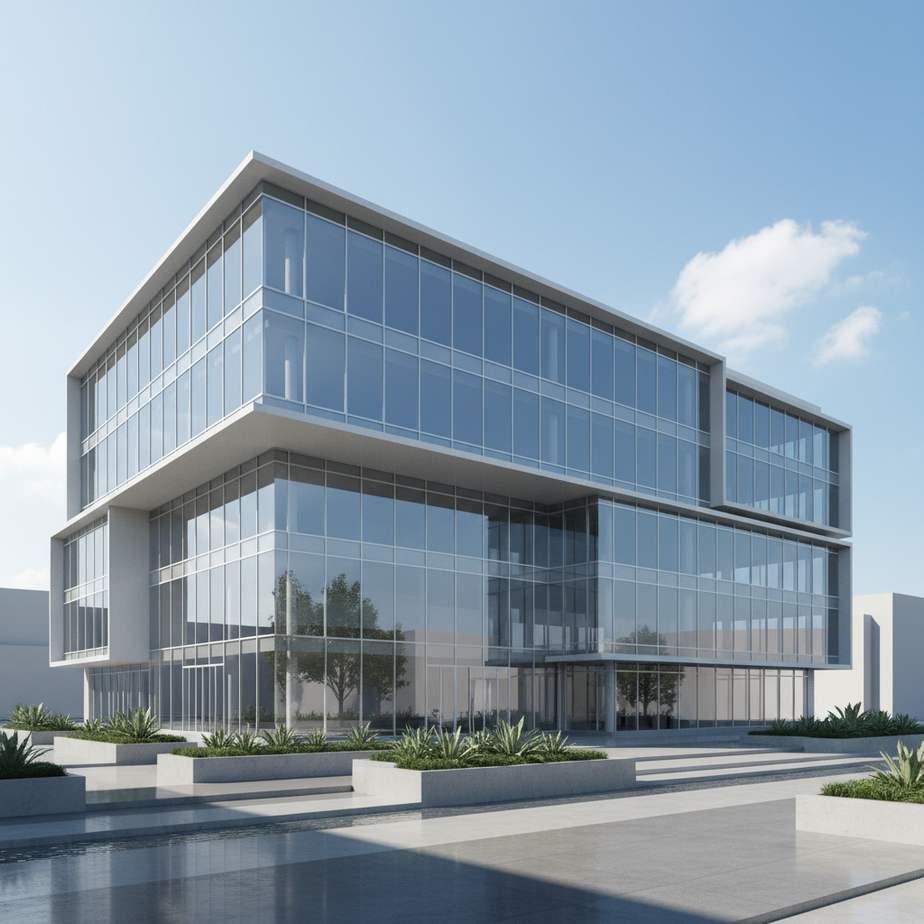
Free SketchUp Rendering Programs: 2024 Options
Free SketchUp rendering programs allow users to create realistic visuals from their 3D models without incurring software costs. Options like D5 Render (limited free tier) and Twinmotion (free for smaller firms) offer powerful rendering capabilities. While a SketchUp Pro license starts at $299 annually, these free programs offer a cost-effective alternative for achieving professional-quality renders.
Key Takeaways
- D5 Render offers a free version with limited renders per month, providing a risk-free entry point into photorealistic rendering.
- Twinmotion is free for students and companies with less than $1 million in annual gross revenue.
- Using free rendering programs for SketchUp can significantly reduce project costs while still achieving high-quality visualizations.
- Beginner mistakes in SketchUp, such as improper grouping or not using shortcuts, can negatively impact the rendering process; avoid these for optimal results.
In the competitive world of architecture and real estate development, compelling visuals are essential for securing stakeholder buy-in and driving sales. SketchUp has become a go-to 3D modeling tool for architects and designers. However, a basic SketchUp model often requires rendering to truly showcase its potential. The challenge? High-end rendering software can be expensive, putting it out of reach for some smaller firms and independent professionals.
Fortunately, several robust and feature-rich free SketchUp rendering programs are available, offering a cost-effective path to creating stunning, photorealistic visuals. These programs empower you to transform your 3D models into captivating presentations, marketing materials, and client pitches without breaking the bank. This guide explores the best free SketchUp rendering options, their capabilities, and how to leverage them to elevate your architectural visualizations.
What are Free SketchUp Rendering Programs?
Free SketchUp rendering programs are software tools that allow users to create photorealistic or stylized images and animations from 3D models designed in SketchUp, without incurring any upfront licensing costs. These programs leverage advanced algorithms to simulate lighting, textures, and materials, transforming basic models into visually compelling presentations. While some may offer limited features or require a subscription for advanced functionalities, they provide an accessible entry point for students, hobbyists, and professionals seeking to enhance their design projects. The availability of these tools democratizes access to high-quality architectural visualization, enabling a wider range of users to showcase their designs effectively. For those looking to elevate their architectural presentation, exploring options for augmented reality in architecture can further enhance client engagement.
These rendering programs integrate with SketchUp, allowing users to import their models directly and apply various rendering settings. This seamless integration streamlines the design workflow, enabling users to iterate on their designs and visualize the results in real-time or near real-time. The ability to produce high-quality visuals is crucial in various industries, including architecture, interior design, and real estate, where compelling presentations can significantly impact project approval and sales. As noted in Rendimension’s guide on free rendering for SketchUp, options like D5 Render (limited to 10 renders per month), Kerkythea, and Twilight Render offer a starting point for transforming 3D models into visually appealing renderings.
Benefits of Free SketchUp Rendering Programs for Architectural Visualization
Free SketchUp rendering programs offer several key benefits for architectural visualization, primarily centered around cost savings and accessibility. For smaller firms or individual designers operating on a limited budget, these programs eliminate the financial barrier to entry for high-quality rendering. This allows them to produce professional-grade visuals for presentations, marketing materials, and client pitches without incurring substantial software costs. This is particularly beneficial for pre-construction visualization, where compelling visuals can drive investment and sales.
Beyond cost, free programs provide a valuable learning platform for students and emerging professionals. They offer hands-on experience with rendering techniques, lighting, and material application, allowing users to develop their skills and build a portfolio. While some free programs may have limitations, they often provide a solid foundation in rendering principles that can be applied to more advanced software later on. Furthermore, the real-time rendering capabilities of some free options, such as D5 Render, enable designers to quickly visualize design changes and iterate on their models efficiently. This rapid feedback loop can significantly accelerate the design process and improve the overall quality of the final product. For instance, D5 Render, as highlighted in Rendimension’s guide, transforms models into photorealistic visuals with real-time rendering and AI tools, offering a powerful solution without upfront costs.
How Free SketchUp Rendering Programs Work: The Process
The process of using free SketchUp rendering programs generally involves several key steps. First, users create or import a 3D model into SketchUp. It’s crucial that the model is well-structured, with clean geometry and properly assigned materials. Common beginner mistakes in SketchUp, such as not grouping objects or modeling along the axes, can lead to rendering errors and inefficiencies. After the model is prepared, the user selects a rendering program that integrates with SketchUp, often through a plugin or direct import function. The next step involves setting up the rendering environment. This includes adjusting lighting, defining materials and textures, and configuring camera angles. Many free programs offer a library of pre-set materials and lighting options to simplify this process.
Once the scene is set up, the user can initiate the rendering process. The rendering program then uses complex algorithms to simulate how light interacts with the model’s surfaces, creating a realistic or stylized image. The rendering time can vary depending on the complexity of the scene, the rendering settings, and the processing power of the computer. Some programs offer real-time rendering, allowing users to see a preview of the final image as they make changes. Others require a longer rendering time to produce a high-quality final image. After the rendering is complete, the user can post-process the image in an image editing program to make further adjustments to color, contrast, and sharpness. Understanding the rendering workflow and presentations is essential for achieving stunning results, as detailed in Rendimension’s advanced guide.
Free SketchUp Rendering Program Trends in the US Market
The US market for free SketchUp rendering programs is experiencing significant growth, driven by increased demand for accessible and cost-effective visualization solutions. One key trend is the rise of real-time rendering technologies, which allow users to quickly visualize design changes and iterate on their models in real-time. Programs like D5 Render are gaining popularity due to their ability to produce photorealistic visuals with minimal rendering time. Another trend is the integration of AI-powered features, such as automatic lighting and material adjustments, which simplify the rendering process and improve the quality of the final image. These AI tools are making high-quality rendering more accessible to users with limited experience.
Furthermore, there’s a growing demand for cloud-based rendering solutions, which allow users to offload the rendering process to remote servers, freeing up their local computers for other tasks. While many cloud-based rendering services are subscription-based, some offer free tiers or trial periods, providing users with access to powerful rendering capabilities without upfront costs. The increasing affordability and accessibility of these programs are driving adoption across various industries, including architecture, interior design, and real estate. As the demand for high-quality visuals continues to grow, free SketchUp rendering programs are expected to play an increasingly important role in the US market. For builders, understanding the importance of 3D models is crucial for effective project visualization and client communication.
Common Mistakes to Avoid
Even with the best free SketchUp rendering programs, you can encounter frustrating issues if you’re not careful. Here are some common mistakes to avoid to ensure a smooth rendering workflow and high-quality results:
- Overloading Your Model with Excessive Detail: The 3D Warehouse is a fantastic resource, but importing overly detailed models can bog down SketchUp and your rendering software. Simplify complex models by reducing the polygon count before rendering.
- Ignoring Proper Grouping and Component Usage: Failing to group elements or use components can lead to disorganization and difficulty in editing your model. Grouping related objects allows you to move and manipulate them as a single unit, while components allow you to easily replicate and modify elements throughout your design.
- Neglecting to Model Along Axes: SketchUp’s inference engine relies on accurately modeling along the X, Y, and Z axes. Straying from these axes can create skewed geometry and make it difficult to align objects precisely. Pay close attention to the colored axis lines as you model.
- Forgetting to Give Glass Thickness: When rendering, glass without thickness can cause visual artifacts and render improperly. Always give your glass elements a slight thickness to ensure accurate reflections and refractions. Even a small thickness can make a big difference in the final render.
- Not Using Keyboard Shortcuts: Relying solely on the toolbar can significantly slow down your workflow. Learning and utilizing keyboard shortcuts for common commands like line, rectangle, move, and rotate can dramatically increase your speed and efficiency in SketchUp.
Frequently Asked Questions
What is the best free render for SketchUp 2025?
D5 Render is a strong contender for the best free rendering option for SketchUp in 2025. It offers real-time rendering capabilities, AI-powered tools, and a vast library of assets. While some features are limited in the free version, it provides a powerful way to create photorealistic visuals from your SketchUp models.
What is the best free rendering tool for SketchUp?
The ‘best’ free rendering tool depends on your specific needs and priorities, but D5 Render, Kerkythea, and Twilight Render are often recommended. D5 Render stands out for its real-time rendering and user-friendly interface, while Kerkythea provides a robust set of features for creating high-quality, photorealistic images. Twilight Render offers both a free and paid version, with the free version providing a solid foundation for rendering.
Is SketchUp 2026 out yet?
As of now, it is still too early to say when SketchUp 2026 will be released. Typically, new versions of SketchUp are launched annually, so keep an eye on the official SketchUp website for announcements regarding future releases and their features.
What is the easiest rendering software for SketchUp?
Enscape is often cited as one of the easiest rendering software options for SketchUp, known for its real-time rendering capabilities and seamless integration. Twinmotion is another user-friendly option, especially for those who qualify for the free version. Both programs offer intuitive interfaces and simplified workflows, making them accessible for beginners while still providing powerful rendering features.
Is D5 Render free for SketchUp?
Yes, D5 Render offers a free version that you can use with SketchUp. This free version includes many of the core features, allowing you to transform your models into photorealistic visuals. Keep in mind that the free version may have some limitations compared to the paid version, such as a limited number of renders per month.
How much does a professional SketchUp license cost?
A basic SketchUp Pro license starts at around $299 annually. However, achieving professional-quality renders typically requires additional investments in rendering software and plugins. The cost can vary widely depending on the specific tools you choose and whether you opt for subscription-based or perpetual licenses.
Is Twinmotion really free?
Twinmotion is free for students and firms generating under $1 million in annual gross revenue. For larger organizations, a license costs around $445 per seat per year. This makes Twinmotion an attractive option for smaller firms seeking powerful rendering capabilities without a significant upfront investment.
Conclusion
While premium rendering software like V-Ray and Enscape remain industry standards, a wealth of free SketchUp rendering programs are available to elevate your architectural visualizations. Tools like D5 Render, Kerkythea and Twinmotion (for eligible users) provide powerful capabilities for creating photorealistic images and immersive experiences without breaking the bank. By understanding the strengths and limitations of each option, and by avoiding common modeling mistakes, you can unlock the full potential of these free tools and bring your designs to life.
Ready to take your architectural visualizations to the next level? Whether you’re exploring free options or considering a premium rendering solution, Rendimension can help you achieve stunning results. Request a Free Consultation today to discuss your project and discover how our expertise in 3D architectural rendering can transform your vision into reality.