Best Render for SketchUp: 2025 Expert’s Guide
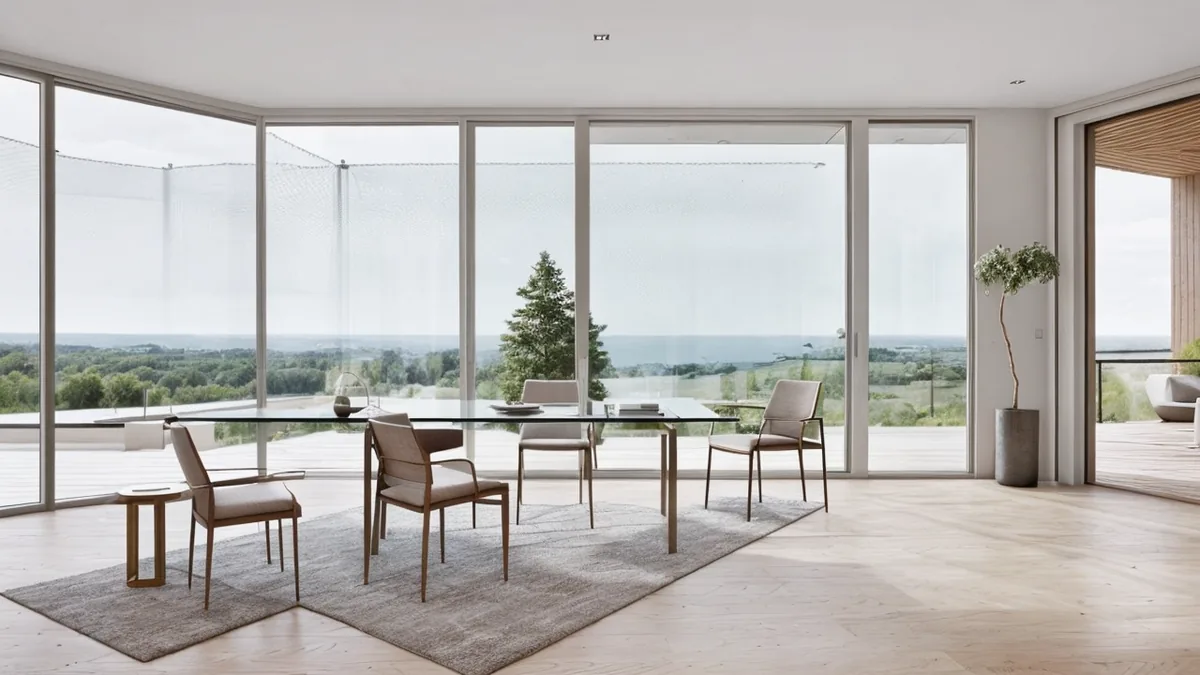
Best Render for SketchUp: 2025 Expert’s Guide
The ‘best’ SketchUp render depends on your priorities. For top-tier photorealism, V-Ray is a leading choice. Enscape balances speed and quality effectively for real-time rendering. SketchUp Pro includes built-in rendering with PBR materials and improved lighting. D5 Render is another solid option, especially utilizing its AI upscaling features.
Key Takeaways
- V-Ray consistently delivers the highest quality renders for professional architectural visualization.
- Enscape offers a user-friendly interface and fast rendering speeds, ideal for iterative design processes.
- SketchUp’s built-in rendering capabilities have improved with PBR materials and enhanced lighting features.
- D5 Render provides a cost-effective alternative with AI upscaling, priced around $300.
- Investing in the right rendering plugin can significantly elevate the realism and impact of your SketchUp models.
In the world of architectural design and real estate development, compelling visuals are paramount. A well-executed rendering can transform a simple SketchUp model into an immersive experience, captivating clients and stakeholders alike. But with a plethora of rendering software and plugins available, choosing the ‘best’ can feel overwhelming.
This guide cuts through the noise, providing a comprehensive overview of the best rendering options for SketchUp in 2025. We’ll explore the strengths and weaknesses of leading plugins, discuss pricing considerations, and offer expert tips to help you achieve stunning, photorealistic results. Whether you’re an architect, interior designer, or real estate professional, mastering SketchUp rendering is essential for showcasing your vision and securing project success. Let’s dive in and discover the tools that will elevate your designs to the next level. By the end, you’ll be equipped to choose the best render for SketchUp that aligns with your needs and budget.
What is SketchUp Rendering? Understanding the Basics
SketchUp rendering is the process of creating photorealistic or stylized images and animations from 3D models built in SketchUp. Think of SketchUp as the digital sculpting tool, and rendering as the process of applying textures, lighting, and atmospheric effects to bring that sculpture to life. Rendering software takes the raw 3D data from SketchUp and uses complex algorithms to simulate how light interacts with surfaces, creating a final image that can be used for presentations, marketing, or design validation.
While SketchUp itself offers basic rendering capabilities, achieving professional-quality visuals often requires dedicated rendering plugins or external software. These tools provide advanced features like global illumination, realistic material simulations, and sophisticated lighting controls. The goal is to produce visuals that are indistinguishable from photographs, allowing architects, designers, and developers to showcase their projects in the most compelling way possible, even before construction begins. This is crucial in today’s competitive market, where visual communication is paramount. Many firms leverage 3D architectural rendering to secure approvals, attract investors, and pre-sell properties.
Benefits of High-Quality SketchUp Rendering for Architects and Developers
The benefits of investing in high-quality SketchUp rendering are substantial for both architects and developers. First and foremost, photorealistic renderings are powerful marketing tools. They allow potential buyers or investors to visualize the finished product, fostering excitement and confidence in the project. This can lead to faster sales cycles and higher property values. Architectural animation takes this a step further, creating immersive experiences that truly showcase a design’s potential.
Beyond marketing, rendering plays a crucial role in the design process itself. By visualizing a design in a realistic environment, architects can identify potential problems with lighting, materials, or spatial relationships early on. This allows for adjustments to be made before construction begins, saving time and money. Pre-construction visualization also aids in communication between architects, clients, and contractors, ensuring everyone is on the same page. Furthermore, renderings can be used to obtain necessary permits and approvals, as they provide a clear and accurate representation of the proposed building. Ultimately, high-quality rendering is an investment that pays off in increased sales, reduced costs, and improved design outcomes. Explore the different types of architectural renderings to understand which best suits your project needs.
How SketchUp Rendering Works: The Process Explained
The SketchUp rendering process typically involves several key steps. First, a 3D model is created in SketchUp, paying close attention to detail, scale, and accuracy. This model serves as the foundation for the rendering. Next, the model is imported into a rendering engine, either a plugin within SketchUp or an external software program. Within the rendering engine, materials are applied to the model’s surfaces. This involves selecting textures, adjusting reflectivity, and configuring other material properties to simulate real-world appearances.
Lighting is then set up, including both natural and artificial light sources. The placement, intensity, and color temperature of the lights are carefully adjusted to create the desired mood and atmosphere. Once the scene is set up, the rendering process begins. The rendering engine uses complex algorithms to calculate how light interacts with the model and generates a final image. This process can take anywhere from a few minutes to several hours, depending on the complexity of the scene and the desired level of detail. Finally, the rendered image is post-processed to refine colors, contrast, and sharpness. Clients can expect to provide feedback throughout the process, ensuring the final rendering meets their specific needs and expectations. For example, Rendimension offers interactive hotspot tours to allow for detailed reviews of the design. Avoiding common SketchUp mistakes is crucial for a smooth rendering workflow.
SketchUp Rendering Trends in the US Market
The US market for SketchUp rendering is experiencing significant growth, driven by increasing demand for high-quality visuals in real estate and architectural design. Several key trends are shaping the industry. One major trend is the rise of real-time rendering, which allows for interactive visualization and immediate feedback. Software like Enscape prioritizes speed and quality, making it ideal for iterative design processes.
Another trend is the increasing use of virtual reality (VR) walkthroughs and virtual tours. These immersive experiences allow potential buyers or renters to explore a property remotely, boosting engagement and driving sales. The demand for photorealistic CGI is also growing, as clients seek visuals that are virtually indistinguishable from photographs. This requires advanced rendering techniques and a keen eye for detail. Furthermore, there’s a growing emphasis on sustainable design, with clients increasingly requesting renderings that showcase energy-efficient features and green building materials.
Finally, the integration of AI-powered tools is beginning to impact the rendering workflow, with features like AI upscaling improving image quality and reducing rendering times. As the market continues to evolve, architects and developers who embrace these trends will gain a competitive advantage. Keep an eye on the best render for SketchUp to stay ahead of the curve. Investing in professional-grade computers for rendering is also becoming increasingly important to handle the demands of these advanced technologies.
Common Mistakes to Avoid
Even with the best rendering software, avoidable mistakes in your SketchUp workflow can sabotage your results. Here are five common pitfalls to watch out for:
- Ignoring Light Leaks: Gaps in your model, however small, can let light bleed through unexpectedly, creating unrealistic and unwanted bright spots in your renders. Double-check your model for any openings, especially where walls and ceilings meet.
- Z-Fighting: This occurs when two faces occupy the same space, causing flickering and visual glitches in your render. Ensure that faces don’t overlap and have proper depth.
- Overstocking from 3D Warehouse: While the 3D Warehouse is a fantastic resource, indiscriminately loading it with complex models can bog down your SketchUp file and slow down rendering. Use components wisely and optimize them for performance.
- Modeling Everything: Not every detail needs to be modeled. Small details like screw heads or intricate patterns can often be better represented with textures or bump maps, saving you modeling time and reducing file size.
- Using Too Many Styles: Experimenting with styles is great, but too many different styles in one model can lead to inconsistencies and a less polished final render. Stick to a cohesive style guide for a unified look.
Rendering on SketchUp: A Practical Workflow Guide
Rendering on SketchUp follows a consistent workflow regardless of which render engine you use. Understanding each phase helps you set realistic timelines and avoid the most common quality issues.
- Model cleanup - Before rendering on SketchUp, purge unused components, fix reversed faces, and ensure all geometry is grouped correctly. Messy models produce noisy renders.
- Material assignment - Apply high-resolution PBR textures to surfaces. When rendering on SketchUp with V-Ray or Enscape, use physically accurate materials with correct roughness and reflectivity values.
- Lighting setup - Set sun angle to match your project location and time of day. Add interior lights for night scenes. Avoid over-reliance on ambient light since shadows define depth in SketchUp 3D render output.
- Camera positioning - Use standard architectural composition: eye-level exterior shots at 5-6 feet, interior shots from the corner of the room at 3-4 feet elevation.
- Render settings - Start with a draft render to check composition, then increase sample count for the final output. Most professionals rendering on SketchUp target 3000-4000px wide at 300 DPI for print.
When client deadlines are tight, outsourcing rendering on SketchUp to a dedicated studio can cut delivery time from days to hours. Rendimension works directly from SketchUp models.
Frequently Asked Questions
What is the best render for SketchUp 2025?
For SketchUp 2025, V-Ray generally offers the highest quality output for professional architectural visualization work. Enscape provides an excellent balance of speed and quality, making it a strong contender for iterative design and client presentations. Ultimately, the best render depends on your specific needs, budget, and desired level of realism.
Which is the best render for SketchUp?
There isn’t a single ‘best’ render for SketchUp, as the ideal choice varies based on project requirements. V-Ray is often favored for its photorealistic output, while Enscape excels in real-time rendering and ease of use. Other strong options include D5 Render, Twinmotion (free) and Unreal Engine.
Can we render in SketchUp 2025?
Yes, SketchUp 2025 includes built-in rendering capabilities with PBR (Physically Based Rendering) materials and improved lighting. However, for more advanced and photorealistic results, many professionals opt for dedicated rendering plugins like V-Ray or Enscape. These plugins offer greater control over lighting, materials, and rendering settings.
What are the best render settings for SketchUp?
The best render settings for SketchUp depend on the rendering engine you’re using and the desired outcome. Generally, start with medium quality settings and adjust parameters like resolution, anti-aliasing, and global illumination to balance quality and render time. Experimentation is key to finding the optimal settings for each scene.
Is SketchUp no longer owned by Google?
No, SketchUp is no longer owned by Google. In 2012, Trimble Inc. acquired SketchUp. Trimble has continued to develop and expand SketchUp’s capabilities, focusing on its use in architecture, engineering, construction, and other design-related fields.
How much does SketchUp Pro cost?
A basic SketchUp Pro license starts at around $299 annually. Keep in mind that achieving professional-quality renders often requires additional investments in rendering plugins like V-Ray, or Enscape which have their own licensing fees.
What is the fastest rendering software for SketchUp?
Enscape and D5 Render are known for their speed and real-time rendering capabilities with SketchUp. Twinmotion is another fast option that is free. These tools allow for quick iterations and immediate visual feedback, making them ideal for presentations and design exploration.
Conclusion
Choosing the best render for SketchUp in 2025 involves balancing quality, speed, and cost. While SketchUp’s built-in rendering has improved, dedicated plugins like V-Ray and Enscape offer superior photorealism and advanced features. Consider your project requirements, budget, and desired level of control when making your decision. Remember to avoid common mistakes like light leaks and Z-fighting, and optimize your models for efficient rendering. By carefully selecting your tools and mastering your workflow, you can create stunning architectural visualizations that bring your designs to life.
Need professional-quality renders without the software complexity? Rendimension's studio team handles the entire rendering process from your design files. View our architectural rendering services or get a free quote.
Ready to elevate your architectural visualizations? Rendimension specializes in creating photorealistic renderings, VR walkthroughs, and interactive experiences that showcase your designs in the best possible light. Request a Free Consultation today and discover how we can help you achieve your vision.