Lighting in 3D architecture: photorealistic renders 2026

You’ve modeled every architectural detail perfectly, yet your renders look flat and lifeless. The culprit isn’t your geometry; it’s your lighting approach. Many architects invest heavily in model precision but underestimate how lighting transforms visualization quality. This guide reveals core lighting principles, practical techniques, and advanced methods that separate amateur renders from professional architectural visualization that captivates clients and stakeholders.
Table of Contents
- Why Lighting Is Essential In 3D Architectural Visualization
- Fundamental Lighting Principles And Types Used In 3D Architecture
- Color Temperature’s Role In Mood And Viewer Perception
- Optimizing 3D Models And Rendering Settings For Better Lighting Results
- Advanced Lighting Techniques And Climate Adaptability In Architectural Visualization
- Enhance Your Architectural Visualizations With Professional 3D Rendering Services
- Frequently Asked Questions
Key takeaways
| Point | Details |
|---|---|
| Lighting creates realism | Proper lighting techniques bring 3D architectural models to life and drive emotional impact far beyond geometry alone. |
| Light types matter | Understanding directional, area, and IES lights with their real-world behaviors boosts render believability dramatically. |
| Color temperature sets mood | Warm lights create cozy residential feels while cool lights convey modern commercial clarity. |
| Optimization is crucial | Clean geometry, correct normals, and efficient render settings enable lighting to perform at its best. |
| Advanced techniques elevate quality | ReSTIR DI photon mapping and BIM-driven simulations push realism further but require careful performance balancing. |
Why lighting is essential in 3D architectural visualization
You can craft the most detailed 3D model with perfect materials, but poor lighting execution renders even meticulously crafted models lifeless. Lighting fundamentally controls how viewers perceive space, depth, and material quality in your architectural renders. It guides the eye through compositions, highlighting design features while creating visual hierarchy that tells your project’s story.
Beyond technical realism, lighting shapes emotional response. Warm golden hour light streaming through windows evokes comfort and home, while crisp daylight emphasizes clean modern lines and professional spaces. The difference between renders that win projects and those that fall flat often boils down to lighting mastery, not modeling detail.
Color temperature and light direction work together to establish atmospheric tone. A residential interior bathed in 2800K warm light feels inviting and lived in, perfect for selling homes. That same space under 6000K cool light would feel sterile and unwelcoming, completely wrong for the emotional narrative.
Professional architectural visualization requires understanding that lighting isn’t decorative, it’s foundational. When you master intensity, falloff, color, and direction, you control viewer perception at a fundamental level. This transforms your renders from technical documentation into compelling visual stories that help clients envision living in and using the spaces you’ve designed. Check out this architectural visualization guide to see how lighting integrates with the full rendering process.
“Poor lighting can make even the most detailed models look unconvincing and flat, while excellent lighting transforms simple geometry into believable, emotionally resonant spaces.”
Fundamental lighting principles and types used in 3D architecture
Every 3D rendering package offers multiple light types, each mimicking real-world light sources with specific behaviors. Understanding these fundamentals separates guesswork from intentional lighting design:
- Directional lights simulate distant sources like the sun, casting parallel rays that create consistent shadows across your entire scene
- Area lights replicate soft boxes, windows, or large fixtures, producing soft shadows with realistic falloff that feels natural to the human eye
- IES profiles use photometric data from real light fixtures, ensuring your renders match actual product behavior for commercial accuracy
- Point lights emit omnidirectionally from a single point, useful for bulbs and practical light sources within your scene
The inverse square law governs light intensity, stating that brightness decreases proportionally to the square of distance from the source. This physical principle creates natural depth perception. A lamp two meters away delivers one quarter the light intensity compared to one meter away, producing the gradual falloff our eyes expect.
Correct falloff establishes visual hierarchy and spatial relationships. Objects closer to light sources pop forward with brighter illumination, while distant elements recede into shadow, creating three dimensional depth on a two dimensional screen. When you ignore inverse square falloff, renders look artificially flat because lighting contradicts spatial cues viewers unconsciously expect.
Hard shadows from directional lights create dramatic contrast perfect for highlighting architectural lines and geometric forms. Soft shadows from area lights produce gentle transitions that feel more natural for interior spaces and close up views. Understanding when each shadow type serves your design intent makes the difference between amateur and professional results.

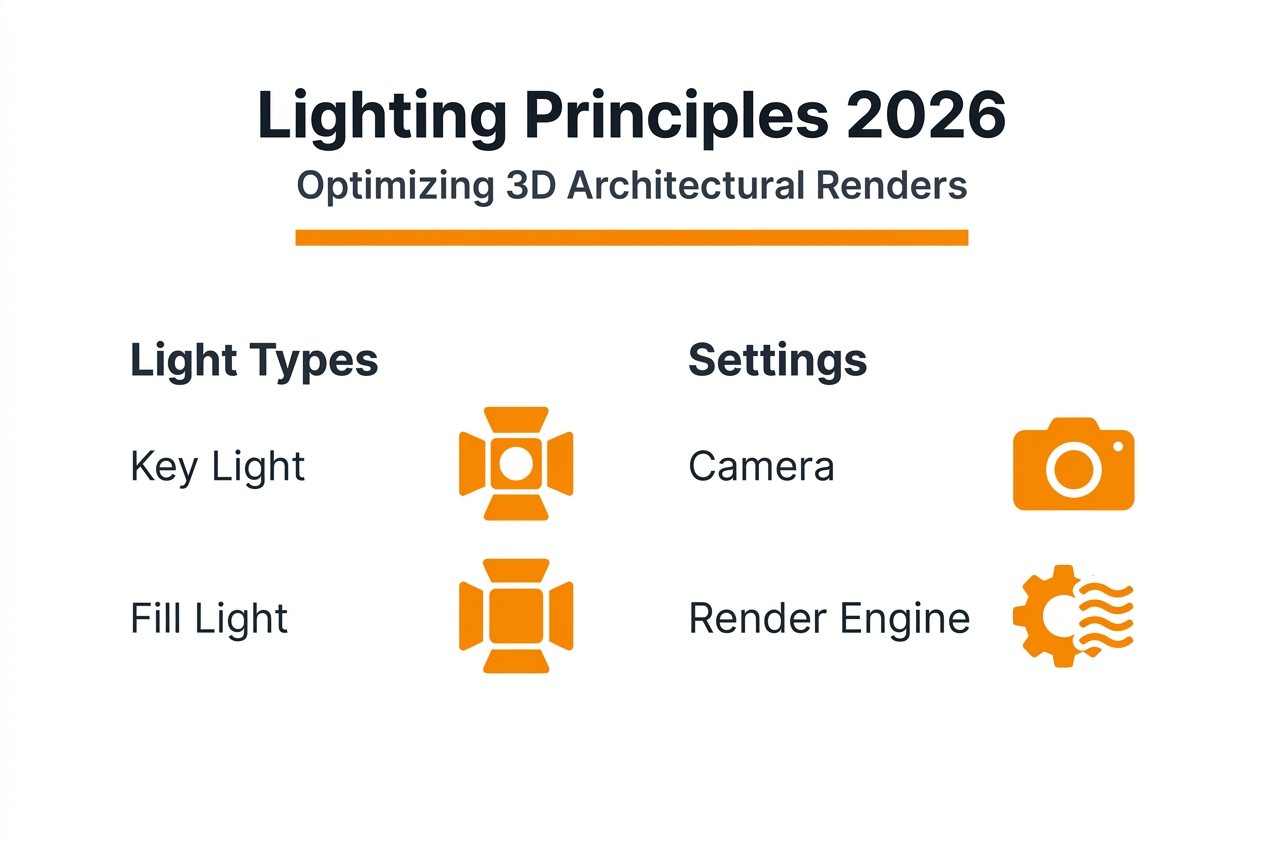
Pro Tip: Start every lighting setup with a single key light source. Master how that one light interacts with your geometry, materials, and camera before adding fill or accent lights. This builds intuition for how light behaves and prevents the common beginner mistake of over lighting scenes into washed out flatness. Once you nail the key light’s mood and direction, supporting lights fall into place naturally. Explore more about creating compelling visuals in this photorealistic rendering guide.
Color temperature’s role in mood and viewer perception
Color temperature measured in Kelvin dramatically shifts how viewers emotionally respond to your architectural visualization. Temperature significantly influences perception and emotional response, making it a powerful storytelling tool beyond mere technical accuracy.
Warm light ranging from 2700K to 3000K mimics incandescent bulbs and golden hour sunlight. This range creates cozy, inviting atmospheres perfect for residential interiors where you want viewers imagining themselves living comfortably. Warm light enhances wood tones, brings out rich colors in textiles, and makes spaces feel intimate and welcoming.
Cool light from 5000K to 6500K replicates overcast daylight and modern LED fixtures. This temperature suits commercial environments, contemporary offices, and clinical spaces where you need to communicate cleanliness, efficiency, and cutting edge design. Cool light emphasizes crisp lines, metallic finishes, and creates a sense of spaciousness and clarity.
Mixing temperatures strategically highlights different materials and suggests time of day progression. Warm practical lights inside combined with cool ambient window light creates realistic depth and draws attention to specific zones. This layering technique adds sophistication and realism that single temperature lighting cannot achieve.
Here’s how to choose temperature by project type:
- Use 2700K-3000K for residential living spaces, bedrooms, restaurants, and hospitality projects requiring warmth
- Apply 3500K-4000K for neutral commercial spaces, retail environments, and flexible use areas
- Deploy 5000K-6500K for modern offices, healthcare facilities, laboratories, and spaces emphasizing cleanliness
- Mix temperatures deliberately to create contrast, suggest different times of day, or highlight specific architectural features
- Match your lighting temperature to the actual fixtures specified in the design for accurate client presentations
Understand that color temperature works with intensity and direction to craft complete atmospheric narratives. A warm lit cozy cafe feels completely different from a cool lit contemporary gallery, even with identical geometry. Your temperature choices communicate design intent before viewers consciously register the technical details. Learn more about how lighting impacts overall render quality in this guide on 3D rendering impact.
Optimizing 3D models and rendering settings for better lighting results
Perfect lighting setup fails when underlying geometry and render configuration aren’t optimized. Your model preparation directly impacts how light interacts with surfaces and how efficiently your render engine calculates illumination.
Start with clean geometry. Ensure geometries are clean and normals correctly oriented because render engines rely on surface normals to calculate light reflection, refraction, and shading. Flipped normals cause dark patches, incorrect shadows, and broken displacement mapping that undermines even expert lighting design.
Follow these model optimization steps for lighting success:
- Remove duplicate vertices and overlapping faces that create lighting artifacts and shadow acne
- Verify all surface normals point outward consistently using your modeling software’s normal display tools
- Apply proper UV mapping for texture based materials so light interacts correctly with surface details
- Optimize polygon count by removing unseen interior faces that waste computational resources without contributing to the final image
- Set up appropriate smoothing groups or edge hardness to control how light transitions across surface angles
- Test render small sections to catch geometry issues before committing to full resolution renders
Render engine configuration matters as much as model cleanliness. V-Ray GPU rendering offers faster results through efficient ray tracing on modern graphics cards, letting you iterate lighting setups quickly without overnight render waits. GPU acceleration particularly benefits complex interior scenes with multiple light bounces and subtle indirect illumination.
Camera settings amplify lighting effects when configured thoughtfully. Longer focal lengths compress space and intensify dramatic light rays, while wide angles capture expansive lit environments. Depth of field draws focus to lit subjects by softening background elements, creating professional cinematic quality that elevates architectural visualization.
Composition guides like the rule of thirds help position light sources and lit subjects for maximum visual impact. Place key light sources or bright focal points at intersection points to create naturally balanced compositions that guide viewer attention exactly where you want it.
Pro Tip: Watch for overlapping geometry causing lighting artifacts. Two faces occupying the same space confuse render engines, creating flickering shadows and inconsistent illumination. Use your software’s cleanup tools to merge or separate overlapping elements before lighting. This single step prevents frustrating artifacts that plague otherwise well lit renders. Check out the complete rendering workflow guide for more optimization strategies.
Advanced lighting techniques and climate adaptability in architectural visualization
Cutting edge lighting methods push architectural visualization beyond aesthetic appeal into sustainable design and scientific accuracy. These advanced techniques require more computational resources but deliver unprecedented realism and practical design validation.
ReSTIR DI photon mapping represents a significant advancement in global illumination accuracy. ReSTIR DI achieves significantly lower RMSE values and faster convergence compared to traditional uniform sampling methods, producing more accurate light transport with fewer artifacts. This technique excels at complex indirect lighting scenarios where light bounces multiple times through architectural spaces.
The trade off comes in computational cost. ReSTIR DI increases frame times 4-7 times compared to uniform sampling, requiring powerful hardware and longer render sessions. For hero shots and final presentations where maximum realism justifies the time investment, this accuracy boost separates exceptional work from merely good renders.
| Technique | RMSE | Frame Time | Best Use Case |
|---|---|---|---|
| Uniform Sampling | Higher error | Baseline | Draft renders, quick iterations |
| ReSTIR DI Photon Mapping | 40-60% lower error | 4-7x longer | Final presentations, complex indirect lighting |
BIM-driven daylighting simulation bridges visualization and sustainable design by coupling static architectural models with dynamic lighting analysis. BIM simulation coupling improves uniformity and reduces energy consumption by over 27%, helping architects optimize natural light distribution while meeting visual comfort standards across different climates and seasons.
Hybrid lighting systems combining side windows with top light guides or light wells distribute natural illumination more uniformly throughout deep floor plates. These systems reduce glare near windows while bringing daylight deeper into buildings, decreasing artificial lighting loads and improving occupant comfort. BIM simulation validates these design strategies before construction, proving their effectiveness to clients and stakeholders.
Key benefits and considerations for advanced techniques:
- ReSTIR DI delivers scientifically accurate global illumination for presentations requiring absolute photorealism
- Higher computational costs demand strategic use on critical views rather than every exploratory render
- BIM daylighting simulation validates sustainable design claims with measurable performance data
- Climate adaptability analysis ensures lighting strategies work across seasons and geographic locations
- Combining advanced rendering with performance simulation creates comprehensive design validation tools
- Future integration of AI driven optimization will balance realism with practical rendering timeframes
Research continues advancing intelligent daylighting systems that adapt to dynamic indoor conditions including occupancy patterns, task requirements, and weather variations. These developments position architectural visualization as both marketing tool and rigorous design validation platform. Explore more about implementing these practices in 3D rendering best practices.
Enhance your architectural visualizations with professional 3D rendering services
Mastering lighting principles takes time and dedicated practice across numerous projects. When deadlines loom or projects demand exceptional quality, professional rendering services deliver expert results without the learning curve.

Rendimension specializes in photorealistic architectural visualization that brings your designs to life through expert lighting techniques. Our team applies the principles covered in this guide, from fundamental color temperature selection to advanced global illumination methods, ensuring every render achieves maximum impact. We’ve completed over 1,000 projects globally, transforming architectural concepts into compelling visual stories that win client approval and drive project success. Whether you need stunning still renders, immersive walkthroughs, or comprehensive visualization packages, our collaborative process ensures your vision translates perfectly from concept to final delivery. Discover how professional 3D rendering services can elevate your next project. Explore our complete architectural visualization guide or see how 3D walkthrough services create immersive client experiences that showcase your lighting design in motion.
Frequently asked questions
What is the most important lighting principle in 3D architectural visualization?
The inverse square law stands as the most crucial principle because it governs how light intensity decreases with distance, creating natural depth and spatial relationships. Proper falloff ensures objects are perceived accurately in three dimensional space. When you ignore this physical principle, renders look artificially flat regardless of geometry quality.
How does color temperature affect the mood in architectural renders?
Color temperature directly controls emotional response to your visualizations. Warm temperatures from 2700K to 3000K create cozy, inviting atmospheres perfect for residential projects. Cool temperatures from 5000K to 6500K communicate modernity, cleanliness, and professional clarity suited to commercial spaces. Strategic temperature choices tell your design story before viewers consciously analyze technical details.
Can advanced lighting techniques like ReSTIR DI improve render quality without slowing workflow?
ReSTIR DI offers substantially higher accuracy and photorealistic quality through improved global illumination calculations. However, ReSTIR DI increases rendering time 4-7x compared to uniform sampling, creating significant workflow impact. Architects must balance quality requirements with project deadlines, reserving advanced techniques for final presentations and hero shots where maximum realism justifies the computational investment.
What role does BIM-driven simulation play in daylighting design?
BIM simulation optimizes natural lighting distribution and indoor light uniformity across different seasons and climates. BIM simulation coupling improves uniformity and reduces energy consumption by over 27% while meeting comfortable visual standards. This approach validates sustainable design strategies before construction, providing measurable performance data that strengthens client presentations and supports green building certification goals.