TL;DR:
- Clients now prefer immersive 3D walkthroughs over static images for better engagement and faster approvals.
- Preparing the right tools, workflows, and optimization techniques is crucial for producing high-quality, platform-compatible walkthroughs.
- Emotional storytelling and narrative sequencing in walkthroughs are key to capturing client commitment beyond technical perfection.
Flat floor plans and static renders no longer hold a boardroom’s attention. Architects and developers who still rely on 2D drawings or a handful of still images are leaving real money on the table, because today’s clients expect to walk through a space before it’s built. A polished 3D walkthrough can transform a passive viewer into a committed decision-maker within minutes. This guide breaks down every stage of the creation process, from assembling the right tools to measuring client outcomes, so you can produce walkthroughs that genuinely win pitches and accelerate sales.
Table of Contents
- Understanding 3D walkthroughs and their impact
- Preparing your resources: Tools, files, and requirements
- Step-by-step process: Building a professional 3D walkthrough
- Avoiding common pitfalls and troubleshooting walkthrough creation
- Measuring success: Client feedback and marketing outcomes
- Why most 3D walkthroughs aren’t enough (and what truly captivates clients)
- Get expert help with 3D walkthrough creation
- Frequently asked questions
Key Takeaways
| Point | Details |
|---|---|
| Plan before you start | Gather all tools and files and clarify objectives to set your project up for success. |
| Stepwise process is vital | Following a clear workflow ensures efficient, impressive 3D walkthroughs for clients. |
| Test and optimize | Always refine for different devices and gather client feedback for best results. |
| Storytelling drives impact | Technical polish matters, but narrative flow makes your walkthroughs unforgettable. |
Understanding 3D walkthroughs and their impact
A 3D walkthrough is an animated or interactive visual simulation that lets viewers move through a virtual architectural space. Unlike a still render, it replicates the physical experience of touring a building, capturing spatial flow, natural lighting, material depth, and proportional relationships. The format has evolved rapidly over the past decade, shifting from basic fly-through animations to fully interactive VR experiences that clients can explore on a headset or a mobile screen.
The business case for walkthroughs is hard to ignore. Real estate developers who invest in immersive visuals report stronger client engagement, faster sign-off cycles, and fewer costly last-minute design change requests. The project presentation advantages are clear: clients who can emotionally connect with a space through a walkthrough commit with far greater confidence than those who rely solely on technical drawings.
Here are the core benefits that make 3D walkthroughs indispensable for modern practices:
- Faster client approval: Stakeholders grasp spatial concepts quickly, reducing back-and-forth revision cycles.
- Reduced on-site visits: Remote stakeholders can evaluate progress without traveling, saving both time and project costs.
- Higher marketing conversion: Listings with immersive visuals attract more qualified leads than static imagery alone.
- Stronger emotional buy-in: A walkthrough creates an emotional attachment to the space that 2D plans simply cannot replicate.
- Competitive differentiation: Studios that deliver interactive walkthroughs stand apart in competitive pitches.
Current trends are pushing the format even further.
Sustainability and VR optimization are reshaping how walkthroughs reduce site visits, cutting carbon footprints while keeping global stakeholders fully informed. Firms are also incorporating design presentation innovations like AI-powered rendering and mobile-first output to stay ahead of client expectations.
Pro Tip: Match the walkthrough type to the client’s actual need. A static animated tour suits early-stage concept approval. An interactive or VR-capable walkthrough is worth the extra investment for final-stage presentations or premium listings.
Preparing your resources: Tools, files, and requirements
Before a single model is built, assembling the right resources saves enormous time downstream. Start with hardware. A professional walkthrough demands serious GPU power: aim for at minimum a dedicated graphics card with 8GB VRAM, a multi-core processor, and 32GB of RAM. VR output adds another layer, requiring a compatible headset and controllers for testing. Don’t overlook storage; high-resolution texture libraries and large scene files fill drives quickly.
On the software side, the workflow typically spans four categories:
- Design and BIM tools: Autodesk Revit, ArchiCAD, or SketchUp for importing architectural plans and maintaining data integrity.
- 3D modeling and texturing: 3ds Max, Blender, or Cinema 4D for building geometry and applying materials.
- Rendering engines: V-Ray, Lumion, or Twinmotion for producing photorealistic lighting and atmosphere.
- Walkthrough and VR platforms: Foyr Neo, Unreal Engine, or Unity for interactive delivery and VR optimization.
Here’s a quick comparison to help you choose:
| Tool | Best for | Learning curve | Budget range |
|---|---|---|---|
| Foyr Neo | Interior walkthroughs, fast output | Low | Mid |
| Lumion | Real-time architectural renders | Low | Mid to high |
| 3ds Max + V-Ray | Complex, photorealistic scenes | High | High |
| Blender + Cycles | Flexible, open-source pipeline | Medium | Free |
| Unreal Engine | VR-ready interactive experiences | High | Free to mid |

Team roles matter as much as tools. An architect or BIM specialist manages design accuracy, a visualization artist handles modeling and rendering, and a project manager keeps timelines and client communication on track. Overlapping responsibilities without clear ownership is one of the fastest ways to stall a project.
AI-powered rendering vastly improves speed and quality in walkthrough creation, cutting render times that used to take overnight down to hours or even minutes. Referring to a complete 3D walkthrough guide before you start helps you anticipate technical decisions early.
Pro Tip: Never underestimate GPU power. A mid-range card that saves a few hundred dollars upfront can add days to a project timeline through slow render queues and crashes.
Step-by-step process: Building a professional 3D walkthrough
A clear, repeatable process protects both quality and budget. Follow these steps in sequence:
- Import architectural plans. Bring CAD or BIM files into your 3D modeling tool. Verify scale, orientation, and layer organization before touching geometry.
- Build the 3D model. Construct walls, ceilings, floors, and structural elements from the imported plans. Keep polygon counts reasonable to balance detail with render performance.
- Apply textures and materials. Use physically based rendering (PBR) materials for realism. Match material specifications to client-approved finishes wherever possible.
- Set up lighting. Combine natural light (sun position, time of day) with interior artificial sources. Lighting is where photorealism is won or lost.
- Define the camera path. Choose between animated flythrough (scripted route) and interactive navigation (user-controlled). Camera density, meaning the number of keyframes or capture points per meter of path, directly controls how smooth and realistic the movement feels.
- Render and export. Run your render pass, then export in the formats required for delivery: video file, real-time application, or VR package.
- Optimize for platform. Compress assets, reduce polygon counts for mobile, and test VR frame rates before delivery.
High-density camera placement affects project realism and efficiency significantly; over-dense paths slow rendering without visible quality gains, while too few keyframes create jarring transitions. Finding that balance is a judgment call refined with experience.
| Step | Common challenge | Solution |
|---|---|---|
| Importing plans | Scale mismatches | Verify units before import |
| Texturing | Tiling artifacts | Use seamless, high-res PBR maps |
| Lighting setup | Blown-out or flat results | Use HDRI + layered artificial lights |
| Camera path | Jittery movement | Smooth keyframe curves in timeline |
| Optimization | Slow mobile frame rate | Reduce poly count, bake lighting |
Study best practices for 3D visuals before final delivery to catch presentation-layer issues that are easy to overlook during production.
Pro Tip: Set version checkpoints at the end of steps 2, 4, and 6. Saving approved states means a client change request at step 6 doesn’t send you back to step 1.
“Render first, optimize second. Never try to do both simultaneously or you’ll compromise both.”
Avoiding common pitfalls and troubleshooting walkthrough creation
Even experienced teams run into the same recurring problems. Knowing them in advance lets you sidestep most of them entirely.
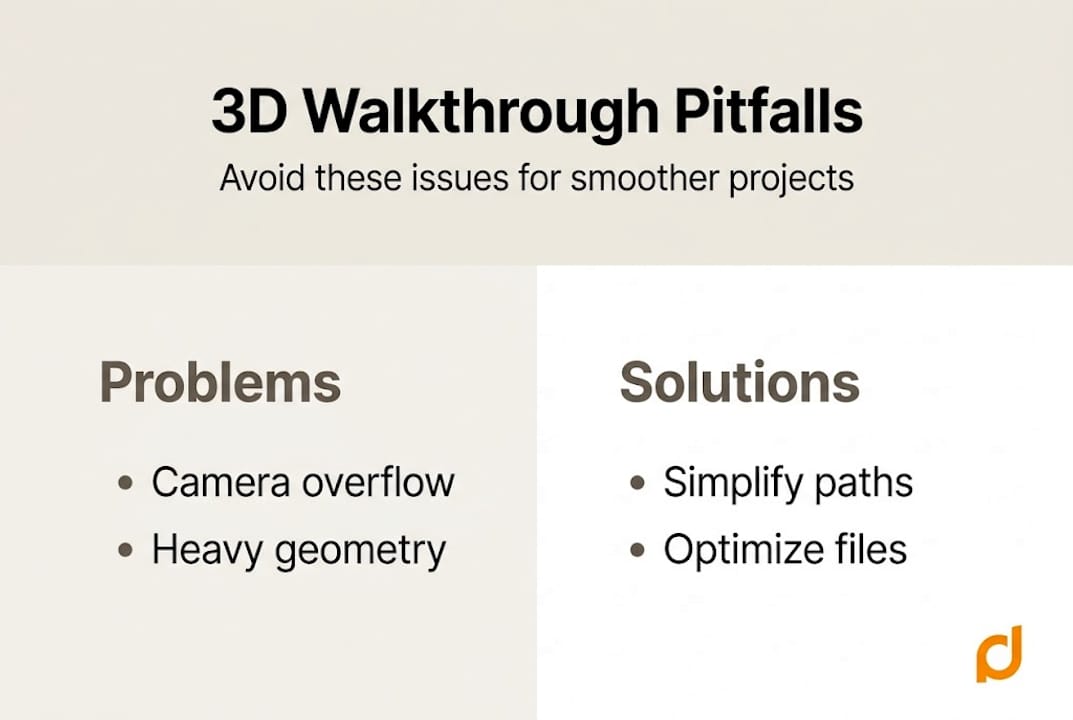
Rendering slowdowns are the most common complaint. They usually trace back to overly complex geometry, unoptimized texture files, or a render engine setting that’s set too high for the scene’s actual needs. Batch processing and GPU render farms can help when deadlines are tight.
Visual quality mistakes tend to cluster around three areas:
- Flat or blown-out lighting: Skipping proper HDRI setup and relying on default lights produces results that look artificial immediately.
- Unrealistic materials: Low-resolution textures or incorrect reflectivity settings make surfaces look like plastic rather than stone, wood, or glass.
- Abrupt camera transitions: Poor keyframing makes the walkthrough feel like a video game, not an architectural tour.
Mobile and VR-specific errors are increasingly costly as client expectations shift. Mobile and VR optimization, as well as sustainability considerations, are now essential for competitive walkthroughs. A file that renders beautifully on a workstation can stutter badly on a smartphone or VR headset. Always reduce polygon counts, bake complex lighting where possible, and compress textures for mobile targets.
Sustainability is also worth noting here. Well-produced walkthroughs reduce unnecessary site visits by investors and buyers, cutting travel emissions while keeping projects on schedule. Addressing common 3D walkthrough issues early in your process prevents expensive post-production fixes.
Pro Tip: Test every walkthrough on at least two screen types, a large monitor and a mobile device, before client delivery. Problems always appear on the device you didn’t check.
“If something looks wrong, it’s almost always lighting or scale. Fix those first before hunting for complex causes.”
Measuring success: Client feedback and marketing outcomes
Delivering the walkthrough is not the finish line. How you measure its impact determines whether your next project improves on the last.
Start with direct client feedback. Structured surveys immediately after a presentation capture first impressions while they’re fresh. Follow-up interviews at the two-week mark reveal how the walkthrough influenced internal discussions and approvals. If you deliver the walkthrough through a web platform, usage analytics such as session length, replay rates, and click hotspots tell you exactly which spaces resonated and which were skipped.
Marketing teams should track these metrics closely:
- Time on page or session duration for web-embedded walkthroughs.
- Lead conversion rate for listings that feature walkthroughs versus those that don’t.
- Deal velocity: How much faster do projects with walkthroughs move from inquiry to signed contract?
- Repeat engagement: Do clients and prospects return to view the walkthrough multiple times before deciding?
Immersive walkthroughs improve engagement and shorten decision cycles in real estate, and that compression of the sales timeline has a measurable dollar value. Firms that track this rigorously can make a compelling internal business case for increasing walkthrough budgets on future projects.
Feed what you learn back into your workflow. If clients consistently navigate to the kitchen or outdoor terrace first, prioritize those areas in future walkthroughs. If feedback highlights confusion about scale, adjust camera height and reference objects in the scene. Review design presentation results from completed projects regularly to spot patterns.
Statistic callout: Projects using immersive 3D walkthroughs consistently report shorter client approval timelines and higher marketing engagement compared to those relying on static imagery alone.
Why most 3D walkthroughs aren’t enough (and what truly captivates clients)
Here’s something few guides admit: technically perfect walkthroughs fail all the time. We’ve seen it repeatedly. A firm invests in high-end rendering, meticulous texturing, and flawless camera movement, and then the client sits quietly, nods politely, and doesn’t commit.
The problem is almost never the resolution. It’s the absence of a story.
The walkthroughs that convert clients are the ones that guide them emotionally through a space, not just physically. That means sequencing rooms to build anticipation, using lighting that shifts from calm to energetic, and adding just enough context (furniture scale, lifestyle objects) to help clients picture themselves living or working there. Technical polish earns credibility; narrative earns commitment.
Intuitive interactions matter too. A walkthrough that requires a tutorial to navigate signals complexity, not sophistication. The most effective ones feel immediately natural. We’ve learned that simplifying the experience for the end user, even when the underlying production is complex, is what separates persuasive walkthroughs from impressive-but-forgettable ones. Explore more creative walkthroughs to see how narrative and technical quality work together.
Get expert help with 3D walkthrough creation
Building walkthroughs that genuinely move clients from interest to commitment takes more than good software. It takes experience across modeling, rendering, storytelling, and platform optimization simultaneously.

At Rendimension, we’ve completed over 1,000 projects for architects and developers across residential and commercial sectors. Our team handles the full pipeline, from initial concept to final delivery, so you can focus on the client relationship rather than the technical workload. Whether you need a first-time walkthrough or want to elevate an existing one, explore our 3D walkthrough services or professional 3D rendering options. You can also see walkthrough examples from completed projects to understand the standard we hold ourselves to.
Frequently asked questions
What software is best for 3D walkthrough creation?
Popular choices include Foyr Neo, Revit, and 3ds Max, each offering different balances of speed, realism, and interactivity depending on project complexity and team expertise.
How can I ensure my walkthrough works on VR and mobile devices?
Mobile and VR output requires reduced polygon counts, baked lighting, and compressed textures; always test on your target devices before the client presentation, not after.
How do AI-powered render engines help in 3D walkthrough projects?
AI-powered engines cut render times dramatically, enabling faster iteration cycles and higher visual quality within tighter project timelines.
What’s the biggest mistake to avoid when creating a 3D walkthrough?
Skipping platform optimization testing before delivery is the most damaging error, because performance failures during a client demo are nearly impossible to recover from professionally.
Recommended
- 3D Walkthrough Services By Rendimension: Bring Designs To Life
- Immersive 3D Walkthroughs Using Best NVIDIA Video Cards Nvidia
- 3D Walkthrough Guide: Create Immersive Project Visuals
- Terminologia visite virtuali immersive in edilizia 2026

