Architects routinely face a fundamental challenge: translating complex spatial concepts into formats clients can truly understand. Traditional blueprints and static renderings often fall short, creating gaps between your vision and stakeholder comprehension. Interactive 3D presentations bridge this divide by letting clients explore designs in real time, manipulating views and experiencing spaces before construction begins. This guide explains what interactive 3D presentations are, why they matter, and how you can leverage them to transform project communication and outcomes.
Table of Contents
- Key takeaways
- What are interactive 3D presentations and why they matter
- Types of interactive 3D presentations used in architecture
- How interactive 3D presentations enhance architectural project outcomes
- Implementing interactive 3D presentations in your architectural workflow
- Enhance your presentations with Rendimension’s 3D services
- Frequently asked questions
Key Takeaways
| Point | Details |
|---|---|
| Improved client understanding | Interactive 3D presentations help clients grasp spatial relationships and scale by letting them explore designs in real time. |
| Higher engagement | Active interaction with models keeps stakeholders interested and improves message retention compared to static visuals. |
| Faster decisions | Shared visual references streamline approval processes and reduce costly design changes. |
| Early issue discovery | Clients and teams can spot clashes and feasibility problems earlier in the design phase. |
| Suitable formats by stage | Use 3D walkthroughs, interactive viewers, or VR to match project phase goals and client comfort levels. |
What are interactive 3D presentations and why they matter
Interactive 3D presentations are digital architectural models that users can manipulate, navigate, and explore in real time. Unlike static renderings or traditional 2D drawings, these presentations respond to user input, allowing stakeholders to change viewpoints, toggle design elements, and experience spatial relationships dynamically. The technology combines advanced 3D modeling with rendering engines, virtual walkthroughs, and sometimes augmented or virtual reality to create immersive experiences.
These presentations overcome critical limitations of conventional communication methods. Blueprints require technical literacy most clients lack. Static images show only predetermined angles. Interactive 3D presentations improve communication and client engagement by giving stakeholders control over their viewing experience. Clients can walk through spaces virtually, examine details from any angle, and understand scale in ways flat images never achieve.
The benefits extend beyond aesthetics. Interactive presentations enhance spatial understanding, letting clients grasp how rooms connect and how light moves through spaces. They increase engagement because people learn better through active participation than passive observation. Communication clarity improves dramatically when clients can answer their own questions by exploring the model rather than waiting for you to produce another rendering.
Pro Tip: Design your interactive controls to be intuitive for non-technical users. Simple click-and-drag navigation or clearly labeled buttons ensure clients focus on your design rather than struggling with the interface.
Key advantages include:
- Clients visualize spatial relationships and proportions accurately
- Stakeholders identify potential issues early in the design phase
- Team members collaborate more effectively across disciplines
- Marketing presentations become more compelling and memorable
- Decision-making accelerates when everyone shares the same visual reference
Understanding how to present 3D visuals effectively transforms these tools from impressive demos into practical workflow assets that deliver measurable project value.
Types of interactive 3D presentations used in architecture
Architects have multiple interactive formats to choose from, each suited to different project stages and client needs. Selecting the right type depends on your presentation goals, client technical comfort, and the complexity you need to convey.
| Presentation Type | Best Use Case | Key Advantage | Limitation |
|---|---|---|---|
| 3D Walkthrough Videos | Client presentations, marketing | Guided narrative control | Limited user interactivity |
| Interactive Model Viewers | Design reviews, iterations | Full exploration freedom | Requires software or browser |
| Virtual Reality (VR) | Immersive client experiences | Complete spatial immersion | Equipment and setup needed |
| Augmented Reality (AR) | On-site visualization | Real-world context overlay | Location-dependent effectiveness |
3D walkthrough videos provide guided tours through your design, following predetermined paths that highlight key features. You control the narrative, ensuring clients see critical elements in the sequence that best tells your design story. 3D walkthroughs offer guided experiences that work well for initial presentations or marketing materials where you want to maintain message consistency.
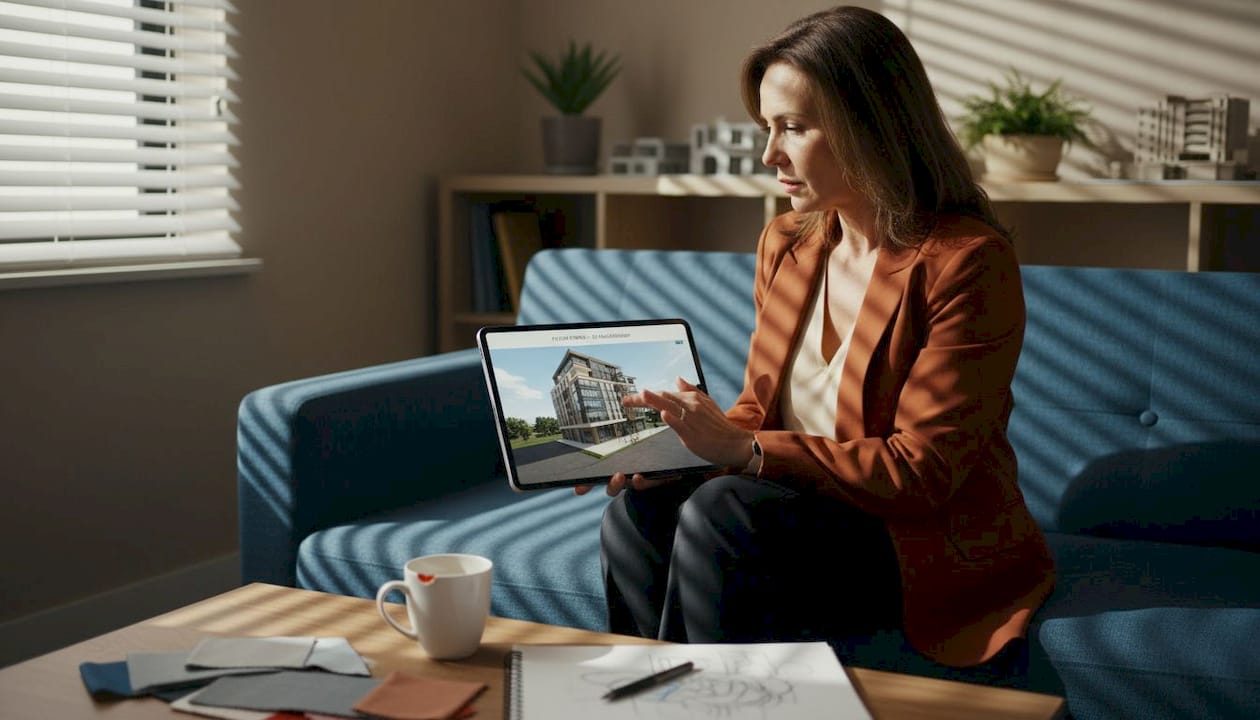
Interactive model viewers give clients complete freedom to navigate spaces independently. These web-based or software platforms let users zoom, rotate, and move through designs at their own pace. This format excels during design development when clients need to explore options and provide detailed feedback.
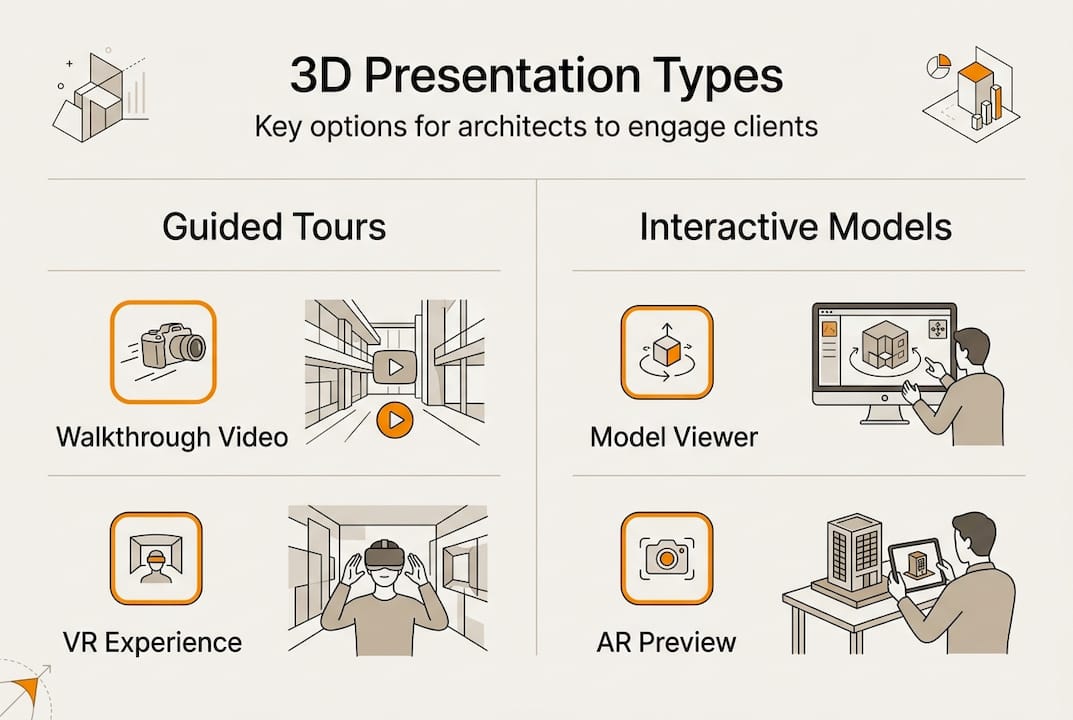
Virtual reality experiences deliver full immersion by placing clients inside the design. VR headsets block out the physical world, creating presence and emotional connection to spaces. This technology increases empathy with your design because clients experience scale and proportion naturally, as they would in the completed building. VR proves particularly valuable for high-stakes projects where client buy-in is critical.
Augmented reality overlays digital models onto real environments through tablets or smartphones. Clients can see how proposed buildings fit into existing sites or how interior renovations transform current spaces. AR provides context that other methods cannot match, making it ideal for renovation projects or developments in sensitive urban locations.
Choosing the right interactive presentation type involves these steps:
- Assess your project phase: early concepts benefit from flexible viewers, while final designs suit polished walkthroughs
- Evaluate client technical comfort: some stakeholders embrace VR enthusiastically while others prefer familiar web interfaces
- Consider presentation context: formal board meetings may require controlled walkthroughs, while collaborative workshops need open exploration tools
- Match complexity to project needs: simple renovations may not justify VR investment, but landmark buildings often do
- Budget for equipment and development time: VR and AR require more resources than standard 3D viewers
Exploring 3D walkthrough services and virtual reality design applications helps you understand which formats align with your practice capabilities and client expectations.
How interactive 3D presentations enhance architectural project outcomes
The impact of interactive 3D presentations extends far beyond impressive visuals. These tools deliver measurable improvements in project efficiency, client satisfaction, and design quality.
Clearer communication stands as the primary benefit. When clients can explore designs interactively, misunderstandings decrease dramatically. They see exactly what they’re approving rather than interpreting static images. This clarity reduces the revision cycles that plague projects when clients realize the built result doesn’t match their mental image.
Interactive presentations create shared understanding between architects and clients, eliminating the translation errors that occur when technical drawings meet non-technical stakeholders.
Earlier problem detection saves time and money. As clients navigate interactive models, they notice issues you might miss: a doorway that feels too narrow, a view that’s blocked, or a circulation path that doesn’t flow naturally. Identifying these concerns during design costs pennies compared to addressing them during construction.
Interactive 3D presentations reduce costly revisions by catching problems when they’re easy to fix. Faster approvals follow naturally from improved understanding. Clients feel confident making decisions when they truly grasp what they’re approving. Decision-making timelines that previously stretched across weeks compress into days when stakeholders can explore designs thoroughly on their own schedule.
Stronger client trust develops through transparency. Interactive presentations demonstrate your commitment to ensuring clients understand every aspect of your design. This openness builds confidence in your expertise and strengthens working relationships.
Key benefits include:
- Clients explore design alternatives independently, reducing meeting time
- Stakeholders identify preferences clearly by comparing options side by side
- Team coordination improves when everyone references the same interactive model
- Marketing efforts gain compelling tools that differentiate your proposals
Statistic Callout: Projects using interactive 3D presentations report up to 30% fewer revision requests and 25% faster client approval cycles compared to traditional presentation methods.
Understanding how to boost engagement with 3D renderings transforms these benefits from theoretical advantages into practical workflow improvements that impact your bottom line.
Implementing interactive 3D presentations in your architectural workflow
Integrating interactive 3D presentations into your practice requires thoughtful planning and systematic execution. Success depends on choosing appropriate tools, developing team capabilities, and establishing efficient processes.
The implementation process follows these steps:
- Evaluate software options that match your project types and team skills, considering platforms like Enscape, Twinmotion, or web-based viewers
- Develop base 3D models with sufficient detail for interactive exploration while maintaining performance for real-time navigation
- Apply realistic materials and lighting that enhance spatial understanding without overwhelming rendering resources
- Program interactive elements such as clickable hotspots, layer toggles, or measurement tools that add value for your specific clients
- Test presentations with internal team members to identify navigation issues or confusing elements before client meetings
- Gather client feedback systematically to understand what works and what needs refinement
- Iterate your process based on lessons learned, building templates and standards that increase efficiency over time
Successful integration requires selecting appropriate tools and training your team to use them effectively. Software choice matters less than ensuring your team can produce quality results consistently. Start with tools that integrate smoothly with your existing modeling workflow rather than forcing wholesale platform changes.
Cross-team collaboration proves essential. Designers create the architectural content, visualization specialists optimize it for interactive performance, and client liaisons determine which features best serve stakeholder needs. Regular communication between these roles prevents wasted effort on impressive features clients don’t value.
Pro Tip: Begin with pilot projects on smaller commissions to refine your presentation workflow and client usability before deploying interactive presentations on major projects where mistakes carry higher stakes.
For complex projects or specialized needs, consider partnering with external experts. Professional 3D modeling CAD services can supplement your in-house capabilities during peak workloads or for projects requiring expertise your team hasn’t developed yet. This approach lets you offer interactive presentations without immediately building all capabilities internally.
Efficient implementation also means knowing when interactive presentations add value versus when simpler methods suffice. Small renovations may not justify the investment, while landmark buildings or complex institutional projects benefit enormously. Match your effort to project significance and client expectations.
Developing creating professional 3D renderings skills within your team builds long-term competitive advantage and gives you control over quality and timelines.
Enhance your presentations with Rendimension’s 3D services
Transforming how you communicate designs requires both expertise and efficient execution. Rendimension specializes in architectural visualization and interactive 3D presentations that elevate project communication for architects and design professionals.

Our services deliver the immersive experiences your clients need to truly understand your vision. We’ve completed over 1,000 projects globally, helping architects bridge the gap between technical drawings and stakeholder comprehension. Whether you need photorealistic renderings, guided walkthroughs, or fully interactive models, our collaborative process ensures your design intent translates perfectly into engaging visual experiences.
Key benefits of partnering with Rendimension:
- Boost client engagement through immersive visualization that makes designs tangible
- Reduce revision cycles by helping stakeholders grasp spatial relationships accurately
- Accelerate approvals with presentations that build confidence and clarity
- Access expertise in cutting-edge visualization technologies without building capabilities in-house
Explore our 3D rendering services, 3D walkthrough services, and architectural visualization services to discover how professional visualization support can transform your project presentations and outcomes.
Frequently asked questions
What exactly is an interactive 3D presentation in architecture?
An interactive 3D presentation is a digital architectural model that users can manipulate and explore in real time. Unlike static images, these presentations respond to user input, allowing clients to change viewpoints, navigate through spaces, and examine design details from any angle. They create immersive experiences that help stakeholders understand spatial relationships and design intent more clearly than traditional presentation methods.
How do interactive 3D presentations differ from regular renderings?
Regular renderings are static images showing predetermined views of your design. Interactive presentations let users control their viewing experience, moving through spaces and exploring details at their own pace. This active engagement creates deeper understanding because clients discover design features themselves rather than passively viewing what you show them. The interactivity transforms presentations from one-way communication into collaborative exploration.
When should architects use interactive 3D presentations?
Use interactive presentations during design development when clients need to evaluate options and provide detailed feedback. They excel in client meetings where stakeholder buy-in is critical, design review sessions requiring thorough examination, and marketing presentations that must differentiate your proposal. They’re particularly valuable for complex projects where spatial relationships are difficult to convey through traditional methods or when clients lack technical drawing literacy.
What technologies power interactive 3D architectural presentations?
Interactive presentations typically combine 3D modeling software with real-time rendering engines that display high-quality visuals instantly as users navigate. Some use web-based viewers accessible through standard browsers, while others employ virtual reality headsets for full immersion or augmented reality apps that overlay designs onto real environments. The technology choice depends on your presentation goals, client technical comfort, and the level of immersion needed to communicate your design effectively.
Do interactive 3D presentations actually improve project outcomes?
Yes, measurably. Projects using interactive presentations report fewer revision requests because clients understand designs more clearly before approving them. Decision-making accelerates when stakeholders can explore options thoroughly on their own schedule. Early problem detection during interactive reviews prevents costly changes during construction. These benefits translate into shorter project timelines, reduced change orders, and stronger client satisfaction with final results.
Recommended
- 3D Walkthroughs: Transforming Design Presentations
- Present 3D Renderings To Clients: Boost Engagement 45%
- 3D Walkthroughs: Transforming Project Presentations
- Architectural Visualization Guide For Stunning 3D Renderings
- 3D Modeling & CAD Project Gallery – CC3DLabs
