Rendering software often feels like a black box reserved for tech wizards and CGI specialists. Many architects and real estate developers assume they need years of training to produce compelling visualizations. The truth is far simpler. Understanding rendering software basics empowers you to transform design concepts into photorealistic images that win clients and accelerate projects. This guide demystifies rendering software, breaking down essential features, workflows, and practical tips so you can confidently enhance your 3D visualization projects and presentations.
Table of Contents
- Key takeaways
- What is rendering software and why it matters
- Core features and types of rendering software
- Step-by-step workflow basics for successful rendering projects
- Practical tips for enhancing your rendering results
- Explore professional 3D rendering services for your projects
- What is the difference between 3D rendering and 3D modeling?
Key Takeaways
| Point | Details |
|---|---|
| Photorealistic rendering basics | Rendering software converts 3D models into photorealistic images that communicate design concepts to clients and stakeholders. |
| Core features clarity | Exploring lighting, materials, textures, and camera controls helps you visualize design options and improve communication with clients. |
| Choose software by project needs | Selecting the right tool based on project stage and deliverables speeds client approvals and reduces revision cycles. |
| Workflow integration boosts efficiency | Integrating rendering with CAD and modeling workflows improves collaboration and overall project efficiency. |
What is rendering software and why it matters
Rendering software serves as the bridge between raw 3D models and compelling visual presentations. At its core, rendering software converts 3D models into photorealistic images useful for design presentation and client engagement. The software calculates how light interacts with surfaces, applies material properties, and generates images that look like photographs of real spaces.
This technology enables visualization of materials, lighting conditions, and realistic environments before construction begins. You can show clients exactly how sunlight will filter through windows at different times of day, how marble countertops will reflect overhead lighting, or how landscaping will frame a building’s exterior. These capabilities transform abstract blueprints into tangible visions that stakeholders immediately understand.
The benefits extend far beyond pretty pictures. Rendering software improves client understanding by eliminating the imagination gap between technical drawings and finished spaces. Decision making accelerates when everyone sees the same vision. Miscommunications decrease dramatically when clients can point to specific elements in a photorealistic image rather than trying to interpret floor plans.
Key benefits for architects and developers include:
- Faster client approvals through clear visual communication
- Reduced revision cycles by catching design issues early
- Enhanced marketing materials that attract buyers and investors
- Competitive advantage in pitches and proposals
- Ability to test multiple design options without physical mockups
- Improved collaboration across project teams and disciplines
Common applications span the entire project lifecycle. During initial design phases, renderings help explore aesthetic options and spatial relationships. For real estate marketing, they create compelling sales materials before construction completes. Construction teams use renderings to clarify complex details and coordinate trades. The versatility makes rendering software an essential tool across architecture, real estate development, and construction planning.
Core features and types of rendering software
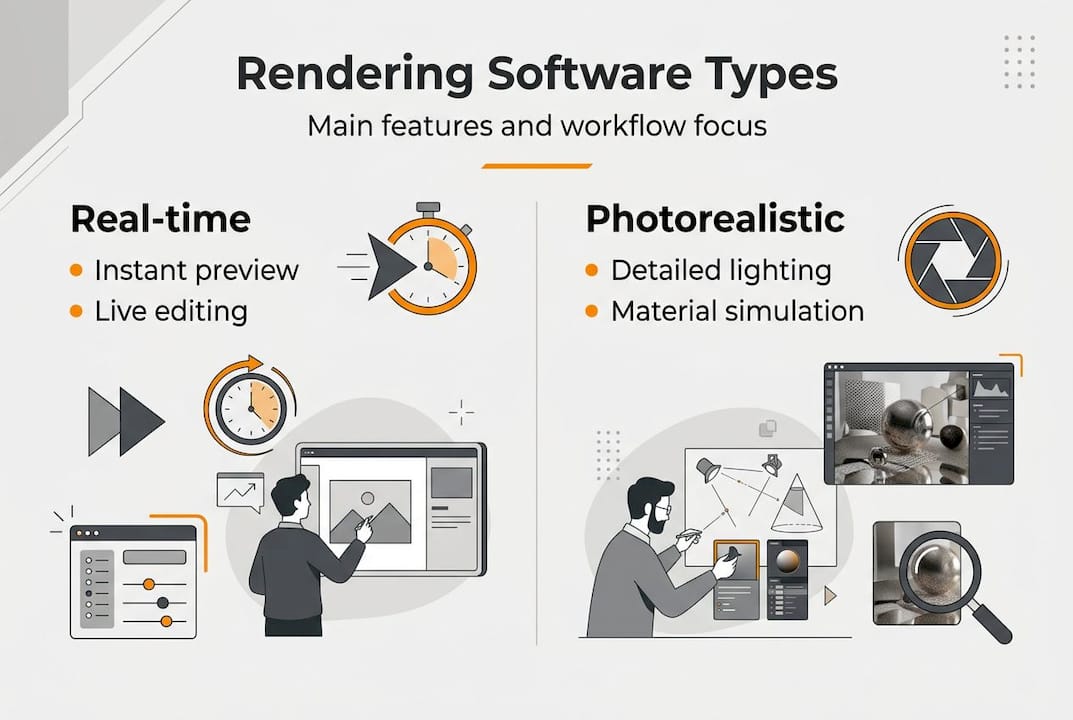
Rendering software comes in two fundamental types that serve different purposes. Real-time rendering generates images instantly as you adjust cameras, lighting, or materials. This immediate feedback accelerates design iteration and client presentations. Offline rendering takes longer but produces higher quality photorealistic results by calculating complex light behavior and material interactions. Most professionals use both approaches depending on project stage and deliverable requirements.
Key features define rendering software capabilities and workflow integration. Lighting systems simulate natural sunlight, artificial fixtures, and ambient illumination with varying levels of physical accuracy. Material editors let you define surface properties like reflectivity, roughness, transparency, and color. Texture mapping applies detailed patterns and imperfections to surfaces for realism. Camera controls replicate real photography with depth of field, exposure, and lens effects. Post-processing tools adjust color grading, add atmospheric effects, and composite multiple render passes.

Software integration with CAD and modeling tools determines workflow efficiency. Direct plugins for platforms like SketchUp, Revit, or Rhino eliminate file conversion headaches. Cloud rendering services offload processing to remote servers, freeing your workstation for other tasks. Asset libraries provide pre-built materials, furniture, and vegetation to speed scene creation.
| Software type | Best for | Key strength | Learning curve |
|---|---|---|---|
| Real-time engines | Design iteration, client meetings | Instant feedback | Moderate |
| Offline renderers | Final presentations, marketing | Maximum photorealism | Steep |
| Hybrid solutions | Full project lifecycle | Flexibility | Moderate |
| Cloud platforms | Teams, large projects | Scalable processing power | Low to moderate |
Choosing rendering software depends on features like real-time rendering, photorealism capabilities, and integration with your existing CAD tools. Evaluate how the software handles the specific materials common in your projects. Glass, water, and translucent materials require sophisticated rendering engines. Consider whether you need animation capabilities for walkthroughs or if still images suffice.
Popular options serve different niches. SketchUp rendering software appeals to architects already using SketchUp for modeling. Dedicated rendering engines offer maximum quality for final deliverables. Game engines provide real-time interactivity for immersive presentations.
Pro Tip: Download trial versions of three different rendering platforms and test them with an actual project file. Evaluate not just image quality but also how quickly you can achieve acceptable results. The best software balances output quality with your available learning time.
Step-by-step workflow basics for successful rendering projects
Successful rendering projects follow a structured workflow that maximizes quality while minimizing wasted effort. Understanding this sequence helps you avoid common pitfalls and produce professional results consistently.
-
Prepare and optimize your 3D model by removing unnecessary geometry that won’t appear in final images. Clean models render faster and cause fewer technical issues. Check that all surfaces have proper orientation and no gaps exist in geometry. Group related elements for easier material assignment and scene management.
-
Import or link your model into the rendering software using the most direct method available. Native file format support prevents geometry translation errors. Verify that scale, units, and orientation transfer correctly. Establish your scene’s geographic location and north direction for accurate sun angle calculations.
-
Set up lighting by starting with natural light sources that establish overall illumination and mood. Add artificial lights strategically to highlight key features and eliminate unwanted shadows. Balance light intensity to avoid overexposed highlights or crushed shadows. Test render frequently at low resolution to evaluate lighting before investing time in high-quality renders.
-
Apply materials and textures methodically, working from large surfaces to small details. Use physically accurate material properties when possible for realistic light interaction. Scale textures appropriately so brick patterns, wood grain, and tile layouts match real-world dimensions. Add subtle imperfections and variation to prevent artificial perfection that looks computer generated.
-
Position cameras to showcase design intent and tell a compelling visual story. Follow photographic composition principles like the rule of thirds and leading lines. Set appropriate focal length to avoid distortion in architectural spaces. Configure depth of field to direct viewer attention without excessive blur.
-
Execute rendering with settings balanced between quality and time constraints. Start with draft quality to verify composition and lighting. Progressively increase resolution and sampling for final outputs. Monitor render progress and be prepared to adjust settings if noise or artifacts appear.
-
Post-process rendered images to enhance presentation quality and correct minor issues. Adjust exposure and color balance for consistent appearance across multiple views. Add subtle vignetting to focus attention. Composite people, vehicles, and environmental elements to convey scale and context.
A structured step-by-step workflow improves rendering project outcomes and efficiency by eliminating guesswork and reducing trial and error.
Pro Tip: Save incremental versions of your scene file as you progress through the workflow. Name files descriptively like “project_lighting_v3” or “project_final_materials.” This versioning lets you backtrack if experiments go wrong without losing hours of work.
“The difference between amateur and professional renderings often comes down to workflow discipline, not software capabilities. Following a systematic process ensures you never skip critical steps that impact final quality.”
Practical tips for enhancing your rendering results
Elevating rendering quality requires attention to details that separate competent visualizations from compelling presentations. These practical strategies help you maximize impact and client engagement.
Maintain consistent lighting across multiple views of the same project. Nothing destroys credibility faster than exterior renderings that show different sun positions or interior views with mismatched ambient light levels. Establish lighting early and lock settings before generating your full image set. Use the same time of day and weather conditions unless you specifically want to show seasonal or temporal variations.
Realistic materials require more than pretty textures. Surface properties like reflectivity, roughness, and bump mapping create visual interest through light interaction. A perfectly smooth painted wall looks artificial. Add subtle texture variation and slight imperfections. Real materials have grain direction, wear patterns, and color variation that rendering software can simulate when you invest time in material setup.
High-resolution textures prevent blurry surfaces in close-up views but balance file size against quality needs. A wall texture viewed from across a room needs less resolution than flooring directly under the camera. Optimize texture resolution based on viewing distance to keep render times manageable.
Avoid visual clutter that distracts from design intent. Every element in your rendering should serve a purpose. Excessive furniture, decor, or landscaping overwhelms viewers and obscures architecture. Curate scene elements to support the narrative without competing for attention. Empty spaces feel sterile, but overfilled rooms feel chaotic.
Leverage feedback cycles with clients early in the rendering process. Share draft quality images to confirm composition, viewpoints, and design elements before investing hours in final rendering. A quick review prevents discovering that clients wanted a different camera angle after you’ve completed high-resolution rendering. Structured feedback loops save time and improve client satisfaction.
| Common mistake | Best practice | Impact on quality |
|---|---|---|
| Using default materials | Customize every surface property | Transforms generic to photorealistic |
| Ignoring composition rules | Apply photography principles | Guides viewer attention effectively |
| Overlighting scenes | Use restraint and shadow contrast | Creates mood and depth |
| Skipping test renders | Render frequently at low quality | Catches problems early |
| Rendering at maximum quality first pass | Start draft, increase progressively | Saves hours of wasted processing |
Environment settings dramatically affect mood and atmosphere. Overcast skies create soft, even lighting perfect for showcasing architectural details without harsh shadows. Golden hour sun produces warm, dramatic lighting that adds emotional appeal to residential projects. Night scenes with artificial lighting emphasize interior ambiance and exterior illumination design. Consider what story each rendering should tell and choose environmental conditions accordingly.
Applying best practices in rendering increases client buy-in by 35% because photorealistic visualizations eliminate uncertainty and build confidence in design decisions. When clients see exactly what they’re getting, objections decrease and approvals accelerate.
Pro Tip: Create a rendering checklist covering lighting consistency, material quality, composition, and technical settings. Review this checklist before starting final high-resolution renders to catch issues while fixes remain quick and easy. Consistent quality comes from systematic verification, not hoping you remembered everything.
Additional refinement strategies include:
- Adding atmospheric effects like subtle fog or dust particles for depth
- Including contextual elements that show scale and human interaction
- Varying camera heights to provide both eye-level and elevated perspectives
- Testing color schemes digitally before committing to material selections
- Rendering multiple lighting scenarios to show design versatility
Explore professional 3D rendering services for your projects
Mastering rendering software basics gives you powerful capabilities, but some projects demand expertise and resources beyond in-house capacity. Complex visualizations, tight deadlines, or the need for photorealistic marketing materials often benefit from professional support.
Rendimension specializes in 3D rendering and architectural visualization services designed specifically for architects and real estate developers. With over 1,000 completed projects globally, the team transforms concepts into detailed visual representations that enhance presentations and accelerate sales cycles.

Professional rendering services complement your foundational knowledge by handling technical complexity while you focus on design and client relationships. Whether you need 3D rendering of a house for real estate marketing or comprehensive visualization packages for commercial developments, expert partners deliver consistent quality that reflects your design vision. The collaborative process ensures your input guides every stage while experienced artists handle lighting, materials, and post-processing refinements that make images truly photorealistic.
What is the difference between 3D rendering and 3D modeling?
What is the difference between 3D rendering and 3D modeling?
3D modeling creates the digital structure and geometry of objects and spaces, like building a wireframe skeleton. Rendering takes that model and generates photorealistic images by calculating lighting, materials, and camera perspectives. Think of modeling as constructing a stage set and rendering as photographing it with professional lighting. Both processes are essential but serve distinct purposes in the visualization workflow.
How long does it typically take to produce a high-quality rendering?
Rendering time varies dramatically based on image complexity, resolution, and quality settings. Simple interior views might render in 20 to 40 minutes, while complex exterior scenes with detailed landscaping can take several hours per image. Real-time rendering engines produce instant results but with some quality tradeoffs. Plan your timeline by testing representative scenes at your target quality level to establish realistic expectations.
Which rendering software is best for architectural visualization beginners?
Beginner-friendly options balance capable features with approachable learning curves. SketchUp combined with rendering plugins offers familiar modeling with quality visualization capabilities. Other popular choices include Lumion for real-time results and Enscape for straightforward Revit integration. Review detailed rendering software comparisons that evaluate options based on your specific project types, existing software ecosystem, and budget constraints before committing to a platform.
Can rendering software improve client presentations and sales?
High-quality renderings dramatically improve client presentations by clearly conveying design intent without requiring imagination or technical drawing interpretation. Photorealistic visualizations eliminate uncertainty about finishes, spatial relationships, and aesthetic outcomes. Research shows that using best practices in 3D rendering increases client buy-in by 35% because stakeholders make confident decisions when they see exactly what they’re approving. Better visualization directly translates to faster sales cycles and fewer revision requests.
Recommended
- How To Create 3D Renderings For Professional Projects
- Architectural Visualization Guide For Stunning 3D Renderings
- 3D Rendering Best Practices: 35% More Client Buy-in In 2026
- 3D Architectural Modeling: A Complete 2026 Guide
- 3D Modeling & CAD Project Gallery – CC3DLabs
