Traditional product rendering could take days to produce a single image, forcing designers to wait endlessly for feedback. Today, AI-powered rendering generates photorealistic visuals in seconds, transforming how you communicate design concepts and accelerate stakeholder decisions. This shift isn’t just faster, it fundamentally changes creative iteration, letting you explore more ideas and refine presentations with unprecedented speed and clarity.
Table of Contents
- The Evolution Of Product Visualization And Its Impact On Design Workflows
- Key Elements Of Effective Visualization In Product Design
- Comparison Of Rendering Engines And Workflows For Product Visualization
- Practical Applications Of Visualization Tools In Product Design And Stakeholder Collaboration
- Enhance Your Product Design Presentations With Rendimension Services
Key takeaways
| Point | Details |
|---|---|
| AI rendering speed | AI-powered rendering tools generate photorealistic visuals in seconds versus days with traditional methods. |
| Stakeholder impact | Photorealistic renders increase client buy-in and reduce design revisions by 20-30%. |
| Tool selection matters | Choosing appropriate rendering software directly impacts quality, speed, and hardware requirements. |
| Material realism | Physically based materials and dynamic lighting create believable product visualizations. |
| Iteration advantage | Cloud-based tools like Render Studio enable real-time updates without high-end GPU investments. |
The evolution of product visualization and its impact on design workflows
Product visualization has undergone a radical transformation. Traditional ray tracing required rendering engines to simulate billions of light rays bouncing through virtual scenes, calculating every reflection and shadow with mathematical precision. This physics-based approach delivered stunning realism but demanded enormous computational power and time, often requiring days to produce a single high-quality image.
AI-powered rendering tools changed everything by replacing ray tracing calculations with neural networks trained on millions of images. Instead of simulating light physics, AI predicts what a photorealistic render should look like based on learned patterns. The result? Images that once took 48 hours now appear in under 10 seconds.
This speed revolution impacts your creative process profoundly:
- Real-time feedback replaces multi-day waiting periods
- You can test 20 material variations in the time one traditional render took
- Clients see design updates during meetings, not weeks later
- Creative exploration expands when iteration costs drop to near zero
The slow feedback loop in traditional rendering kills creativity and productivity.
Faster rendering doesn’t just save time. It fundamentally alters how you think about design iteration. When you can generate variations instantly, you explore bolder ideas and refine details that would have been impractical under traditional workflows. This shift means photorealistic rendering becomes a thinking tool, not just a final presentation step.
The productivity gains extend beyond individual designers. Teams can collaborate more effectively when visual feedback happens in real time rather than asynchronous review cycles. Stakeholders make faster decisions when they see realistic product representations immediately, compressing project timelines and reducing costly late-stage revisions.
Key elements of effective visualization in product design
Creating convincing product renders requires attention to specific technical and artistic factors. Scale accuracy forms the foundation, you must maintain correct proportions and measurements because human perception instantly detects dimensional inconsistencies. A product that looks slightly too large for its context triggers subconscious skepticism, undermining presentation credibility.
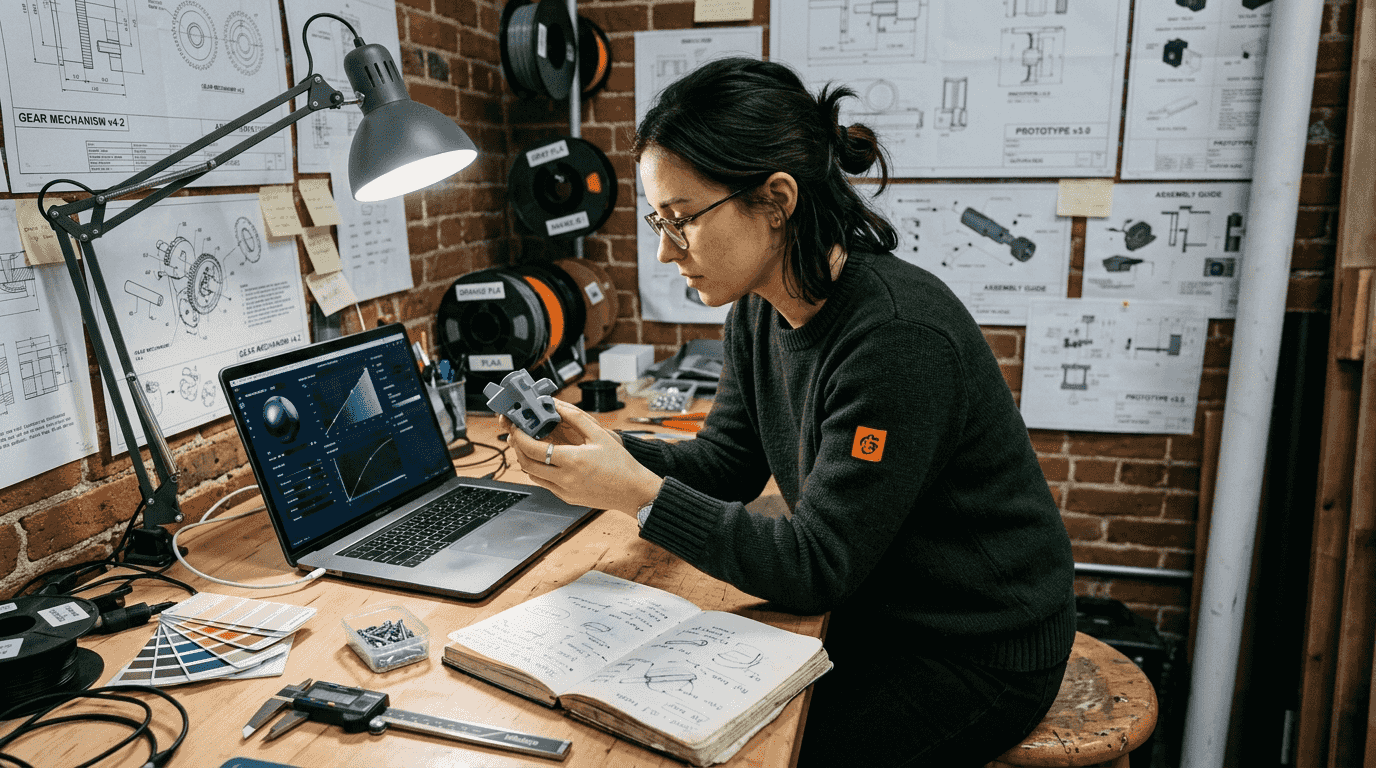
Physically based rendering (PBR) materials separate amateur visualizations from professional work. PBR systems simulate how real-world surfaces interact with light, using parameters like metalness, roughness, and subsurface scattering. When you apply PBR materials correctly, plastic looks genuinely plastic, brushed aluminum reflects light with authentic directionality, and glass transmits and refracts believably.
Lighting makes or breaks realism. You need dynamic lighting that mimics natural environments, combining direct sunlight, ambient sky illumination, and subtle bounce light. Accurate scale, realistic edges, and physically based materials create believable product renders that industrial designers can confidently present.
Software selection directly impacts your workflow efficiency:
- Blender Cycles offers open-source flexibility and physically accurate rendering but demands substantial GPU power
- KeyShot provides intuitive interfaces with excellent material libraries for rapid setup
- Cloud-based solutions eliminate hardware bottlenecks and enable collaborative workflows
- Material and environment libraries accelerate setup by providing pre-configured realistic assets
Pro Tip: Build a personal library of verified PBR materials and HDRI environments that match your typical product contexts. This investment pays dividends by eliminating repeated material tuning and ensuring consistency across presentations.
Environment integration adds crucial context that helps stakeholders visualize products in real settings. An industrial tool shown in a workshop environment communicates function more effectively than the same product floating in empty space. Context anchors perception and helps clients mentally place your design in their world.
Consider 3D rendering best practices that emphasize viewer psychology. Camera angles should mimic how humans naturally view products, typically at eye level or slightly above. Depth of field can draw attention to key features while maintaining context. Understanding the role of photorealism in visualization helps you calibrate rendering fidelity to presentation goals.
Comparison of rendering engines and workflows for product visualization
Choosing the right rendering engine involves balancing quality, speed, cost, and learning curve. Each major platform offers distinct advantages depending on your specific workflow requirements and technical constraints.
Blender Cycles delivers exceptional flexibility as an open-source solution. You get complete control over rendering parameters, shader networks, and lighting setups without licensing costs. The path tracing engine produces physically accurate results that rival commercial alternatives. However, achieving optimal performance requires powerful GPUs and substantial technical knowledge to navigate complex node-based material systems.
KeyShot excels at user-friendliness and rapid iteration. Its real-time rendering viewport shows material and lighting changes instantly, dramatically accelerating the refinement process. The extensive material library includes scientifically accurate presets for metals, plastics, fabrics, and specialized finishes. KeyShot’s limitation lies in reduced customization compared to node-based systems, trading flexibility for speed and ease of use.
Render Studio represents the cloud-based approach, eliminating hardware barriers entirely. You access professional-grade rendering through web browsers without investing in expensive workstations. The platform supports real-time collaborative updates and can generate 100MP images that traditional local setups struggle to produce. This democratizes high-quality visualization for designers without capital for high-end hardware.
Software choice and techniques directly impact visualization realism and efficiency.
| Engine | Rendering Speed | Hardware Needs | Learning Curve | Best For |
|---|---|---|---|---|
| Blender Cycles | Medium to Slow | High-end GPU | Steep | Technical users wanting maximum control |
| KeyShot | Very Fast | Moderate CPU/GPU | Gentle | Designers prioritizing speed and ease |
| Render Studio | Very Fast | Minimal (cloud) | Moderate | Teams needing collaboration without hardware investment |
| V-Ray | Medium | High-end GPU | Moderate | Integration with CAD workflows |
Pro Tip: Match your rendering engine to project phase. Use fast, lower-fidelity renders for early concept exploration, then switch to high-quality engines for final client presentations. This tiered approach maximizes both creative iteration and presentation impact.
Workflow integration matters as much as raw rendering capability. If your design process centers on SolidWorks or Rhino, V-Ray or KeyShot plugins provide seamless CAD-to-render workflows. For purely visualization-focused work, standalone engines like Blender offer more artistic control. Consider how your chosen renderer fits existing software ecosystems to minimize file conversion friction.
The trade-offs between rendering quality, time, and hardware resources define practical workflow decisions. A solo designer might prioritize cloud rendering to avoid hardware costs, while a large studio benefits from dedicated render farms for batch processing. Understanding these dynamics helps you build efficient pipelines aligned with your specific constraints and goals. Explore architectural visualization principles that translate well to product rendering contexts.
Practical applications of visualization tools in product design and stakeholder collaboration
Advanced visualization transforms abstract design concepts into tangible visuals that drive faster, more confident decisions. You can secure concept approval earlier in development by presenting photorealistic imagery that eliminates ambiguity about form, finish, and functionality. Early visual clarity prevents costly downstream revisions when design intent gets misinterpreted.
Stakeholder engagement improves dramatically when you share realistic imagery and interactive 360° views instead of technical drawings. Non-technical clients grasp design intentions immediately when viewing photorealistic renders, reducing explanation overhead and accelerating approval cycles. Photorealistic rendering significantly improves stakeholder buy-in and reduces design iterations through clear visual communication.
Real-time design updates enabled by cloud platforms like Render Studio change collaboration dynamics:
- Present initial concept renders during kickoff meetings
- Gather immediate feedback and document requested changes
- Update models and regenerate renders within the same session
- Iterate live until stakeholders confirm direction
- Finalize high-resolution outputs for marketing and documentation
This compressed feedback loop eliminates traditional back-and-forth email chains where design intent gets lost in translation. You maintain creative momentum and keep projects moving forward rather than waiting days for approval on each iteration.
Impact metrics demonstrate quantifiable value. Organizations implementing photorealistic visualization report 20-30% reductions in design revision cycles and measurably faster time-to-market. These gains compound across product portfolios, generating substantial competitive advantages in industries where launch timing determines market success.
| Application | Traditional Approach | Visualization-Enhanced Approach | Time Savings |
|---|---|---|---|
| Concept approval | Physical mockups or sketches | Photorealistic renders | 40-60% faster |
| Material selection | Physical samples shipped | Digital material visualization | 70% faster |
| Stakeholder reviews | In-person prototype reviews | Shared digital renders | 50% fewer meetings |
| Design variations | Costly physical prototypes | Digital model iterations | 80% cost reduction |
Managing product variations digitally eliminates expensive physical prototyping for color, finish, and minor design alternatives. You can visualize 15 colorway options in an afternoon rather than waiting weeks for painted samples. This flexibility encourages broader exploration and helps identify optimal combinations before committing to tooling.
Leverage product visualization strategies that align rendering fidelity with decision stages. Early concepts need speed over perfection, while final presentations demand maximum realism. Calibrating your approach to project phase optimizes both efficiency and impact.
Enhance your product design presentations with Rendimension services
Transforming your product concepts into compelling visual narratives requires specialized expertise and cutting-edge rendering technology. Rendimension delivers professional 3D rendering services tailored specifically for product designers who need photorealistic presentations that accelerate stakeholder decisions and streamline approval processes.

Our visualization specialists understand the unique demands of product design communication. We combine technical rendering excellence with design sensibility to create imagery that resonates with both technical teams and non-technical stakeholders. Whether you need rapid concept visualization for early feedback or marketing-grade renders for launch campaigns, we scale our services to match your project phase and budget.
Access advanced product visualization techniques without investing in specialized hardware or software licenses. Our cloud-based infrastructure handles computational demands while you focus on design refinement and client collaboration. Explore comprehensive guides on what product visualization entails and how strategic rendering elevates design communication across industries.
FAQ
What is photorealistic rendering in product design?
Photorealistic rendering simulates realistic lighting, materials, and textures to create images virtually indistinguishable from photographs. It helps you visualize final products accurately before committing to expensive production tooling, enabling confident design decisions based on true-to-life representations.
How does AI-powered rendering speed up the visualization process?
AI uses trained neural networks to predict realistic light behavior instantly, replacing slow ray tracing calculations that simulate billions of individual light paths. This reduces render times from days to seconds, enabling rapid iterations that would be impractical with traditional physics-based rendering engines.
What are the best practices for creating effective product visualizations?
Use accurate scale and measurements to ensure realistic perception. Choose physically based materials and consistent lighting that mimics natural environments. Leverage software libraries for pre-configured environments and materials to accelerate setup, and iterate quickly while involving stakeholders early to align expectations.
Can photorealistic renders reduce design revisions?
Yes, studies show a 20-30% reduction in design revisions when using photorealistic renders. Clear visuals eliminate interpretation ambiguity, aligning team and client expectations early in development. This prevents costly late-stage changes that occur when stakeholders finally see physical prototypes that don’t match their mental images.
Which rendering software works best for product designers?
The optimal choice depends on your priorities. KeyShot offers the fastest learning curve with excellent material libraries for rapid results. Blender Cycles provides maximum flexibility and zero licensing costs but requires technical expertise. Cloud platforms like Render Studio eliminate hardware barriers and enable collaborative workflows, making professional rendering accessible regardless of your workstation capabilities.
Recommended
- 7 Product Visualization Strategies For Architects And Designers
- Expert Guide To Render Interior Design In 2026
- Rendering Workflow Explained For Photorealism 2026
- Photorealistic Rendering: Complete 2025 Guide For Architects
