TL;DR:
- Immersive visualization allows clients to explore spaces interactively, improving spatial understanding and client engagement.
- It enhances design accuracy early on, reducing costly revisions before construction begins.
- Traditional visualization is still preferred for quick, high-quality images, printed materials, and wide distribution.
Static renderings have shaped how architects and developers share ideas for decades, yet they carry a fundamental limitation: a client looking at a two-dimensional image must mentally bridge the gap between pixels and physical reality. That mental leap is where projects stall, revisions multiply, and costly misunderstandings take root. Immersive visualization closes that gap by placing clients, stakeholders, and design teams directly inside a project before a single wall is built. This article explains what immersive visualization is, how it works across real-world workflows, where it outperforms traditional methods, and where traditional methods still hold an edge.
Table of Contents
- Defining immersive visualization: Beyond traditional 3D
- How immersive visualization works in real-world projects
- Benefits and challenges: What immersive visualization delivers (and where it falls short)
- Immersive vs. traditional visualization: Comparison for decision-making
- Why true project clarity comes from immersive experience, not just visuals
- Put immersive visualization into action with Rendimension
- Frequently asked questions
Key Takeaways
| Point | Details |
|---|---|
| Immersive visualization defined | It creates lifelike, interactive environments using VR, AR, and real-time 3D for deeper project understanding. |
| Transforms client engagement | Immersive methods make project presentations interactive, emotional, and memorable for clients and teams. |
| Not a one-size-fits-all solution | Traditional visualization remains vital for certain scenarios; select immersive tools where client experience or design clarity matter most. |
| Weigh benefits and barriers | Consider engagement, accuracy, speed, and technical requirements when deciding between immersive and traditional visualization. |
| Expert guidance recommended | Consulting specialists can help you navigate technology choices and maximize the impact of your presentations. |
Defining immersive visualization: Beyond traditional 3D
Immersive visualization is the practice of using virtual reality (VR), augmented reality (AR), and real-time interactive technology to create three-dimensional environments that users can explore, navigate, and interact with. Unlike a static render, which is a single frozen frame, or a flythrough animation, which follows a scripted camera path, immersive visualization gives the viewer agency. You decide where to look, where to walk, and what to change.
The architecture visualization benefits that immersive technology unlocks stretch far beyond aesthetics. Spatial understanding, scale perception, material choices, and lighting conditions all land differently when experienced rather than observed. A client who “walks” through a lobby in VR develops an intuitive feel for ceiling height and natural light that no rendered image can replicate.
The technology stack that makes this possible rests on three pillars:
- Digital model quality: A precisely built 3D model (typically from BIM or CAD data) is the foundation. Geometry errors and low-resolution textures compound in real time, so model fidelity matters more here than in offline rendering.
- Real-time rendering engine: Platforms like Unreal Engine or Unity convert the model into interactive experiences that respond to user movement and choices at 60 to 90 frames per second.
- Delivery hardware: VR headsets (standalone or PC-tethered), AR glasses, tablets running AR apps, or even interactive touchscreen kiosks all serve different contexts and budgets.
Comparing delivery formats clarifies what each is best suited for:
| Format | User control | Hardware required | Best for |
|---|---|---|---|
| Static render | None | None | Marketing images, print |
| Flythrough animation | None | None | Video presentations |
| Interactive walkthrough | High (movement) | Desktop or tablet | Remote client reviews |
| VR experience | Full (spatial) | Headset | Spatial approvals, sales |
| AR overlay | High (contextual) | Smartphone/tablet | On-site design review |
One important nuance here is that immersive technology is not uniformly accurate. Research on edge cases in immersive visualization documents distance perception distortions in VR, including overestimation of distances in empty spaces, which improves significantly once furniture and architectural details are added. AR mass studies can also face tracking and occlusion challenges. Field-of-view calibration and technical skill requirements are real barriers, not minor footnotes.
“The value of immersive visualization is not that it replaces skilled judgment—it is that it puts spatial judgment into the hands of people who would otherwise have to rely entirely on specialists to interpret drawings for them.”
Understanding these constraints upfront allows you to set accurate expectations with clients and choose the right tool for each project phase.
How immersive visualization works in real-world projects
Knowing what immersive visualization is matters less than knowing how to deploy it. The workflow from concept to immersive client presentation typically follows these steps:
- Start with a clean 3D model. Whether sourced from Revit, ArchiCAD, Rhino, or SketchUp, the model must be optimized for real-time use. Polygon count reduction and texture atlasing are common preparation steps that keep frame rates smooth.
- Import into a real-time engine. The prepared geometry enters Unreal Engine or a purpose-built architecture visualization platform. Materials, lighting environments, and interactive logic (for example, swappable finishes or daylight simulation) are added at this stage.
- Build navigation and interaction layers. Teleport points, guided paths, and material selector menus transform the scene from a passive environment into a tool clients can use independently.
- Test internally before client delivery. Motion sickness, frame rate drops, and occlusion glitches show up during internal testing. Fixing these before a client meeting protects both the experience and your professional credibility.
- Deliver in the right format. A developer reviewing a residential tower with international investors benefits from a standalone VR headset sent by courier. A local homeowner discussing kitchen finishes is better served by a browser-based interactive walkthrough on their laptop.
- Capture feedback in session. One of the most overlooked advantages of immersive reviews is that clients give feedback on what they actually experience, not what they imagined. Recording session notes or using embedded feedback tools accelerates revision cycles.
The choice of hardware and software is not one-size-fits-all. Research comparing immersive and traditional visualization in professional workflows confirms that real-time interactive tools excel for design iteration and on-site review, while traditional offline rendering remains the superior choice for producing precise photorealistic stills or polished animations for print and broadcast.
Exploring VR in design workflows reveals how leading practices integrate headsets at specific project milestones rather than at every meeting, reserving the technology for the decisions that benefit most from spatial understanding.
Pro Tip: Match your delivery platform to the client’s technical comfort level. A browser-based interactive walkthrough that requires no app download or hardware setup will often produce better engagement than a VR headset demo in a boardroom where half the attendees are unfamiliar with the equipment.
Benefits and challenges: What immersive visualization delivers (and where it falls short)
Immersive visualization earns its place in professional practice because of what it does for client clarity and project momentum. But treating it as a universal solution leads to wasted budget and disappointed stakeholders.
Where immersive visualization creates real value:
- Clients develop an accurate sense of scale and proportion that static images cannot provide.
- Stakeholders who struggle to read architectural drawings can engage meaningfully with design decisions.
- Design teams catch spatial problems, like a corridor that feels narrower than its dimensions suggest, before construction begins.
- Sales teams can pre-sell units or products before physical prototypes exist, reducing time-to-market.
- Material and finish choices become intuitive when clients can see options change in real time inside the space.
The impact on construction visualization savings is measurable: catching layout or material misunderstandings at the design stage costs a fraction of what the same correction costs during construction.
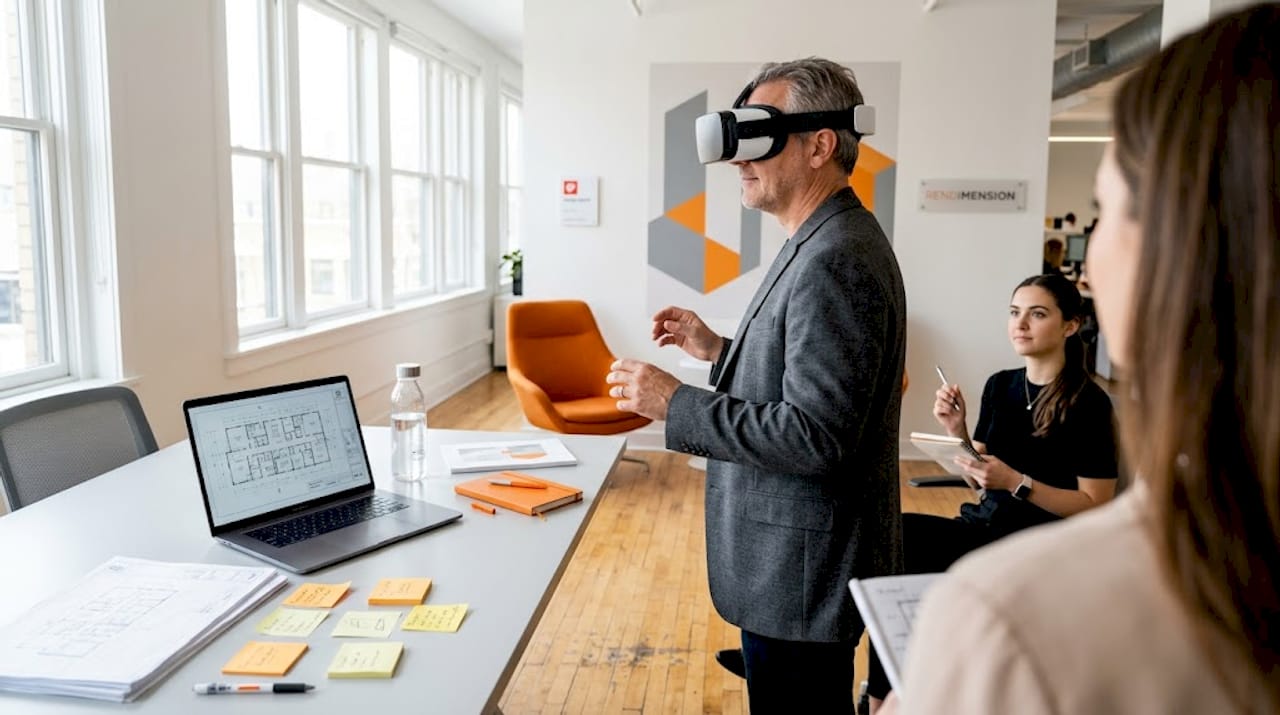
AR deserves specific attention here. AR client engagement in on-site reviews allows design teams to overlay proposed structures onto existing sites using a tablet or smartphone. This is particularly powerful for adaptive reuse projects and urban infill development, where understanding how a new building fits its immediate context matters as much as the building’s internal qualities.
Where the technology falls short:
| Challenge | Impact | Mitigation |
|---|---|---|
| Distance perception distortion in VR | Clients may misjudge corridor or room width | Furnish spaces fully before VR review |
| High upfront cost | Not viable for every project budget | Use browser-based walkthroughs for smaller projects |
| Technical learning curve | Staff and clients may resist adoption | Run short orientation sessions before formal reviews |
| FOV calibration errors | Warped proportions reduce trust | Calibrate headsets per user before each session |
| AR tracking/occlusion issues | Overlays misalign on-site | Test on-site conditions before client meetings |
According to research on hardware and user experience edge cases, distance overestimation in VR improves substantially when environments include realistic furnishing and users move through spaces at a measured pace rather than teleporting rapidly. Slow locomotion and visual richness are the most accessible calibration tools available.
Data from professional workflow comparisons reinforces an honest reality: VR is not always more accurate than traditional methods for measurement-critical tasks. Its strength lies in generating deeper spatial insight and emotional connection, not in replacing precision documentation.
Pro Tip: For client-facing VR sessions, always furnish the model to at least 80 percent completion before the meeting. Empty spaces consistently cause clients to overestimate room dimensions and underestimate ceiling heights, which skews their feedback in directions that don’t reflect the finished design.
Immersive vs. traditional visualization: Comparison for decision-making
The goal is not to decide which approach is superior. The goal is to know which approach is right for the decision you need to make on a specific project at a specific stage. Evidence from professional visualization research shows that immersive methods excel in engagement and emotional resonance while traditional methods retain advantages in speed, photorealism, and distribution simplicity.
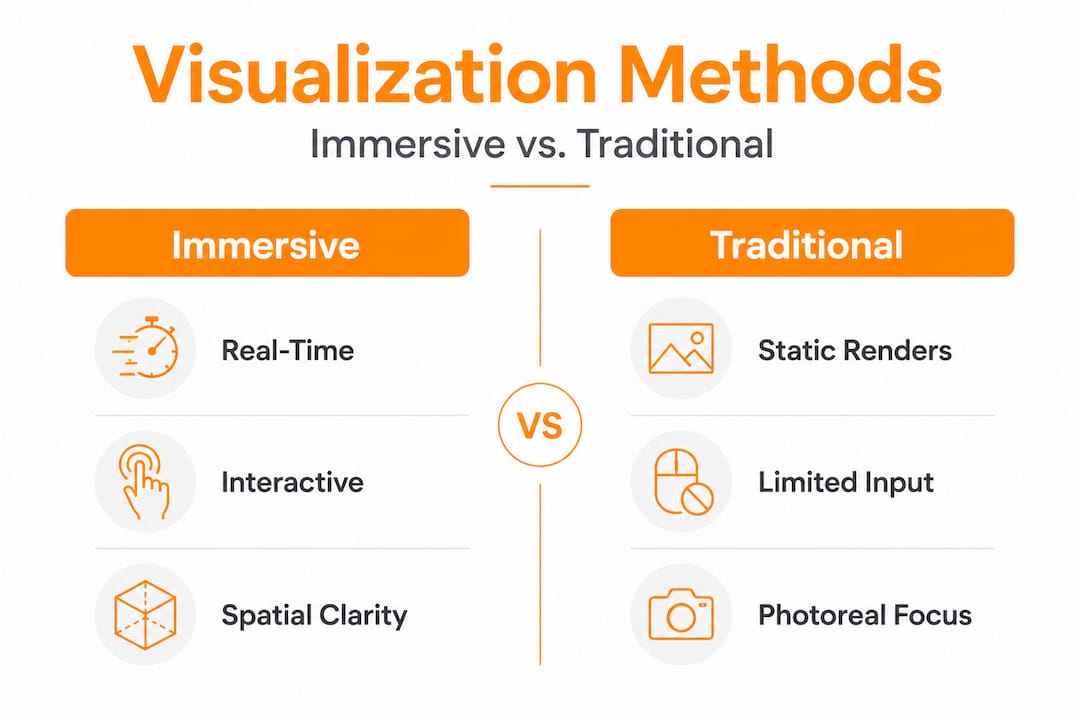
| Criteria | Immersive visualization | Traditional visualization |
|---|---|---|
| Spatial understanding | Excellent | Limited |
| Client emotional engagement | Very high | Moderate |
| Production time | Longer | Shorter |
| Distribution ease | Requires hardware/app | Email or web-ready |
| Design iteration speed | Good (real-time changes) | Slower (re-render required) |
| Photorealistic accuracy | Good, improving | Industry-leading |
| Cost | Higher | Lower |
| Suitability for print/broadcast | Poor | Excellent |
Use the following decision workflow to guide your next project:
- Identify the decision type. Is the client approving a spatial layout, choosing finishes, or reviewing site context? Spatial and contextual decisions favor immersive. Finish approvals for print materials favor traditional.
- Assess client technical comfort. A tech-forward developer welcomes a VR headset. A conservative institutional client may find a high-quality rendered presentation deck more reassuring.
- Check project stage. Early schematic design benefits from quick, flexible interactive walkthroughs that can change rapidly. Permit or marketing packages need polished photorealistic stills.
- Evaluate budget. Full VR production requires meaningful investment. Browser-based interactive walkthroughs offer immersive benefits at a lower price point and are accessible to a wider range of clients.
- Consider the key immersive benefits in the context of what specifically drives your client’s confidence and buy-in on this project type.
The most effective professional practices use both approaches in a staged way, beginning with interactive walkthroughs during design development and finishing with photorealistic renders for marketing and documentation. Neither method makes the other obsolete.
Why true project clarity comes from immersive experience, not just visuals
Here is an opinion worth sitting with: the visualization industry has spent decades perfecting the wrong metric. More pixels, more passes, higher resolution. All of it valuable, none of it sufficient.
A photorealistic render is a translation. It takes a three-dimensional spatial concept and flattens it into two dimensions, and it asks every client to perform the reverse translation in their heads. Some clients are extraordinarily good at this. Most are not, and they will never tell you they are struggling because admitting that feels like admitting they are not qualified to approve the project they are commissioning.
That silence is where expensive misunderstandings live.
Immersive visualization doesn’t produce better pictures. It eliminates the translation requirement entirely. When a client puts on a headset and stands in the proposed lobby, they experience the space with the same cognitive architecture they use to experience real spaces. No interpretation is needed. No professional intermediary is required to explain what the light will feel like from that window or whether the mezzanine feels connected to the ground floor.
The spatial perception shift matters even more in product design. A manufacturer reviewing a new consumer product in a VR environment catches ergonomic and proportion problems that simply do not register in a 2D render, regardless of how photorealistic it is.
What our work across over 1,000 global projects makes clear is that the most transformative client meetings are not the ones with the most impressive visuals. They are the ones where clients feel something. Where they say “this is bigger than I expected” or “I didn’t realize the kitchen would feel this open.” That reaction cannot come from a render. It comes from experience.
The expert VR guide we have developed for design professionals outlines exactly how to stage immersive reviews to maximize those moments of genuine client clarity. Don’t mistake better images for deeper understanding. Invest in experience where spatial judgment changes outcomes.
Put immersive visualization into action with Rendimension
Moving from conceptual understanding to actual deployment is where many practices get stuck. Knowing immersive visualization works is not the same as having a reliable pipeline to produce it professionally.

Rendimension offers end-to-end support for teams ready to integrate immersive visualization into their presentations and marketing programs. From high-quality 3D rendering services for marketing imagery to fully navigable 3D walkthrough solutions that clients can explore on any device, the platform handles the technical complexity so your team can focus on design and client relationships. The immersive visualization guide is a practical starting point for practices evaluating where immersive methods fit their current workflow and project types.
Frequently asked questions
What is immersive visualization?
Immersive visualization uses technologies like VR and AR to create realistic, interactive environments where users can explore and interact with designs spatially. Unlike static renders, hardware and user experience research shows it enables genuine spatial perception, though with some calibration considerations.
How does immersive visualization improve client presentations?
It allows clients to explore and interact with a design rather than interpret a static image, producing faster and more confident decision-making. Research on professional workflow comparisons confirms that immersive methods generate stronger emotional engagement and richer client insights than traditional approaches.
What are the limitations of immersive visualization?
Key limitations include higher production costs, equipment requirements, technical learning curves for both staff and clients, and distance perception distortions in VR environments that can affect spatial judgment if scenes are not properly furnished and calibrated.
When is traditional visualization still better?
Traditional visualization remains the better choice for producing photorealistic stills for print and broadcast, delivering fast turnarounds on simple design reviews, and presenting to clients who need distribution-friendly formats with no hardware requirement, as workflow research confirms for these specific use cases.
Recommended
- Immersive visual experiences in architecture: key benefits – Rendimension
- Expert Guide: How To Visualize Interior Concepts For Impact

