Why photorealism matters: elevate architecture presentations
TL;DR:
- Photorealism enhances communication, stakeholder buy-in, and reduces revision cycles in architecture.
- Accurate renders build trust, enabling faster approvals and minimizing costly rework before construction.
- Ethical photorealism must reflect real materials and conditions to maintain project credibility and transparency.
Most project delays and client disagreements don’t start on the construction site. They start weeks or months earlier, when someone misreads a diagram, misinterprets a material selection, or simply can’t picture what the finished building will look like. Photorealistic visualization changes that dynamic entirely. It’s not a marketing add-on or a luxury service reserved for high-budget schemes. When done right, it’s the clearest communication tool in your project toolkit. This guide breaks down why photorealism matters functionally, how it drives smarter decisions, and what responsible use looks like from concept through delivery.
Table of Contents
- The core purpose of photorealism in architecture
- Driving faster decisions and reducing costly rework
- Managing expectations: Ethical photorealism and honest storytelling
- Best practices for integrating photorealism into your workflow
- A seasoned perspective: What most guides miss about photorealism’s real power
- Take your presentations further with advanced photorealistic rendering
- Frequently asked questions
Key Takeaways
| Point | Details |
|---|---|
| Trust and credibility | Accurate photorealistic visuals help build client and investor trust by showing exactly what to expect. |
| Decision speed | Full-context, detailed renders reduce revisions and accelerate design approvals. |
| Ethical responsibility | Effective photorealism must respect real-world limits to avoid misleading stakeholders. |
| Workflow efficiency | Early, realistic visualization helps identify issues and prevents costly project changes. |
The core purpose of photorealism in architecture
Photorealism in architecture is often mistaken for something decorative. The assumption is that a beautiful render exists to impress clients at a pitch meeting, then gets filed away. That framing undersells what these images actually do in a live project workflow.
At its core, photorealism in architecture communicates design intent with a level of fidelity that no floor plan, section drawing, or abstract 3D model can match. When you show a client an accurate rendering with calibrated lighting, correct material behavior, and real-world context, you’re not selling a dream. You’re giving them the clearest possible picture of what they’re approving.
Three functions make photorealism genuinely essential:
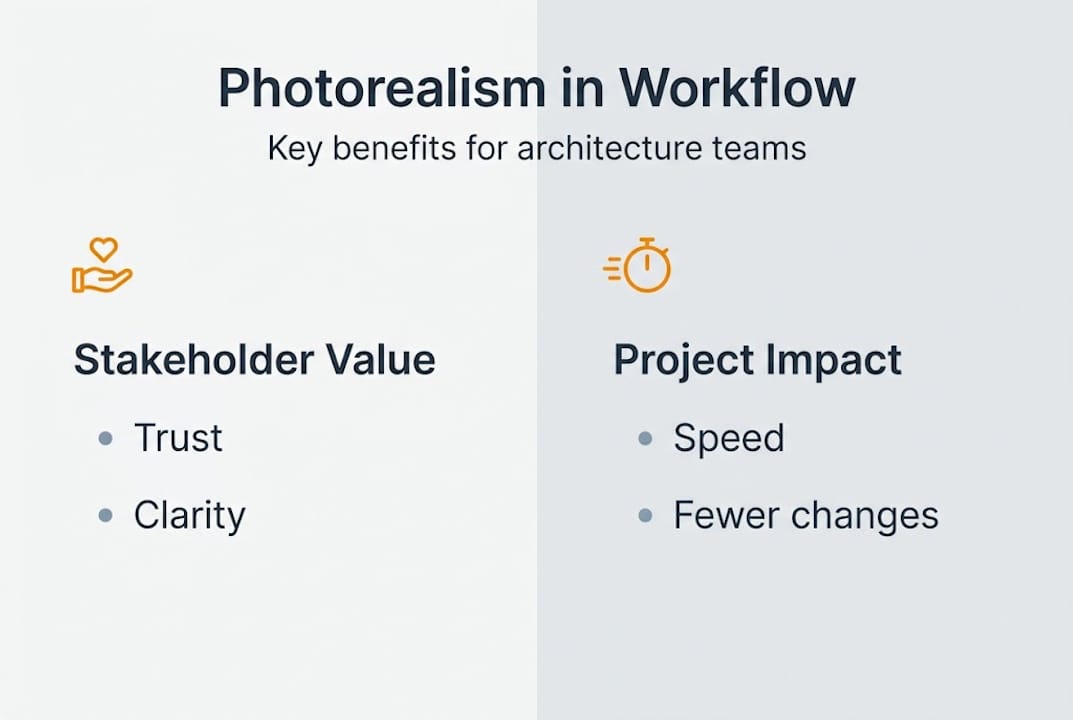
- Communication clarity: Stakeholders without architectural training can understand a photorealistic image immediately. Ambiguity disappears.
- Stakeholder buy-in: When board members, planning committees, or investors can see the finished project rather than interpret abstract drawings, consensus builds faster.
- Consensus building: Early alignment on design intent reduces the number of revision cycles before a project reaches construction.
Physical plausibility is what separates a useful render from a decorative one. Correct shadow angles, accurate material reflectivity, and realistic context (neighboring buildings, landscaping, site topography) all signal authenticity. Photorealistic renders increase trust when they model real-world conditions with precision, and that trust translates directly into smoother approvals.
Here’s a quick look at what’s at stake when realism is and isn’t prioritized:
| Visualization quality | Stakeholder reaction | Likely outcome |
|---|---|---|
| Schematic or abstract | Confusion, hesitation | More revision rounds |
| Stylized but inaccurate | Skepticism | Misaligned expectations |
| Accurate photorealistic | Confidence and clarity | Faster approvals, fewer changes |
The reason using photorealistic renders matters so much comes down to trust. When stakeholders can look at an image and recognize the actual conditions of a project, including its site, its materials, and its light, they make decisions grounded in reality rather than assumption. That’s not aesthetics. That’s project management.
Driving faster decisions and reducing costly rework
Beyond building confidence, let’s zoom into how photorealism impacts the bottom line in real-world project workflows.
One of the most expensive problems in architecture and real estate development is late-stage change orders. A client sees a finished wall tile in person for the first time and hates it. A developer realizes the lobby feels darker than expected. These surprises cost money, delay timelines, and damage professional relationships. Photorealism is one of the most practical tools for catching these issues before construction begins.

Here’s a comparison of outcomes between standard visuals and high-fidelity photorealistic renders:
| Workflow element | Standard visuals | Photorealistic renders |
|---|---|---|
| Client understanding | Partial, interpretation required | Full, immediate clarity |
| Revision cycles | Higher, late-stage changes common | Lower, issues flagged early |
| Approval speed | Slower, more Q&A required | Faster, confident sign-off |
| Rework risk | Significant | Substantially reduced |
Fewer changes and rework are directly linked to more fully resolved visualizations. When your client can see exactly how a space will look under specific lighting conditions at a specific time of day, they’re not guessing. They’re deciding.
Here’s how a photorealistic approach streamlines the feedback and approval loop:
- Define review milestones early. Identify the project phases where visual clarity matters most: concept approval, material selection, planning submission, and marketing launch.
- Build renders around real decisions. Each image should answer a specific question a stakeholder will actually ask.
- Distribute images with context. Include notes about orientation, time of day, and material specifications so reviewers can evaluate fairly.
- Collect structured feedback. Use a simple annotation or comment system so changes are documented and traceable.
- Update renders to reflect approved changes only. This keeps the visual record accurate and prevents scope creep in imagery.
The connection between client approvals and renderings is not accidental. Teams that use accurate, photorealistic imagery at key decision points consistently experience fewer surprises and a more confident sign-off process.
Pro Tip: Never rush the render to meet a presentation deadline. An inaccurate or unfinished image shown too early can undermine the credibility of the entire visualization process. A well-prepared render shown slightly later is always the better professional choice.
Managing expectations: Ethical photorealism and honest storytelling
While the benefits are powerful, photorealism must also address what happens when visuals go too far, or mislead.
There’s a real tension in photorealistic rendering between aspiration and accuracy. Every visualization studio faces it: the client wants the image to look its best, but the best-looking image isn’t always the most honest one. Exaggerated sunlight, digitally added greenery that won’t exist, or materials rendered as perfect when the actual supply chain delivers something slightly different. These shortcuts create problems that surface later.
“Misapplied photorealism can undermine stakeholder credibility when the physical outcome can’t match what the render promised.”
The role of accurate renderings extends beyond aesthetics. When a render misrepresents materiality, lighting behavior, or contextual relationships, it sets a baseline that the actual building can’t meet. That gap between promise and delivery is where trust breaks down.
Here’s a practical checklist for ethical photorealism:
- Materiality: Use the actual specified materials, or clearly flag where substitutions may occur
- Lighting: Base lighting on realistic sun angles for the site’s actual location and orientation
- Context: Include neighboring structures, real site conditions, and accurate landscaping
- Fabrication limits: Don’t render details that the construction budget or technology can’t deliver
- Revisions: Update renders when design decisions change, not just for marketing purposes
Scenarios where honesty in visuals matters most:
- Material availability changes: If a specified stone or cladding may be substituted, the render should reflect the likely alternative, not the ideal choice
- Daylight studies: Shadow impact on neighboring properties is a planning issue; renders used in these submissions must be geometrically and astronomically accurate
- Neighbor and community impact: When images are presented in public consultations, exaggerated setbacks or tree screening can distort community feedback
- Investor documents: Renders used in offering memoranda carry implicit accuracy expectations; inflated quality signals can create liability
The goal isn’t to make the project look worse than it is. It’s to make it look exactly as good as it will actually be.
Best practices for integrating photorealism into your workflow
To put all this into action, let’s look at how you can make photorealism a reliable asset from concept to delivery.
Not every project phase needs a high-fidelity render. Strategic deployment of photorealism means knowing which stages genuinely benefit from it, and resisting the pressure to over-visualize early phases where design is still fluid.
Here’s a step-by-step framework for integrating photorealism effectively:
- Map your visualization needs by phase. Concept phases benefit from mood boards and loose massing renders. Planning submissions need accurate context and shadow studies. Client sign-offs and marketing require full photorealistic quality.
- Collaborate before you render. Loop in your material suppliers, structural team, and interior designers before producing final images. Renders built on incomplete information create downstream credibility problems.
- Establish lighting assumptions explicitly. Document the time of year, time of day, and sky conditions used in each render. This protects you when clients question why the building looks different under an overcast winter sky.
- Test materials in context. Don’t rely on material library defaults. Source real texture and reflectivity data from manufacturers, or commission sample renders for critical surfaces.
- Build a feedback loop with structured review. Present renders alongside the drawings and specifications they represent. Isolated images invite misinterpretation.
The benefits of photorealistic renders in architecture are realized only when the images are grounded in correct material and lighting assumptions. A beautiful image built on wrong assumptions is a liability, not an asset.
Pro Tip: Post-processing is a powerful finishing tool, but use it to enhance clarity, not to introduce conditions that don’t exist. Adding lens flare, boosting saturation beyond what the actual materials will deliver, or compositing in an unrealistically blue sky creates expectations the finished project won’t meet.
Create a repeatable system and document it. Every project should follow the same visualization protocol, so clients know what to expect and your team can produce consistent, trustworthy imagery across every engagement.
A seasoned perspective: What most guides miss about photorealism’s real power
Most industry conversations about photorealism focus on the technology: render engines, ray tracing, material libraries, and hardware specs. Those things matter, but they’re not where the real value lives.
The practitioners who use photorealism most effectively treat it as a decision tool, not a sales tactic. There’s a difference between an image designed to wow in a presentation and an image designed to support a genuine project conversation. The best studios we’ve seen do both at the same time, and that’s harder than it sounds.
Photorealism earns its place in a workflow when it surfaces problems early, not when it papers over them. An image that reveals a scale issue, a material conflict, or an unexpected shadow condition at the design stage is worth more than a dozen polished renders that sail through approval only to generate construction surprises.
The nuanced role of photorealism is often missed in guides that frame it purely as a marketing asset. Seasoned architects and developers use it to have harder, earlier conversations with clients. That transparency builds the kind of trust that sustains long-term professional relationships, not just individual project wins.
Great visuals support difficult conversations. They don’t replace design rigor.
Take your presentations further with advanced photorealistic rendering
If the case studies and frameworks in this guide resonate, you’re already thinking about photorealism the right way: as a project tool, not just a pitch asset. Rendimension brings that thinking to life across more than 1,000 completed projects worldwide, delivering imagery that serves real decisions rather than just impressive slide decks.

Our 3D rendering services are built for architects and developers who need visuals that hold up under scrutiny. Whether you’re preparing a planning submission, a client presentation, or a competitive bid, our architectural visualization team works with your real project constraints from the start. For residential projects specifically, explore how we approach rendering your next house project with the same precision we bring to large-scale commercial work. Let’s build visuals that inform decisions, not just impress audiences.
Frequently asked questions
What is photorealism in architectural visualization?
Photorealism means creating digital images that accurately replicate real-world conditions, including calibrated lighting, correct material behavior, and site context, so stakeholders can evaluate a project with genuine clarity. These images increase project trust when they model actual conditions rather than idealized ones.
How does photorealism help reduce design changes?
When all stakeholders can clearly see the finished project before construction starts, misunderstandings get resolved in the design phase rather than on-site. Fewer costly changes are consistently linked to more fully resolved, accurate visualizations presented at the right project stages.
What risks should be avoided when using photorealistic renders?
Avoid exaggerating materials, lighting, or contextual conditions the actual project can’t deliver. Misapplied photorealism undermines credibility when the real outcome falls short of what the render promised, damaging client trust at the worst possible moment.
When should photorealism be used in a project?
Deploy high-fidelity renders at major review and approval milestones: planning submissions, client material sign-offs, and marketing launches. Using it at every phase is unnecessary and can actually slow down early-stage design exploration where flexibility matters more than precision.