Architectural visualization keeps changing every year and the right tools can make all the difference for agencies. Quick, detailed renderings bring concepts to life and let clients see the final space before it is built. Some tools focus on speed and simplicity while others open doors to striking detail and lifelike designs. With so many choices available, finding the best fit is never simple. What features set each one apart and which ones help teams impress clients and win projects with confidence
Table of Contents
Rendimension
At a Glance
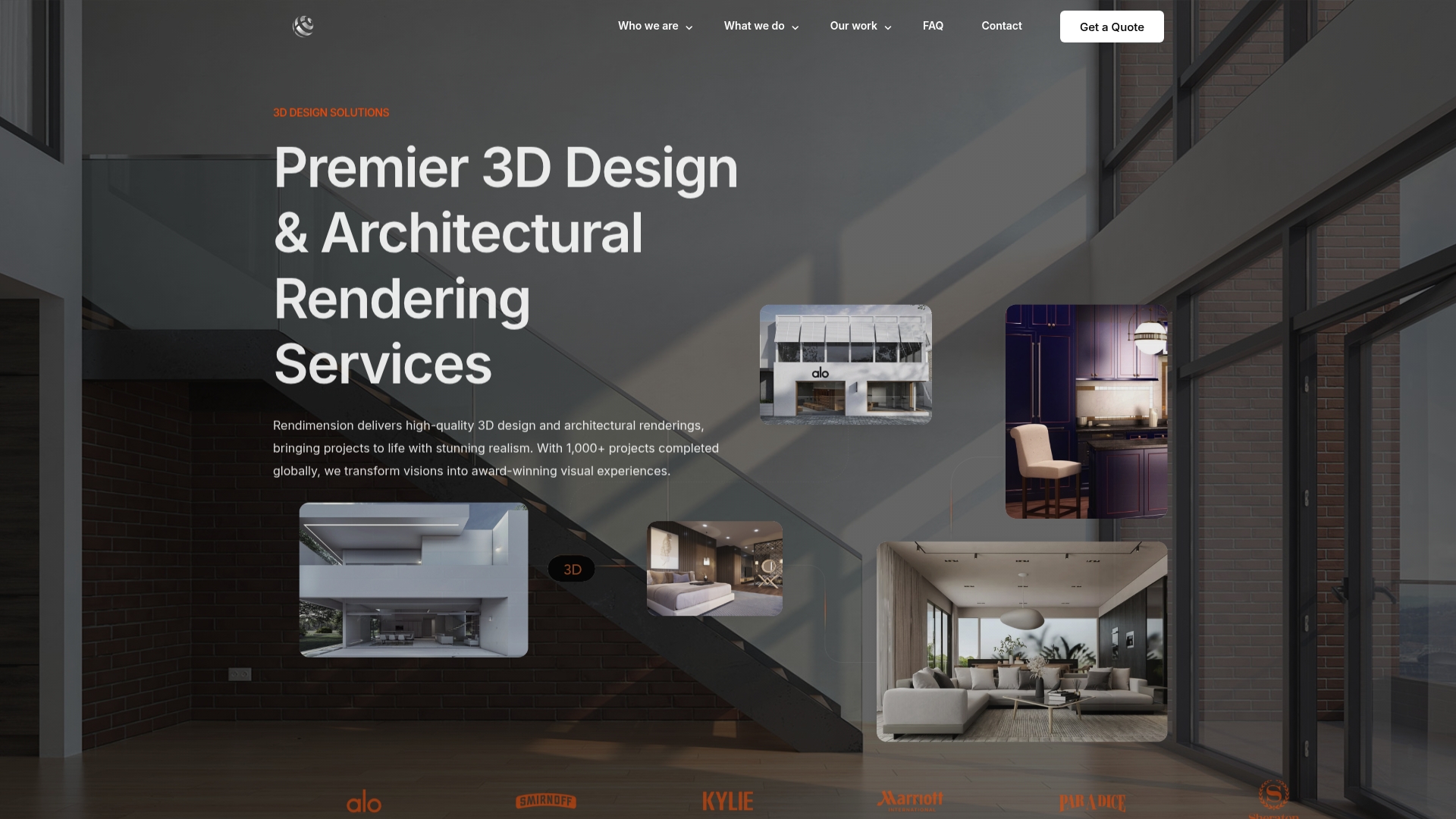
Rendimension delivers high-quality photorealistic 3D renderings and immersive experiences that make client presentations feel tangible. With over 1,000 projects completed globally, the studio combines technical precision and cinematic visuals to accelerate approvals and pre-sales.
Core Features
Rendimension offers architectural visualization and walkthroughs, virtual reality experiences, product visualization, and detailed technical drawings for construction and permits. The team provides end-to-end collaboration from concept to final delivery with unlimited revisions and a typical turnaround of 10 to 14 business days.
Pros
-
High-quality visualizations: The studio produces photorealistic renders that accurately convey materials, light, and context for persuasive client presentations.
-
Experienced multidisciplinary team: Architects, visualization artists, and VR specialists deliver both marketing assets and technically accurate documentation.
-
Fast turnaround: Standard projects complete in 10 to 14 business days, helping agencies meet tight marketing and sales timelines.
-
Collaborative process with unlimited revisions: You stay involved through iterations so final assets match client expectations and regulatory needs.
-
Nationwide service across the USA: The studio supports residential and commercial developments for clients in multiple regions without geographic constraints.
Who It’s For
Rendimension serves architects, real estate developers, interior and product designers, and marketing teams that need top-tier visual assets for client approval, investor presentations, and listings. Smart agencies that value realism, technical accuracy, and immersive walkthroughs will get the most value.
Unique Value Proposition
Rendimension stands as a top-tier partner because it unites cinematic quality with construction grade precision. The studio does more than pretty images. It produces visuals that match permit drawings and marketing needs while maintaining a collaborative workflow and unlimited revisions. That combination reduces rework, shortens sales cycles, and improves stakeholder alignment. Pricing is custom to reflect project complexity which lets Rendimension allocate senior talent and specialized workflows to demanding briefs. Savvy buyers choose this option because it removes uncertainty around final deliverables while delivering measurable outcomes for marketing and sales.
Real World Use Case
A real estate developer hired Rendimension to create photorealistic renderings and a virtual tour for a new residential complex. The assets were used across pre-sales webpages and investor packets and helped secure early reservations before construction began. The deliverables included marketing images and technical drawings used for permit submission.
Pricing
Rendimension provides custom quotes based on project scope and requirements. This tailored pricing aligns resources with project goals but may make initial budgeting harder for smaller clients. Agencies that plan scope with Rendimension quickly get accurate estimates and resource allocations.
Website: https://rendimension.com
Lumion
At a Glance
Lumion is a visualization tool built for agencies that need fast, photoreal renders and client ready presentations. It pairs real time rendering with collaboration features so teams move from concept to sign off with fewer feedback rounds.
Core Features
Lumion combines real time ray tracing, advanced lights and materials, and direct plugins for SketchUp, Revit, and Archicad to keep geometry and texture workflows intact. The product also offers Lumion Cloud for review and an AI Material Generator to create materials from image references.
Pros
-
Fast and reliable rendering process: Renders finish quickly for client deliverables, which helps meet tight presentation deadlines.
-
Intuitive and user friendly interface: The interface reduces setup friction so designers spend more time composing scenes and less time configuring settings.
-
Deep integration with CAD and BIM tools: Native plugins preserve model fidelity, cutting export steps and avoiding lost materials or misplaced geometry.
-
Extensive asset library and customization options: A broad library of plants, people, and props speeds scene building and supports varied project types.
-
Strong community and customer support: Active forums and documentation help teams solve issues and adopt new techniques faster.
Cons
-
Resource intensive on hardware: Achieving the highest quality outputs requires powerful GPUs and ample system memory, which increases workstation costs.
-
Pricing details not specified in source content: Plan specifics must be checked on the website, so budget planning requires an extra step with sales or the plans page.
-
Learning curve for advanced features: Mastering advanced lighting, layered atmospheres, and the AI tools takes time and practice for full benefit.
Who It’s For
Lumion suits architecture and design agencies that prioritize visual impact and client engagement over minimal hardware budgets. It fits teams that already use SketchUp, Revit, or Archicad and want a rendering pipeline that preserves BIM data and speeds approvals.
Unique Value Proposition
Lumion offers a blend of rapid visual feedback and collaborative review tools that lets design teams produce polished, context rich images and walkthroughs without moving models through multiple toolchains. That single pipeline reduces manual handoffs and keeps stakeholders aligned.
Real World Use Case
An architecture firm uses Lumion to create virtual walkthroughs and high resolution stills for client presentations. The firm cuts feedback cycles by showing near final visuals early, which shortens approvals and helps lock design decisions faster.
Pricing
Pricing details are available via the See plans link on their website, so contact Lumion or visit the plans page to get exact licensing and cloud add on costs for agency use.
Website: https://lumion.com
D5 Render
At a Glance
D5 Render delivers production level rendering in a real time environment with built in AI features, an asset library, and animation tools. It balances speed and photorealism to help architecture and design teams present believable visualizations during client reviews.
D5 Render shines when you need rapid iteration and visual fidelity without waiting hours for final frames. Expect a learning curve for advanced workflows, but a strong community and educational access soften that ramp.
Core Features
D5 Render centers on four practical capabilities that agencies will use daily.
- Real time rendering engine for immediate visual feedback during design changes.
- AI native plugin called D5 Lite for accelerated material and lighting adjustments.
- Curated asset library known as D5 Works for furnishings, vegetation, and contextual props.
- Broad file support for SketchUp, Rhino, Revit, 3ds Max, Blender, Archicad, Cinema 4D, and Vectorworks.
The software also provides templates and role based solutions that scale from freelancer projects to enterprise collaboration and competition entries.
Pros
-
High quality results: The renderer produces photorealistic imagery and animation that reduce the need for post production edits.
-
Wide tool compatibility: Support for major modeling platforms keeps your team working in familiar apps without heavy export steps.
-
Flexible licensing: Options include a free community plan, a Pro plan, Teams seats, and free educational licenses for schools.
-
Rich asset and collaboration tools: The D5 Works library and team features speed scene building and feedback loops across departments.
-
Active learning resources: A strong user community and tutorials help teams adopt advanced features faster.
Cons
-
Cost considerations for small studios: Monthly plans at $30 or $59 per seat may strain very small firms compared with free alternatives.
-
Complexity for new users: Advanced rendering settings and animation workflows require training before producing consistent results.
-
Unclear hardware needs: System requirements are not included in this summary, which can complicate procurement for some teams.
Who It’s For
D5 Render fits architecture, landscape, and interior design teams that need fast iteration, photoreal outputs, and collaborative workflows. Use it if your studio values real time presentation, client driven revisions, and shared asset libraries across projects.
Unique Value Proposition
D5 Render combines an intuitive real time engine with AI native enhancements and a curated asset ecosystem, letting teams create polished visuals faster. It reduces rendering bottlenecks and brings interactive review into client meetings.
Real World Use Case
A mid sized design firm uses D5 Render to generate photorealistic images and animated walkthroughs for client presentations. The team shortens delivery time while enabling live changes during review sessions, which improves client feedback and decision making.
Pricing
D5 Render offers a free community plan. Pro is $30 per month or $360 per year. Teams are $59 per month per seat or $708 per year per seat. Education licenses are free for qualified programs.
Website: https://d5render.com
Rendair AI
At a Glance
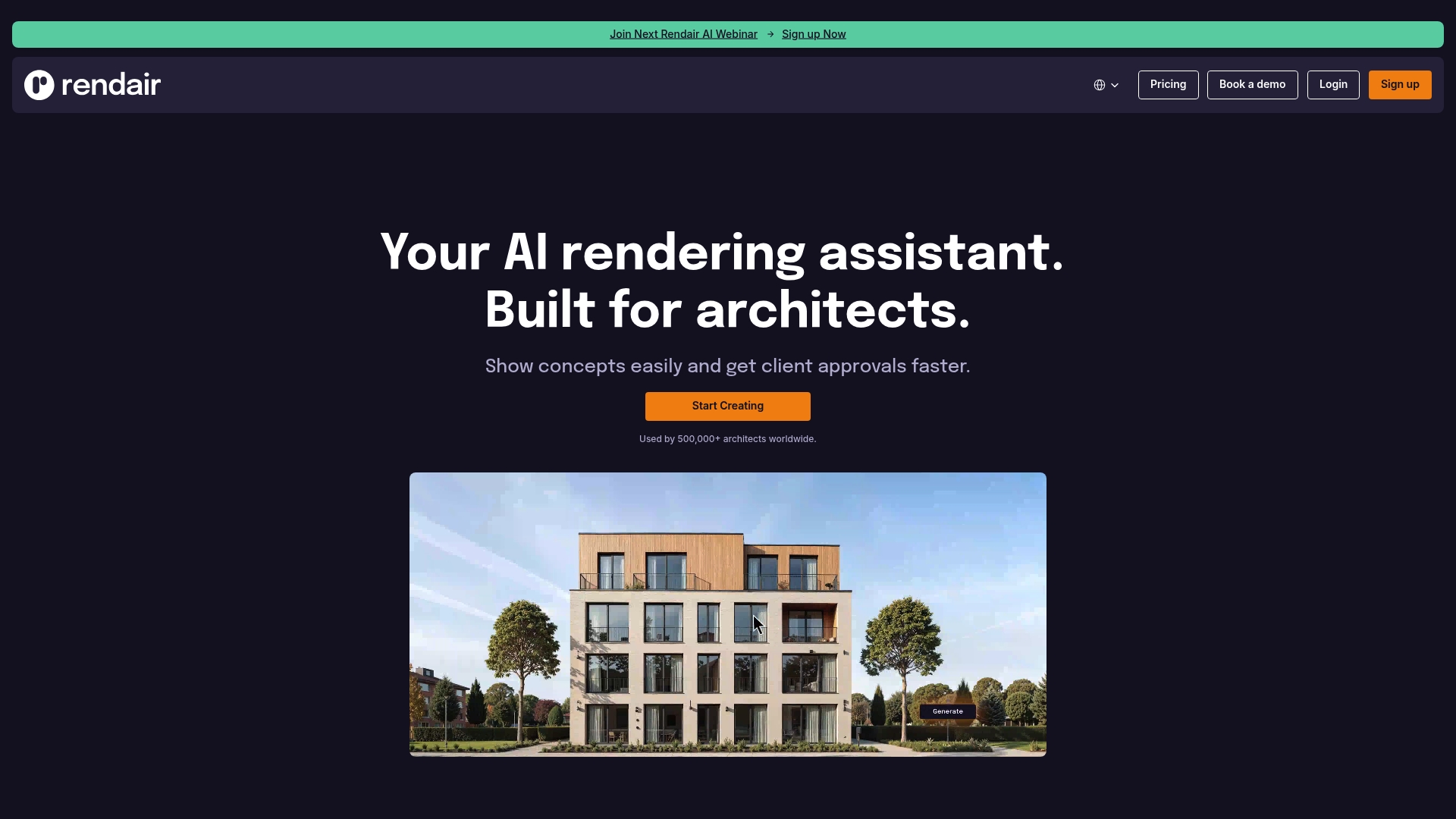
Rendair AI is an all in one, AI powered platform designed for architects and designers who need fast, polished visuals for client sign off. It combines quick image creation with editing and video tools to compress render timelines.
Rendair AI targets teams that want quality without lengthy manual rendering. The platform supports both sketch to render workflows and model based outputs so presentations move from draft to photoreal in minutes.
Core Features
Rendair AI centers on four practical toolsets tailored for architectural work. AI Chat lets you generate and refine renders using plain language prompts. Create & Render converts drawings or 3D models into photoreal visuals in seconds. Edit & Adjust and Upscale & Enhance let you fix composition and increase resolution without re rendering. Video & Animate converts static frames to short realistic sequences for walkthroughs.
These features work together to support architectural, interior, landscape, and product visualization tasks with a workflow friendly to agencies and studios.
Pros
- User friendly interface: The platform presents a clean workspace so architects and designers can produce quality images with little onboarding time.
- Industry specific toolset: The suite focuses on rendering and visualization features that match real architectural tasks from concept to client review.
- Large established user base: Over 500,000 architects use the service which signals broad adoption and community feedback.
- Flexible subscription options: Multiple plans including a free trial make it possible to test the platform before committing to a plan.
- Workflow integrations supported: The platform offers connections with common 3D applications which preserves existing studio pipelines.
Cons
- Variable result quality for complex projects: The effectiveness of AI generated images varies depending on project complexity and scene detail.
- Pricing may exclude smaller teams: Monthly fees could be a barrier for small studios or solo freelancers working on tight margins.
- Advanced tools limited to premium plans: Some higher level editing and animation features require an upgraded subscription which raises total cost.
Who It’s For
Rendair AI is made for architecture and design agencies, interior and landscape studios, and product visualization teams that need fast, presentable imagery. It fits practices that prioritize rapid iterations and client facing visuals over end to end manual rendering control.
Unique Value Proposition
Rendair AI combines natural language driven editing with direct model to image rendering so your team spends less time setting up scenes and more time refining design intent. It shortens the path from sketch or model to client ready imagery.
Real World Use Case
A small architectural firm uses Rendair AI to convert hand sketches and SketchUp exports into photoreal renders for early client meetings. The firm reduces review cycles and gets client approvals faster by delivering higher fidelity visuals during initial presentations.
Pricing
Multiple plans are available including Student (€9.50/month), AI Creator (€19/month), Pro (€49/month), and Team Pro (€200/month) with discounts for yearly payments. A free trial option lets teams test core features before subscribing.
Website: https://rendair.ai
Chief Architect
At a Glance
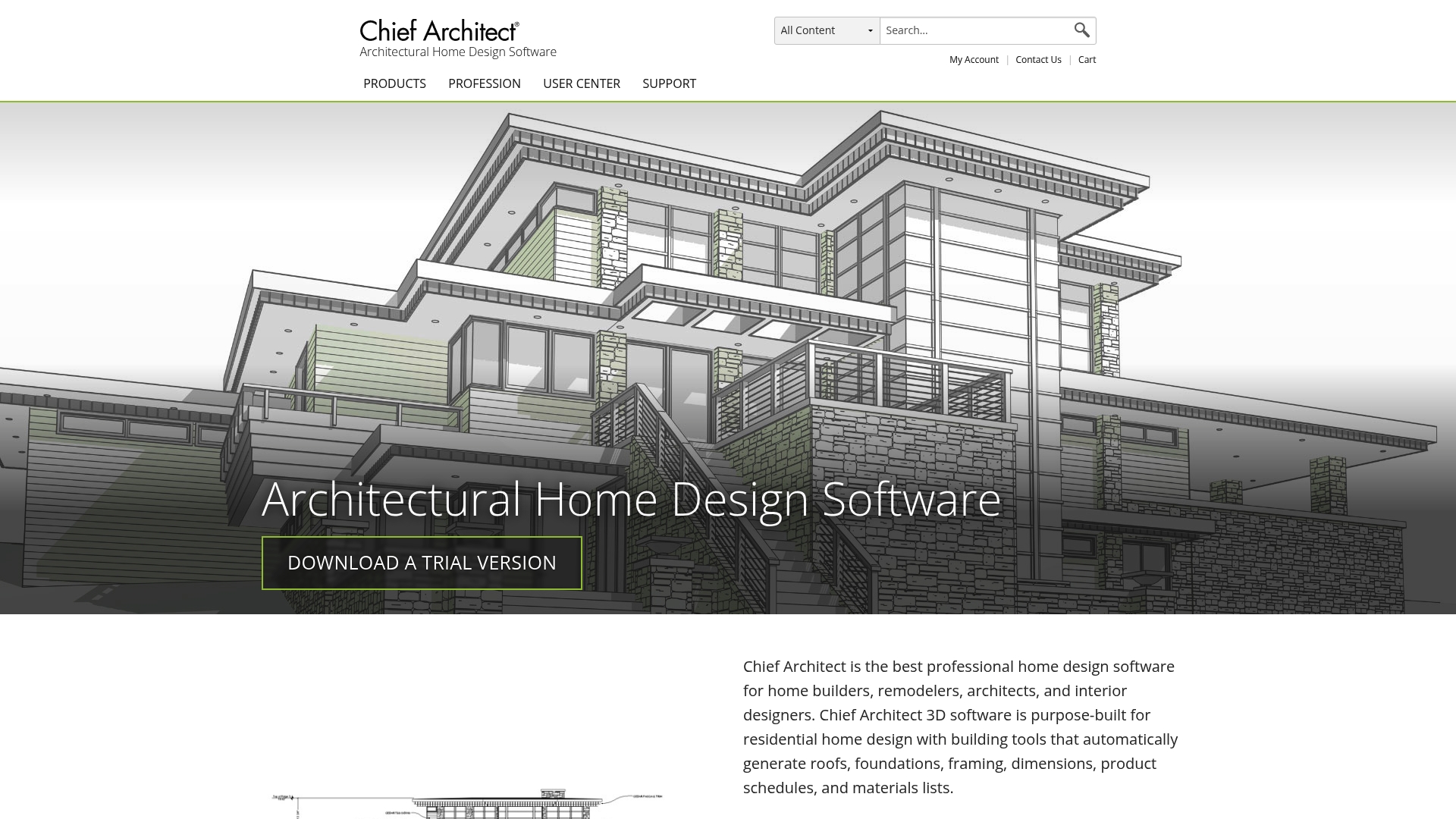
Chief Architect is a professional home design package built for builders, remodelers, architects, and interior designers. Its automatic generation of roofs, foundations, framing, and dimensions speeds up schematic work while keeping detailed outputs for client presentations.
Core Features
The software provides both 3D modeling and 2D drafting with integrated interior design tools and real time rendering for photorealistic visuals. It also produces product schedules, materials lists, and includes a library of manufacturer catalogs with customizable options.
Pros
-
Purpose built for residential work. The tool focuses on home design workflows, which reduces setup time for house plans and remodels.
-
Automatic generation of building components. Roofs, foundations, framing, and dimensions are created automatically to cut repetitive drafting tasks.
-
Detailed 2D and 3D visualization. You can move from floor plans to rendered views without exporting between multiple tools.
-
Extensive training and support resources. The platform offers guidance and learning materials that help teams climb the learning curve faster.
-
Subscription options with regular updates. Paid plans include ongoing updates and vendor support to keep your toolchain current.
Cons
-
Higher cost compared to basic CAD tools. The pricing sits above entry level software, which may affect smaller studios with tight budgets.
-
Learning curve for new users. Designers new to the package will need time to master its automation and detailed toolset.
-
Primary focus on residential projects. The feature set emphasizes homes, so commercial firms will find fewer tailored workflows.
Who It’s For
This product matches professional home builders, residential architects, remodelers, and interior designers who require end to end residential design capabilities. If your agency delivers single family homes or renovation packages, Chief Architect aligns with your deliverables and documentation needs.
Unique Value Proposition
Chief Architect combines automated building component generation with integrated visualization and manufacturer content to reduce manual drafting and speed delivery of construction documents. That combination pairs design speed with the level of detail clients and contractors expect.
Real World Use Case
A residential architect uses Chief Architect to rapidly generate detailed floor plans, produce 3D visualizations for client review, and export construction documents and materials lists for the contractor. The workflow shortens the design to permit stage and supports clearer stakeholder approvals.
Pricing
Billed annually at $1,995 per year or $166.25 per month, or billed monthly at $229 per month. Free introductory on demand training is available to help teams get started.
Website: https://chiefarchitect.com
Maxon
At a Glance
Maxon delivers a professional 3D creation stack that combines modeling, sculpting, and rendering into a single workflow. The suite is powerful for agencies that need cinematic visuals, though it demands time and hardware investment to reach peak performance.
Core Features
Maxon bundles Cinema 4D for modeling and animation, Redshift as a GPU accelerated renderer, and ZBrush for digital sculpting into a unified ecosystem called Maxon One. The company also provides extensive support and training resources such as Cineversity and ZClassroom to shorten ramp up time.
Pros
-
Comprehensive toolset: The suite covers modeling, animation, sculpting, and rendering so agencies can keep complex pipelines inside one vendor environment.
-
High quality rendering: Redshift delivers fast production renders that scale well on GPU farms and reduce iteration time for client reviews.
-
Strong learning ecosystem: Cineversity and ZClassroom provide structured lessons and project based tutorials that accelerate team onboarding.
-
Frequent updates: Maxon issues regular releases that add features and performance improvements, which keeps studios current without risky migrations.
-
Flexible licensing options: Subscription plans and enterprise choices let agencies align software costs with project cycles and freelancer usage.
Cons
-
Steep learning curve for newcomers: The depth of features means junior modelers need weeks of practice before contributing at production speed.
-
Cost pressure for small teams: Pricing across products can strain smaller studios when multiple seats and render nodes are required.
-
Demanding hardware requirements: Some advanced workflows rely on high performance workstations or GPU clusters to render efficiently.
Who It’s For
Maxon suits professional artists, visualization teams, and studios producing film quality VFX, motion graphics, and architectural visualization. Agencies that prioritize image fidelity and require advanced simulation tools will get the most return from this stack.
Unique Value Proposition
Maxon unifies sculpting, procedural modeling, and GPU rendering into a single, supported ecosystem so studios avoid stitching disparate tools together. Real results. The bundled Maxon One offer simplifies licensing and gives teams immediate access to the full toolset.
Real World Use Case
An animation studio uses Cinema 4D and Redshift to produce VFX for a feature film, while artists rely on ZBrush for creature sculpting. Training resources reduce setup time and help maintain consistent visual quality across shots.
Pricing
Pricing varies by product and license type and is offered as individual subscriptions or the bundled Maxon One plan. Agencies should budget for multiple seats and render licenses when planning project costs.
Website: https://maxon.net
Visualization Tools Comparison
The following table provides an overview of various visualization tools tailored for architecture, design, and visualization needs, highlighting key features, benefits, and pricing for a comprehensive comparison.
| Tool Name | Core Features | Pros | Cons | Pricing |
|---|---|---|---|---|
| Rendimension | Architectural visualization, virtual reality, product visualization, detailed technical drawings | High-quality visualizations, experienced team, fast turnaround, unlimited revisions, nationwide services | Custom pricing may make budgeting challenging for small clients | Custom quotes based on project scope |
| Lumion | Real-time ray tracing, plugins for SketchUp/Revit/Archicad, AI material generator, Lumion Cloud | Fast rendering, intuitive interface, deep integration with CAD/BIM tools, extensive asset library | Resource-intensive, advanced features learning curve | Pricing available on the website |
| D5 Render | Real-time rendering engine, AI-enhanced tools, curated asset library, broad file support | High-quality results, wide tool compatibility, flexible licensing options | Costs may strain very small firms, complexity for new users | Free plan available; Pro $30/month or $360/year, Teams $59/month or $708/year |
| Rendair AI | AI-powered rendering workflows, video and animation tools, editing and upscaling tools | User-friendly interface, rapid iteration capabilities, workflow integrations | Variable result quality for complex projects, advanced features require premium subscriptions | Student €9.50/month, AI Creator €19/month, Pro €49/month |
| Chief Architect | 3D modeling, automatic component generation, integrated visualization, material lists generation | Ideal for residential projects, automates repetitive tasks, extensive training resources | Higher cost compared to basic tools, limited to residential workflows | $229/month, billed annually at $1,995/year |
| Maxon | Cinema 4D, Redshift renderer, ZBrush sculpting, unified ecosystem | Comprehensive toolset, high-quality rendering, strong learning resources | High hardware demands, steep learning curve | Pricing varies; Maxon One subscriptions available |
Elevate Your Architectural Visualizations with Rendimension
The quest for the best architectural rendering tools highlights a common challenge: balancing photorealism, technical precision, and fast project turnaround. Agencies want to impress clients with vivid 3D renderings while streamlining approvals and minimizing rework. Rendimension understands these critical needs by delivering highly accurate, cinematic visuals that resonate with stakeholders and developers alike. Our collaborative process ensures every detail aligns perfectly with your vision and regulatory demands.
Unlock the power of professional-grade architectural visualization by exploring our comprehensive services at 3D Rendering – Rendimension.

Experience how photorealistic 3D renderings and immersive walkthroughs can accelerate your sales cycles and engage clients more deeply. Visit Rendimension today to transform concepts into compelling visual stories that win projects quicker and with confidence.
Frequently Asked Questions
What are the key features to look for in architectural rendering tools for agencies?
Focus on tools that offer photorealistic rendering, real-time feedback, and strong integration with CAD software. Evaluate similar tools based on their rendering speed, asset libraries, and collaborative features to enhance your agency’s workflow.
How can architectural rendering tools help improve client presentations?
These tools produce high-quality visualizations that make project concepts tangible, enabling more effective communication with clients. Use photorealistic renders to create compelling presentations that can accelerate decision-making and approvals by showcasing your design ideas clearly.
What type of projects are best suited for using architectural rendering tools?
These tools are ideal for both residential and commercial architectural projects where visual impact is crucial. Implement rendering tools in pre-sales activities or client meetings to attract interest and secure commitments early in the project stages.
How do architectural rendering tools facilitate collaboration among team members?
Many modern rendering tools include features that enable real-time collaboration, allowing multiple team members to provide feedback and make adjustments simultaneously. Foster teamwork by utilizing these collaborative capabilities to streamline the design review process and reduce feedback cycles.
What is the typical turnaround time for renderings in architectural projects?
Turnaround times can vary by tool and project complexity but generally range from 10 to 14 business days for standard projects. Plan your project timeline accordingly to ensure that you have sufficient time for revisions and final approvals with your clients.
Are there budget-friendly architectural rendering tools for small agencies?
Yes, there are several rendering tools that offer flexible subscription plans, including free or lower-cost options. Assess your agency’s specific needs and compare pricing plans to find a solution that balances quality and affordability, potentially saving costs by 10-20% on renderings.
Recommended
- 2025 Rendering Software Comparison: Top Tools For Architects
- Top 8 Easyrender.com Alternatives In 2026 For Architects Seeking High-Quality 3D Rendering Solutions
- The 12 Best Digital Marketing Agency Tools to Scale in 2026

