Mastering architectural rendering workflows is essential for architects and real estate developers who want to deliver photorealistic visualizations that captivate stakeholders and accelerate project approvals. Lighting alone can impact 50% of visual realism in renders, making a well-structured workflow the difference between flat images and immersive presentations. This guide walks you through the core stages, technical best practices, and practical strategies to elevate your rendering workflows and transform how you communicate design intent.
Table of Contents
- Introduction To Architectural Rendering Workflows
- Core Stages Of An Effective Rendering Workflow
- Lighting And Material Setup: Pillars Of Photorealism
- Post-Processing And Compositing Techniques
- Collaborative And Iterative Workflow Advantages
- Software And Tools Comparison For Rendering Workflows
- Common Misconceptions About Rendering Workflows
- Applying Advanced Rendering In Real Estate Marketing And Presentations
- Discover Professional 3D Rendering Services
- Frequently Asked Questions
Key takeaways
| Point | Details |
|---|---|
| Workflow stages matter more than software | A comprehensive workflow contributes at least 60% to final image quality, outweighing the rendering engine’s raw capabilities. |
| Lighting and materials drive photorealism | Lighting impacts up to 50% and material definition accounts for 40% of perceived rendering quality in architectural visualizations. |
| Collaboration reduces revision cycles | Structured feedback loops and version control can cut revision cycles by approximately 30%, speeding approvals and client satisfaction. |
| Post-processing refines presentation impact | Subtle color grading, depth of field, and tone mapping can improve image effectiveness by around 25% without over-processing. |
| VR integration boosts engagement | Immersive walkthroughs using virtual reality can increase stakeholder engagement by 45%, transforming how clients experience designs. |
Introduction to architectural rendering workflows
An architectural rendering workflow is an integrated, multi-stage process that transforms raw 3D models into photorealistic visualizations. For architects and real estate developers, these renderings do more than showcase designs. They create emotional connections with stakeholders, improve design understanding, and deliver a powerful marketing edge in competitive markets.
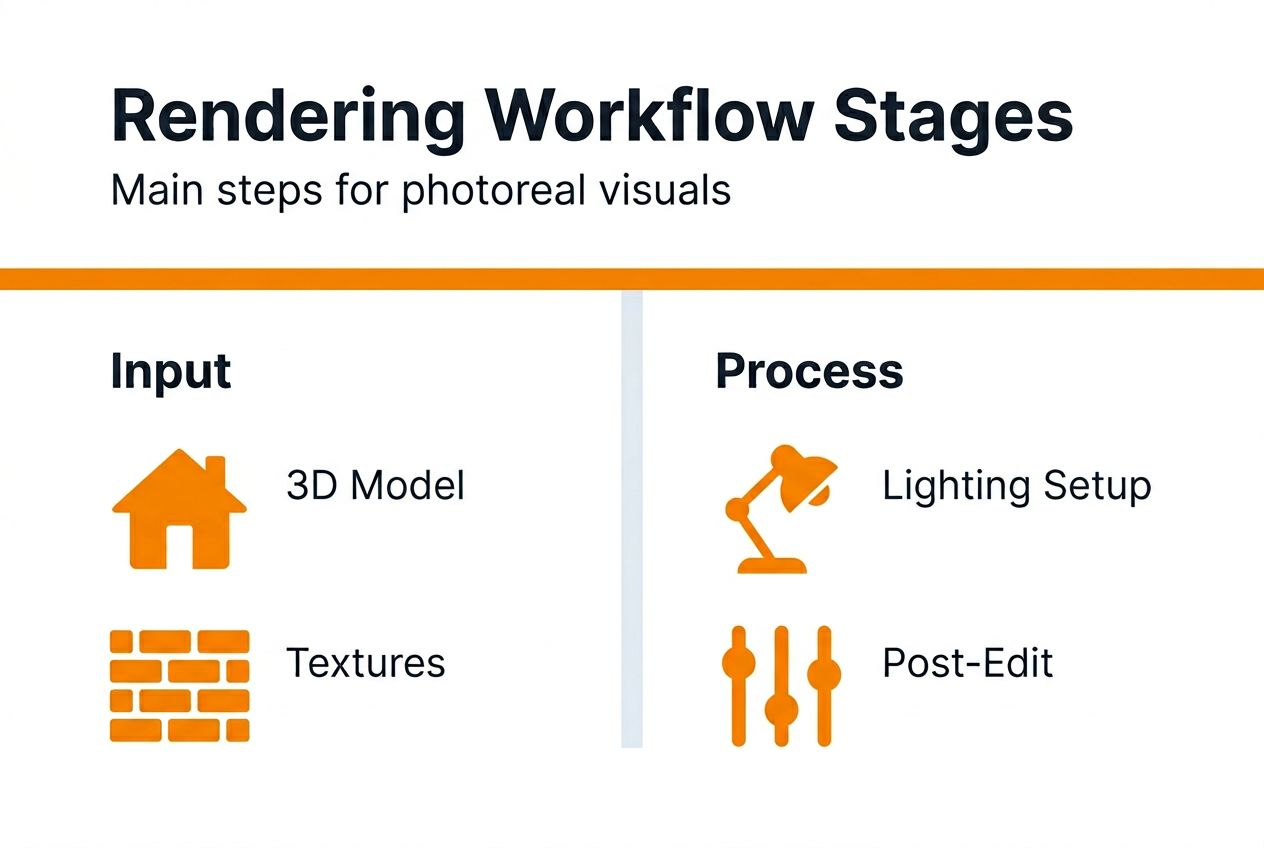
A typical workflow includes five interconnected stages: 3D modeling and scene setup, lighting configuration, material definition, rendering engine execution, and post-processing. Each stage builds on the previous one, creating a feedback loop that refines realism and visual impact. Lighting can impact 50% of visual realism, underscoring why workflow discipline matters far more than software choice alone.
Benefits of mastering rendering workflows include:
- Enhanced design clarity that reduces misunderstandings and change orders
- Emotional engagement that helps clients visualize themselves in the space
- Marketing materials that stand out in crowded real estate markets
- Faster stakeholder approvals through immersive, convincing presentations
- Competitive differentiation for architecture and development firms
By treating rendering as a structured, repeatable process rather than a one-off task, you gain predictable quality and the ability to iterate efficiently. The next sections break down each workflow stage in detail, showing you how to optimize every step for maximum photorealism and business impact.
Core stages of an effective rendering workflow
Professional architectural renderings rely on five fundamental stages that work together to deliver photorealism. Understanding how these stages interrelate helps you optimize each step and troubleshoot quality issues systematically.
-
3D modeling and scene setup: Accurate geometry forms the foundation. Clean models with proper scale, proportion, and detail ensure downstream stages perform correctly. Poor modeling creates artifacts that no amount of post-processing can fix.
-
Lighting configuration: Natural and artificial light sources define mood, depth, and realism. Strategic placement of sunlight, ambient lighting, and accent lights mimics real-world conditions and guides the viewer’s eye through the composition.
-
Material definition using physically based rendering (PBR): Accurate material properties like reflectivity, roughness, and translucency interact with light to create believable surfaces. PBR workflows ensure materials respond consistently across different lighting scenarios.
-
Rendering engine execution: The engine calculates light interactions, shadows, and reflections. Balancing quality settings with render time is critical. High-quality outputs can take hours, while real-time engines sacrifice some realism for speed.
-
Post-processing and compositing: Final adjustments like color grading, depth of field, and tone mapping polish the image. Non-destructive editing preserves original render data, allowing iterative refinements without re-rendering.
These stages are iterative rather than linear. Workflow stages contribute at least 60% to final image quality, meaning systematic refinement across all phases outperforms simply upgrading your rendering engine. For a deeper dive into workflow optimization, explore our architectural rendering workflow real estate guide and architectural visualization step by step guide.
Lighting and material setup: pillars of photorealism
Lighting and material setup are where technical precision meets artistic intent. Get these right, and your renderings feel immersive and emotionally resonant. Get them wrong, and even the best models look flat and unconvincing.

Lighting mimics natural and artificial sources to create depth, shadow, and atmosphere. Directional sunlight establishes time of day and casts shadows that define spatial relationships. Ambient lighting fills dark areas without washing out detail. Accent lights highlight architectural features and guide viewer attention. Physically accurate light temperatures and intensities prevent unrealistic color casts and exposure issues.
Material definition uses physically based rendering (PBR) principles to simulate how surfaces interact with light. Key properties include albedo (base color), metalness, roughness, and normal maps (surface texture). Accurate reflections and refractions on glass, water, and polished surfaces add realism. Subtle imperfections like scratches, weathering, and dirt prevent the sterile, CGI look that signals artificiality.
Lighting impacts up to 50% and material definition 40% on perceived rendering quality, making these two stages the highest-leverage areas for improvement. Balancing technical precision with artistic intent means knowing when to follow physical accuracy and when to adjust for visual storytelling.
Common pitfalls to avoid:
- Over-bright or under-exposed lighting that flattens depth
- Default material presets that lack surface variation
- Ignoring light bounce and global illumination
- Excessive reflections that distract from the design
Pro Tip: Test lighting and materials in grayscale renders first to evaluate tonal range and contrast before adding color. This isolates lighting problems from material issues, speeding troubleshooting.
For actionable techniques to refine photorealism, see our photorealistic rendering success guide.
Post-processing and compositing techniques
Post-processing transforms technically correct renders into emotionally compelling images. Subtle enhancements improve clarity, mood, and engagement without crossing into over-processed territory that damages credibility.
Common post-processing effects include:
- Color grading: Adjusts hue, saturation, and luminance to create mood and visual consistency across a series of images.
- Depth of field: Adds photographic blur to background or foreground elements, directing focus to key architectural features.
- Bloom and lens flare: Simulates camera effects that add warmth and realism, particularly in bright sunlit scenes.
- Tone mapping: Compresses high dynamic range (HDR) data into viewable formats without losing detail in highlights or shadows.
- Vignetting: Darkens image edges to draw attention to the center composition.
Non-destructive editing preserves original render data, allowing you to iterate without re-rendering. Layer-based workflows in software like Photoshop or Affinity Photo let you adjust individual effects independently, saving time and maintaining flexibility.
Post-processing can improve image effectiveness by around 25%, but subtlety is key. Over-saturated colors, excessive contrast, or heavy-handed effects signal manipulation and reduce trust. Aim for enhancements that feel photographic rather than digital.
Pro Tip: Create a post-processing template with consistent color grading and effects to maintain visual cohesion across multiple renderings for the same project. This speeds production and strengthens brand identity.
Collaborative and iterative workflow advantages
Client collaboration and iterative feedback loops transform rendering workflows from one-way deliveries into strategic partnerships. Structured collaboration reduces revision cycles, accelerates approvals, and improves client satisfaction by aligning outputs with expectations early.
Clear feedback loops start with defining revision milestones: initial concept renders, mid-stage lighting and material reviews, and final polish. At each stage, clients provide specific, actionable feedback rather than open-ended critiques. This prevents scope creep and ensures revisions address real concerns rather than subjective preferences.
Version control and asset management best practices include:
- Naming conventions that track iteration numbers and dates
- Cloud-based file sharing for real-time access and collaboration
- Automated backups to prevent data loss during revisions
- Clear documentation of client feedback and implemented changes
Collaborative workflows reduce revision cycles by about 30%, translating to faster project turnarounds and lower labor costs. Clients appreciate transparency and involvement, which builds trust and increases referrals.
Tools and platforms supporting workflow collaboration include project management software like Asana or Monday, cloud storage like Dropbox or Google Drive, and rendering review tools with annotation features. These platforms centralize communication, reducing email clutter and misunderstandings.
For comprehensive visualization services that integrate collaboration from concept to delivery, explore our architectural visualization services.
Software and tools comparison for rendering workflows
Choosing the right rendering software means balancing tradeoffs between speed, quality, and usability. Different engines excel in different scenarios, so understanding their strengths helps you match tools to project needs.
| Software | Strengths | Weaknesses | Best for |
|---|---|---|---|
| Autodesk 3ds Max with V-Ray | Industry-standard photorealism, extensive material libraries, excellent lighting control | Long render times, steep learning curve, high licensing cost | High-end architectural stills, marketing materials requiring maximum realism |
| Unreal Engine | Real-time rendering, immersive VR capabilities, instant feedback during design | Slightly lower photorealism than offline renderers, requires gaming hardware | Interactive walkthroughs, VR presentations, iterative design reviews |
| Lumion | Fast rendering, intuitive interface, extensive asset libraries | Less control over advanced lighting, limited material customization | Quick client presentations, early-stage design visualization |
| Corona Renderer | Balanced speed and quality, beginner-friendly, predictable results | Fewer advanced features than V-Ray, smaller user community | Mid-tier projects needing good quality without extreme render times |
Rendering speed versus photorealistic quality is the central tradeoff. Offline renderers like V-Ray prioritize accuracy, calculating millions of light bounces to achieve near-photographic realism. Real-time engines like Unreal prioritize speed, using approximations that deliver good results in milliseconds rather than hours.
Recommended software situations:
- Use V-Ray or Corona for final marketing images where maximum realism justifies longer render times.
- Use Unreal Engine for interactive VR experiences and real-time design reviews where client engagement matters more than pixel-perfect accuracy.
- Use Lumion for fast concept presentations and early-stage iterations where speed accelerates decision-making.
Pro Tip: Combine tools in a hybrid workflow. Use real-time engines for iterative design and client feedback, then switch to offline renderers for final marketing deliverables. This maximizes efficiency without sacrificing quality.
For more rendering tool comparisons, see our easyrender alternatives 2026 article.
Common misconceptions about rendering workflows
Several misconceptions limit workflow effectiveness and image quality. Clarifying these myths helps architects and developers focus on the real drivers behind successful architectural renderings.
Misconception: The rendering engine solely defines quality. Reality: Workflow contributes at least 60% to final image quality, outweighing the engine’s raw capabilities. Poor lighting, weak materials, or sloppy post-processing produce mediocre results regardless of software.
Misconception: Default settings produce professional results. Reality: Every rendering engine ships with generic defaults designed for broad compatibility, not photorealism. Customizing lighting, material parameters, and render settings is essential for differentiated output.
Misconception: More polygons equal better renderings. Reality: Excessive geometry slows rendering without improving visual quality. Strategic detail placement where the camera sees it, combined with efficient LOD (level of detail) management, balances realism and performance.
Misconception: Post-processing can fix everything. Reality: Post-processing enhances good renders but cannot salvage poorly lit or modeled scenes. Fundamental workflow discipline must precede post-processing for effective results.
Problems caused by poor asset and version management:
- Lost files and wasted time recreating work
- Confusion over which version matches client feedback
- Inability to reproduce results when clients request changes
- Team members working on outdated files, duplicating effort
Focusing on comprehensive workflow discipline, systematic iteration, and disciplined asset management delivers better results than chasing the latest rendering engine or hardware upgrade.
Applying advanced rendering in real estate marketing and presentations
Photorealistic renderings and immersive visualizations transform real estate marketing effectiveness and stakeholder engagement. Strategic application of advanced rendering workflows accelerates sales, improves approvals, and differentiates your projects in competitive markets.
Impact of photorealistic renderings on marketing success includes:
- Higher-quality listing materials that attract serious buyers and reduce time on market
- Emotional storytelling that helps prospects visualize themselves living or working in the space
- Reduced reliance on physical staging, lowering costs and increasing flexibility
- Pre-sales momentum for developments not yet built, improving cash flow and financing
Virtual reality and immersive walkthroughs elevate engagement beyond static images. VR walkthroughs can boost engagement by 45%, allowing clients to explore spaces at their own pace and experience scale, proportion, and spatial flow firsthand. This reduces design misunderstandings and increases confidence in purchasing decisions.
Tips for integrating advanced renderings into presentation workflows:
- Create a visual narrative that guides viewers through the design story, starting with exterior context, moving to key interior spaces, and ending with lifestyle details.
- Use consistent lighting and camera angles across multiple images to maintain visual cohesion and professionalism.
- Incorporate motion graphics or animated flythroughs for digital presentations, adding dynamic interest that static images cannot match.
- Provide interactive VR experiences at sales centers or online, differentiating your project from competitors relying on traditional marketing.
These visualizations accelerate approvals by giving stakeholders clear, realistic previews that reduce uncertainty. Decision-makers approve projects faster when they can see exactly what they’re funding, cutting weeks or months from approval timelines.
Pro Tip: Repurpose rendering assets across multiple marketing channels. Use high-resolution images for print brochures, web-optimized versions for online listings, and VR experiences for in-person showings. This maximizes ROI on rendering investments.
For more strategies to boost property sales with visualizations, read our guides on property sales with 3D renders and explore our 3D walkthrough video example.
Discover professional 3D rendering services
Elevating your architectural presentations with expert rendering workflows requires specialized skills and proven processes. Rendimension offers professional 3D rendering services tailored to architects and real estate developers who demand photorealistic quality and seamless project collaboration.

Our comprehensive visualization step-by-step guide walks you through optimized workflows that balance speed, quality, and client satisfaction. We integrate iterative feedback loops, version control, and advanced post-processing techniques to deliver renderings that captivate stakeholders and accelerate approvals. With over 1,000 projects completed globally, we bring deep expertise in residential and commercial developments.
Enhance client engagement with immersive VR and augmented reality benefits that transform static images into interactive experiences. Our virtual reality solutions let prospects explore designs at their own pace, creating emotional connections that drive faster purchasing decisions and higher conversion rates. Ready to transform your project presentations? Explore our services and see how strategic rendering workflows deliver measurable business results.
Frequently asked questions
What software is best for architectural rendering?
The best software depends on your project needs and priorities. Autodesk 3ds Max with V-Ray delivers industry-leading photorealism for high-end marketing materials but requires longer render times. Unreal Engine excels at real-time rendering and VR presentations, offering instant feedback and immersive experiences. For balanced speed and quality, Corona Renderer provides beginner-friendly workflows with predictable results.
How can I improve photorealism in my renderings?
Focus on accurate lighting and physically based materials, which together account for up to 90% of perceived realism. Use natural light temperatures, strategic shadow placement, and realistic material properties like roughness and reflectivity. Apply careful post-processing with subtle color grading, depth of field, and tone mapping to enhance visual clarity without over-processing. Test renders in grayscale to isolate lighting issues before adding color.
Why is client collaboration important in rendering workflows?
Collaboration reduces revision cycles by about 30% and speeds project approvals by aligning outputs with client expectations early. Structured feedback loops at defined milestones prevent scope creep and ensure revisions address real concerns. Clear version control and documentation build trust, improve satisfaction, and increase referrals. Clients who feel involved in the process become advocates for your work.
What are common mistakes to avoid in architectural rendering?
Neglecting comprehensive workflow stages in favor of relying solely on the rendering engine limits quality, as workflow contributes at least 60% to final results. Poor asset and version management wastes time and creates confusion. Using default engine settings without customization produces generic output. Ignoring client feedback loops leads to costly revisions and project delays. Focus on systematic workflow discipline and iterative refinement for consistent professional results.
Recommended
- Final Renders Guide: Achieve Stunning Results In 2026
- Photorealistic Rendering: Complete 2025 Guide For Architects
- Realistic Blender Renders Guide: Achieve Stunning Results In 2026
- Step-by-Step Guide To Photorealistic Rendering Success
