Architectural Rendering Workflow for Real Estate Success

Every American architect and developer knows the difference between a project that inspires instant client buy-in and one that stalls in endless revisions. The secret often lies in a well-structured architectural rendering workflow. This process transforms abstract ideas into photorealistic images that help clients, investors, and municipal boards clearly understand your intent, improving communication and driving approvals. Discover how refining your workflow bridges the gap between vision and reality, making informed decisions easier at every project stage.
Table of Contents
- Defining The Architectural Rendering Workflow
- Major Types Of Architectural Renderings
- Step-By-Step Workflow Stages Explained
- Key Roles And Collaboration In The Process
- Common Workflow Challenges And Cost Factors
Key Takeaways
| Point | Details |
|---|---|
| Structured Workflow is Vital | A clear architectural rendering workflow helps turn design concepts into impactful visuals for clients and stakeholders. |
| Rendering Types Matter | Choosing the right rendering type can significantly influence buyer engagement and project approvals. |
| Communication is Key | Effective collaboration among team members and stakeholders ensures timely and accurate results throughout the rendering process. |
| Anticipate Challenges | Understanding and preparing for common workflow challenges can prevent costly delays and budget overruns in rendering projects. |
Defining the Architectural Rendering Workflow
Architectural rendering workflow refers to the structured process of transforming design concepts into compelling visual representations that communicate your vision to clients, investors, and stakeholders. Unlike a simple sketch or basic blueprint, this workflow encompasses multiple stages and techniques that build progressively from your initial design intent through final presentation materials. The core purpose is straightforward: turn abstract architectural ideas into concrete, photorealistic images that people can understand, evaluate, and act upon. For residential real estate developers in North America, this workflow directly impacts whether a project gets green-lit for construction, attracts investor funding, or sells out during pre-marketing phases.
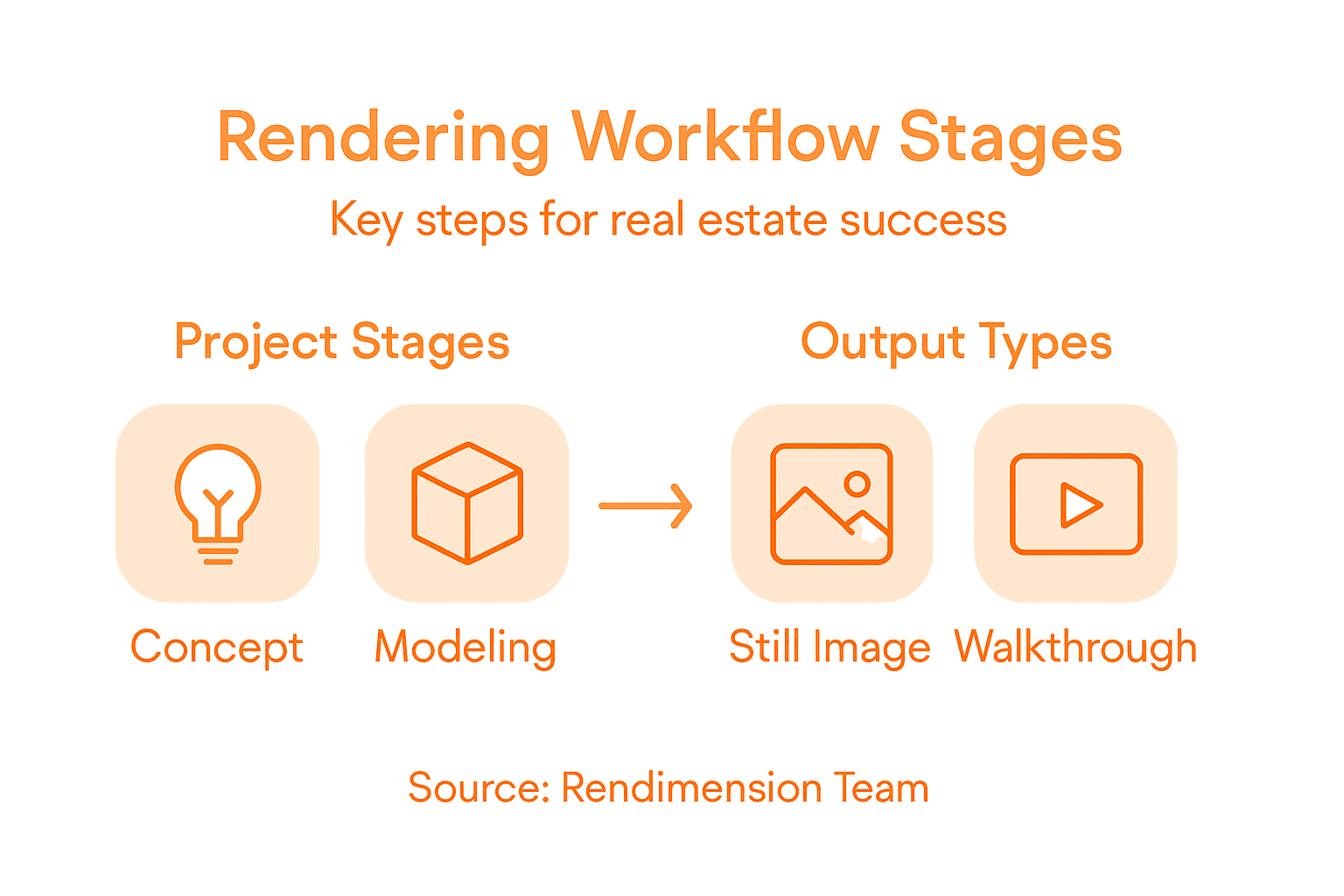
What makes this workflow distinct is how it bridges the gap between concept and reality. When you present architectural rendering services to a client, you’re not just showing them pictures. You’re offering a preview of how their investment will look upon completion, which fundamentally changes their decision-making process. The workflow typically flows through several interconnected stages. First comes the design phase, where your architectural concepts are refined and clarified. Next, a detailed 3D model is constructed, capturing every spatial relationship, material finish, and lighting condition. From there, professional rendering transforms that digital model into photorealistic images and animations that showcase exteriors, interiors, aerial views, or specific design details depending on your project goals. Visual representations progressing from concepts to detailed 3D presentations serve different purposes at different stages, with some focused on internal design refinement and others optimized for marketing materials or regulatory approvals.
What distinguishes professional architectural rendering from amateur attempts is the attention to context and storytelling. A standard rendering shows a building. A strategic rendering shows how that building functions within its environment, how natural light flows through spaces, what the view experience feels like for future residents, and why the design choices matter. Your workflow should account for different audience needs, different viewing contexts (printed materials, digital displays, virtual walkthroughs), and different levels of detail required at each approval stage. For developers marketing residential projects to potential buyers, photorealistic renderings that demonstrate lifestyle and emotional connection tend to outperform technical architectural visualizations. For municipal approvals, accurate scale representation and contextual neighborhood integration become the priority. Building this flexibility into your workflow from the beginning prevents costly revisions later.
A practical workflow separates your process into distinct handoff points. Design approval comes first. Then 3D model development. Then preliminary renders for feedback. Then final production-quality renderings. Each stage should include specific checkpoints where you review deliverables against your original brief, adjust as needed, and move forward only when stakeholders align. This prevents the common frustration where you arrive at final renderings only to discover a fundamental misunderstanding about spatial layout, color palette, or the intended viewing perspective.
Pro tip: Establish a single point of contact for design decisions before starting your rendering workflow, rather than gathering feedback from five different committee members through five different email chains. This cuts revision cycles in half and gets you to final deliverables weeks faster.
Major Types of Architectural Renderings
Architectural renderings aren’t one-size-fits-all. Different project stages, different audiences, and different goals demand different rendering types. Understanding which type serves your specific purpose prevents wasted time and budget on renderings that don’t move your project forward. For residential developers, choosing the right rendering type can be the difference between generating genuine buyer interest and creating something that looks impressive but fails to connect emotionally with your target market.
The first major category includes still images and photorealistic renderings, which form the backbone of most real estate marketing materials. These are static, high-resolution images that capture a single perspective of your project, typically showing exteriors, street-level views, or key interior spaces. Photorealistic renderings simulate actual photography, complete with accurate lighting, shadow behavior, material textures, and environmental context. They’re ideal for brochures, website hero images, investor presentations, and municipal approval documents. A second critical type involves animations and walkthroughs, which provide dynamic movement through space. Rather than viewing a single static perspective, animations let clients virtually move through the building, experiencing spatial flow and understanding how rooms connect to one another. These work exceptionally well for marketing pre-construction residential projects where buyers want to understand the layout before units are physically built. Walkthroughs also prove valuable for design presentations, allowing you to guide stakeholders through your design decisions in sequence rather than explaining them verbally.
Interactive and immersive experiences represent the third major category. Virtual reality renderings and real-time interactive views allow potential buyers or investors to explore the project independently, making decisions about sightlines, material choices, and spatial proportions at their own pace. VR experiences transform abstract concepts into tangible spatial understanding in ways that static images simply cannot match. Some projects also utilize drone or aerial renderings, which show how the building integrates into its neighborhood context, reveal roofline design, and demonstrate site planning relationships that ground-level perspectives miss. These prove particularly useful for larger developments where contextual integration matters to municipal approvers and surrounding neighbors.
Each rendering type also varies by style and detail level. Photorealistic renderings push toward accuracy and recognizability. Conceptual renderings prioritize design communication over photographic realism, using cleaner lines and simplified materials to focus attention on spatial relationships or design intent. Artistic renderings embrace more creative, stylized approaches. The key is matching rendering type to purpose. Marketing to individual homebuyers benefits from photorealistic still images that showcase lifestyle. Getting municipal approval requires accurate contextual renderings showing neighborhood integration. Securing investor funding often demands a mix of stunning photorealistic images paired with animations that demonstrate the scale and quality of the finished product.
Here’s a quick overview of the main rendering types and their best use cases:
| Rendering Type | Typical Usage | Strengths | When to Prioritize |
|---|---|---|---|
| Photorealistic Still | Marketing brochures, approvals | Realistic detail, strong impact | Attracting buyers, approvals |
| Animation/Walkthrough | Virtual tours, design review | Shows spatial flow, dynamic views | Pre-construction marketing |
| Interactive/VR | Buyer engagement, investor demos | Personal exploration, immersion | Warm leads, investor meetings |
| Drone/Aerial | Site planning, context reviews | Neighborhood integration, big scale | Large developments, planners |
Pro tip: Start with a single photorealistic exterior still image for initial marketing buzz, then invest in walkthroughs and VR only after you’ve confirmed genuine buyer or investor interest. This sequence maximizes your rendering budget by reserving expensive interactive experiences for warm prospects rather than cold audiences.
Step-by-Step Workflow Stages Explained
The architectural rendering workflow moves through distinct, sequential stages, each building on the previous one. Understanding what happens at each stage helps you plan timelines, allocate budget appropriately, and know exactly what to expect when. This isn’t a linear assembly line where one stage simply hands off to the next without feedback. Rather, it’s an iterative process where refinement happens continuously, with multiple review cycles that catch issues before final renderings reach your clients or the market.
Everything begins with concept development and sketching, where your initial design ideas take visual form. This stage involves hand-drawn sketches, rough digital concepts, or basic spatial diagrams that clarify your architectural vision. You’re not aiming for photorealism here. Instead, you’re communicating design intent, spatial relationships, material direction, and the overall aesthetic direction you want to pursue. Once concept sketching is approved by your design team and any relevant stakeholders, you move into 3D modeling using CAD or BIM software. This is where abstract ideas become precise digital geometry. Every wall, window, column, and material surface gets defined with accurate measurements and relationships. This stage requires significant precision because any errors in the 3D model multiply downstream through the entire rendering process. After the 3D model is complete and verified for accuracy, materials and lighting are applied within rendering software. Textures are assigned to surfaces, colors are specified, and lighting conditions are set up to simulate how the building will actually appear under real-world conditions. Natural lighting from sun angles, artificial lighting from fixtures, and ambient lighting all get calibrated during this phase.

Next comes the preliminary rendering stage, where you generate initial test renderings for internal review and feedback. These might be lower resolution or show only specific views rather than complete series. Preliminary renders let you catch major issues like color mismatches, lighting problems, or composition problems before investing time in final production-quality renderings. Based on feedback from this review, you enter the iterative refinement phase, where adjustments get made to lighting, materials, camera angles, or environmental elements. This stage often involves multiple feedback cycles. A stakeholder might request warmer lighting tones, or your marketing team might want a different vantage point that shows more of the landscaping. Each revision requires updating the rendering software settings and regenerating affected images.
The final stage produces high-resolution, production-quality renderings optimized for their specific use. A rendering destined for a 60-foot billboard requires different resolution and composition than one for a digital brochure or printed proposal. Modern workflows increasingly incorporate AI-assisted generation where conceptual sketches and floorplans can accelerate initial model generation, reducing time spent on foundational technical work and freeing your team to focus on design refinement and client communication instead.
Pro tip: Lock in all stakeholder approvals on the 3D model and preliminary renders before requesting final production renderings. Changes requested after final rendering generation typically cost 40 to 60 percent more because regenerating high-resolution images consumes significant processing time and artist attention.
Key Roles and Collaboration in the Process
Architectural rendering success depends entirely on how well your team communicates and collaborates. You can’t produce compelling renderings in isolation. A residential project requires architects who understand spatial design, 3D modelers who translate concepts into precise digital geometry, rendering specialists who know how lighting and materials behave, and marketing strategists who understand what your target buyer actually wants to see. Each role matters. When these roles work in disconnected silos, projects stall, timelines slip, and renderings miss the mark because nobody clarified expectations upfront.
The architect drives the overall vision and design decisions. They define what the building should look like, how spaces should feel, and the intended user experience. 3D modelers take those architectural decisions and create exact digital representations, requiring both technical CAD or BIM software expertise and spatial reasoning. Visual artists and rendering specialists understand how light behaves, which materials photograph well, and how to compose images that tell a compelling story rather than just show a building. They know that a rendering shot from ground level creates a different emotional impact than an aerial view, and that warm versus cool lighting changes how buyers perceive the same space. Graphic designers handle typography, layout, and context when renderings get used in marketing materials. Your client or project stakeholder must stay engaged throughout, providing feedback at key checkpoints rather than surprising the team with major requests after final renderings are complete. Marketing professionals or real estate agents on your team understand buyer psychology and can advise which rendering types, angles, and storytelling approaches resonate with your specific market demographic.
Modern rendering workflows increasingly depend on cloud-based collaborative platforms that enable real-time synchronous teamwork. These platforms allow architects and modelers to work simultaneously on the same project files, with version control preventing conflicts and ensuring everyone accesses the most current design. Rather than emailing files back and forth and losing track of which version is authoritative, cloud tools create a single source of truth that all team members access in real time. Communication protocols matter as much as the technology. Clear decision-making processes prevent endless debate. Establish who has final approval authority at each stage, define what feedback loops look like, and set specific deadlines for reviews rather than allowing vague open-ended revision requests. When a stakeholder says they want to “adjust the lighting,” that’s too vague. Request specifics: warmer tones in the evening renderings, stronger shadows to emphasize the building’s depth, or softened ambient light in interior spaces. Precise feedback reduces revision cycles from five rounds down to two.
Pro tip: Assign one person as the project shepherd whose job is managing communication flow between architects, modelers, rendering specialists, and stakeholders. This person isn’t doing the technical work, but they are ensuring every feedback request gets documented, prioritized, and tracked to completion, preventing miscommunication from derailing your timeline.
Common Workflow Challenges and Cost Factors
Architectural rendering workflows face real obstacles that can derail timelines and inflate budgets if you don’t anticipate them. The most persistent challenge is managing client expectations. Clients often arrive with unrealistic timelines based on what they’ve seen from other projects, not understanding that a photorealistic rendering of a complex residential tower takes weeks, not days. They might request major design changes midway through production, or they fail to appreciate the difference between a preliminary sketch and a final production render. Without clear upfront communication about what rendering quality costs in terms of time and money, you end up in painful conversations about why the final images don’t match their vague mental image from a casual conversation three weeks ago.
Long rendering times represent another significant challenge. Computational rendering processes can delay project timelines substantially, especially when generating photorealistic images with complex lighting scenarios, reflective surfaces, or detailed material textures. A single high-resolution exterior rendering might take 12 to 24 hours of computer processing time. When you need 15 different views at different times of day, that’s potentially days of processing. If a stakeholder requests changes after that processing completes, you’re back to square one. The hardware investment required to reduce rendering times is substantial. Professional rendering workstations cost $8,000 to $25,000 depending on GPU and processor specs. Software licenses add another $2,000 to $10,000 annually depending on your toolset. For smaller firms, outsourcing rendering becomes economically necessary, but that introduces coordination complexity and limits your ability to quickly iterate on client feedback.
Cost factors extend beyond hardware and software. Labor intensity drives the biggest expense for most firms. Skilled 3D modelers, rendering artists, and visualization specialists command higher salaries because their expertise is specialized. A single project might require 200 to 400 billable hours across modeling, texturing, lighting setup, rendering, and revisions. At professional rates, that translates to $15,000 to $35,000 in labor alone before accounting for overhead. Iterative revisions multiply costs rapidly. Each feedback round requires someone to adjust the 3D model, modify lighting or materials, regenerate renderings, and incorporate client comments. A project budgeted for three feedback rounds that actually requires seven because of unclear initial approvals can easily exceed budget by 100 percent. This is why many firms now charge separately for renderings and revisions rather than bundling everything into a flat fee.
Balancing quality against cost remains perpetually challenging. Photorealistic renderings demand meticulous attention to detail, but that precision comes at a price. Stylized or simplified renderings can be faster and cheaper, but they may fail to communicate the emotional impact of the finished space. A developer marketing a luxury residential project to affluent buyers expects photorealistic quality. A concept presentation to a municipal planning board might benefit from a cleaner, more technical visualization style that’s faster to produce.
Here is a summary of major cost factors and workflow challenges in architectural rendering:
| Challenge or Cost Factor | Impact on Workflow | Typical Mitigation Strategy | Business Risk if Ignored |
|---|---|---|---|
| Client Expectation Gaps | Causes rework and delays | Early education, clear brief | Budget overruns, missed deadlines |
| Long Rendering Times | Lengthens delivery schedules | Invest in hardware, outsourcing | Project bottlenecks, frustration |
| High Labor Intensity | Raises project costs | Streamlined process, specialization | Reduced profits, lower quality |
| Excess Iterative Revisions | Multiplies expenses, lost time | Clear approvals, tracked feedback | Cost escalation, client disputes |
| Quality vs. Cost | Balancing detail and price | Match style to audience needs | Missed opportunities, poor ROI |
Pro tip: Budget rendering costs at 8 to 12 percent of your total project budget and plan for at least three weeks of production time for complex projects, then add 20 percent buffer for unexpected revisions. Clearly communicate these timelines and costs upfront so clients understand why quick turnarounds cost premium pricing.
Elevate Your Architectural Rendering Workflow with Rendimension
Transforming your design concepts into photorealistic, immersive visual experiences is critical to engaging clients, investors, and municipal stakeholders. The challenges of balancing high-quality renderings with timely delivery and clear communication can slow your project and increase costs. At Rendimension, we understand the importance of an efficient workflow that bridges concept to reality, reducing costly revisions and aligning with your unique project goals.
Leverage our expertise in 3D modeling, photorealistic renderings, interactive walkthroughs, and virtual reality experiences to deliver compelling visuals that tell your building’s full story. Whether you need precise exterior still images for approvals or dynamic virtual tours to warm buyer interest, our collaborative process ensures your vision comes alive with stunning clarity and emotional impact. Avoid common pitfalls like long rendering times and unclear feedback loops by working with a partner who values precision and responsiveness.

Ready to accelerate your project’s success with expert architectural visualization solutions tailored for real estate and development? Discover how Rendimension can streamline your architectural rendering workflow so your stakeholders see exactly what your project can become. Visit Rendimension now to explore our full range of services and start bringing your designs to life today.
Frequently Asked Questions
What is the architectural rendering workflow?
The architectural rendering workflow is a structured process that transforms design concepts into visual representations. It includes multiple stages such as design refinement, 3D modeling, rendering, and the final presentation to effectively communicate the architectural vision to clients and stakeholders.
Why are photorealistic renderings important for real estate marketing?
Photorealistic renderings are crucial for real estate marketing as they provide a realistic representation of the project, which helps potential buyers visualize the completed property. These images simulate lighting, textures, and environmental contexts, creating an emotional connection that can increase buyer interest and drive sales.
What are the main types of architectural renderings?
The main types of architectural renderings include still images (photorealistic renderings), animations and walkthroughs, interactive experiences (like virtual reality), and drone or aerial renderings. Each type serves distinct purposes at various stages of the project, catering to different audience needs.
How can I manage client expectations during the rendering process?
Managing client expectations involves clear and consistent communication about timelines, costs, and the differences between preliminary and final renderings. Providing educational resources about the workflow, establishing approvals at key checkpoints, and setting realistic deadlines can help mitigate any misunderstandings or disappointments.