TL;DR:
- Real-time rendering provides instant, interactive 3D views, enhancing client engagement and project approval speed.
- It uses a graphics pipeline with optimizations like LOD, frustum culling, and batching for high performance.
- Future advancements include AI upscaling, cloud integration, and full path tracing, making photorealism more accessible.
Most architects assume that truly impressive 3D visualization requires the kind of offline processing reserved for film studios. That assumption is costing projects client buy-in. Real-time rendering generates 3D images instantly, unlike traditional offline rendering that can take hours per frame. This guide walks you through what real-time rendering actually is, how it works under the hood, where its limits lie, and where the technology is heading. By the end, you will know exactly how to use it to run sharper presentations, accelerate approvals, and keep clients engaged from concept to final sign-off.
Table of Contents
- What is real-time rendering and how does it work?
- The technical foundation: How real-time rendering powers your presentations
- Advanced techniques and what they mean for realism
- Limitations, challenges, and practical considerations for architects
- Future trends: How real-time rendering will transform architecture
- A professional perspective: What most guides forget about real-time rendering
- Explore real-time rendering solutions for your next project
- Frequently asked questions
Key Takeaways
| Point | Details |
|---|---|
| Instant interactive visuals | Real-time rendering generates 3D scenes instantly for seamless project walkthroughs. |
| Tech + teamwork | Adopting real-time rendering means blending the latest hardware and smart workflows for client success. |
| Know the tradeoffs | While it offers interactivity, real-time rendering may not match the absolute realism of offline techniques for final marketing images. |
| Future is smarter | Expect AI, path tracing, and cloud tools to raise both speed and realism for architectural visualizations. |
What is real-time rendering and how does it work?
Real-time rendering is not a single piece of software. It is a method of generating 3D visuals fast enough for a user to interact with them live. Where offline rendering queues up calculations overnight to produce a single pristine frame, real-time rendering trades some of that ultimate fidelity for immediate feedback.
Real-time rendering processes 3D images at 30 to 120 frames per second, allowing a viewer to rotate a building, change material finishes, or shift the time of day without waiting. Offline rendering, by contrast, focuses on the highest possible fidelity and is measured in minutes or hours per frame, not fractions of a second.
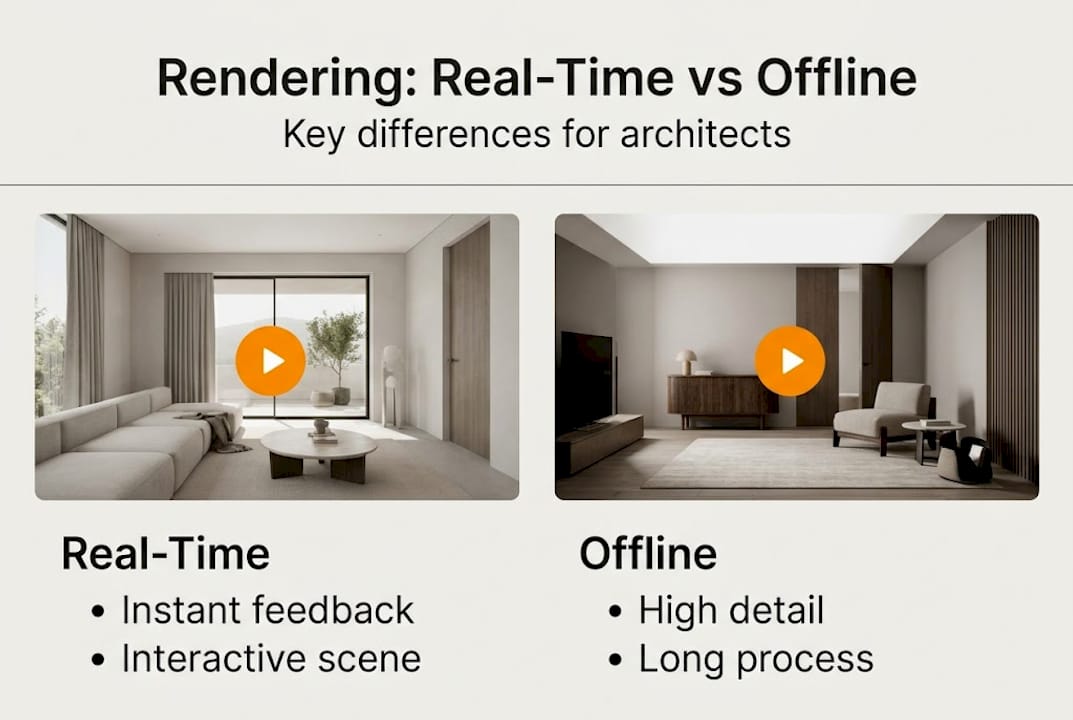
For a clearer picture, here is a direct comparison:
| Feature | Real-time rendering | Offline rendering |
|---|---|---|
| Output speed | 30 to 120 FPS | Minutes to hours per frame |
| Interactivity | Full, live manipulation | None during render |
| Visual fidelity | High and improving | Highest available |
| Best use case | Client walkthroughs, VR, live review | Final marketing imagery, print |
| Hardware demand | GPU-intensive, real-time | CPU/GPU farm, batch processing |
Understanding rendering in architecture means recognizing that both methods serve different stages of a project. Real-time is not a lesser version of offline rendering. It is a different tool for a different job.
Here are the contexts where real-time rendering makes the biggest practical difference for architects and developers:
- Client design reviews where materials, colors, or layouts need to change on the spot
- Virtual reality walkthroughs that let buyers experience a space before it is built
- Stakeholder presentations where live interaction builds more confidence than static slides
- Design iteration sessions where teams need to evaluate multiple options quickly
- Sales center displays where prospective buyers explore units independently
As architecture rendering explained on our resource pages, the shift toward interactive visualization is not just a trend. It reflects how clients now expect to engage with design decisions.
The technical foundation: How real-time rendering powers your presentations
After distinguishing between real-time and offline approaches, let’s see what drives the speed and flexibility of real-time rendering. The short answer is the graphics pipeline, a sequence of processing stages that transforms raw 3D data into a finished image at high speed.
The core pipeline stages work in this order:
- Vertex processing — The GPU positions every point of your 3D geometry in the correct place within the scene.
- Geometry processing — Triangles are assembled, and unnecessary geometry is removed before it wastes processing time.
- Rasterization — The 3D geometry is converted into 2D pixels on screen, the fastest step in the pipeline.
- Fragment processing — Each pixel receives its final color, lighting, shadow, and material properties.
Modern GPUs handle all four stages in parallel across thousands of cores, using APIs like DirectX 12 and Vulkan to communicate directly with the hardware. This is why a high-end workstation can sustain smooth frame rates even in complex architectural scenes.
Three optimization strategies keep presentations running smoothly:
- Level of Detail (LOD): Objects far from the camera use simpler geometry, saving GPU time without visible quality loss.
- Frustum culling: Geometry outside the camera’s view is skipped entirely.
- Draw call batching: Similar objects are grouped and sent to the GPU together, reducing CPU overhead.
Here is where rendering time typically goes in a real-time architectural scene:
| Pipeline stage | Approximate GPU time |
|---|---|
| Shadow mapping | 4 to 6 ms |
| Lighting and shading | 5 to 8 ms |
| Post-processing effects | 3 to 5 ms |
| Geometry and rasterization | 2 to 4 ms |
Understanding the meaning of rendering in architecture helps you communicate clearly with your 3D team about what is achievable at a given hardware level. Knowing how rendering speeds approvals also gives you a business case for investing in better visualization infrastructure.
Pro Tip: If your real-time presentation stutters during a client meeting, the culprit is almost always shadow mapping or post-processing. Ask your 3D team to prepare a lower-shadow-quality fallback scene for laptops and portable setups.
Advanced techniques and what they mean for realism
With the basics covered, it is important to understand where today’s real-time technologies now reach toward realism. The gap between real-time and offline has narrowed dramatically in the past three years.
Advanced real-time methods now include hybrid ray tracing, where rasterization handles the primary image and ray tracing handles global illumination and reflections. Denoising algorithms clean up the noise that ray tracing introduces at speed, and temporal accumulation builds up detail across multiple frames. The result is lighting that responds realistically to the environment without the overnight wait.
In terms of raw performance, Unreal Engine 5 achieves 58 to 61 FPS in complex scenes on current-generation hardware, while Unity HDRP delivers 52 to 62 FPS under similar conditions. Denoising alone consumes roughly 2 to 3 ms of GPU time per frame, which is a meaningful slice of a 16 ms frame budget.
Here is which advanced methods are worth enabling for architectural presentations:
- Real-time global illumination (RTXGI, DDGI): Delivers natural bounce lighting that makes interiors feel lived-in rather than artificially lit.
- Screen space reflections (SSR): Adds convincing reflections to glass facades and polished floors without full ray tracing cost.
- Ambient occlusion (AO): Deepens contact shadows in corners and under furniture, adding perceived depth.
- Temporal anti-aliasing (TAA): Smooths edges across frames, reducing the jagged look on fine architectural details.
The tradeoff is honest: enabling all of these simultaneously on mid-range hardware will drop your frame rate below 30 FPS. For client presentations, we recommend enabling global illumination and ambient occlusion as a baseline, then adding reflections only when showcasing glass-heavy facades. The advantages of interior renderings are amplified when lighting feels natural, so prioritize GI over reflections for residential interiors.
Limitations, challenges, and practical considerations for architects
Achieving near-photorealism in real time is impressive but comes with tradeoffs. Knowing them before a client presentation prevents surprises.
High polygon counts and VRAM overflow are the most common causes of performance drops. Dynamic scenes that require rebuilding acceleration structures cause frame spikes. Denoising can introduce ghosting or smearing artifacts on fast-moving camera paths. CPU submission stalls appear when a scene has too many unique objects, even if the GPU has headroom to spare.
For architectural work specifically, watch for these edge cases:
- Complex water features or glass atria: Caustics and sub-surface scattering are still more accurate in offline rendering.
- Large-scale urban models: Polygon counts escalate quickly; LOD management becomes critical.
- Night scenes with multiple light sources: Each dynamic light adds shadow map calculations, multiplying GPU load.
- Highly detailed material libraries: Uncompressed textures consume VRAM fast on scenes with many unique finishes.
“Real-time rendering prioritizes interactivity and speed, which is ideal for client engagement, while offline rendering remains the standard for final print-level photorealism. Benchmarks approximate reality but VRAM constraints and effect combinations cause real-world variances.”
The 3D visualization process works best when you match the tool to the task. Real-time for live review and iteration. Offline for the hero shots that go into marketing brochures and planning submissions.
Pro Tip: Before committing to a fully real-time delivery, ask your visualization partner to run a hardware compatibility check against the devices you plan to use during the presentation. A scene that runs at 60 FPS on a studio workstation may drop to 20 FPS on a conference room laptop.
Future trends: How real-time rendering will transform architecture
Finally, let’s look ahead at how coming technologies might reshape the field. The next wave is already in early adoption across leading visualization studios.
Path-traced real-time rendering, neural rendering via DLSS, and cloud integration will push architectural visualization toward offline-quality results at interactive speeds. DLSS (Deep Learning Super Sampling) uses AI to reconstruct high-resolution frames from lower-resolution inputs, effectively doubling frame rates without visible quality loss. Cloud rendering shifts the GPU workload off local hardware entirely, meaning a client could explore a photorealistic walkthrough on a tablet.
Key advancements architects should track:
- Full path tracing in real time: Currently limited to high-end hardware, but costs are dropping fast.
- AI-powered denoising: Produces cleaner frames at lower GPU cost than current temporal methods.
- Cloud-streamed interactive scenes: Removes hardware barriers for client-side access to complex models.
- Generative material and lighting AI: Allows rapid testing of finish combinations without manual material setup.
- WebGL and browser-based real-time rendering: Enables clients to explore models directly from a link, no software install required.
The practical question to ask your rendering partners today is whether their pipeline supports DLSS or equivalent upscaling and whether cloud delivery is an option for client-facing presentations. Studios that cannot answer yes to both are likely to fall behind within the next two years.
A professional perspective: What most guides forget about real-time rendering
Most technical guides focus on frame rates, pipeline stages, and hardware specs. Those matter. But the real reason real-time rendering changes project outcomes has nothing to do with milliseconds.
It changes the conversation. When a client can rotate a building, swap a facade material, and see sunlight shift in real time, they stop being a passive audience and become a collaborator. That shift reduces revision cycles, catches misalignments early, and builds the kind of emotional investment that converts prospects into committed buyers.
The mistake we see architects make is treating real-time rendering as a premium add-on for special occasions. It should be the default mode for any live client interaction, with offline rendering reserved for final deliverables. The projects where rendering accelerates approvals are almost always the ones where real-time was used early and often, not just at the final presentation.
Pro Tip: Build a lightweight real-time scene early in the design phase, even if it lacks final materials. Use it to align stakeholders on spatial layout before investing in high-fidelity offline renders. You will catch more problems earlier and spend less time on revisions.
Explore real-time rendering solutions for your next project
Ready to bring real-time visualization into your next project? The gap between knowing the technology and applying it effectively comes down to having the right production partner.

At Rendimension, our 3D rendering services are built around the full spectrum of visualization needs, from interactive real-time walkthroughs to offline-quality hero images for marketing campaigns. Our architectural visualization team has delivered over 1,000 projects globally, working with architects and developers to match the right rendering approach to each project stage. Whether you need a live client presentation scene or a final print-ready image, we collaborate with you from concept to delivery to get it right.
Frequently asked questions
Is real-time rendering suitable for final marketing images?
Real-time rendering excels at interactive presentations, but offline rendering remains the standard for ultra-photorealistic final marketing visuals where print-level fidelity is required.
What hardware do I need for professional real-time rendering?
A modern GPU such as an NVIDIA RTX series card, ample VRAM (16 GB or more for complex scenes), and a current-generation CPU are recommended. GPU selection directly impacts how smoothly real-time architectural scenes perform during live presentations.
Can real-time rendering handle complex lighting like sunlight or reflections?
Yes. Hybrid ray tracing and global illumination now enable realistic sunlight, bounce lighting, and reflections in real time, though caustics and sub-surface scattering still perform better in offline rendering.
How does real-time rendering improve client engagement?
It lets clients explore designs live, adjust materials, and request instant layout changes during a meeting. Real-time prioritizes interactivity in ways that static renders simply cannot replicate, making presentations more persuasive and collaborative.
What is the future of real-time rendering in architecture?
AI-driven upscaling, full path tracing, and cloud-based real-time workflows will make interactive photorealism accessible on any device, removing hardware barriers for both studios and clients.
