Misunderstandings about 3D renderings can hold back even the most experienced architects and real estate developers. Many believe all renderings look alike or require costly hardware, yet the truth is more nuanced. High-quality 3D visuals are powerful tools for turning complex blueprints into photorealistic presentations clients immediately understand. Choosing the right rendering technique and preparation process sets your projects apart, builds client confidence, and accelerates decision-making across North America.
Table of Contents
- Defining 3D Renderings And Common Misconceptions
- Major Types Of 3D Renderings Explained
- Key Benefits For Architects And Developers
- Real-World Applications In North America
- Financial Factors And Comparing Alternatives
Key Takeaways
| Point | Details |
|---|---|
| Understanding Rendering | 3D rendering differs significantly from simple 3D modeling, impacting project timelines and budgets. |
| Myths and Realities | Misconceptions about 3D rendering can hinder progress; quality largely depends on technique and preparation. |
| Types of Renderings | Different rendering types serve specific purposes, affecting client engagement and project communication. |
| Benefits for Professionals | Quality renderings speed up approvals, reduce design conflicts, and enhance stakeholder communication, positioning firms competitively. |
Defining 3D Renderings and Common Misconceptions
3D rendering transforms digital models into photorealistic images that look like actual photographs of your project. These visualizations use advanced software to simulate light, materials, textures, and shadows with precision. For architects and developers, they’re the bridge between blueprints and client understanding.
Many professionals confuse 3D rendering with simple 3D modeling. Modeling creates the wireframe structure; rendering brings it to life visually. The difference matters significantly when planning your project timeline and budget.
Here are common myths that can derail your projects:
-
Myth: All 3D renderings look the same. Quality varies dramatically based on software, technique, and artist expertise. A rushed render versus a refined one can look entirely different.
-
Myth: You need expensive hardware to view renderings. Standard monitors and tablets display photorealistic renderings perfectly. No specialized equipment required.
-
Myth: One rendering technique works for everything. Different approaches suit different goals. Architectural visualization, walkthroughs, and VR experiences use distinct methods.
-
Myth: Higher resolution always means better results. Resolution affects detail perception, but surface and volume rendering techniques demonstrate that quality depends on combining the right method with proper image preparation. A poorly executed high-resolution render looks worse than a well-executed standard one.
The real secret? Quality depends on combining proper rendering methodology with meticulous preparation. This includes accurate 3D modeling, precise lighting setup, realistic material assignments, and skilled post-processing. Miss any element, and the final result suffers.
When you understand 3D rendering terminology, you can communicate requirements clearly with your visualization team. This prevents costly revisions and accelerates project approval.
Your rendering’s success hinges on preparation and technique selection, not just raw processing power.
Most misconceptions stem from comparing low-quality renders to high-quality ones without understanding the differences. A rendered image from five years ago looks dated compared to today’s results. Technology advances, but so does the skill required to produce excellent work.
Pro tip: Ask your rendering team about their specific process and techniques before committing to a project, especially regarding lighting methodology and revision rounds included in your quote.
Major Types of 3D Renderings Explained
Not all 3D renderings are created equal. Different rendering types serve distinct purposes on your projects, from initial client pitches to marketing campaigns and construction documentation.
Static renderings show a single perspective of your completed project. These work best for presenting final designs to stakeholders or marketing materials. A single high-quality static image takes less processing time than animations but captures your vision in one compelling view.
Animated walkthroughs let clients move through the project virtually. You can fly through interior spaces, walk across landscaping, or reveal how sunlight changes throughout the day. Walkthroughs create emotional connections that static images cannot achieve.
360-degree panoramic renders provide immersive views where clients see the entire environment around them. Viewers rotate in any direction to explore details. This format works exceptionally well for site planning and environmental context.
Interactive renderings allow clients to control the view themselves in real-time. They can switch materials, turn lights on and off, or adjust building elements. This hands-on approach accelerates decision-making significantly.
Here’s how different techniques compare:
-
Ray tracing: Produces photorealistic results by simulating light bounces. Slower processing, perfect for final presentations.
-
Rasterization: Renders images faster with good visual quality. Ideal for interactive tools and quick iterations.
-
Global illumination: Creates realistic indirect lighting across surfaces. Enhances realism dramatically but requires more compute time.
-
Ambient occlusion: Adds shadows in crevices and corners for depth. Improves visual sophistication without excessive processing overhead.
Understanding major rendering techniques and their trade-offs helps you choose the right approach for your specific goals and timeline.
The best rendering type matches your project stage and audience, not necessarily the most advanced technique available.
Early design phases benefit from faster rasterized renders for quick feedback. Final presentations demand photorealistic ray-traced imagery. Marketing materials often use a combination of static and animated content.
When selecting your rendering type, consider your timeline, budget, and how clients will interact with the visualization. A poorly chosen format wastes resources, but the right one accelerates approvals and reduces design conflicts.
Pro tip: Request both static high-resolution images and an interactive version for presentations—static images impress in boardrooms, while interactive renders drive faster decision-making by letting clients explore the space themselves.
Here’s a quick comparison of major 3D rendering types and their best use cases:
| Rendering Type | Best For | Typical Interaction |
|---|---|---|
| Static Renderings | Final presentations, marketing | Single image, no user input |
| Animated Walkthroughs | Engaging clients, storyboarding | Guided, watch only |
| 360° Panoramas | Site planning, context review | Rotate view, immersive |
| Interactive Renderings | Rapid design feedback, iteration | Real-time user controls |
Key Benefits for Architects and Developers
3D renderings transform how you present projects and make decisions. They replace guesswork with visual clarity that clients immediately understand.
Faster client approvals are one of the most significant advantages. When clients see a photorealistic image instead of floor plans, confusion disappears. They visualize the final result and approve designs more quickly, accelerating your project timeline considerably.
Reduced design conflicts happen because renderings reveal problems before construction starts. A rendering shows how materials interact with light, how proportions feel, and how spaces flow together. Catching these issues in visualization costs far less than fixing them on site.
Here’s what architects and developers gain:
-
Better stakeholder communication. Renderings speak a universal language that non-technical clients understand instantly.
-
Competitive advantage. Quality visualizations differentiate your proposals from competitors relying on outdated presentation methods.
-
Marketing excellence. Photorealistic images sell projects faster and command premium pricing in real estate markets.
-
Construction documentation clarity. Detailed renderings guide contractors and subcontractors through complex design intent.
-
Design iteration speed. Digital changes happen in hours, not weeks, compared to physical model modifications.
Risk mitigation becomes measurable with renderings. You can test different material palettes, lighting conditions, and design variations before committing resources. This prevents costly redesigns mid-project.
Professionals see key benefits of architectural visualization reflected in increased client satisfaction scores and repeat business rates. Clients who experience excellent visualizations expect them going forward and actively choose architects who provide them.
Renderings don’t just show what you’re building—they prove why your design decisions matter.
Financial returns improve dramatically. Projects sell faster, marketing budgets stretch further, and approval cycles compress. One quality rendering often prevents three rounds of revision meetings.
The competitive landscape has shifted. Clients expect renderings as standard practice. Not providing them positions you as outdated. Providing exceptional ones positions you as a premium choice.
Developers benefit from reduced marketing timelines. Instead of waiting for construction completion to show finished spaces, you sell units using visualizations. This accelerates revenue and cash flow significantly.
Pro tip: Start with renderings during early design phases rather than waiting for final approval—early visualizations catch design flaws when changes remain affordable, saving thousands in revision costs.
Real-World Applications in North America
North American architects and developers are already leveraging 3D renderings to solve real business problems. These aren’t theoretical exercises—they’re delivering measurable results on actual projects.
Urban mixed-use development in Toronto and Vancouver relies heavily on renderings to secure municipal approvals. City planners demand visual proof that new buildings integrate with neighborhood character. A single compelling rendering can accelerate zoning reviews by months.
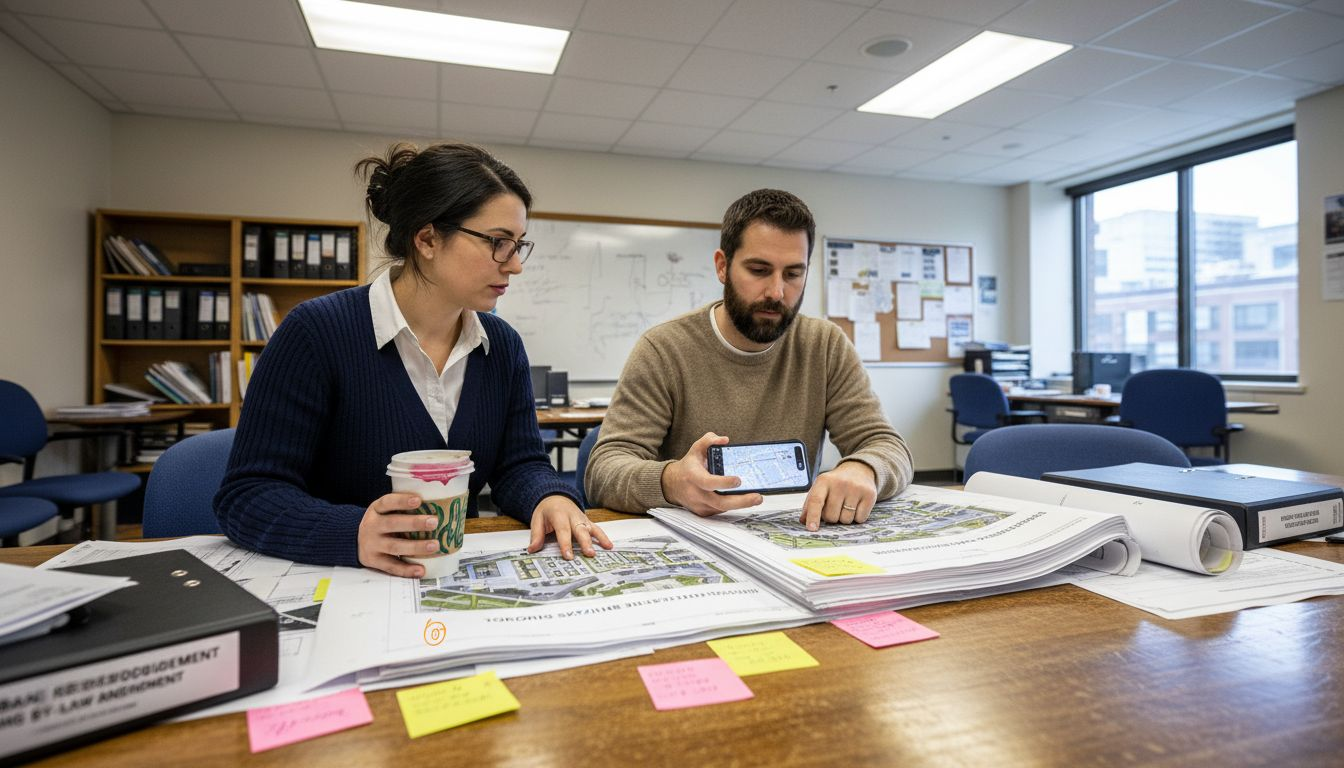
Residential presales across the United States use renderings to market units before construction completion. Developers in Miami, Austin, and Phoenix sell inventory using photorealistic visualizations. This strategy reduces financing risk by converting future revenue into immediate cash flow.
Commercial real estate leasing in downtown cores depends on renderings to attract tenants. Office space visualizations showing furniture layouts, lighting conditions, and collaborative areas help brokers close larger lease agreements faster.
Common applications in North America include:
-
Hotel and resort projects requiring approval from franchise corporations and investors.
-
Healthcare facilities needing to demonstrate patient-centered design to hospital boards.
-
Retail environments showing how storefronts appear within shopping centers and street frontages.
-
Hospitality spaces visualizing restaurant layouts, bar designs, and guest experiences.
-
Educational buildings demonstrating campus integration and facility functionality.
Cutting-edge visualization technology is advancing rapidly. Neural Radiance Fields and 3D Gaussian Splatting enable highly detailed scene reconstruction with real-time interactivity. These emerging techniques allow clients to explore projects dynamically rather than viewing static images.
Real-world success comes from matching visualization quality to project stage and audience expectations.
Landscape architects in California use renderings to show environmental impact and native plantings. They visualize mature tree growth, seasonal changes, and ecological benefits that clients cannot visualize otherwise.
Infrastructure projects benefit equally. Transportation renderings show how highways, bridges, and transit systems integrate into communities. Environmental approval processes accelerate when decision-makers see realistic visual context.
Developers report that projects with professional renderings close faster than those without. Marketing timelines compress. Client confidence increases. Design changes decrease once stakeholders see compelling visualizations.
The North American market has normalized 3D renderings as essential tools. Projects lacking them appear less professional and struggle to attract financing and approvals compared to competitors using quality visualizations.
Pro tip: Invest in renderings early for projects requiring municipal or investor approval—the cost of visualization is recovered through faster approval timelines and reduced design revision rounds.
Financial Factors and Comparing Alternatives
Rendering costs vary dramatically based on project scope and requirements. Understanding pricing drivers helps you budget accurately and choose the right solution for your situation.
Project complexity is the primary cost factor. A simple architectural exterior costs far less than a detailed interior with furniture, lighting, and multiple material finishes. Adding complexity increases both modeling time and rendering processing time.
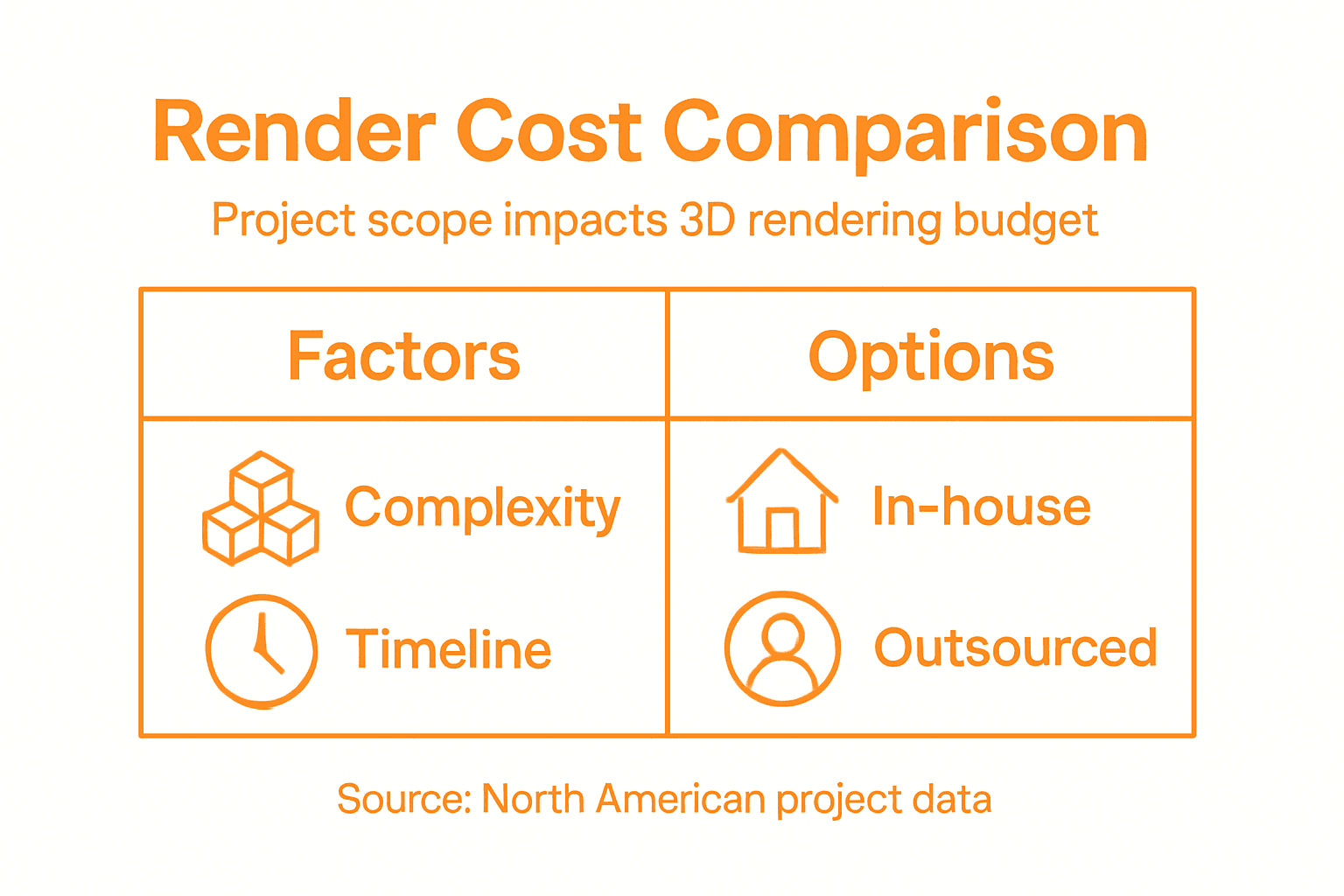
Timeline urgency affects pricing significantly. Rush projects require priority scheduling and may demand overtime processing. Standard timelines allow studios to batch work efficiently and offer better rates.
Model preparation impacts final costs. If you provide a complete, clean 3D model, rendering studios spend less time on geometry fixing and material setup. Incomplete models require extensive rebuilding, increasing expenses substantially.
Key cost drivers include:
-
Number of views needed for your project.
-
Resolution requirements for intended use (web versus billboard-sized prints).
-
Revision rounds included in initial quotes.
-
Animation length if walkthroughs are required.
-
Material and lighting complexity for photorealism.
Understanding factors affecting rendering costs and services helps you make informed budget decisions and avoid unexpected expenses.
Smart budgeting means matching rendering quality to actual business impact, not defaulting to maximum complexity.
In-house rendering requires software purchases, hardware investment, and staff training. Initial costs range from $5,000 to $50,000 depending on software and equipment. This approach works for firms rendering dozens of projects annually.
Outsourcing to specialists costs between $1,500 and $10,000 per rendering depending on complexity. You eliminate capital investment and access specialized expertise. This suits most architects and smaller developers.
Freelance platforms offer budget options starting at $500 per image but quality varies widely. You sacrifice consistency and professional project management. Better for simple visualizations only.
Calculate your actual cost per project by comparing alternatives. A $3,000 professional rendering that accelerates project approval by one month often saves more than that in financing costs alone.
Market rates in North America range from $2,000 for straightforward architectural exteriors to $25,000 for complex commercial interiors with animations. Location, studio reputation, and deadline urgency influence pricing.
Pro tip: Request itemized quotes showing per-view costs, revision allowances, and delivery schedules before committing—this transparency reveals whether studios are appropriately priced for your specific needs.
For budgeting and workflow, consider these key differences between rendering service options:
| Option | Upfront Investment | Project Volume Suitability | Management Required |
|---|---|---|---|
| In-House Team | High (software, staff) | Frequent, high-volume utilization | Full control, high effort |
| Specialist Studio | Medium (per project) | Complex or unique visualizations | Managed by specialists |
| Freelance | Low (per image) | Simple, small-scale projects | Self-managed, variable |
Transform Your Projects with Expert 3D Renderings from Rendimension
The article clearly shows how critical high-quality 3D renderings are for faster client approvals, reduced design conflicts, and convincing stakeholder presentations. If you have experienced frustration with unclear designs or delays caused by miscommunication, Rendimension offers tailored visualization solutions to bring clarity and impact to every stage of your project. We understand the importance of proper rendering techniques like ray tracing, ambient occlusion, and interactive walkthroughs to create photorealistic images that truly resonate with your clients and investors.

Experience the benefits first-hand by partnering with Rendimension. Our collaborative process ensures your vision is captured with precision from concept to delivery, accelerating approval cycles and enhancing marketing appeal. Visit Rendimension today to explore our 3D rendering services designed for architects, developers, and design professionals seeking real impact. Don’t let common misconceptions slow your projects. Take the next step now and see how expert visualization can transform your design success.
Frequently Asked Questions
What are 3D renderings and how do they differ from 3D modeling?
3D renderings transform digital models into photorealistic images, creating a realistic visualization of a project. In contrast, 3D modeling involves creating the wireframe structure of the object without detailing its appearance. Rendering is the final step that brings the model to life visually.
What are the main benefits of using 3D renderings for architectural projects?
3D renderings provide faster client approvals, reduce design conflicts, improve stakeholder communication, enhance marketing efforts, and clarify construction documentation. They visually convey design intent, making it easier for clients to understand and approve plans.
How can different types of 3D renderings impact my project timeline?
Each type of 3D rendering serves specific needs and timelines. Static images are quick to produce for final presentations, animated walkthroughs engage clients emotionally, while interactive renderings allow for real-time exploration. Choosing the right type can streamline approvals and reduce design conflicts.
What factors affect the cost of 3D renderings?
The cost of 3D renderings depends on project complexity, timeline urgency, model preparation, number of views, resolution requirements, Revision rounds, animation length, and material and lighting complexity. Understanding these factors can help you budget accurately and reduce unexpected expenses.
Recommended
- Why Use 3D Renderings: Impact On Architecture And Real Estate
- What Is 3D Rendering And Its Impact On Architects
- High Quality 3D Rendering And Architectural Visualization
- How To Present 3D Visuals For Impactful Client Engagement

