Every architect knows the challenge of translating a bold vision into visuals that truly captivate clients. Effective presentation begins with preparing photorealistic 3D visuals that communicate your design intent with accuracy and impact. Modern rendering techniques like ray tracing and path tracing ensure your images reflect realistic lighting and textures, making your concepts feel tangible and persuasive. Discover how meticulous detail, perspective, and the right technology can elevate your project pitches and marketing strategies for North American audiences.
Table of Contents
- Step 1: Prepare Photorealistic 3D Visuals for Presentation
- Step 2: Select Optimal Presentation Tools and Formats
- Step 3: Integrate Storytelling and Contextual Data
- Step 4: Showcase Visuals Using Interactive Methods
- Step 5: Verify Quality and Gather Client Feedback
Quick Summary
| Key Point | Explanation |
|---|---|
| 1. Define Presentation Objectives | Identify core goals like showcasing designs or illustrating spatial relationships to guide visual choices. |
| 2. Use Appropriate Tools and Formats | Select tools like PowerPoint or interactive walkthroughs based on audience needs to enhance engagement. |
| 3. Integrate Storytelling with Data | Create a compelling narrative to contextualize visuals, helping clients understand the design’s purpose and benefits. |
| 4. Utilize Interactive Presentations | Encourage client exploration of 3D models for personalized engagement and deeper understanding of the design. |
| 5. Collect and Act on Client Feedback | Gather specific feedback for continuous improvement, ensuring presentations effectively communicate designs and build client confidence. |
Step 1: Prepare Photorealistic 3D Visuals for Presentation
You’re about to transform your project concept into a compelling visual asset that resonates with clients. This step focuses on preparing photorealistic 3D visuals that communicate your design intent clearly and persuasively.
Start by defining your presentation’s core objective. Are you showcasing the final design, illustrating spatial relationships, or highlighting specific architectural features? Your answer shapes every decision moving forward, from camera angles to lighting choices.
Next, establish the correct perspective and scale for your audience. Architects and real estate developers need visuals that accurately represent how occupants will experience the space. A ground-level perspective of a residential lobby feels different from an elevated view of the same space.
Here’s what to focus on during preparation:
- Match detail level to your audience’s expectations and project phase
- Choose your base imagery carefully, ensuring it aligns with the final design aesthetic
- Plan lighting scenarios that reveal the space authentically
- Verify material accuracy so surfaces reflect real-world specifications
- Check that all dimensional relationships remain true to your design intent
According to guidance on creating photorealistic 3D visualizations for presentations, the realism level should match your project’s communication goals. Overly detailed renderings can distract from key design concepts, while under-rendered visuals may fail to convey the full impact of your vision.

Consider the rendering quality at this stage as well. Modern techniques like ray tracing and path tracing dramatically improve photorealism by accurately simulating how light interacts with surfaces. This investment in rendering methodology ensures your 3D assets stand out during client presentations.
Before moving to presentation setup, verify that your 3D model contains all necessary elements. Missing details create gaps between expectation and reality, undermining client confidence.
Your 3D visuals are only as compelling as the accuracy of the underlying model and the thoughtfulness of your presentation choices.
Pro tip: Create multiple render variations during preparation—one optimized for detail visibility, another emphasizing the overall design character. This flexibility lets you adapt your presentation to client questions without scrambling for new assets.
Step 2: Select Optimal Presentation Tools and Formats
Choosing the right tools and formats can make or break your client presentation. This step ensures your 3D visuals appear in the most compelling and accessible way possible for your specific audience.
Start by evaluating your audience and venue. Are you presenting to a single client in a boardroom, addressing a development committee, or sharing visuals digitally with multiple stakeholders? Each scenario demands different tool choices and format considerations.
Consider these critical factors when selecting your presentation format:
- PowerPoint presentations for dynamic, narrative-driven storytelling with multiple project phases
- PDF exports for static, shareable documents that maintain consistency across devices
- Interactive 3D walkthroughs when spatial navigation and immersive exploration matter most
- High-resolution image galleries for showcasing multiple design variations side by side
- Presentation software alternatives that integrate video and animation seamlessly
According to best practices in selecting presentation tools and formats, visual aids should align directly with your message and audience needs. Your 3D renderings are the star—minimize competing text and let compelling imagery do the work.
When formatting your visuals, focus on clarity and simplicity. One central idea per slide keeps attention laser-focused on your design intent. Avoid cluttering slides with unnecessary annotations or overly dense information that distracts from the visual impact.
File format matters too. Saving presentations as PDFs ensures universal accessibility while preventing accidental edits. For interactive presentations, test your chosen platform thoroughly on the actual display equipment you’ll use.
The best presentation tool is the one that keeps your 3D visuals front and center without technical distractions.
Verify compatibility across all devices where your presentation will appear. A stunning rendering that loads incorrectly undermines your credibility instantly.
Pro tip: Create a backup version of your presentation in at least two formats—typically PowerPoint for flexibility and PDF for reliability—so you’re never caught unprepared if technical issues arise during client meetings.
Here’s how key presentation formats compare for 3D visuals:
| Format Type | Strengths | Best Use Case |
|---|---|---|
| PowerPoint | Easily editable, supports animation | Live presentations with narration |
| Universal access, no accidental edits | Sharing finalized, static visuals | |
| Interactive Walkthrough | Highest engagement, real-time control | Spatial exploration, client reviews |
| High-Res Gallery | Presents variants side by side | Design option comparison sessions |
Step 3: Integrate Storytelling and Contextual Data
A stunning 3D visual without narrative context is just a pretty picture. This step transforms your renderings into compelling storytelling that helps clients understand the “why” behind your design decisions.
Begin by identifying the core narrative arc of your project. What problem does your design solve? What transformation occurs from existing conditions to your proposed vision? This story becomes the backbone of your presentation.
Layer contextual data into your visual narrative strategically:
- Project timeline showing phases and occupancy milestones
- Site conditions highlighting constraints your design addresses
- User benefits demonstrating how the space improves daily life
- Sustainability metrics if environmental performance matters to your audience
- Market positioning for real estate developments seeking competitive advantage
When combining narrative techniques with visual data, remember that stories help audiences form opinions and understand complex information through emotional connection. Your 3D renderings become anchors for this narrative, making abstract concepts tangible.
Consider how multimedia storytelling transforms information into knowledge. Rather than listing statistics about a plaza’s gathering capacity, show a rendering populated with people at different times of day. Rather than describing material durability, frame it as part of the building’s long-term value story.
Sequence your visuals to follow your narrative. Start with context, move through the design solution, and conclude with the positive outcomes. This progression guides clients naturally through your thinking.
Your 3D walkthroughs and static renderings should work together. Use dynamic perspectives to explore spatial relationships while strategic renderings emphasize key design moments that support your narrative.
Data without story is forgotten. Story without data lacks credibility. Together, they transform client presentations into decisions.
Pro tip: Create accompanying slide notes or speaker notes that align your verbal narrative with specific renderings, ensuring you’re reinforcing the same message across every visual and speaking point throughout your presentation.
Step 4: Showcase Visuals Using Interactive Methods
Static images tell a story, but interactive visuals let clients write their own. This step moves beyond passive viewing and invites clients to explore, manipulate, and discover your design on their own terms.
Interactive methods transform how clients engage with your 3D work. Instead of watching a predetermined presentation, they control the experience. They zoom into details that matter most to them, rotate views to understand spatial relationships, and experience the design at their own pace.
Consider these interactive approaches for your presentations:
- 3D model viewers allowing real-time rotation, zoom, and material exploration
- Virtual reality experiences for full immersion in the proposed space
- Augmented reality overlays showing proposed designs within existing site photography
- Interactive floor plan tools where clients select rooms or zones to explore
- Animated sequences demonstrating spatial flow and user movement patterns
When implementing interactive 3D visualization technologies, you enable clients to query, navigate, and interact with your spatial data directly. This hands-on engagement dramatically improves comprehension compared to passive slide presentations.
Web 3D technologies advance beyond static 2D content by offering semantic interactions that help audiences grasp spatial complexity intuitively. A client rotating a 3D model understands your design intent faster than reading descriptive text.
Test your interactive platform thoroughly before presenting. Ensure smooth performance, intuitive controls, and fast loading times. Technical glitches destroy credibility instantly, so practice navigation sequences multiple times.
Sequence interactive moments strategically. Use them to answer anticipated questions, showcase key design features, and allow clients moments of discovery rather than purely passive observation.
Interactive presentations shift control to the client, turning skeptics into active participants in understanding your design.
Prepare fallback options for technical failures. Have static renderings available if your interactive tools malfunction unexpectedly.
Pro tip: Brief your clients before starting about basic interactive controls—rotation, zoom, panning—so they feel confident exploring rather than hesitant about touching the technology.
Step 5: Verify Quality and Gather Client Feedback
Your presentation is complete, but your work isn’t finished. This step ensures your 3D visuals meet quality standards and captures insights that improve future presentations.
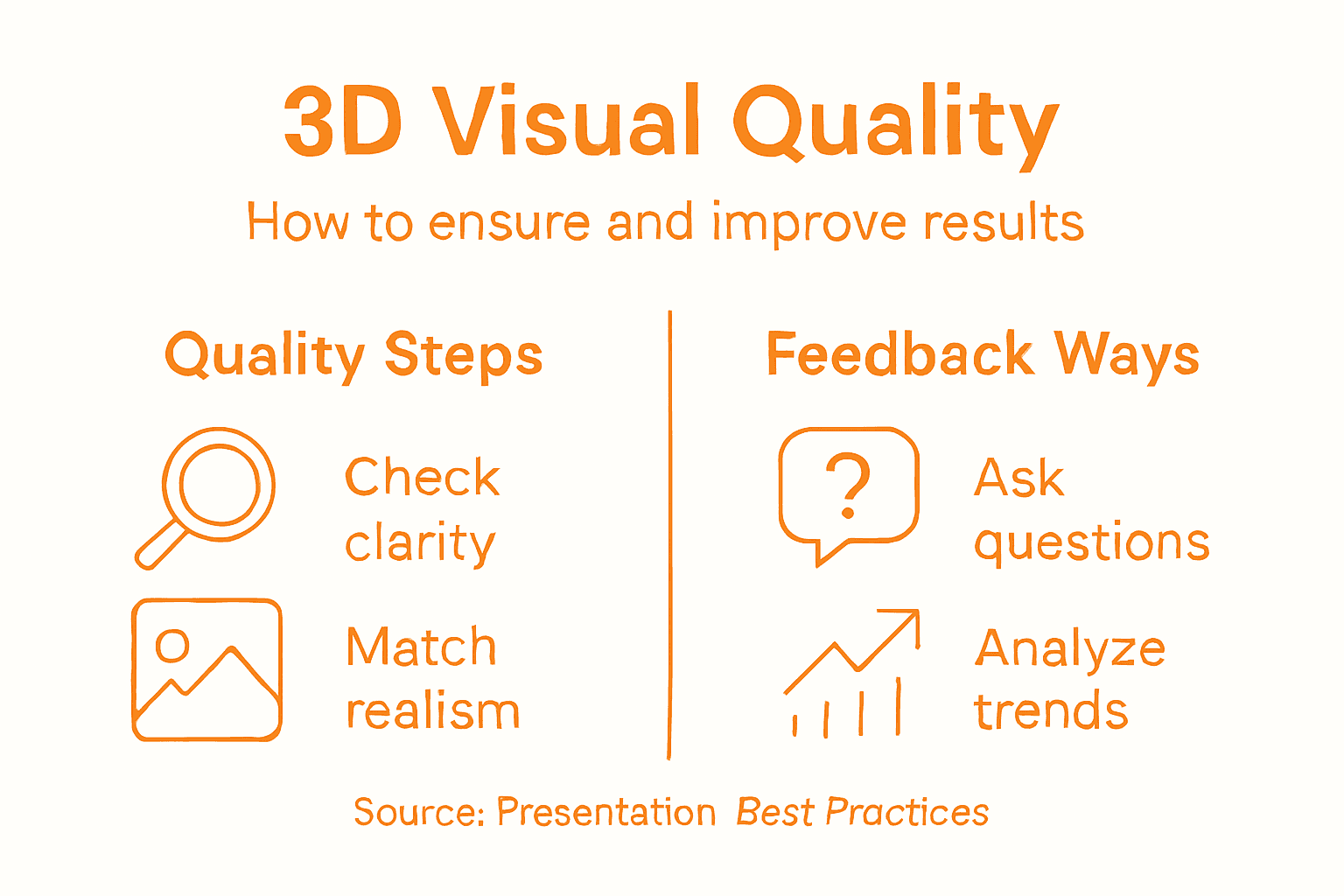
Begin by establishing clear quality criteria before presenting. Does your rendering match the design intent? Are materials accurately represented? Do lighting conditions feel realistic and appropriate? Technical accuracy builds client confidence in your vision.
Evaluate these quality checkpoints systematically:
- Visual accuracy against your design specifications and site conditions
- Rendering consistency across multiple views and presentation formats
- Performance metrics for interactive elements and load times
- Color and lighting authenticity in various viewing conditions
- Detail completeness matching the project phase and audience expectations
Client feedback transforms presentations from one-time events into learning opportunities. When collecting participant feedback to improve presentation effectiveness, you gather actionable insights about what resonated and what confused your audience.
Structure your feedback collection intentionally. Ask specific questions about visual clarity, narrative flow, and design confidence rather than generic “What did you think?” Open dialogue reveals concerns that silent clients never mention.
Apply systematic quality control principles to your visual assets. Document feedback, identify patterns across multiple presentations, and prioritize improvements that address recurring client questions.
Document what works and what doesn’t. Keep notes about which visual angles generated enthusiasm, where clients asked clarifying questions, and which materials seemed unconvincing.
This feedback becomes your competitive advantage. Architects and developers who continuously refine their presentation approach improve close rates and client satisfaction substantially over time.
Client feedback isn’t criticism of your design—it’s clarity about your communication effectiveness.
Schedule feedback collection within 24 hours of presentations while impressions remain fresh. Time erodes specific memories of visual moments.
Pro tip: Create a simple feedback form with 3-5 targeted questions that takes 90 seconds to complete, increasing the likelihood clients will participate while your insights remain detailed and actionable for future improvements.
Major 3D presentation steps and their client benefits:
| Step | Main Focus | Client Benefit |
|---|---|---|
| Photorealistic Visuals | Accurate, impactful graphics | Clear design understanding |
| Optimal Tools/Formats | Audience-appropriate delivery | Seamless viewing experience |
| Storytelling & Data | Narrative-driven presentation | Informed decision making |
| Interactive Methods | Client-led exploration | Personalized engagement |
| Quality & Feedback | Continuous improvement | Greater confidence, buy-in |
Elevate Your Client Presentations with Rendimension’s Expert 3D Visualization Solutions
Presenting 3D visuals for impactful client engagement requires precision, photorealism, and the ability to tell a compelling story. If you struggle with creating renderings that balance detail and clarity or want to integrate interactive walkthroughs that truly captivate your audience, Rendimension offers tailored solutions that address these exact challenges. Our services focus on delivering high-quality photorealistic renderings, immersive 3D walkthroughs, and virtual reality experiences that bring your architectural and design visions to life while boosting client confidence.

Transform your presentations from static images to dynamic storytelling tools. Collaborate with Rendimension to create visuals that match your design intent, highlight key features, and adapt seamlessly to various presentation formats. Explore how our expertise in architectural visualization supports architects, developers, and designers aiming for greater client buy-in and decision-making clarity. Don’t wait for your next presentation to leave a dull impression. Visit Rendimension today and start turning your concepts into immersive visual experiences that inspire and engage. Discover more about our professional 3D renderings, interactive solutions, and custom visual storytelling to make every client meeting unforgettable.
Frequently Asked Questions
What are the key elements to focus on when preparing photorealistic 3D visuals for client presentations?
To prepare photorealistic 3D visuals effectively, focus on matching the detail level to your audience’s expectations, ensuring material accuracy, and choosing appropriate lighting scenarios. Verify all dimensional relationships to maintain design intent, and consider making multiple render variations to adapt to client inquiries easily.
How can I select the best presentation format for my 3D visuals?
To select the best presentation format, consider your audience and presentation scenario. Options like PowerPoint for narratives or interactive 3D walkthroughs for immersive experiences can enhance engagement; ensure compatibility with all presentation devices to avoid technical issues.
What storytelling techniques should I use to enhance my 3D visual presentation?
Integrate storytelling by identifying your project’s core narrative arc and layering contextual data into your visuals. Highlight aspects like user benefits or sustainability metrics to create an emotional connection and guide clients through your design’s rationale, making it more relatable.
How can I make my 3D visuals interactive during the client presentation?
To make your 3D visuals interactive, utilize tools like 3D model viewers or virtual reality experiences that allow clients to explore spaces at their own pace. This approach adapts to client interests, fostering deeper engagement as they can zoom, rotate, and ask questions about specific features.
What methods can I use to gather client feedback after my presentation?
Gather client feedback by using targeted questions within a simple feedback form following your presentation. Ask for insights on visual clarity and design confidence to identify areas of improvement, aiming to collect feedback within 24 hours while impressions are still fresh.
How do I ensure the quality of my 3D visuals before the presentation?
Ensure quality by establishing clear criteria for visual accuracy, rendering consistency, and lighting authenticity against your design specifications. Perform a thorough evaluation of your visuals and interactive elements to maintain high standards, aiming for improvements on any identified weak points before the presentation.
Recommended
- 3D Walkthroughs: Transforming Design Presentations
- How To Visualize Floor Plans For Impactful Presentations
- Role Of 3D In Product Launches: Driving Engagement
- Role Of 3D Visualization In Modern Marketing
- Gallery – Videos and Pictures – ATW


One thought on “How to Present 3D Visuals for Impactful Client Engagement”