Architectural modeling remains one of the most misunderstood aspects of design communication. Many professionals assume modeling is simply about creating miniature buildings or digital wireframes, yet modeling in architecture refers to creating physical or digital three-dimensional representations that fundamentally transform how you visualize, test, and communicate designs. This guide clarifies the distinct types of architectural models, compares traditional physical methods with modern digital workflows, and reveals how strategic modeling choices directly impact client engagement, design validation, and project approvals for architects, interior designers, and real estate developers.
Table of Contents
- Key takeaways
- Understanding architectural modeling: types and purposes
- Physical modeling methods: craftsmanship, technology, and applications
- Digital modeling tools and their advantages for architects and designers
- Comparing physical and digital architectural models: benefits and nuanced uses
- Enhance your architectural presentations with Rendimension services
- Frequently asked questions about architectural modeling
Key Takeaways
| Point | Details |
|---|---|
| Model types and purposes | Architectural models include physical and digital forms such as concept, massing, presentation, masterplan, and interior models that address different project phases. |
| Physical versus digital tradeoffs | Physical models rely on handcrafted techniques and materials while digital models use software and parametric tools for rapid iteration. |
| Validation and client engagement | Strategic modeling choices improve design validation, stakeholder understanding, and decision making during client meetings and approvals. |
| Techniques and tools | Common methods combine handcrafting with laser cutting, CNC, and 3D printing to produce accurate scalable representations. |
Understanding architectural modeling: types and purposes
Architectural modeling creates three-dimensional representations that bring abstract design concepts into tangible or digital form. You need to distinguish between physical models, built from materials like foam, wood, or acrylic, and digital models, constructed using specialized software platforms. Both approaches serve critical but different functions throughout the design and presentation process.
Key model types include concept, massing, presentation, masterplan, and interior models, each addressing specific project phases and stakeholder needs. Concept models explore early design ideas at rough scales, typically 1:500 or smaller, allowing you to test spatial relationships and overall form without detail constraints. Massing models focus exclusively on building volume and proportion, helping you evaluate how structures interact with surrounding contexts and sight lines.
Presentation models deliver the highest level of detail and realism, often at 1:50 or 1:100 scales, designed specifically for client meetings, public consultations, and marketing campaigns. These models incorporate realistic materials, landscaping elements, lighting effects, and precise architectural details that communicate design intent with clarity. Masterplan models represent entire urban developments or campus layouts, showing multiple buildings, infrastructure networks, and public spaces in their broader geographic context.
Interior models zoom into specific spaces within buildings, revealing room layouts, furniture arrangements, material finishes, and spatial flow at scales like 1:20 or 1:25. Understanding why visualization matters in architecture helps you recognize that each model type serves distinct purposes:
- Concept models facilitate brainstorming and initial stakeholder alignment
- Massing models support zoning reviews and contextual analysis
- Presentation models drive client approvals and investment decisions
- Masterplan models coordinate multi-building developments and urban planning
- Interior models finalize spatial design and material selections
Choosing the appropriate model type early in your design process ensures you allocate resources effectively and communicate the right level of detail to each audience. The scale, materials, and construction method you select directly influence how stakeholders perceive and respond to your design proposals.
Physical modeling methods: craftsmanship, technology, and applications
Physical modeling combines traditional handcrafting techniques with advanced fabrication technologies to produce tangible three-dimensional representations. Physical modeling methodologies include handcrafting with foam, wood, cardboard, laser cutting, CNC, and 3D printing for complex architectural forms. Handcrafted models rely on skilled artisans who cut, shape, and assemble materials manually, offering exceptional control over texture, finish, and detail at the cost of extended production time.
Laser cutting automates precision cutting of flat materials like acrylic, wood veneer, and cardboard, enabling you to produce intricate facade patterns, window details, and structural elements with millimeter accuracy. CNC milling machines carve three-dimensional forms from solid blocks of foam, wood, or composite materials, ideal for creating topographic bases, curved building elements, and complex geometric shapes that would be impractical to handcraft.
3D printing technologies have revolutionized physical modeling by enabling you to fabricate highly detailed components directly from digital files. Stereolithography, selective laser sintering, and fused deposition modeling each offer different material properties, resolution levels, and cost structures suited to specific modeling needs. You can print entire building sections, ornamental details, or custom furniture pieces that would require days of manual work.
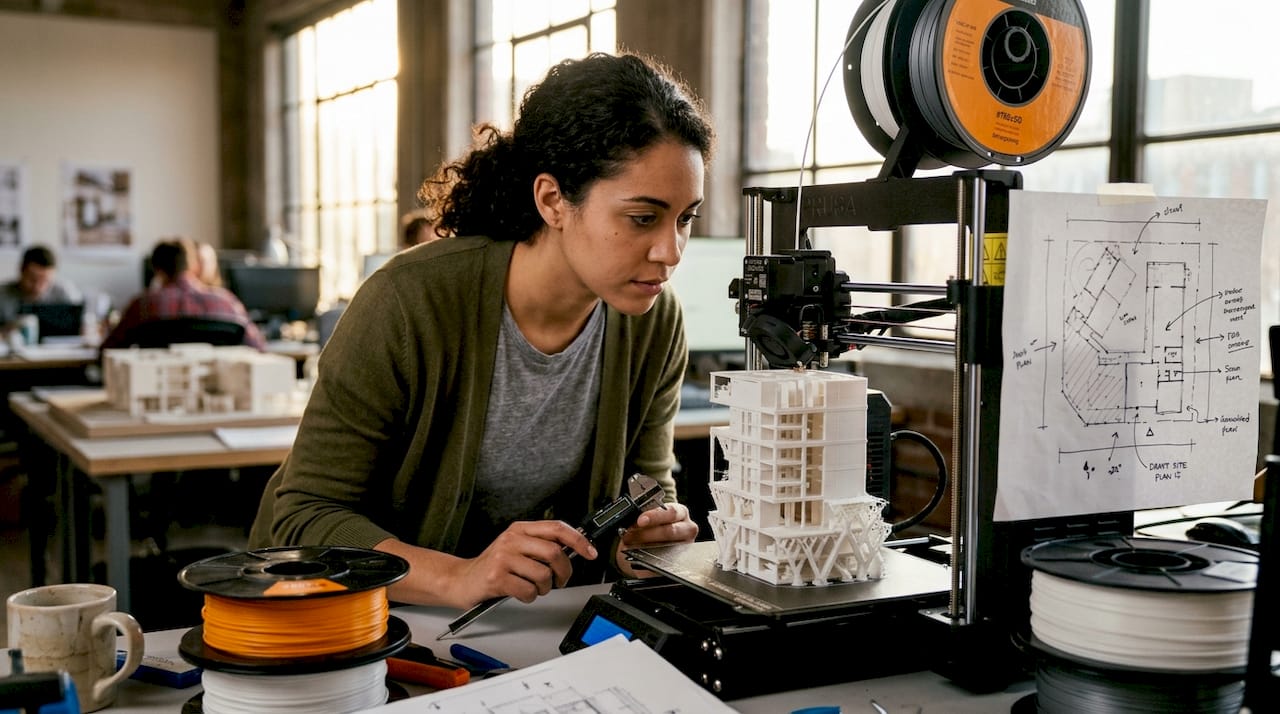
Hybrid methods combining technologies optimize precision, detail, and production time, with high-detail 1:100 tower models typically requiring eight to twelve weeks when integrating multiple fabrication approaches. This workflow might involve 3D printing intricate facade elements, laser cutting window glazing, CNC milling the site topography, and handcrafting landscape features to achieve photorealistic results.
Pro Tip: Document your physical model construction process with high-resolution photography at each stage, creating a visual record that demonstrates craftsmanship quality and can be repurposed for marketing materials and project portfolios.
Physical models excel in situations requiring tactile interaction, such as public consultations where community members can physically engage with proposed developments. They create memorable impressions during investor presentations and design competitions where standing out from digital-only submissions provides competitive advantage. Production complexity scales with detail requirements, material choices affect durability and finish quality, and transportation logistics become critical factors for large-scale presentation models.
Common applications include:
- Client presentations requiring emotional connection and spatial understanding
- Design development sessions where teams physically test massing options
- Public exhibitions and permanent display installations
- Photography and videography for marketing campaigns
- Design competitions emphasizing craftsmanship and materiality
Digital modeling tools and their advantages for architects and designers
Digital modeling leverages specialized software platforms to create virtual three-dimensional representations with unprecedented flexibility and efficiency. Digital modeling uses BIM software like Revit and Archicad, visualization tools including 3ds Max and Cinema 4D, and rendering engines such as V-Ray, Corona, and Unreal Engine to produce photorealistic architectural visualizations. Building Information Modeling platforms integrate geometric data with project information, enabling you to coordinate structural, mechanical, and architectural systems within a single digital environment.
Revit dominates commercial architecture for its parametric modeling capabilities and collaborative workflows, allowing multiple team members to work simultaneously on coordinated building components. Archicad offers intuitive interfaces particularly suited to residential and smaller-scale projects, with strong visualization features and efficient documentation tools. SketchUp provides accessible entry points for conceptual modeling, though professionals typically combine it with more robust platforms for detailed design development.
Visualization specialists rely on 3ds Max, Cinema 4D, and Blender to create highly detailed renderings that communicate materiality, lighting conditions, and atmospheric qualities beyond what BIM platforms alone can achieve. These tools offer advanced modeling features, sophisticated material editors, and powerful animation capabilities essential for creating compelling architectural visualizations that win client approvals and drive marketing success.
Rendering engines transform digital models into photorealistic images through physically accurate light simulation. V-Ray and Corona deliver production-quality still renderings with realistic materials and global illumination, while Unreal Engine enables real-time visualization and interactive walkthroughs that let clients explore spaces dynamically. The choice between offline rendering for maximum quality versus real-time engines for interactivity depends on your presentation goals and audience expectations.
BIM reduces project time by 20% and costs by 15% while digital models enable quick iterations and easy sharing across geographic distances. You can test dozens of design variations in the time required to build a single physical model, accelerating decision-making and reducing costly late-stage revisions. Cloud-based collaboration platforms let you share models with clients and consultants instantly, gathering feedback without physical meetings or model shipping logistics.
Pro Tip: Establish standardized naming conventions, layer structures, and file organization systems from project inception to maintain efficiency as digital models grow in complexity and team size expands.
Best practices for integrating digital models into your workflow include:
- Starting with low-detail massing models to establish spatial concepts before adding detail
- Maintaining separate models for design development versus presentation to optimize performance
- Exporting models to multiple formats for compatibility with consultant software and client review tools
- Creating template files with pre-configured materials, lighting setups, and rendering settings
- Scheduling regular model audits to remove unused elements and maintain file efficiency
Digital modeling fundamentally changes how you approach design iteration, enabling you to explore more options faster while maintaining precise documentation that feeds directly into construction processes. Understanding what 3D rendering truly encompasses helps you leverage these tools strategically throughout project lifecycles.
Comparing physical and digital architectural models: benefits and nuanced uses
Physical and digital models each offer distinct advantages that make them suited to different presentation contexts and stakeholder needs. Physical models excel in tactile experience and emotional connection while digital models offer flexibility, rapid iteration, and easy sharing across distributed teams. Physical models create visceral spatial understanding through direct interaction, allowing clients to walk around buildings, peer into courtyards, and grasp scale relationships in ways that screen-based presentations cannot replicate.
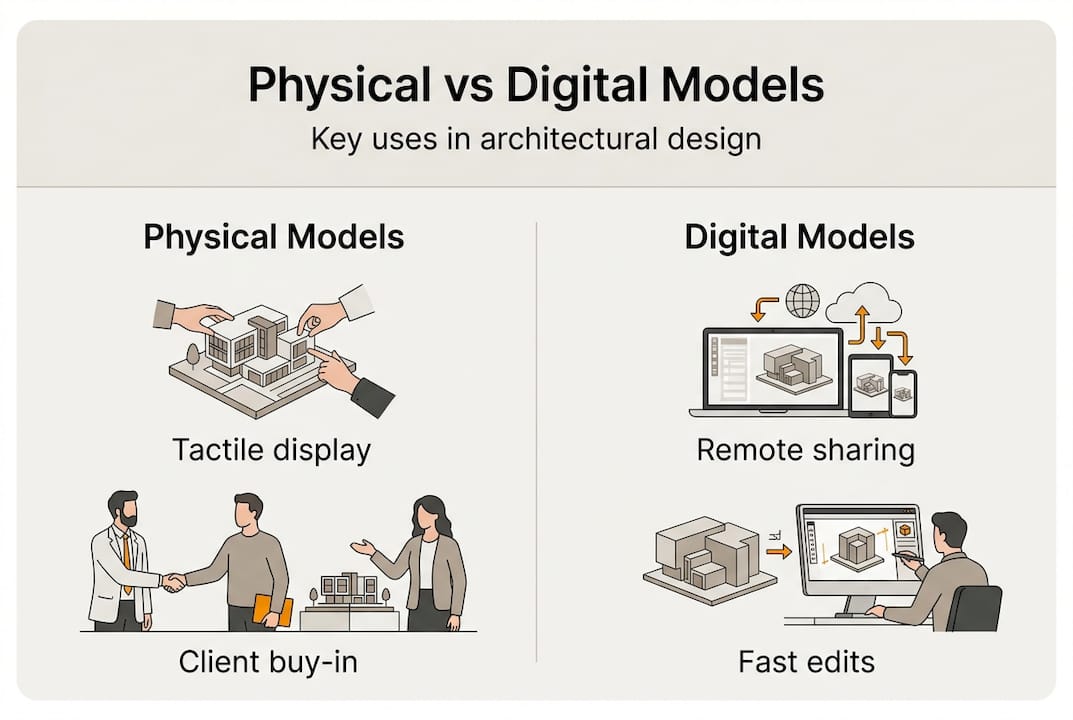
The sensory qualities of physical models trigger emotional responses that strengthen client engagement and project buy-in. Touching materials, observing how light falls across facades at different angles, and experiencing three-dimensional depth without digital mediation creates memorable impressions that influence decision-making. Physical models command attention in crowded exhibition spaces and public meetings where digital screens compete with distractions.
Digital models eliminate geographic barriers, enabling you to share designs instantly with international clients, remote consultants, and distributed project teams. You can update digital models in hours rather than the days or weeks required to modify physical versions, maintaining design momentum during fast-paced approval processes. Cost structures favor digital modeling for projects requiring frequent revisions, multiple design options, or extensive stakeholder review cycles.
| Aspect | Physical Models | Digital Models |
|---|---|---|
| Production time | 2-12 weeks depending on complexity | Hours to days for most projects |
| Iteration speed | Slow, requires rebuilding components | Instant, parameter-driven changes |
| Client engagement | High tactile and emotional impact | Flexible viewing angles and lighting |
| Geographic sharing | Requires shipping, risk of damage | Instant digital distribution |
| Cost at scale | Increases significantly with size | Relatively consistent regardless of building size |
| Material realism | Authentic textures and finishes | Simulated but increasingly photorealistic |
Models reveal design flaws missed in 2D drawings and digital renders, aiding approvals and client buy-in through comprehensive spatial visualization. Three-dimensional representation exposes proportion issues, sightline conflicts, and contextual relationships that remain hidden in plan and elevation views. You catch circulation bottlenecks, awkward spatial transitions, and structural conflicts early when modifications cost less.
Hybrid approaches combine physical and digital strengths by creating physical models from digital files or enhancing physical models with projected digital content. You might 3D print complex building components designed digitally, then assemble them into handcrafted site contexts. Alternatively, project digital renderings onto white physical massing models to test how different facade treatments affect overall composition without rebuilding the base model.
Strategic guidance for selecting modeling approaches:
- Use physical models for final client presentations, public consultations, and permanent installations
- Deploy digital models for design development, consultant coordination, and remote stakeholder reviews
- Combine both when budget allows, using digital models for iteration and physical models for critical approval milestones
- Consider audience technical literacy when choosing between interactive digital experiences and tangible physical models
- Evaluate project timeline constraints, as digital models support compressed schedules better than physical fabrication
Understanding the benefits of architectural visualization helps you make informed decisions about which modeling approach best serves each project phase and presentation context. Neither approach universally outperforms the other, successful professionals strategically deploy both based on specific project requirements, stakeholder preferences, and presentation objectives.
Enhance your architectural presentations with Rendimension services
Transforming architectural concepts into compelling visual experiences requires specialized expertise in both digital modeling and photorealistic rendering. Whether you need to validate design decisions internally or win client approvals with stunning presentations, professional visualization services amplify your project’s impact. Rendimension delivers expert 3D rendering services that bring architectural visions to life with photorealistic detail, accurate materials, and atmospheric lighting that communicates design intent clearly.

Comprehensive architectural visualization services transform static models into dynamic presentations through immersive experiences. Interactive 3D walkthroughs let clients explore spaces before construction begins, experiencing spatial flow, material relationships, and lighting conditions that static images cannot convey. Partnering with visualization specialists who understand architectural design principles ensures your presentations resonate with stakeholders, streamline approval processes, and differentiate your proposals in competitive markets.
Frequently asked questions about architectural modeling
What is the main difference between physical and digital architectural models?
Physical models are tangible three-dimensional objects built from materials like foam, wood, or acrylic that stakeholders can touch and view from any angle without technology. Digital models exist as computer files created with BIM or 3D software, offering unlimited iteration flexibility and instant sharing but requiring screens or projectors for viewing.
How long does it take to produce a professional architectural model?
Physical presentation models typically require two to twelve weeks depending on scale, detail level, and fabrication methods, with hybrid technology approaches at the longer end for complex projects. Digital models can be created in hours to days for most buildings, though highly detailed photorealistic renderings may need additional time for material setup and lighting refinement.
Do I need both physical and digital models for my architecture project?
Most projects benefit from digital models for design development and coordination, while physical models serve specific presentation needs like client meetings, public consultations, or competitions. Budget-conscious approaches use digital modeling throughout design phases and create physical models only for critical approval milestones or marketing campaigns where tactile impact justifies the investment.
How do architectural models help secure client approvals faster?
Models reveal spatial relationships, proportion, and contextual fit that two-dimensional drawings cannot communicate effectively, reducing client uncertainty and questions. Three-dimensional visualization helps non-technical stakeholders understand design intent quickly, building confidence that accelerates decision-making and minimizes revision cycles caused by miscommunication.
What is the difference between architectural modeling and rendering?
Modeling creates the three-dimensional geometry and structure of buildings, spaces, and objects, while rendering applies materials, lighting, and camera settings to generate photorealistic images from those models. You can have detailed models with basic visualization or simple models with sophisticated rendering, though professional presentations typically combine high-quality modeling with expert rendering techniques.
Which software should architects learn for digital modeling in 2026?
Revit remains the industry standard for commercial projects requiring BIM coordination, while Archicad offers strong alternatives for residential work and smaller firms. Complement your BIM platform with visualization tools like 3ds Max or Blender for presentation renderings, and explore real-time engines like Unreal Engine for interactive client experiences that differentiate your proposals.
Recommended
- Rendering Architecture Meaning: Complete 2025 Guide
- Rendering Architecture Definition: Complete Guide To 3D Visualization
- Photorealistic Rendering: Complete 2025 Guide For Architects
- Architectural Visualization Guide For Stunning 3D Renderings
