In 2026, stunning visual content is the foundation of brand success. As digital experiences evolve, the ability to render product with photorealistic quality gives brands, designers, and marketers a crucial competitive advantage.
Unlike traditional photography, render product methods offer unmatched flexibility, enabling rapid iterations and creative freedom. This guide serves as a comprehensive roadmap to master every step, from fundamentals to future trends.
You will discover essential techniques, industry applications, and modern tools proven to deliver impactful visuals. Ready to transform your approach and elevate your visual content? Dive in and unlock the secrets of exceptional product rendering.
Understanding Product Rendering: Fundamentals and Impact
Product rendering has become a cornerstone for brands seeking to captivate audiences and drive sales. As digital transformation accelerates, the ability to render product visuals that rival real photography is now essential. Let us explore what product rendering is, how it differs from traditional methods, and why it is revolutionizing design, marketing, and e-commerce.
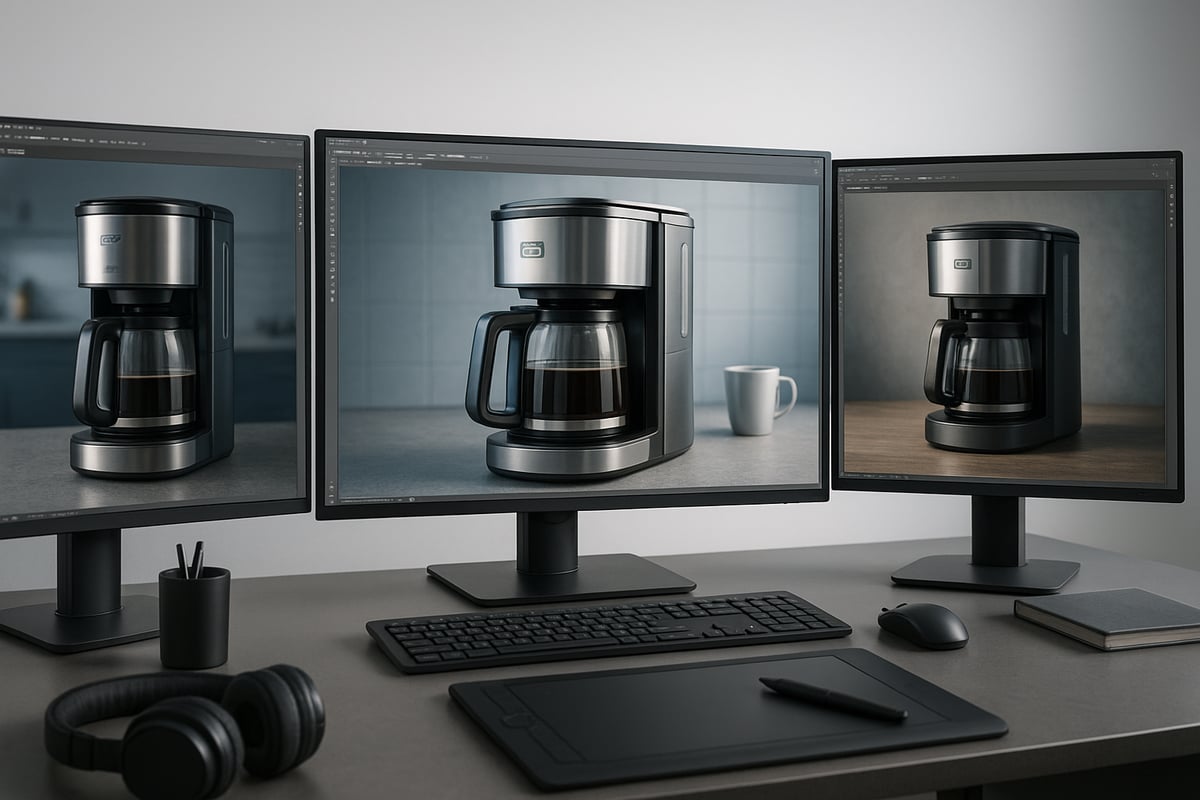
What is Product Rendering?
To render product images means creating lifelike digital visuals using advanced 3D software. This process lets designers and marketers visualize products before any physical prototype exists. Whether for pre-launch campaigns or online catalogs, teams use rendering to showcase every detail, angle, and feature with remarkable realism.
Industries like automotive, fashion, and advertising now rely on rendering for both internal reviews and public marketing. For example, e-commerce platforms often feature 3D renders in their catalogs to offer customers dynamic product perspectives. According to industry research, adoption of rendering tools in design and marketing has surged in recent years. For a deeper look at the fundamentals, see What is Product Visualization.
Product Rendering vs. Traditional Photography
The choice to render product visuals offers flexibility and creative control beyond what traditional photography can deliver. Unlike physical setups, rendering allows instant changes to lighting, backgrounds, and even product materials—no need for costly reshoots or new prototypes.
Teams can quickly iterate on color, finish, or configuration digitally, saving both time and budget. For instance, a furniture brand can showcase every fabric and finish variation within hours instead of scheduling new photoshoots for each option. This agility makes it easier to keep marketing assets fresh and aligned with evolving trends.
The Role of Rendering in Product Design and Development
To render product concepts during design phases streamlines validation and communication. Designers can present photorealistic visuals to stakeholders, enabling faster feedback and approvals. This reduces the number of design cycles and helps cut production costs.
In automotive engineering, teams use renders not only for external marketing but also for internal analysis. For example, engineers might evaluate lighting effects on a vehicle’s surface through digital renders before building a prototype. This visualization power accelerates decision-making and ensures alignment across departments.
Key Benefits of Product Rendering for Brands
Brands that render product visuals gain several advantages. First, they enhance product communication, making it easier for customers to understand features and quality. Second, customization for different markets or audiences is seamless—change labels, colors, or languages without rebuilding the scene.
Remote collaboration is another benefit. Teams across the globe can review, revise, and approve assets digitally. For marketing, photorealistic renders are ideal for high-volume campaigns. IKEA, for instance, uses V-Ray to create thousands of consistent, high-quality images for its catalogs. The ability to render product images at scale empowers brands to stay agile and competitive in dynamic markets.
Essential Benefits of Product Rendering in 2026
Product visualization technology is reshaping how brands, designers, and marketers communicate ideas and launch products. The ability to render product images with precision, speed, and flexibility delivers a clear competitive advantage. Below, we explore the most critical benefits that make rendering an essential part of business success in 2026.
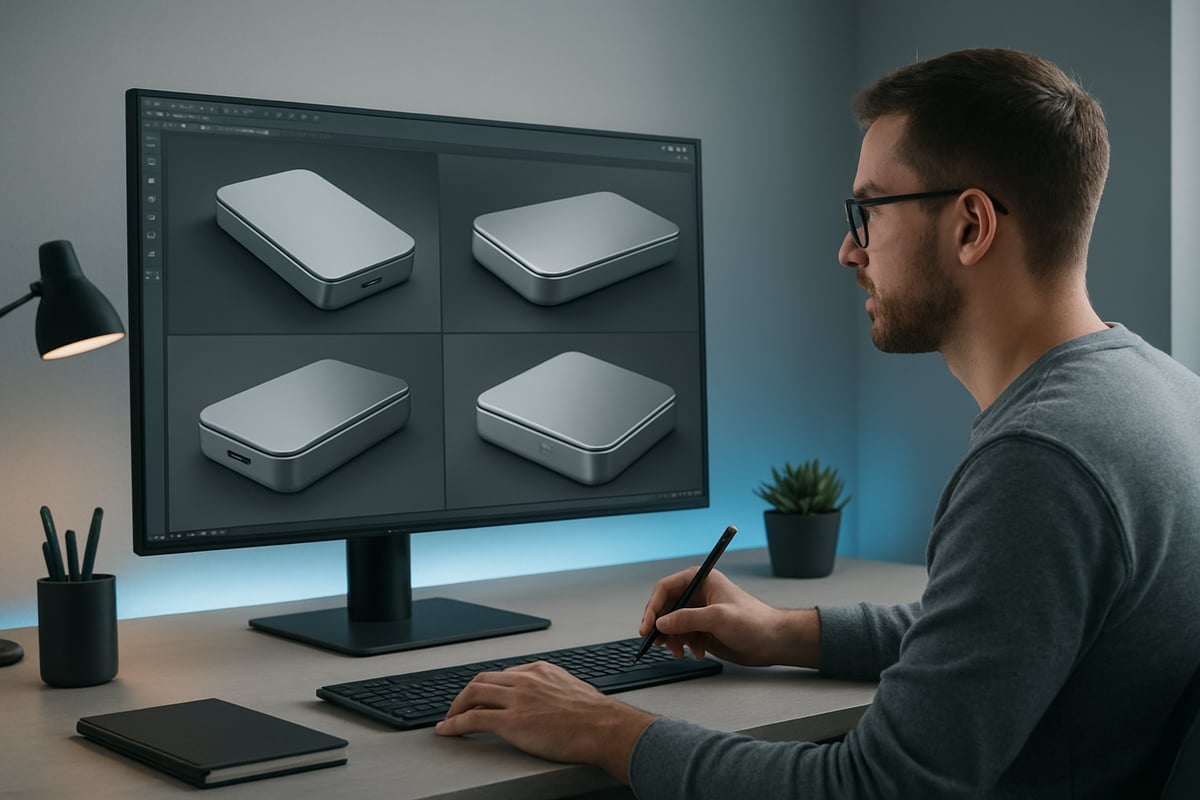
Superior Product Visualization and Communication
The power to render product visuals at a photorealistic level transforms customer engagement. Modern tools enable detailed textures, nuanced lighting, and accurate materials, allowing brands to showcase products in any environment. Teams can effortlessly customize scenes for different markets or audiences, from vibrant lifestyle backgrounds to minimalist studio settings.
For instance, you can render product shots of a camera from every angle and in multiple use-case scenarios within a single session. This flexibility surpasses traditional photography. To master these techniques, consult the Guide to Photorealistic Rendering Success for practical tips that help you render product images that truly stand out.
Cost and Time Efficiency Compared to Traditional Methods
Switching to a render product workflow drastically reduces both costs and time to market. There is no need for expensive photoshoots, physical prototypes, or elaborate set designs. Once a 3D model is prepared, updates or new variants can be rendered quickly, adapting to evolving trends or feedback without delay.
According to industry insights, companies leveraging 3D rendering report up to 40 percent faster go-to-market cycles. With the ability to render product images on demand, teams respond rapidly to market changes, ensuring resources are used efficiently and budgets remain under control.
Enhanced Client Presentations and Decision-Making
When you render product concepts in 3D, you unlock interactive presentations and dynamic reviews. Stakeholders can view 360-degree spins, zoom in on details, or request instant modifications before any physical product is produced. This interactive approach streamlines feedback and enables fast, informed decisions.
For example, using 360-degree renders in client meetings enables stakeholders to experience the product virtually, leading to more effective discussions and faster approvals. The ability to render product iterations in real time creates a collaborative decision-making environment that supports innovation and reduces costly revisions.
Collaboration and Remote Work Enablement
Render product workflows are built for today’s distributed teams. Digital assets can be shared globally, allowing designers, marketers, and clients to review, comment, and approve designs from anywhere. Integration with cloud-based platforms means feedback is immediate and collaboration is seamless.
A prime example is the use of V-Ray’s cloud features, which let teams render product variations and share them instantly for client review. This enables brands to accelerate project timelines, maintain quality, and adapt quickly regardless of where team members are located.
Applications of Product Rendering Across Industries
In 2026, the drive to render product visuals has transformed the way businesses operate across every major industry. From design studios to global retailers, digital rendering is now integral for concept development, marketing, and online sales. The ability to create lifelike visuals before a product even exists is reshaping workflows, reducing costs, and boosting creativity. According to 3D Rendering Market Growth Projections, the adoption of rendering technology is expected to accelerate further, highlighting its growing value for brands worldwide.
Product Design and Development
Design teams now rely on render product workflows for every stage of the creative process. Digital renders allow for rapid concept visualization, enabling designers to share ideas before physical models are built. This flexibility streamlines prototyping and iteration, letting teams experiment with colors, materials, and forms in a virtual environment.
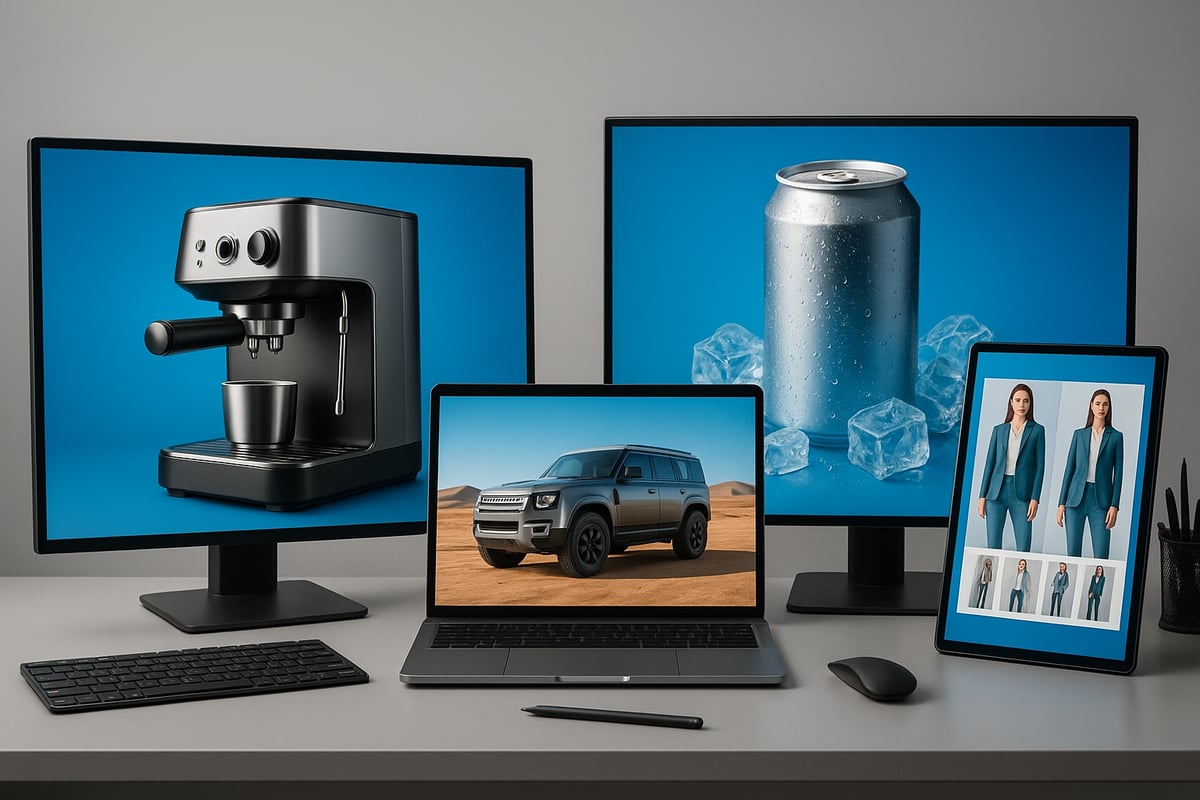
For example, Breville uses 3D rendering to visualize espresso machine concepts, making it easy to refine details and present multiple options to stakeholders. The ability to render product variations accelerates decision-making and reduces the need for costly physical prototypes.
- Visualize concepts early
- Test multiple configurations quickly
- Reduce costs with fewer prototypes
By leveraging powerful rendering tools, design and development cycles become faster and more efficient.
Automotive and Engineering
Automotive and engineering sectors render product designs for both technical and marketing purposes. Virtual prototyping is now standard, allowing engineers to simulate real-world conditions, analyze lighting, reflections, and even vehicle movement.
A notable example is the Ford Ranger, which is rendered in desert environments to create realistic promotional visuals. This approach ensures marketing teams can launch campaigns before vehicles are physically available, saving time and resources. Engineering teams also use rendering to identify design challenges long before manufacturing begins.
- Virtual testing for safety and durability
- Realistic marketing visuals for pre-launch campaigns
- Enhanced collaboration between design and engineering
Render product workflows are essential for innovation and speed in these industries.
Advertising and Marketing Campaigns
To stand out in crowded markets, brands render product imagery for advertising and digital campaigns. High-quality renders enable the creation of striking visuals and animations that capture attention across social media, websites, and digital billboards.
Companies can showcase products in imaginative or aspirational settings that would be costly or impossible to achieve with traditional photography. For instance, Coca-Cola Zero uses 3D rendering to surround a can with dynamic ice effects, creating an enticing, refreshing scene for their campaigns.
- Customizable settings for different audiences
- Fast adaptation to seasonal or promotional needs
- Unlimited creative possibilities
The ability to render product assets on demand gives marketers a powerful tool to engage consumers and drive sales.
Fashion and E-commerce
Fashion brands and online retailers increasingly render product images for catalogs and virtual try-on experiences. High-quality renders allow detailed visualization of garment textures, patterns, and fit, helping customers make informed purchasing decisions.
Before manufacturing, marketing teams use digital assets to test styles and gather feedback. Many fashion brands now launch pre-production campaigns using only 3D renders, reaching audiences worldwide without waiting for physical samples.
- Accurate representation of colors and fabrics
- Virtual try-ons for personalized shopping
- Consistent imagery across global markets
The move to render product visuals in fashion and e-commerce supports greater customization, efficiency, and global collaboration.
The Complete Product Rendering Workflow: Step-by-Step
Creating stunning visuals requires a structured, repeatable workflow. Whether you are new to how to render product or refining your approach for 2026, following a step-by-step process ensures consistency, efficiency, and world-class results. Let us break down each phase so you can render product with precision and confidence.
Step 1: Preparation and Planning
Successful projects start with clear planning. Define the project scope, set deliverables, and establish key milestones before you render product. Gather references, initial sketches, and detailed client requirements to align vision and expectations.
Creating mood boards helps unify style and direction. Early communication with stakeholders is vital to avoid costly revisions later. For a deeper dive into strategic planning, see Product Visualization Strategies for Designers.
Key actions:
- Define goals, timeline, and deliverables
- Collect inspirational imagery and technical references
- Align all stakeholders on expectations
A well-prepared foundation streamlines the entire workflow and makes it easier to render product efficiently.
Step 2: 3D Modeling
Choose the best software for your needs, such as Blender, Rhino, or 3ds Max. Begin by modeling your product accurately, focusing on geometry, proportions, and topology.
Use both parametric and organic modeling techniques depending on the shape and complexity. For instance, render product like a fountain pen by starting with precise cylinders, then adding detailed engravings.
Tips for efficient modeling:
- Organize objects with layers or groups
- Use reference images in viewports
- Maintain clean, quad-based topology for smooth shading
A solid model forms the backbone for every render product project.
Step 3: Texturing and Material Creation
Texturing brings your model to life. Apply realistic materials and textures to simulate surfaces, from metals to leather. Leverage scanned material libraries like Chaos Scans for authenticity.
Tweak properties such as reflectivity, roughness, and color to match real-world materials. When you render product with accurate textures, the result is dramatically more convincing.
Example workflow:
- UV unwrap your model for seamless texture mapping
- Assign shaders for each component
- Test materials under different lighting conditions
Thoughtful texturing is essential to render product that looks and feels real.
Step 4: Lighting Setup
Lighting is key to photorealism. Use three-point lighting for balanced results, or customize setups to evoke a specific mood. Adjust intensity, color temperature, and shadow softness.
HDRI maps add realistic environmental reflections, making your renders pop. When you render product, experiment with light placement to highlight details and contours.
Checklist:
- Place key, fill, and rim lights
- Adjust exposure and white balance
- Preview with real-time rendering if possible
Mastering lighting helps every render product stand out.
Step 5: Camera and Composition
Select camera angles that best showcase your product features. Adjust focal length, depth of field, and framing to create dynamic, engaging visuals.
Simulate real-world photography techniques such as motion blur for added realism. For example, render product using a diagonal camera angle to emphasize movement and shape.
Pro tips:
- Use rule of thirds for balanced composition
- Isolate the product from the background with shallow depth of field
- Save camera presets for consistency across shots
Strong composition elevates every render product.
Step 6: Rendering Settings and Output
Configure your rendering engine for optimal results. Choose high-quality presets and set the appropriate output resolution for your platform.
Leverage render passes, like LightMix or Cryptomatte, to give flexibility in post-production. Always balance render time with quality, especially when preparing multiple angles or variants to render product for a campaign.
Sample settings:
Output: 3840 x 2160 px
Render engine: V-Ray GPU
Passes: Beauty, Reflection, Shadow
Efficient settings ensure a smooth render product workflow.
Step 7: Review, Feedback, and Revision
Share draft renders with clients early. Collect feedback and iterate to address any concerns about accuracy, color, or style.
This collaborative approach ensures that you render product exactly as envisioned and all stakeholder requirements are met before moving forward.
Feedback loop:
- Present renders for review
- Document client comments
- Implement revisions systematically
Thorough reviews reduce revisions and help render product that exceeds expectations.
Step 8: Cloud Rendering and Scalability
For large projects or tight deadlines, cloud rendering is a game-changer. Offload heavy computations to cloud servers and render product variants simultaneously, accelerating delivery.
Cloud platforms also support remote teams, enabling seamless collaboration across time zones.
Benefits:
- Faster rendering for high-volume output
- Scalable resources for complex scenes
- Easy sharing of render product results for approvals
Leverage cloud rendering to boost productivity and flexibility.
Step 9: Post-Processing and Compositing
Finalize your visuals with careful post-processing. Adjust color balance, contrast, and sharpness to achieve a polished look.
Add subtle photographic effects, such as bloom or chromatic aberration, to enhance realism. If needed, composite your product into marketing layouts or catalog backgrounds. Consistent post-processing ensures each render product aligns with your brand identity.
Typical adjustments:
- Color grading for mood consistency
- Adding branded backgrounds or overlays
- Outputting multiple formats for various uses
Attention to detail in post-processing is the finishing touch for every render product.
Rendimension: Elevating Product Rendering Excellence
Rendimension specializes in transforming concepts into photorealistic visual experiences. With advanced 3D product visualization, immersive 360 tours, and virtual reality, Rendimension empowers brands to render product for design validation, marketing, and e-commerce.
Clients enjoy unlimited iterations, rapid turnaround, and collaborative workflows. Rendimension’s expertise spans consumer goods, architecture, and manufacturing, delivering tailored solutions for any project. Trusted by global leaders, their award-winning renders set the standard for visual excellence.
Tools, Technologies, and Best Practices for 2026
The landscape to render product visuals in 2026 is shaped by powerful tools and evolving best practices. From advanced 3D software to collaborative cloud platforms, the right technology stack is crucial for delivering photorealistic results. Let’s explore the essential software, libraries, and methods that ensure a render product stands out in a competitive market.
Leading 3D Modeling and Rendering Software
Choosing the right software is the foundation to render product images with precision and realism. Industry leaders such as Blender, 3ds Max, Rhino, and Cinema 4D offer robust modeling, sculpting, and animation features. V-Ray stands out for its physically accurate raytracing and seamless integration with these platforms.
Modern rendering engines now harness AI to accelerate workflows and achieve lifelike visuals. For example, Nvidia’s Neural Rendering Insights highlight how neural rendering is transforming the way professionals render product images, delivering unprecedented speed and flexibility.
Key features to consider include:
- Parametric and organic modeling tools
- Advanced material editors and lighting controls
- Support for real-time previews and AI-driven enhancements
Material and Texture Libraries
A critical step to render product visuals believably is using high-quality materials and textures. Pre-scanned libraries, such as Chaos Scans, provide a vast selection of real-world materials, from metals to fabrics. These libraries allow designers to apply authentic textures to any render product, saving time and boosting realism.
Custom texture creation remains vital for unique branding or complex finishes. Proper UV mapping ensures textures wrap seamlessly around models. For example, packaging designers can apply branded patterns accurately, making every render product image both realistic and on-brand.
Best practices for texture workflows:
- Use pre-scanned libraries for efficiency
- Create custom maps for signature looks
- Meticulously UV map every model
Cloud Rendering and Collaboration Platforms
In 2026, cloud technology is essential for teams who need to render product campaigns quickly and at scale. Cloud rendering platforms offload heavy computations, allowing users to generate multiple angles and variants simultaneously. This approach dramatically reduces turnaround times for e-commerce and marketing projects.
Collaboration tools built into these platforms enable real-time feedback and approvals, no matter where stakeholders are located. For example, teams can work together on a render product campaign, sharing updates instantly and ensuring brand consistency across all deliverables.
Benefits of cloud collaboration:
- Scalable rendering power for large projects
- Secure, centralized asset management
- Real-time review and revision cycles
Best Practices for Consistent, Stunning Visuals
To consistently render product images that captivate, follow industry best practices. Maintain uniform lighting setups, color profiles, and branding elements across all renders. Regularly update your 3D software and material libraries to access the latest features and enhancements.
Reference photography is invaluable for benchmarking your render product output against real-world results. As new technologies emerge, staying informed is key. For a deeper look at future-ready workflows, see the Future of 3D Rendering for expert strategies and insights.
Checklist for success:
- Standardize lighting and colors across projects
- Keep software and libraries current
- Use real product photos for quality control
Future Trends in Product Rendering for Stunning Visuals
The landscape of how brands render product is evolving rapidly, driven by groundbreaking technologies and shifting market demands. As we look ahead to 2026, three major trends will redefine what is possible—AI-powered automation, real-time rendering, and sustainable visualization practices. Each trend empowers businesses to create more engaging, efficient, and eco-conscious visual content than ever before.
AI and Automation in Rendering
Artificial intelligence is transforming the way teams render product by automating complex tasks and accelerating workflows. New AI-driven tools in CAD and rendering software offer features like smart material suggestions, automated scene optimization, and rapid model generation. These advancements allow designers to focus on creativity while AI handles repetitive, technical processes.
For example, AI features in CAD programs are set to streamline everything from drawing to rendering, providing intelligent recommendations and error detection. As a result, companies can render product faster and with greater accuracy, delivering photorealistic visuals on tight deadlines.
Real-Time Rendering and Virtual Reality
The rise of real-time engines is changing how professionals render product, offering instant feedback and immersive visualization. Platforms like Unreal Engine provide interactive environments where lighting, materials, and camera settings can be adjusted live, minimizing wait times for final renders.
Virtual reality integration takes this further by allowing teams and clients to experience products in three-dimensional spaces. Imagine presenting a render product in a virtual showroom, where stakeholders can walk around, inspect details, and make decisions on the spot. This not only enhances communication but also accelerates approval cycles for new product launches.
Sustainability and Eco-Friendly Visualization
Sustainability is a growing priority for brands seeking to render product with minimal environmental impact. Digital rendering eliminates the need for physical prototypes, reducing material waste and transportation emissions. Virtual photoshoots enable brands to create diverse marketing visuals without building elaborate sets or shipping products globally.
By prioritizing digital-first campaigns, companies can showcase their commitment to eco-friendly practices. The ability to render product virtually allows for rapid testing of design variations, supporting both creative freedom and responsible resource management. As sustainability becomes central to branding, these visualization strategies will be crucial for future success.
