Architectural visualization has evolved dramatically, and the integration between SketchUp's intuitive modeling environment and professional rendering engines has redefined what designers can achieve. Chaos Vray for SketchUp represents the industry standard for transforming simple 3D models into photorealistic visualizations that communicate design intent with stunning clarity. This powerful combination enables architects, interior designers, and visualization professionals to create compelling presentations that bridge the gap between conceptual sketches and built reality. Whether you're crafting residential interiors, commercial exteriors, or complex urban developments, understanding how to leverage this rendering solution can elevate your visualization workflow to professional standards.
Understanding the Chaos Vray for SketchUp Ecosystem
Chaos has positioned itself as the leading developer of rendering technology for design professionals worldwide. The V-Ray for SketchUp platform seamlessly integrates with SketchUp's modeling interface, providing access to industry-leading rendering capabilities without requiring users to export their work to external applications.
This integration philosophy addresses a critical pain point for designers who value efficiency. Rather than maintaining separate workflows across multiple applications, chaos vray for sketchup operates directly within the familiar SketchUp environment. The plugin architecture ensures that materials, lighting, and camera settings remain accessible through intuitive panels that complement SketchUp's native toolset.
Key Components of the Rendering Engine
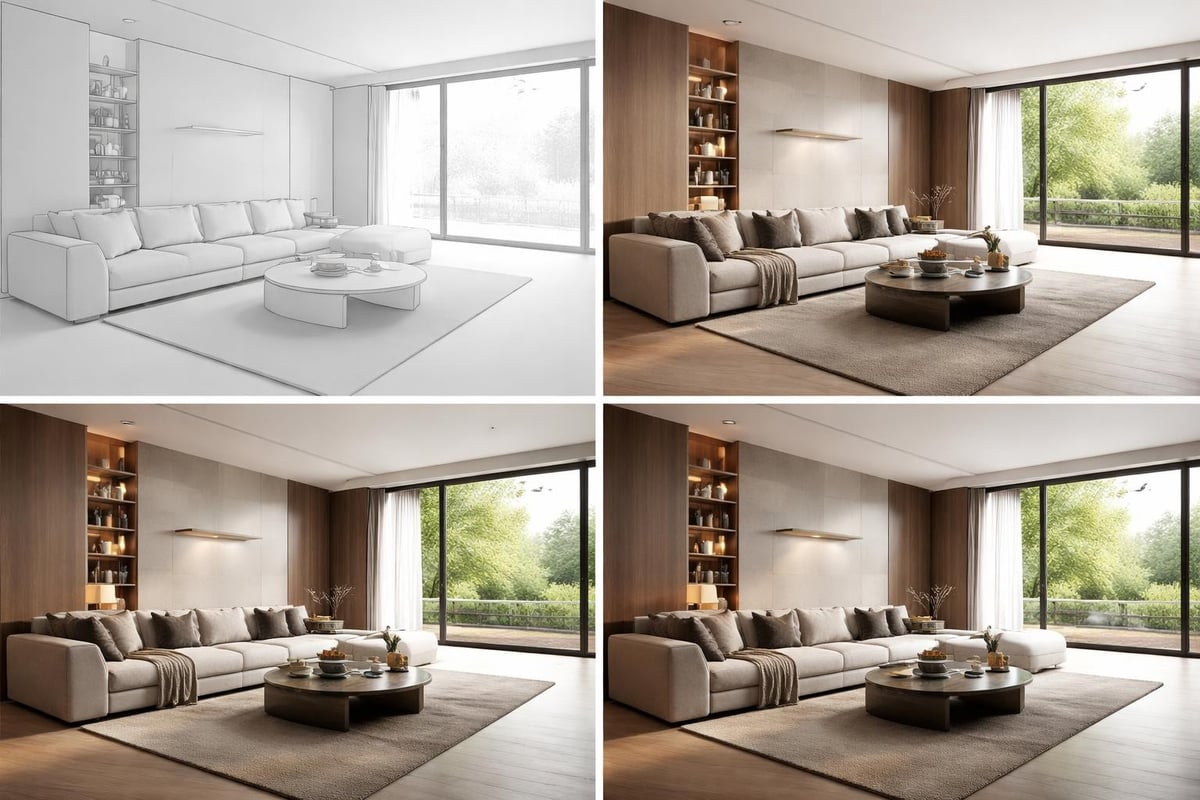
The rendering engine operates on physically-based principles that simulate how light behaves in the real world. This approach produces results that accurately represent material properties, lighting conditions, and atmospheric effects.
Core rendering technologies include:
- Progressive rendering that displays results in real-time as calculations refine
- GPU acceleration for faster preview iterations and final output
- Adaptive lighting algorithms that optimize calculation times
- Distributed rendering capabilities for network-based processing
- Denoising technology that reduces render times while maintaining quality
The system architecture supports both CPU and GPU rendering modes, allowing professionals to choose the approach that best suits their hardware configuration and project requirements. Many studios deploy hybrid rendering strategies that leverage both processing methods for optimal performance.
Essential Features That Define Professional Workflow
Understanding the comprehensive features available in chaos vray for sketchup helps professionals maximize their rendering capabilities. The software includes sophisticated tools that address every aspect of visualization production, from initial concept exploration to final client presentations.
Lighting Systems and Global Illumination
Accurate lighting remains the foundation of convincing architectural visualization. The lighting engine supports multiple illumination methods that replicate natural and artificial light sources with scientific precision.
Available lighting options:
- Physical sun and sky systems that calculate accurate solar positions
- IES light profiles from actual manufacturer specifications
- Area lights with customizable shapes and intensity falloff
- Emissive materials that turn geometry into light sources
- HDRI environment mapping for photographic lighting conditions
The global illumination calculations ensure that light bounces naturally between surfaces, creating the subtle color bleeding and shadow softness that characterize real-world environments. This computational approach produces renders that feel authentic rather than artificially lit.
Material Editor and Texture Management
The material system in chaos vray for sketchup provides granular control over surface properties. Professional materials combine multiple texture maps that define how surfaces respond to light, including diffuse color, reflectivity, bump mapping, and displacement.
| Material Property | Function | Common Applications |
|---|---|---|
| Diffuse Color | Base surface color | Paint, fabrics, matte finishes |
| Reflection | Mirror-like qualities | Glass, metals, polished surfaces |
| Refraction | Light transmission | Glass, water, translucent materials |
| Bump/Normal | Surface texture detail | Concrete, wood grain, fabric weave |
| Displacement | Actual geometry modification | Stone walls, detailed moldings |
Material presets accelerate workflow by providing starting points for common architectural finishes. These templates can be customized with specific textures and parameters that match project specifications, then saved for reuse across multiple scenes.
Building Effective Rendering Workflows
Developing systematic approaches to rendering projects ensures consistent quality and efficient production schedules. Professional visualization studios establish workflows that balance creative flexibility with technical repeatability.
Scene Preparation and Optimization
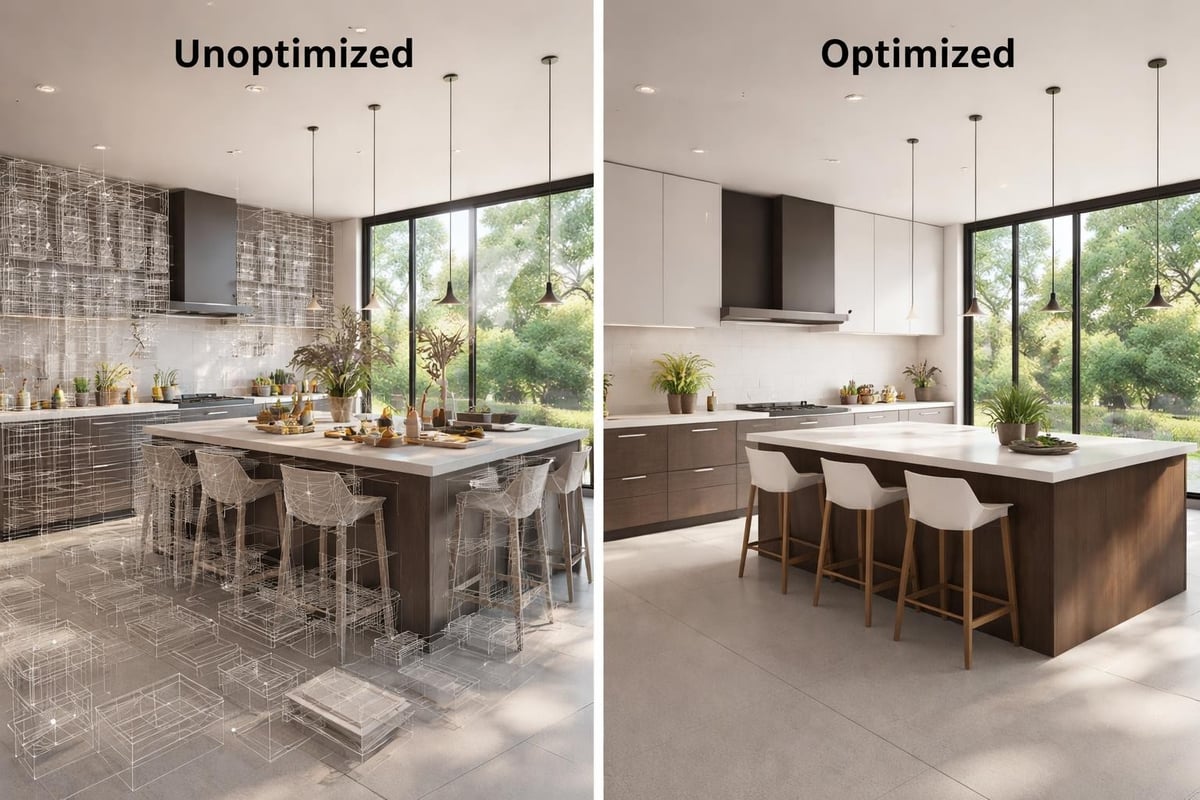
Before initiating rendering calculations, proper scene organization prevents technical issues and accelerates processing times. The chaos vray for sketchup environment responds well to clean geometry and thoughtful layer management.
Optimization strategies include:
- Removing unnecessary geometry not visible to cameras
- Using proxy objects for repeated high-polygon elements
- Organizing materials into logical naming conventions
- Setting appropriate texture resolutions for viewing distances
- Grouping components for efficient memory management
These preparation steps become increasingly important as scene complexity grows. A well-organized project file renders faster and remains easier to modify when clients request design revisions.
Camera Setup and Composition
Camera positioning determines how viewers experience architectural spaces. The camera tools in chaos vray for sketchup provide professional controls that replicate real-world photography equipment, including focal length adjustment, depth of field effects, and exposure settings.
Establishing multiple camera views during early project phases allows clients to understand spatial relationships from various perspectives. Interior views benefit from lower camera heights that approximate human eye level, while exterior views often require elevated positions that showcase building massing and context.
Professional composition techniques:
- Apply the rule of thirds for balanced framing
- Use leading lines to guide viewer attention
- Include foreground elements for depth perception
- Frame views through architectural openings
- Maintain vertical lines for architectural accuracy
The getting started resources from Chaos provide detailed guidance on camera setup for architectural visualization projects. These tutorials demonstrate how camera choices impact the narrative quality of rendered images.
Advanced Techniques for Photorealistic Results
Achieving truly photorealistic results requires attention to details beyond basic lighting and materials. Professional visualizers employ advanced techniques that add layers of authenticity to their rendered scenes.
Atmospheric Effects and Environment
Real-world environments contain atmospheric effects that influence how we perceive depth and lighting quality. Chaos vray for sketchup includes environmental controls that simulate these subtle but important phenomena.
Aerial perspective diminishes contrast and saturation with distance, creating the atmospheric haze visible in landscape views. The environment fog feature replicates this effect, adding depth to exterior renderings. Similarly, volumetric lighting simulates visible light rays streaming through windows or gaps in architectural elements.
Environment maps provide 360-degree surrounding imagery that influences scene reflections and ambient lighting. HDRI photographs captured in actual locations inject authentic lighting characteristics into rendered scenes, particularly valuable for projects requiring specific time-of-day or weather conditions.
Post-Production Integration
While chaos vray for sketchup produces high-quality direct output, professional workflows typically incorporate post-production refinement. The rendering engine outputs separate passes for different lighting and material components, enabling precise adjustments during compositing.
Common render passes include:
- Raw lighting without effects
- Reflection and refraction isolation
- Shadow masks for density adjustment
- Ambient occlusion for contact shadows
- Z-depth for selective focus effects
These separate elements import into image editing applications where artists fine-tune color balance, add atmospheric effects, and composite entourage elements like people and vehicles. The tutorial resources demonstrate how professional artists combine rendering output with post-production techniques for portfolio-quality results.
Learning Resources and Skill Development
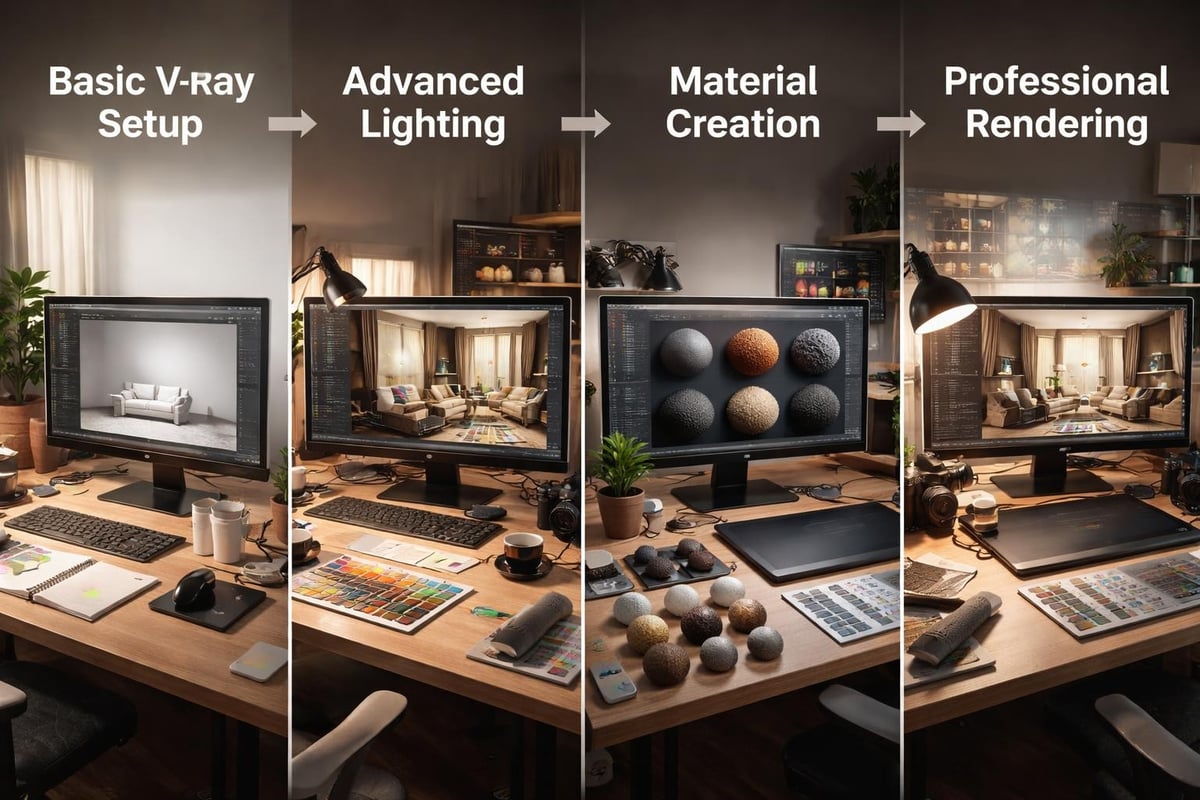
Mastering chaos vray for sketchup requires ongoing learning as the software evolves with new features and capabilities. Chaos provides comprehensive educational resources that support users from beginner through advanced proficiency levels.
Structured Learning Pathways
The video tutorial collection offers structured courses that build skills progressively. Beginning tutorials cover interface navigation and basic rendering concepts, while advanced content explores specialized techniques like volumetric rendering and animation setup.
Project-based learning proves particularly effective for visualization software. Following along with tutorials like creating welcoming living spaces provides hands-on experience with complete workflows from scene setup through final output. These practical exercises develop the decision-making skills necessary for independent project work.
Community and Professional Development
The visualization community actively shares knowledge through forums, social media groups, and professional organizations. Engaging with other chaos vray for sketchup users exposes you to alternative approaches and creative problem-solving strategies.
Professional development extends beyond software proficiency to encompass understanding of photography, lighting design, and architectural principles. Successful visualizers study how light interacts with materials in real environments, then apply those observations to improve rendering authenticity.
Rendering Workflows for Different Project Types
Different architectural visualization projects demand tailored approaches that address their specific communication goals and technical requirements. Understanding how to adapt chaos vray for sketchup workflows for various project types improves efficiency and output quality.
Residential Interior Visualization
Interior spaces require careful attention to lighting subtlety and material detail. Residential visualization emphasizes warmth and livability, showcasing how spaces function for daily living activities.
| Rendering Priority | Approach | Typical Settings |
|---|---|---|
| Natural lighting | Large windows, realistic sun angles | Physical sun, 2-3 bounce GI |
| Material richness | Detailed textures for fabrics, wood | High-res maps, subtle reflection |
| Atmospheric quality | Soft shadows, warm color temperatures | Area lights, low contrast ratios |
| Human scale | Eye-level cameras, inhabited scenes | 1.6m camera height, lifestyle staging |
Residential projects benefit from multiple render angles that show room flow and spatial relationships. Kitchen and bathroom visualizations particularly require detailed material representation for tiles, countertops, and fixtures that clients scrutinize during decision-making.
Commercial and Exterior Architecture
Large-scale commercial projects emphasize building presence within urban contexts. Exterior renderings showcase architectural forms, material palettes, and relationships to surrounding environments.
Exterior chaos vray for sketchup projects typically incorporate broader environmental modeling including landscaping, neighboring structures, and infrastructure elements. The rendering challenge involves balancing architectural detail with atmospheric depth and context representation.
Time-of-day studies demonstrate how buildings appear under different lighting conditions, valuable for understanding facade performance and visual impact. Twilight renderings particularly showcase architectural lighting design while maintaining enough ambient light to reveal building forms.
Animation and Interactive Visualization
Beyond static images, chaos vray for sketchup supports animation workflows that communicate spatial sequences and design transformations. Animated walkthroughs guide viewers through spaces, revealing spatial relationships impossible to convey in single images.
Animation rendering requires different optimization strategies than still images. Frame-by-frame rendering demands consistent lighting calculations and careful camera movement planning to avoid flickering artifacts. The computational requirements also necessitate longer production schedules and often distributed rendering across multiple machines.
Hardware Considerations and Performance Optimization
Rendering performance directly impacts project economics and creative iteration speed. Understanding hardware requirements and optimization strategies for chaos vray for sketchup helps professionals build efficient production systems.
Computing Infrastructure Requirements
Modern rendering workflows benefit from balanced system configurations that avoid bottlenecks. Both CPU and GPU components influence rendering performance, with different rendering modes emphasizing different hardware elements.
Recommended hardware priorities:
- Multi-core CPU processors for distributed rendering calculations
- High-performance graphics cards with substantial VRAM for GPU rendering
- Ample system RAM (minimum 32GB for professional work)
- Fast storage systems for texture and asset management
- Calibrated displays for accurate color representation
Many visualization studios maintain dedicated rendering machines separate from modeling workstations. This approach allows designers to continue working while previous projects process, maximizing productive time utilization.
Network Rendering and Cloud Solutions
Distributed rendering distributes calculation workload across multiple computers, dramatically reducing processing times for complex scenes. Chaos vray for sketchup supports network rendering configurations that leverage all available computing resources within a studio environment.
Cloud rendering services provide on-demand access to massive computing infrastructure without capital hardware investment. These platforms prove particularly valuable for handling peak workload periods or exceptionally complex projects requiring rapid turnaround. The service model converts fixed infrastructure costs into variable expenses aligned with project revenue.
Chaos vray for sketchup represents the professional standard for architectural visualization, combining SketchUp's accessible modeling environment with industry-leading rendering technology. The platform's comprehensive feature set, extensive learning resources, and active development roadmap ensure it remains relevant for demanding visualization projects across residential, commercial, and institutional sectors. Whether you're developing in-house visualization capabilities or seeking professional rendering services, Rendimension brings deep expertise in V-Ray workflows and architectural visualization to transform your design concepts into compelling photorealistic presentations that captivate clients and stakeholders.
