Turning a sketch into a tangible concept can be the difference between confusion and confident decision-making for clients. Architects and product designers across North America rely on advanced visualization not just to impress, but to communicate design intent without ambiguity. By using realistic digital representations of products, you move conversations forward, ensuring clarity and alignment from early development to final presentation.
Table of Contents
- Defining Product Visualization and Its Purpose
- Types of Product Visualization Techniques
- How Product Visualization Works in Design
- Key Benefits for Client Engagement and Marketing
- Common Mistakes and How to Avoid Them
Key Takeaways
| Point | Details |
|---|---|
| Effective Communication | Product visualization enhances stakeholder communication by providing clear, tangible design evidences that reduce misunderstandings. |
| Accelerated Decision-Making | Clients make faster decisions when presented with photorealistic visualizations, leading to shortened approval cycles. |
| Cost Efficiency | Identifying design flaws early through visualization saves substantial costs associated with physical prototypes and manufacturing errors. |
| Enhanced Marketing Strategy | High-quality visual assets serve as powerful marketing tools, attracting more qualified leads and enhancing client engagement. |
Defining Product Visualization and Its Purpose
Product visualization refers to creating realistic digital representations of products using images, videos, 3D models, or virtual reality experiences. For architects and product designers, this means transforming sketches and concepts into compelling visual narratives that clients can actually see and understand before production begins.
At its core, product visualization presents tangible design manifestations at different development stages. Instead of asking stakeholders to imagine how a product will look or function, you’re showing them. This eliminates guesswork and keeps everyone aligned on design direction.
The purpose extends far beyond aesthetics. Product visualization communicates appearance, features, and functionality simultaneously. Clients grasp how a product will perform in real environments. Engineers see potential manufacturing challenges early. Marketing teams gain assets for campaigns before the product exists physically.
Consider a custom furniture manufacturer presenting a new office system to a client. A traditional 2D drawing leaves too much to interpretation. A photorealistic 3D rendering shows the exact finish, how it interacts with office lighting, and how it fits within the actual space. The client approves confidently because they’re seeing the reality, not imagining it.
Product visualization serves stakeholder communication and decision-making about design features. It accelerates approval cycles by providing clear visual evidence rather than requiring lengthy explanations. When clients see what you propose in photorealistic detail, conversations shift from “What does this mean?” to “How does this work for us?”
This approach reduces costly revisions later in the design process. A modification caught during visualization costs minutes. The same modification discovered during manufacturing costs thousands. You’re solving problems on screen rather than in the shop.
Pro tip: Start your product visualization conversations early in design development, not at the end, so client feedback shapes iterations rather than requiring complete rework.
Types of Product Visualization Techniques
Product visualization doesn’t come in one flavor. Different techniques serve different purposes, and choosing the right one depends on what you’re trying to communicate and who you’re communicating with. Understanding the spectrum of options helps you match the tool to the need.
2D Images and Renderings
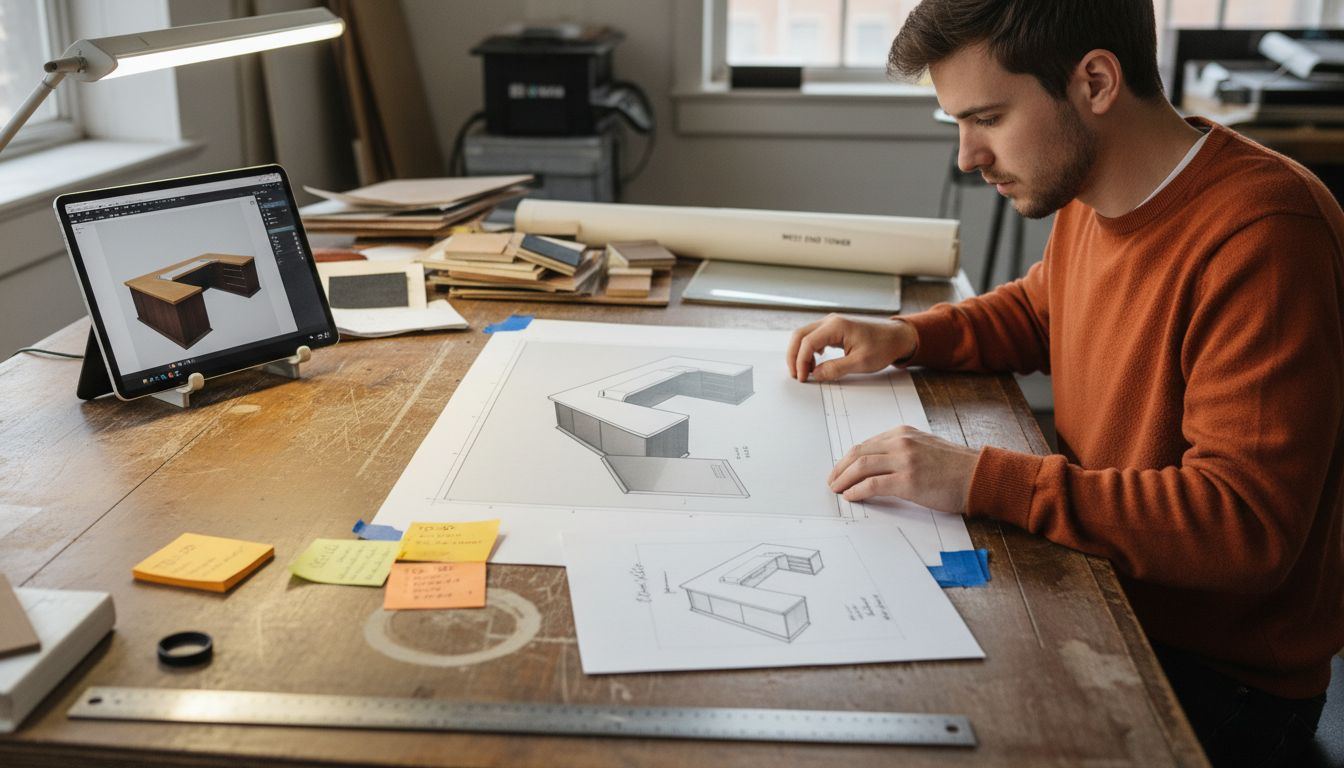
2D images remain the workhorse of product visualization. These are static, photorealistic renders that show your design from a specific angle. They’re fast to produce, easy to share via email or presentation software, and perfect for marketing materials. A designer can generate multiple angle shots in hours rather than days.
3D Models and Interactive Exploration
3D models let clients rotate, zoom, and explore products from every direction. Unlike static 2D images, 3D visualization enables interactive product exploration that gives stakeholders genuine control. They can examine details up close, understand spatial relationships, and catch design issues you might have missed. This interaction builds confidence in your design decisions.
Animation and Motion Simulation
Animations demonstrate how products work in real time. Rendering and animation create photorealistic experiences that simulate actual product functionality and movement. A motorized product comes alive through animation. Clients see exactly how components interact, how moving parts perform, and whether the ergonomics feel right. An engineer immediately spots mechanical conflicts that static images would hide.
Extended Reality Experiences
Virtual reality and augmented reality represent the frontier of product visualization. VR places clients inside a complete digital environment with your product at full scale. AR overlays your product into their actual physical space using smartphone cameras. These immersive techniques answer the question clients ask most often: “How will this actually look in my space?”
Each technique exists on a spectrum from simple to complex. Your project needs determine which techniques make sense. A custom architectural element might benefit from 3D exploration and AR placement. A mechanical assembly might need animation more than anything else.
Here’s how common product visualization techniques address stakeholder needs:
| Technique | Stakeholder Focus | Key Benefit | Best Use Case |
|---|---|---|---|
| 2D Renderings | Marketing, clients | Quick visual direction | Brochures, early presentations |
| 3D Models | Engineers, architects | Spatial clarity, design checks | Mechanical assemblies, prototyping |
| Animation | Designers, engineers | Dynamic function preview | Moving products, ergonomic study |
| VR/AR Experiences | Clients, sales | Immersive environment view | Furniture, interior solutions |
Pro tip: Start with 2D renderings to establish design direction, then add 3D or animation only when stakeholders need deeper understanding or decision-making moments arrive.
How Product Visualization Works in Design
Product visualization operates as a critical bridge between imagination and execution in design. Rather than building physical prototypes immediately, designers create digital representations that allow testing, refinement, and iteration at minimal cost. This shift fundamentally changes how products move from concept to reality.
The process begins with creating 3D computer models from initial sketches and design concepts. These models become your laboratory. You can experiment with proportions, colors, materials, and mechanical functionalities without cutting a single piece of material or spending manufacturing budgets. A designer working with visualization can test fifty design variations in the time it takes to prototype two physical samples.
Product visualization supports early-stage evaluation by enabling designers to refine concepts before committing to production tooling and manufacturing. You catch proportional issues, accessibility problems, and aesthetic concerns when changes still cost nothing. This reduces time to market significantly because you’re solving problems digitally rather than discovering them during production.
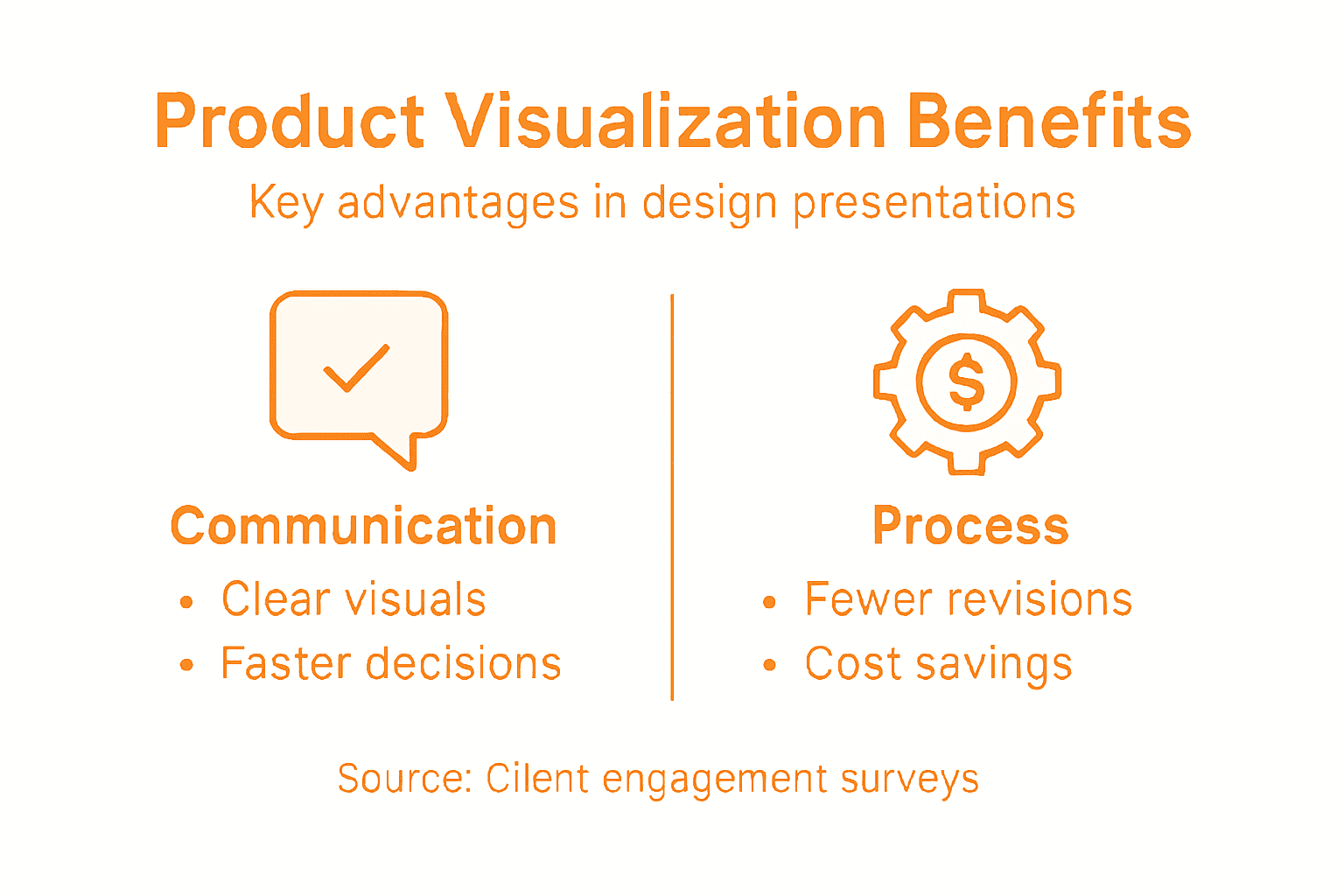
Collaboration accelerates dramatically with visualization. Instead of describing a concept verbally or through sketches, designers use various representations to test and refine concepts that stakeholders can actually see. An engineer spots mechanical conflicts immediately. A manufacturer identifies production constraints early. A client approves confidently because they’re viewing tangible, photorealistic evidence.
Your workflow typically flows like this: sketch concepts, model promising directions in 3D, render variations for client review, incorporate feedback, refine models, and repeat. Each cycle gets faster because your digital asset library grows. Components reused across projects save modeling time. Approved materials and finishes become standards you apply to new designs.
The financial impact matters tremendously. Reducing physical prototypes from five to one saves thousands. Catching design flaws before manufacturing eliminates costly recalls. Shortening approval cycles gets products to market weeks earlier, directly impacting revenue.
This table summarizes the direct business impacts of effective product visualization:
| Business Impact | Description | Example Outcome |
|---|---|---|
| Accelerated approvals | Faster stakeholder decision-making | Weeks shaved off project timeline |
| Reduced prototyping | Fewer physical samples required | Thousands in budget saved |
| Marketing leverage | Stronger client attraction potential | Increased lead conversion |
| Fewer revisions | Errors caught early in design | Fewer costly manufacturing fixes |
Pro tip: Build a material and finish library as you complete projects so future designs can leverage approved options immediately, cutting visualization time in half.
Key Benefits for Client Engagement and Marketing
Product visualization transforms how you engage clients. Instead of presenting sketches or technical drawings, you show photorealistic images that clients immediately understand. This shift changes conversations from “What will this look like?” to “How do we refine what we see?”
Clients make faster decisions when they can visualize the end result. A real estate developer approves a commercial interior layout in one meeting instead of three when viewing a detailed 3D rendering. A corporate buyer commits to custom furniture when seeing exactly how it functions in their space. Speed matters because every week of delay costs money and pushes timelines.
Visualization builds confidence in your design expertise. When clients see photorealistic renderings with proper lighting, materials, and context, they trust your vision. You’re not asking them to imagine. You’re showing them evidence. This confidence translates into fewer revisions and smoother project execution.
Marketing and Sales Power
Visualization assets become your most powerful marketing tools. A single photorealistic rendering attracts more qualified leads than dozens of portfolio photographs of completed work. Prospective clients see what you can deliver before engaging your services. Your website converts browsers into inquiries because portfolio images actually demonstrate capability.
These assets work across all marketing channels. Social media posts featuring striking 3D renderings generate higher engagement than traditional project photos. Email campaigns with visualization images see better open rates. Your sales team uses renderings during pitches to close deals faster.
Competitive Advantage
Design firms offering visualization services differentiate themselves from competitors still relying on traditional presentations. Clients perceive visualization as evidence of professionalism and technical sophistication. This perception justifies premium pricing because you’re delivering clearer communication and reduced project risk.
Your team also benefits internally. Visualization clarifies design intent across departments. Structural engineers see exactly what architects envision. Contractors understand spatial relationships precisely. Manufacturing teams spot assembly challenges early. Everyone speaks the same visual language.
Pro tip: Create a library of past project renderings organized by industry and product type, then reuse elements and compositions for new client proposals to reduce visualization time while maintaining consistent quality standards.
Common Mistakes and How to Avoid Them
Product visualization can backfire when executed poorly. The most damaging mistake is overloading renderings with unnecessary details or information that distracts from the actual product. A rendering cluttered with background elements, excessive texture detail, or confusing lighting actually obscures your design instead of showcasing it.
Simplicity wins. Focus attention on what matters. If you’re presenting a chair design, the environment should support the chair, not compete with it. Neutral backgrounds, clean lighting, and minimal distractions let the product speak. Your goal is clarity, not complexity.
Misrepresenting Your Product
Misleading renderings damage trust permanently. Using overly optimistic lighting that won’t exist in reality sets false expectations. Exaggerating product dimensions or features through camera angles creates problems when clients see the actual product. Honesty in visual representation matters because misleading graphics undermine credibility. Show your product as it will actually appear, in realistic conditions, from typical viewing angles.
Color choices matter tremendously. Inconsistent or clashing color schemes confuse viewers about material selection and design direction. Establish a consistent palette before rendering and maintain it across all presentation materials. When colors conflict or feel arbitrary, clients question your design judgment.
Missing Context and Poor Communication
Renderings without context fail to answer client questions. A product visualization showing a custom cabinet in isolation leaves viewers wondering how it integrates with existing spaces. Inadequate labeling and lack of contextual information limit communication effectiveness. Include scale references, environmental context, and clear labeling of materials or technical specifications.
Ignoring your audience’s actual needs creates disconnect. An engineer needs different information than a marketing director. A client needs different angles than a manufacturer. Tailor your visualizations to answer specific questions each stakeholder has.
Avoid overcomplicating designs with unnecessary flourishes. Extra elements that don’t serve your story distract viewers and lengthen approval timelines. Every detail in your rendering should exist because it communicates something important about the product.
Pro tip: Before finalizing any rendering, view it at the size and resolution your client will actually see it, then ask whether every visual element supports understanding the product or merely adds noise.
Elevate Your Client Presentations with Professional Product Visualization
The article highlights a common challenge: turning abstract ideas into clear, photorealistic visuals that help clients confidently approve designs faster while reducing costly revisions. Key pain points include overcoming miscommunication, accelerating stakeholder approvals, and creating immersive experiences that show exactly how a product will look and function in real environments. Terms like “3D models,” “photorealistic renderings,” and “interactive exploration” show how crucial detailed visual proof is to winning client trust and streamlining project timelines.
At Rendimension, we transform your concepts into vivid, high-quality 3D renderings and immersive visual experiences that make your presentations unforgettable. Our collaborative process ensures every detail aligns perfectly with your vision and client expectations. Whether you need architectural visualization, product visualization, or virtual reality walkthroughs, we deliver assets that accelerate decision-making and enhance marketing efforts.
Experience the power of photorealistic imagery and interactive exploration for yourself. See how realistic previews reduce uncertainty and make client approvals seamless.

Boost your client engagement and close deals faster by partnering with Rendimension. Discover how our tailored 3D visualization services can transform your presentations into compelling, trust-building experiences today. Visit us at Rendimension to get started. Explore our full range of architectural visualization and product visualization solutions crafted to meet your project needs.
Frequently Asked Questions
What is product visualization?
Product visualization is the process of creating realistic digital representations of products using images, videos, 3D models, or virtual reality experiences to help stakeholders understand designs clearly before production begins.
What are the different types of product visualization techniques?
The main types include 2D images and renderings, 3D models and interactive exploration, animations, and extended reality experiences like VR and AR. Each technique serves specific purposes depending on stakeholder needs and project requirements.
How does product visualization improve client engagement?
Product visualization enhances client engagement by providing clear, photorealistic representations that allow clients to understand the design better, make quicker decisions, and reduce the likelihood of revisions during the project.
What are the common mistakes to avoid in product visualization?
Common mistakes include overloading renderings with unnecessary details, misrepresenting products with unrealistic lighting or dimensions, and failing to provide context for the visualizations. It’s essential to focus on clarity and honesty in representation.
Recommended
- High Quality 3D Rendering And Architectural Visualization
- 3D Walkthroughs Real Estate Agents – Rendimension
- Architectural Visualization Services In Miami: Rendimension
- Premium 3D Rendering & CAD Design Services | Rendimension
- White Crystal Quartzite Elegance in Modern Design
