Every American architect or Canadian developer knows that a truly persuasive project presentation relies on more than just technical drawings. The difference between a generic 3D model and a captivating render is often found in meticulous attention to detail, realistic lighting, and sophisticated material simulation. Mastering photorealistic rendering techniques transforms your concepts into images that inspire stakeholders, clarifying design intent and amplifying engagement. With the right workflow, your visuals can rival professional photography and elevate your proposal above the rest.
Table of Contents
- Step 1: Set Up Your Scene for Realism
- Step 2: Configure Materials and Textures Accurately
- Step 3: Refine Lighting and Environment Settings
- Step 4: Render and Optimize Output Quality
- Step 5: Evaluate and Enhance Final Visuals
Quick Summary
| Essential Insight | Explanation |
|---|---|
| 1. Organize Your Scene Effectively | Thoughtful scene preparation enhances control and adds visual depth through logical component breakdown. |
| 2. Utilize Accurate Materials and Textures | Implement PBR workflows for realistic surface appearance, capturing imperfections and variations. |
| 3. Master Effective Lighting Techniques | Balance natural and artificial light for authentic illumination, considering environmental factors and shadow quality. |
| 4. Optimize Rendering Settings | Use ray tracing and denoising to enhance clarity and realism, focusing on detailed output quality. |
| 5. Evaluate and Enhance Visuals | Apply post-processing techniques to improve emotional resonance and storytelling, ensuring visuals are compelling. |
Step 1: Set Up Your Scene for Realism
Creating a photorealistic rendering starts with thoughtful scene preparation. Your goal is transforming technical 3D models into visually compelling images that look like professional photographs.
Begin by studying authentic visual references that capture the atmosphere and details you want to recreate. Architectural renderings demand precision scrutinizing real world environments helps you understand subtle visual nuances. Think like a photographer selecting the perfect composition consider how natural light interacts with surfaces, how textures blend, and what elements create visual depth.
Organize your scene with strategic layer management and block structures. Break down complex architectural models into logical components this approach improves rendering control and allows more granular adjustments. Pay extraordinary attention to small details the difference between a good and exceptional rendering often lies in microscopic texturing and precise geometric accuracy.
Your scene setup requires meticulous material selection and lighting configuration. Research high resolution textures that match real world surfaces avoid generic or repetitive patterns that scream computer generated. Experiment with lighting setups that mimic natural illumination observe how sunlight casts shadows and how indirect light reflects off different materials.
Pro Tip: Always save incremental versions of your scene to track your creative process and allow easy rollback if an experimental technique doesn’t produce the desired result.
Step 2: Configure Materials and Textures Accurately
Configuring materials and textures transforms your 3D model from a basic geometric shape into a lifelike representation that mimics real world surfaces. Your objective is creating textures so authentic they become visually indistinguishable from actual materials.
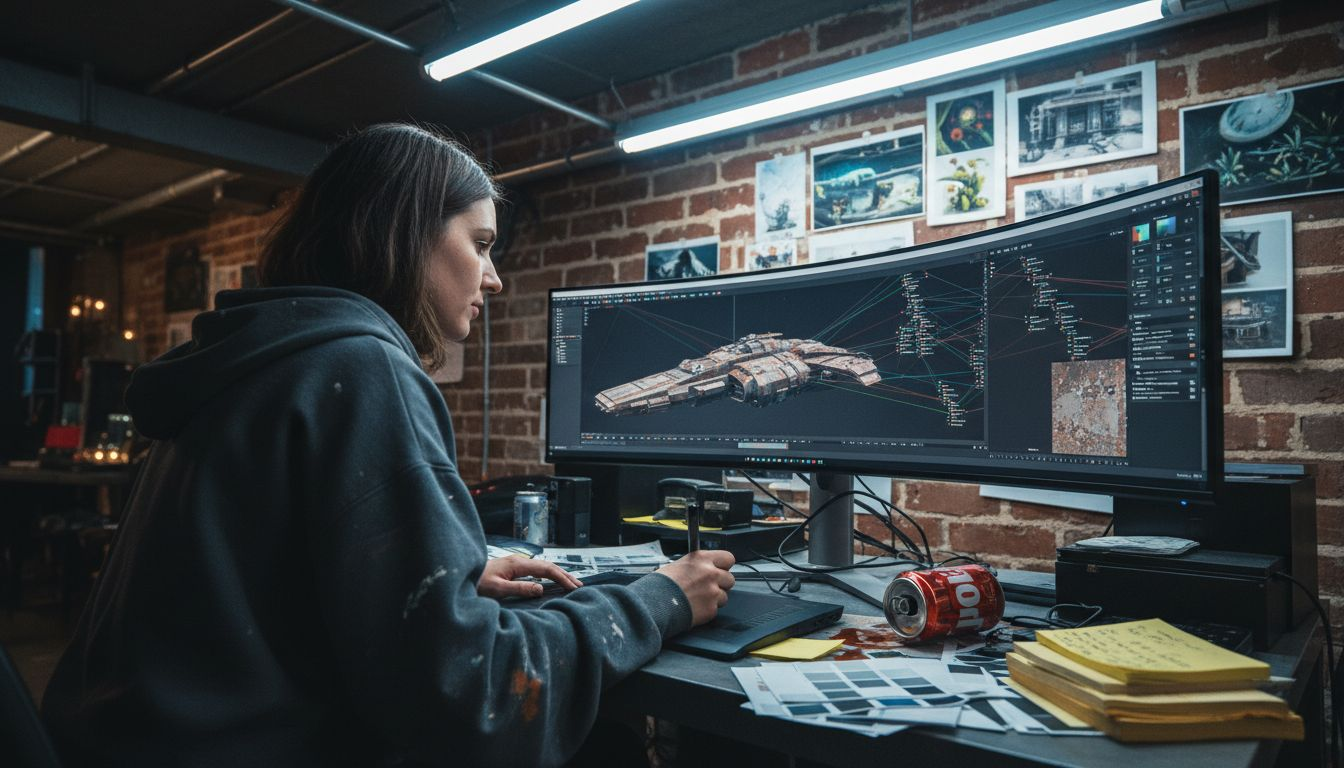
Start by understanding PBR material workflows which enable sophisticated surface simulation. Physically Based Rendering (PBR) materials use multiple texture maps to recreate surface characteristics like albedo, roughness, metallic properties, normal details, and ambient occlusion. Think of these maps as digital recipes that tell rendering software exactly how light should interact with each surface.
Apply your texture maps strategically. Connect albedo maps for base color, roughness maps for surface irregularities, and normal maps to simulate microscopic geometric details. Pay close attention to how each map influences surface perception a slight adjustment in roughness can transform a material from looking like plastic to polished stone. Experiment with shader settings to fine tune reflections and surface interactions.
Research high resolution texture libraries and consider creating custom maps for unique project requirements. Avoid generic textures that look repetitive or artificially perfect. Real world surfaces have imperfections slight variations in color, subtle wear patterns, and nuanced reflective properties that make them feel authentic.
Pro Tip: Always preview your materials under different lighting conditions to ensure they maintain realism across various environmental settings.
Step 3: Refine Lighting and Environment Settings
Lighting can make or break your photorealistic rendering. Your mission is to create an immersive environment that feels authentically natural and emotionally compelling.
Learn to implement professional lighting techniques that transform your scene from flat to dimensional. Global illumination is your secret weapon it simulates how light bounces realistically between surfaces, creating subtle shadows and ambient reflections that mirror real world lighting behavior. Think like a cinematographer consider the time of day, geographical location, and atmospheric conditions that will influence your scene’s illumination.
Balance artificial and natural light sources strategically. Analyze how different light temperatures interact warm tungsten lighting creates different mood compared to cool daylight. Experiment with light intensity and color temperature to achieve nuanced depth. Pay attention to shadow quality soft shadows suggest indirect light while crisp shadows indicate direct sunlight. Each lighting adjustment should feel intentional and purposeful.
Test multiple lighting scenarios by creating incremental versions of your environment. Render test frames under different conditions morning light, afternoon exposure, sunset tones. Observe how materials react to changing light conditions and adjust your global illumination settings accordingly. Remember that photorealism emerges from understanding light as a dynamic interactive element.
Pro Tip: Create a dedicated light reference folder with real world photographs to continuously study authentic lighting scenarios and improve your rendering skills.
Step 4: Render and Optimize Output Quality
The final rendering stage transforms your meticulously crafted 3D scene into a stunning visual masterpiece. Your goal is producing a photorealistic image that looks indistinguishable from a professional photograph.
Master advanced rendering optimization techniques to balance computational resources with visual fidelity. Ray tracing parameters are your primary tools for achieving studio-quality results. Carefully adjust settings to control how light rays interact with surfaces this determines the depth, reflections, and overall realism of your render. Leverage GPU acceleration whenever possible to expedite complex rendering processes without compromising image quality.
Implement strategic denoising algorithms to reduce visual noise while preserving critical detail. Use render layers and passes strategically these allow for granular compositing and post processing control. Anti aliasing techniques are crucial for eliminating jagged edges and creating smooth transitions between surfaces. Experiment with different sampling rates and noise reduction methods to find the optimal balance between render time and image clarity.
Develop an iterative testing approach. Render multiple versions with incrementally refined settings. Analyze each output critically look for subtle imperfections in lighting, material reflections, and geometric precision. Your goal is creating an image so realistic that viewers cannot distinguish between your render and an actual photograph.
Pro Tip: Create a render preset library with your most successful optimization configurations to streamline future projects and maintain consistent quality.
Step 5: Evaluate and Enhance Final Visuals
The final visual evaluation transforms your rendering from a technical achievement into a compelling storytelling medium. Your mission is creating an image that not only looks realistic but emotionally resonates with viewers.
Dive into professional post-processing techniques to elevate your render’s visual impact. Critical assessment begins by comparing your render against real world photographic references. Analyze camera settings, lighting harmony, and environmental integration with a discerning eye. Look for subtle details that separate good renders from extraordinary ones the interplay of light and shadow, texture nuances, and atmospheric depth.
Utilize advanced post processing tools to refine your visual narrative. Color correction allows you to adjust white balance, contrast, and saturation to match photographic standards. Experiment with atmospheric effects like subtle bloom, vignetting, or depth of field to create emotional resonance. These techniques transform technical accuracy into visual poetry adding mood, depth, and a sense of lived experience to your architectural or product visualization.
Compare post-processing adjustments and their effects:
| Technique | Visual Effect | Best Used For |
|---|---|---|
| Color Correction | True-to-life tones | Enhancing realism |
| Bloom | Soft light glow | Atmospheric mood |
| Vignetting | Subtle edge darkening | Focusing viewer’s eye |
| Depth of Field | Blurred backgrounds | Emphasizing subject |
| Contrast Boost | Deeper shadows, bright highlights | Dramatic compositions |
Develop a systematic evaluation process. Create a checklist that includes technical metrics like pixel sharpness, color accuracy, and lighting consistency alongside more subjective criteria like emotional impact and narrative strength. Review your render from multiple perspectives zoom in to examine microscopic details, then step back to assess overall compositional harmony. Your goal is creating an image so compelling that viewers momentarily forget they are looking at a digital representation.
Pro Tip: Maintain a reference library of exceptional photographs and renders to continuously train your visual perception and benchmark your work against industry leading standards.
Here’s a summary of essential elements for achieving photorealistic rendering:
| Component | Main Focus | Impact on Realism |
|---|---|---|
| Scene Setup | Organization, composition | Enables control, adds depth |
| Materials & Textures | Accuracy, unique details | Mimics real-world surfaces |
| Lighting Environment | Natural vs. artificial balance | Dramatic, dynamic visuals |
| Rendering Output | Optimization, denoising | Sharpness, clarity, quality |
| Visual Evaluation | Post-processing, storytelling | Emotional and visual impact |
Elevate Your Photorealistic Renderings with Rendimension
Creating photorealistic renderings demands precise scene setup, realistic material configuration, and expert lighting refinement as described in the step-by-step guide. If you face challenges such as mastering lighting environments or achieving high-quality rendering output that truly captures your project’s vision, you are not alone. Common pain points include needing accurate textures, dynamic lighting scenarios, and professional post-processing that brings emotional depth to your visuals.
At Rendimension, we specialize in transforming complex 3D models into immersive, photorealistic experiences that resonate with clients and stakeholders. Our team collaborates closely with architects, developers, and product designers to ensure your project benefits from cutting-edge architectural visualization, 3D renderings, and virtual reality solutions. From detailed texture work to optimized rendering pipelines, we handle every technical element, so your final visuals surpass expectations and aid successful decision making.
Discover how Rendimension can help you overcome the hurdles outlined in the guide by visiting our professional 3D design and architectural visualization platform.

Ready to bring your concepts to life with extraordinary photorealistic renderings? Connect with Rendimension now and experience a collaborative process tailored to your needs. Explore our offerings and start your project today by visiting Rendimension and see how we deliver visual solutions that capture every detail and emotion.
Frequently Asked Questions
How do I start setting up my scene for photorealistic rendering?
Begin by organizing your 3D model and studying authentic visual references. Break down complex models into manageable sections and pay attention to lighting and textural details to create depth in your scene.
What are the key components of accurately configuring materials and textures?
Focus on applying Physically Based Rendering (PBR) workflows, which involve using multiple texture maps like albedo, roughness, and normal maps. Strategically connect these maps to achieve lifelike surfaces that reflect real-world characteristics, testing for subtle imperfections.
How can I effectively refine lighting to enhance my rendering quality?
Implement professional lighting techniques like global illumination to create a dynamic light environment. Experiment with different natural and artificial light settings, observing how they influence shadow quality and material appearance to achieve a natural look.
What steps should I take during the rendering and optimization process?
Master advanced rendering optimization techniques by adjusting ray tracing parameters and leveraging GPU acceleration. Conduct multiple test renders to discover the optimal balance between render time and clarity, aiming for visuals that closely resemble high-quality photographs.
How do I evaluate and enhance my final visuals for emotional impact?
Critically analyze your render by comparing it with real-world photographic references. Use post-processing techniques such as color correction and depth of field adjustments to elevate your images beyond technical accuracy and create a more compelling narrative.
Recommended
- What Is 3D Rendering? Guide For Beginners – Rendimension
- How To Find The Best Architectural Rendering Services
- Transform Architecture With Advanced 3D Rendering : Rendimension
- 3D Rendering – Rendimension
Article generated by BabyLoveGrowth

